
Setup a New Data Source
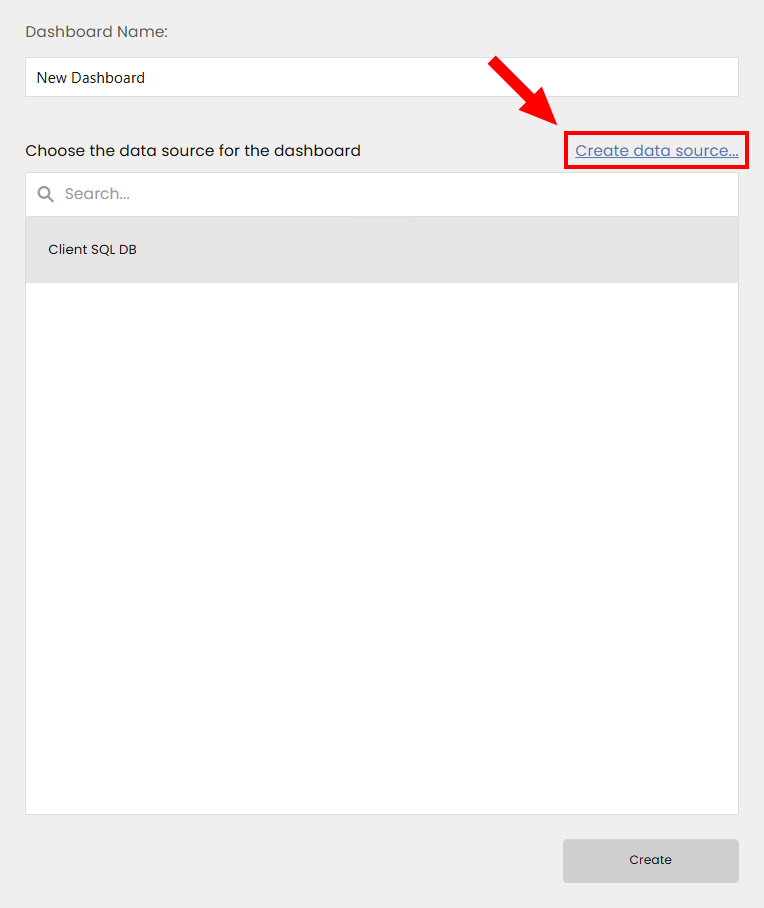
Creating a new dashboard allows you to specify a title as well as bind the dashboard to a data source. If there are no predefined data sources, you will need to create a new data source based on the predefined data connection.
Creating a Data Source
Click the Create data source… link to open the Dashboard Data Source Wizard.
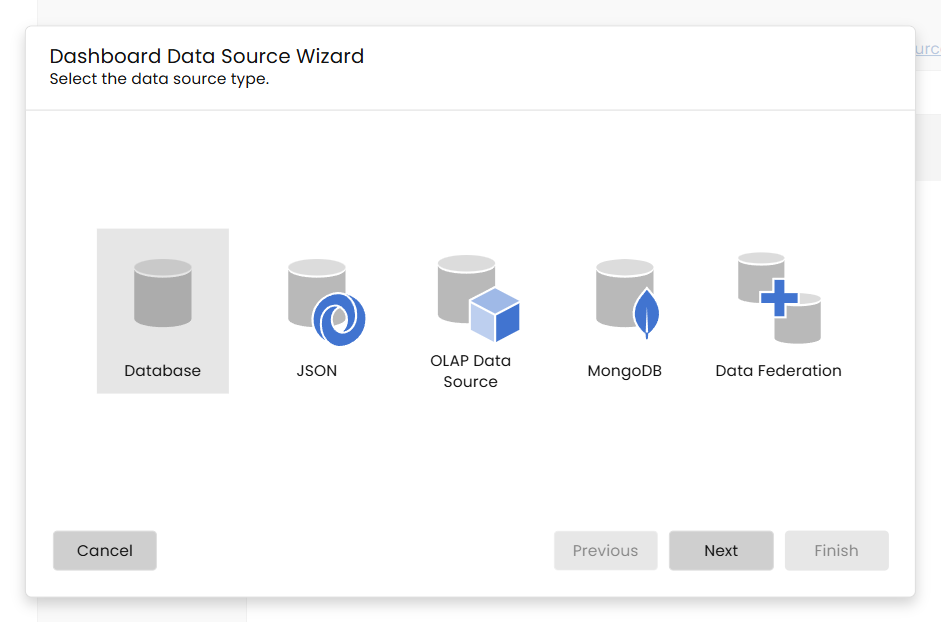
Select the Data Source Type
The wizard will prompt you to select the type of data source you want to create. Options may include Database, JSON, OLAP Data Source, MongoDB, and Data Federation.
- Configure Data Source: Depending on the the data source type follow the steps in Specify Data Source Settings
4. Connect Dashboard to Data Source
- Bind Data Source: Once the data source is created, bind it to your dashboard by selecting it from the list of available data sources.
- Confirmation: Ensure the data source is correctly linked to your dashboard by verifying the connection.
Additional Information
For detailed guidance on managing data sources and creating new ones based on predefined data connections, refer to the Manage Data Sources section.
Updated 2 days ago
Did this page help you?