
Infosec IQ Integration
Generating an Infosec IQ API Key
-
Log into your Infosec IQ account and head to Account Settings→ API
-
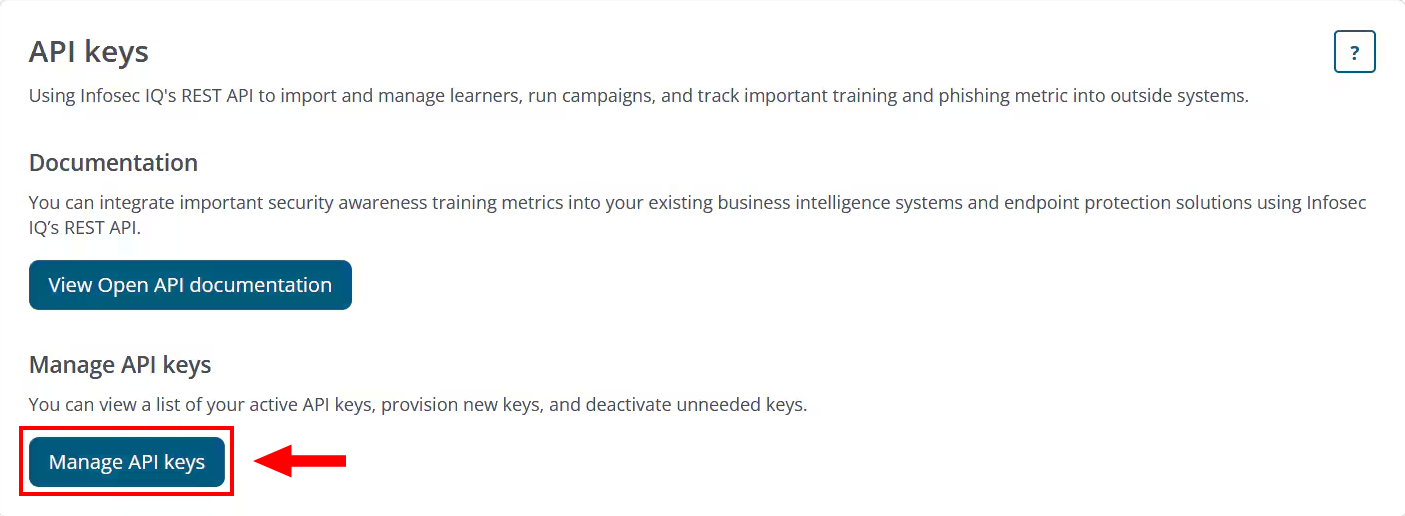
Once there, click on Manage API keys
-
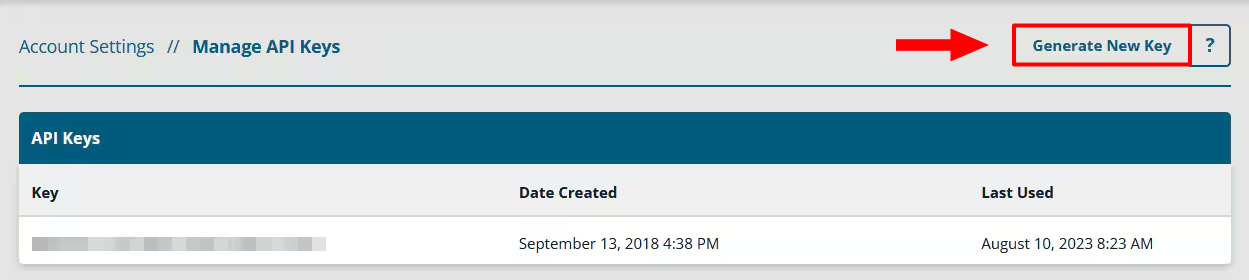
On the next screen, click Generate New Key, making sure to copy that key to a secure location
Add Configuration
-
Navigate to the Integrations tab using the left-hand menu, and select Infosec IQ

-
Click the Add Configuration button and fill in the details below:

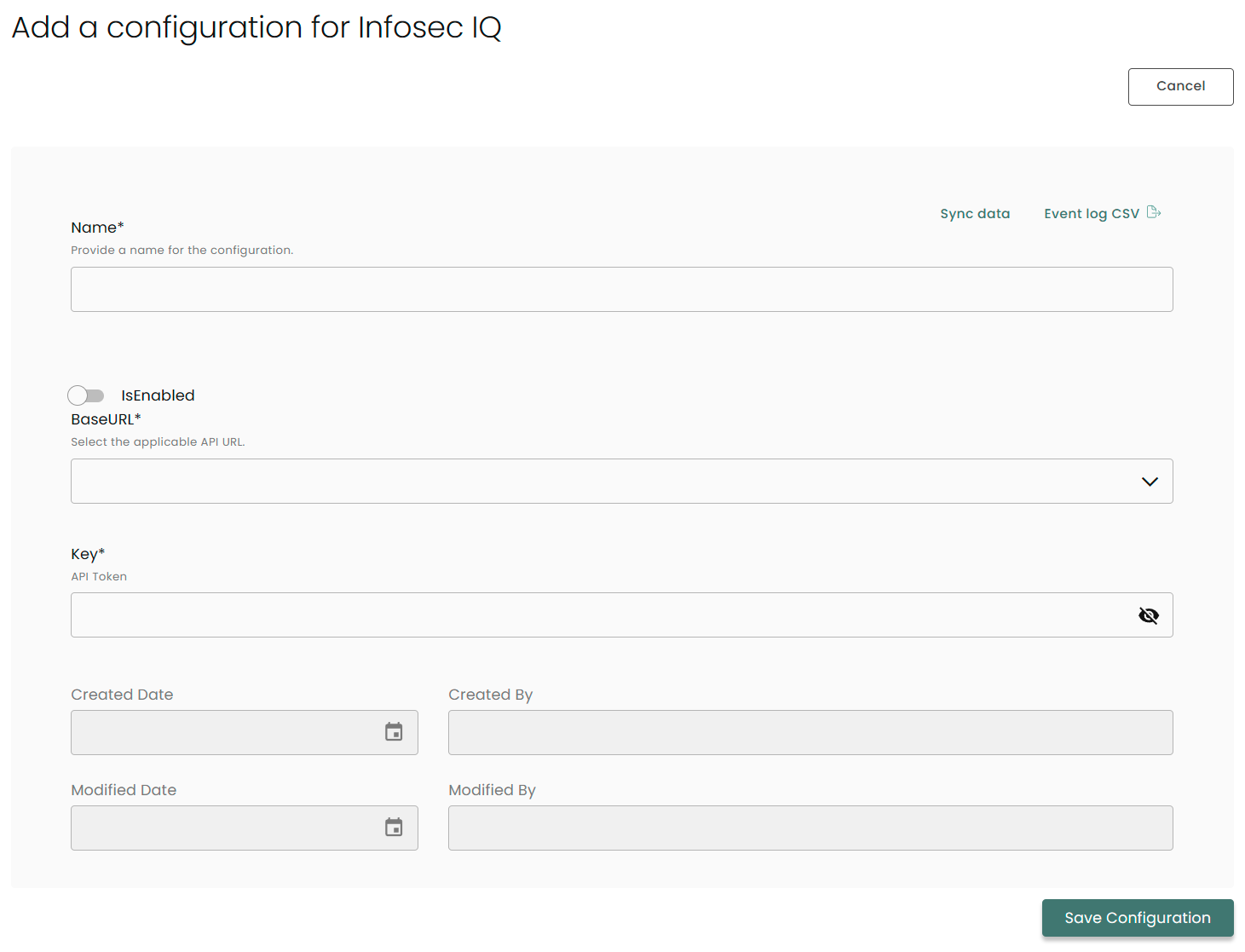
Name: Enter the name of the integration
is Enabled: Toggle button to ensure data is populated into Compyl
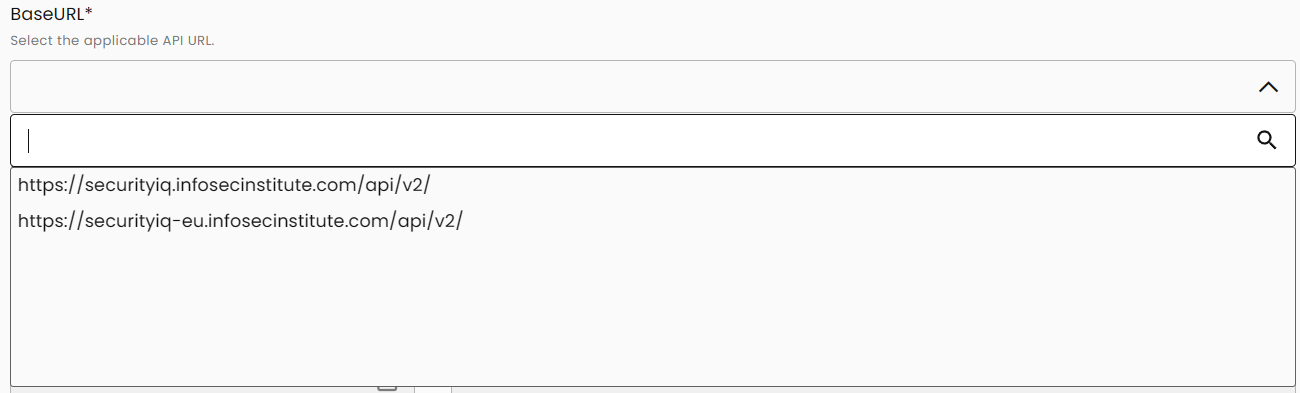
Base URL: Depending on your geographic location, click on the drop-down menu and choose the appropriate URL
Key: The API Token you generated above
Once you have completed filling out the form click Save Configuration.
NoteTo check if the integration is connected, navigate to the Integrations page in Compyl. If the Status icon shows an unbroken link in the right-hand corner, your integration is properly connected.

This integration syncs daily.
To query the data from the integration, refer to the Query Builder article.
Updated 2 months ago