
Incidents Register
The Incidents Register is designed to provide a secure and efficient way to log, manage, and track incidents. This feature ensures that all incidents are recorded in a secure environment, facilitating swift and effective responses to any security issues. This also allows a business to standardize the approach to incident response, escalate each incident to the appropriate stakeholders, and ensure proper governance for resolving incidents properly.
Adding an Incident
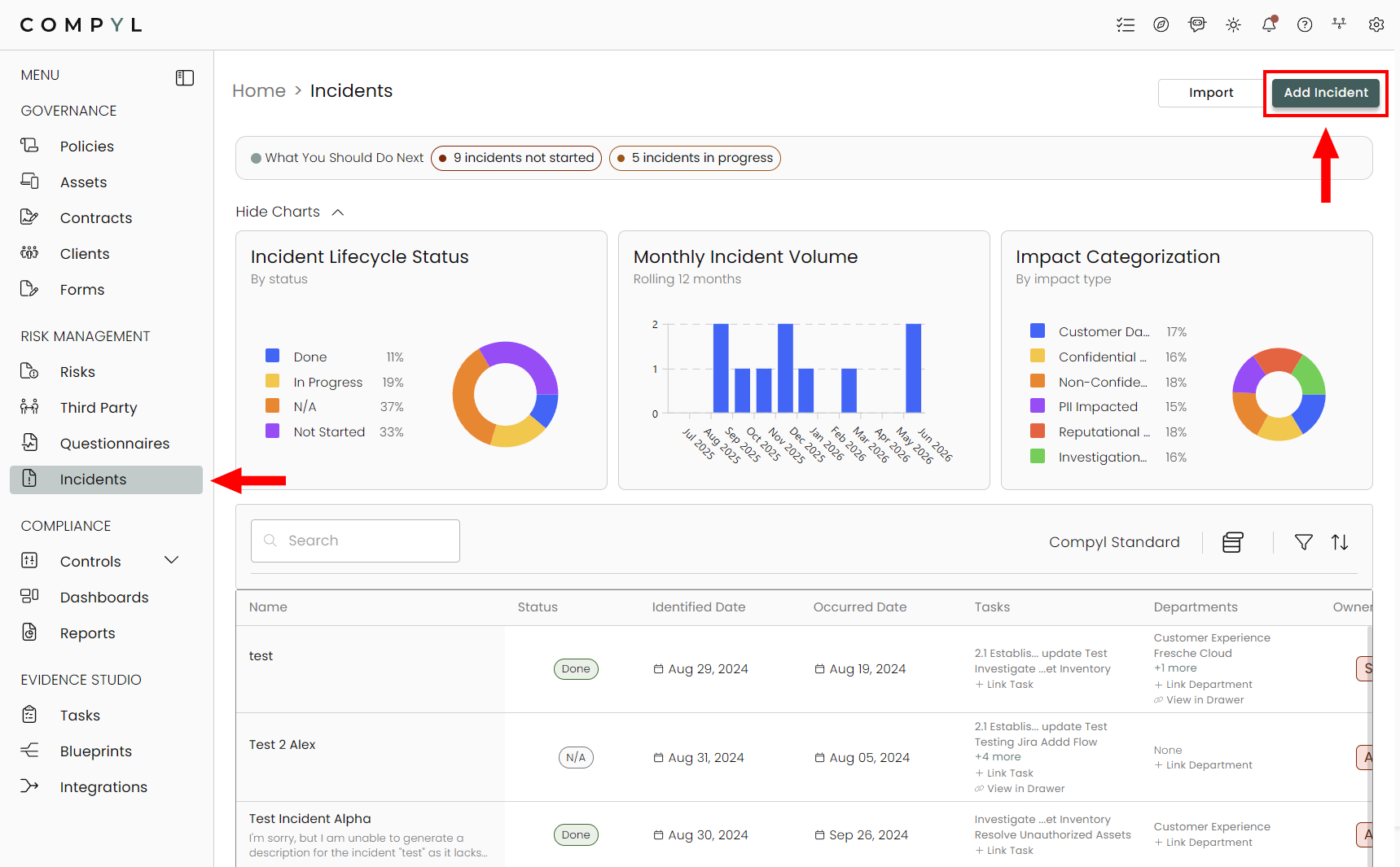
Navigate to Incidents in the left menu bar under Risk Management and click Add Incident in the upper right corner.
1. Basic Info
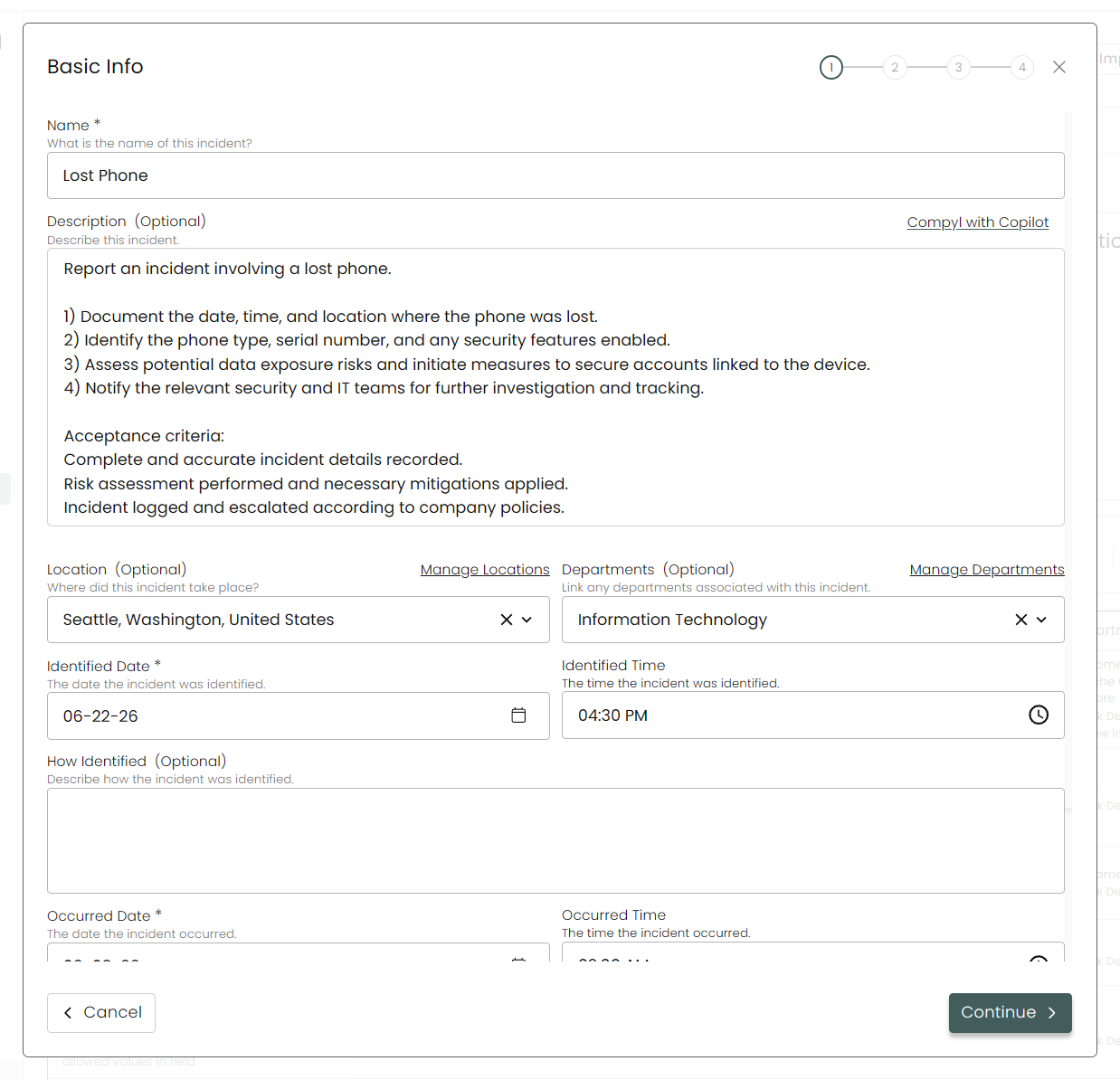
Here you'll be able to add key information about the incident, such as dates, location, associated department(s), and details about the occurrence.
2. Details & Assignment
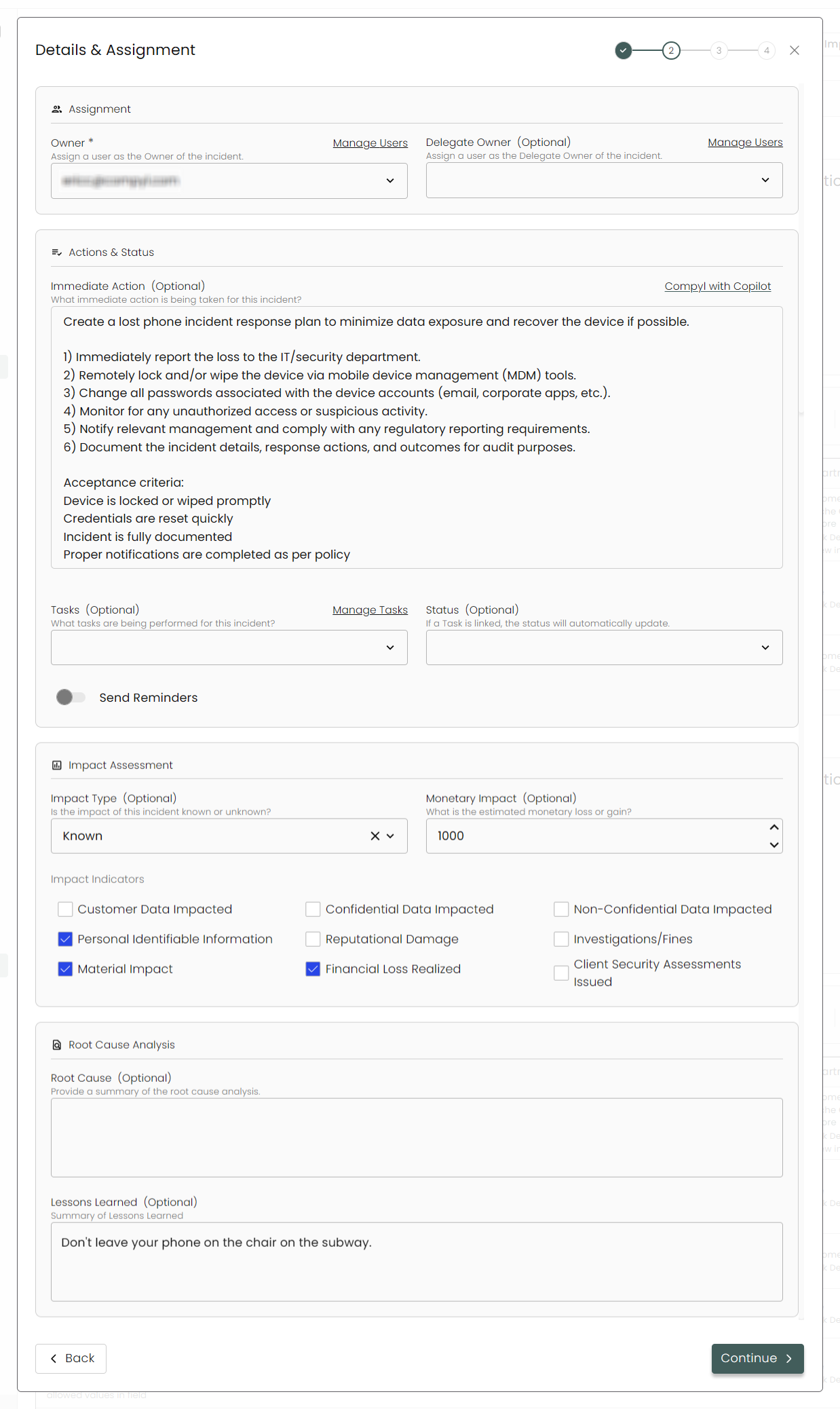
This section will enable users to assign Owners and Tasks to remediate the incident. If you would like the owner of the incident to be sent notifications reminding them to remediate and close out the incident, toggle on Send Reminders. Once the Status is set to Done, then the reminders will stop.
Impact Assessment
Set the Impact Type ( Known / Unknown), Monetary Impact, the Impact Indicators.
Root Cause Analysis
Enter in the Root Cause of the incident and a summary of the Lessons Learned.
NoteIt is likely that the information for these fields will not be known at the time of logging the incident, and will be populated later when more details are uncovered.
3. Custom Fields
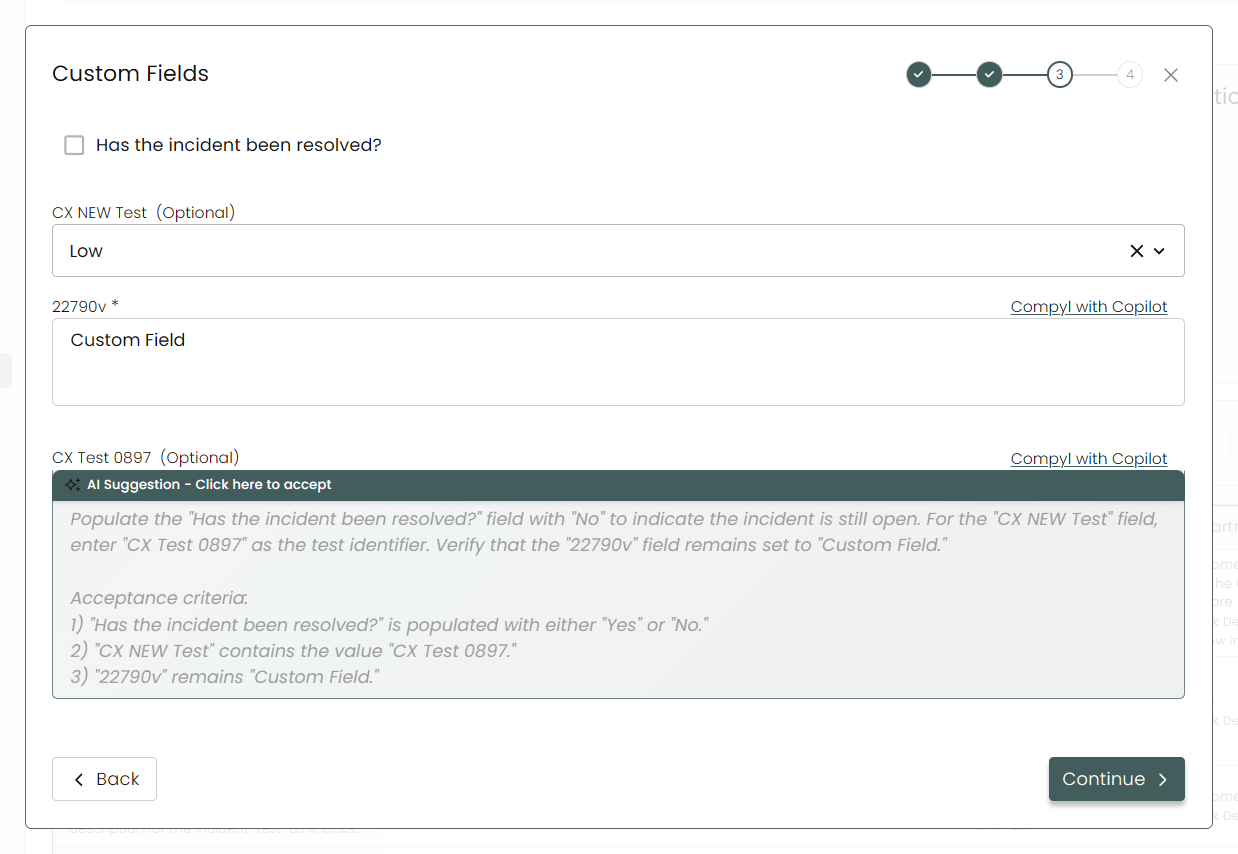
Any custom fields added from the Forms module will show here.
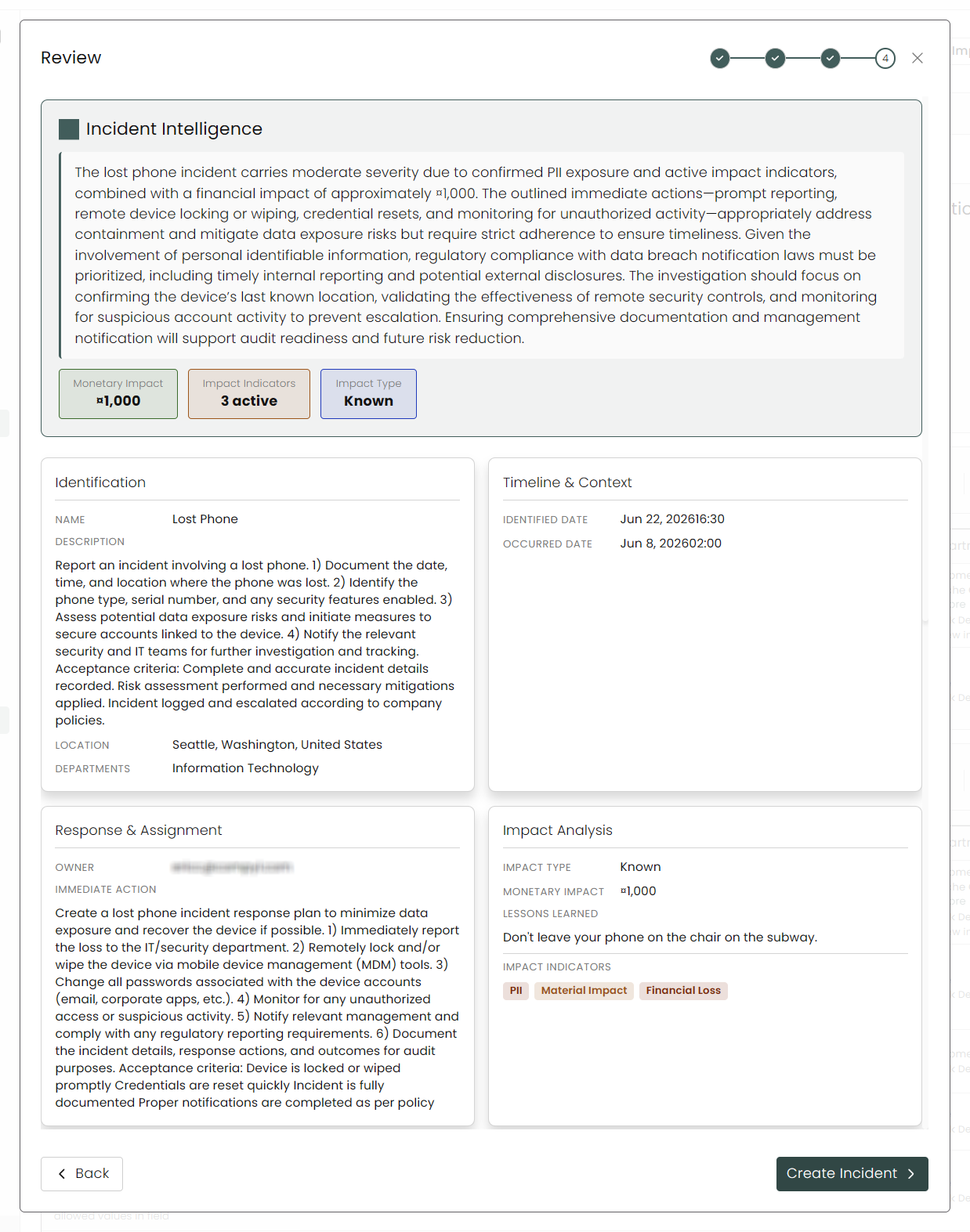
4. Review
This last screen summarizes your incident, allowing you to see everything together at once. If you are satisfied with the final information, click on Create Incident.
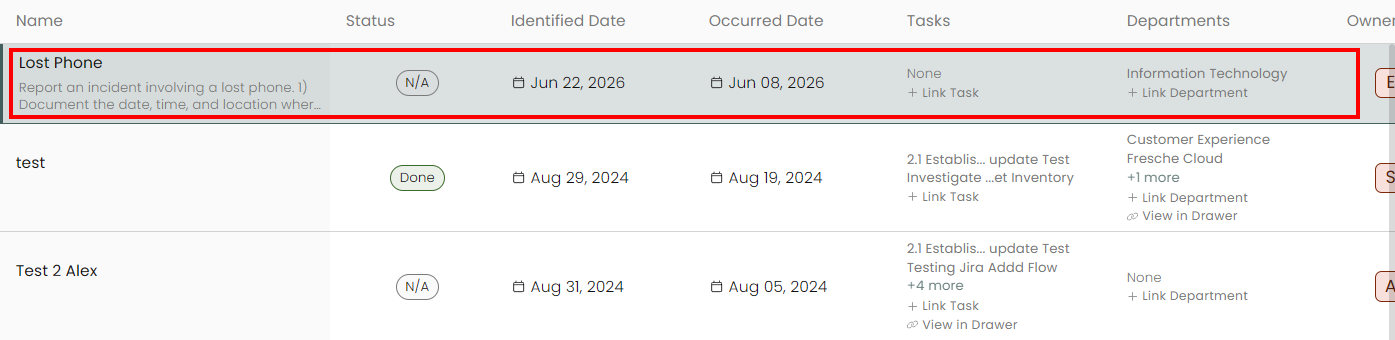
This new incident will now appear within the list on the main Incidents page.
Updated 8 days ago