
Granting Permissions for PIM, Entitlement Management, Intune Compliance, and Backup Collectors
Use your same Entra app registration to grant additional permissions.
PrerequisitesTo complete this configuration, ensure you have an administrator who holds the following roles:
- Microsoft Graph Admin Consent: Global Administrator or Privileged Role Administrator.
- Azure RBAC Assignment: Owner or User Access Administrator on the target Azure subscriptions.
Required Permissions Overview
All Microsoft Graph permissions must be granted as Application permissions (not Delegated), as Compyl authenticates via service credentials without an active user session.
Microsoft Graph Permissions (Entra App Registration)
| Permission | Type | Purpose |
|---|---|---|
RoleManagement.Read.Directory | Application | PIM eligible and active role assignments |
EntitlementManagement.Read.All | Application | Access packages and access package assignments |
DeviceManagementConfiguration.Read.All | Application | Intune compliance policies and device status |
Azure Resource Manager Permissions (Subscription IAM)
Compyl requests the standard ARM scope https://management.azure.com/.default). Ensure data-plane read permissions are available for backup items:
| Azure Action | Purpose |
|---|---|
Microsoft.RecoveryServices/vaults/backupProtectedItems/read | Recovery Services protected items |
Microsoft.DataProtection/backupVaults/backupInstances/read | Data Protection backup instances |
Both actions are included in standard subscription Reader or Backup Reader roles.
Add Microsoft Graph Permissions
-
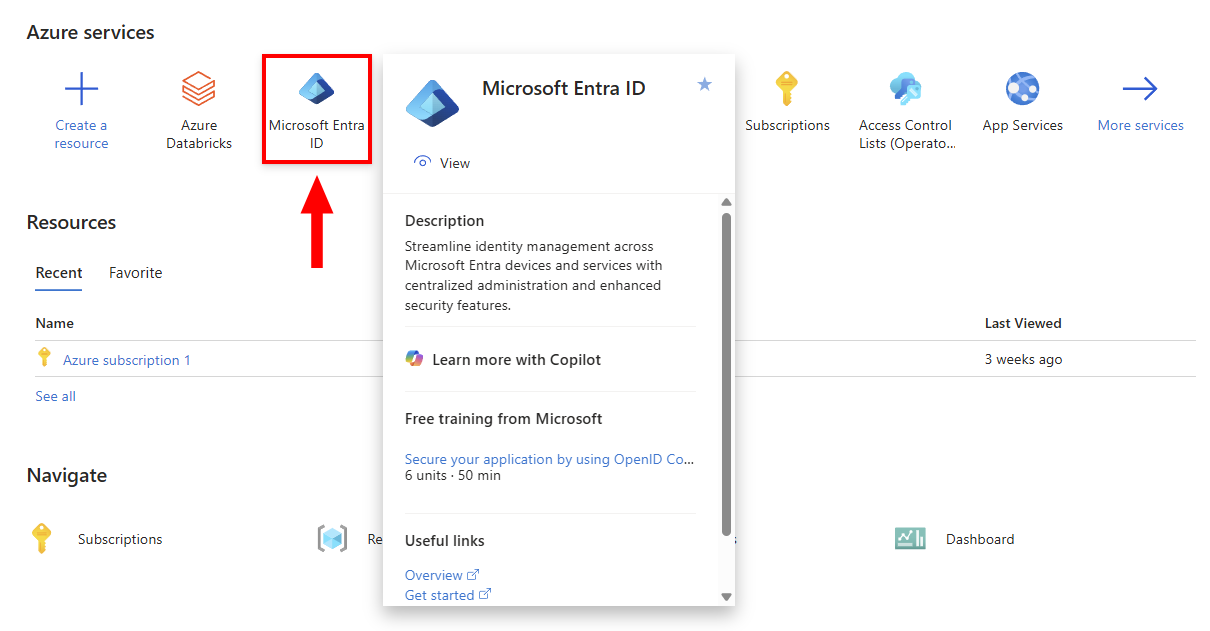
Navigate to the Azure Portal → Microsoft Entra ID.
-
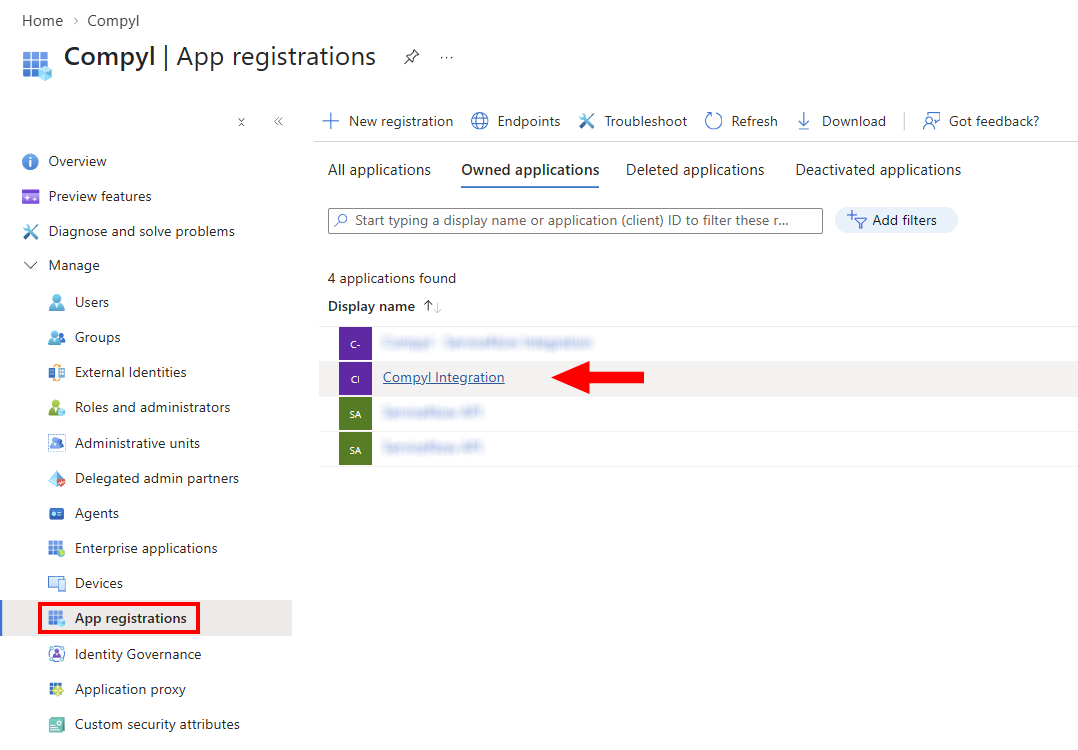
Expand Manage and select App registrations. Then click on the app registration corresponding to your Compyl integration (verify using the Application / Client ID).
-
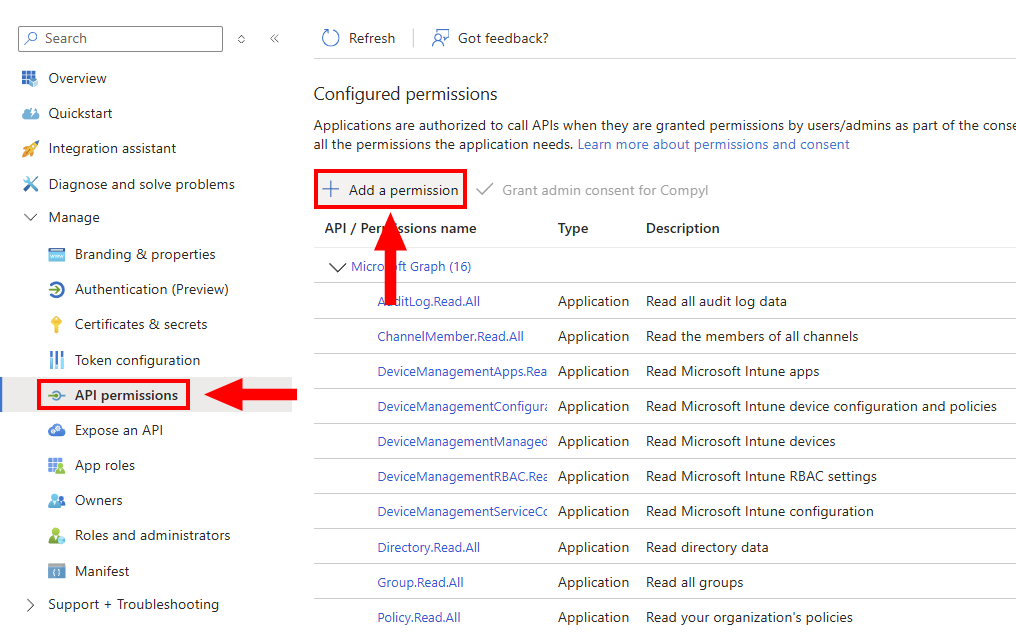
Go to API permissions → Add a permission.
-
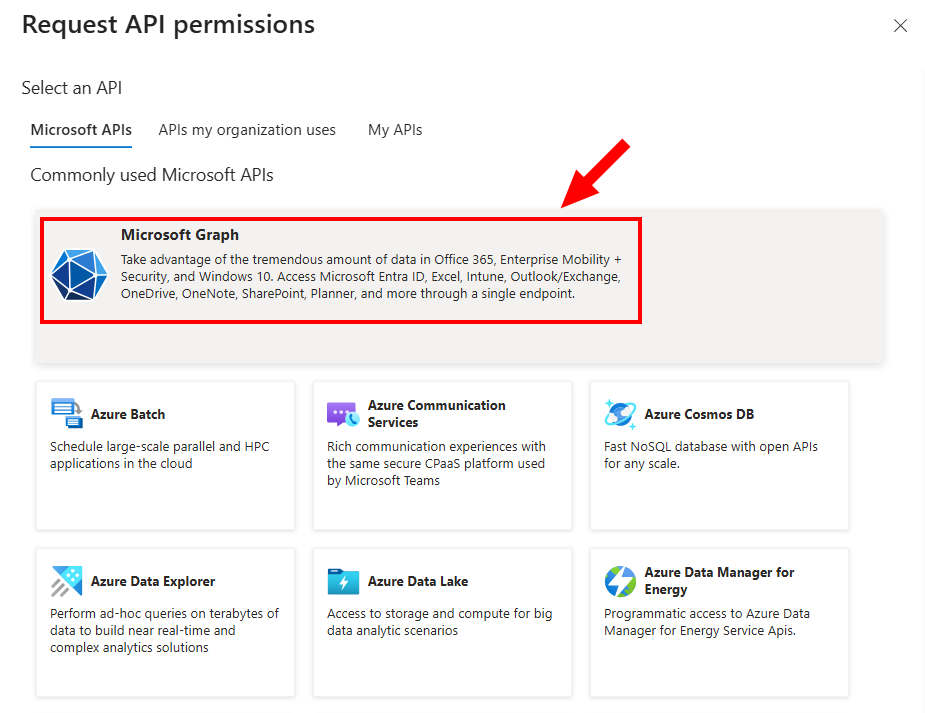
Select the Microsoft Graph API.
-
Choose Application permissions (do not select Delegated permissions) and search for and select the following permissions:
-
RoleManagement.Read.Directory -
EntitlementManagement.Read.All -
DeviceManagementConfiguration.Read.All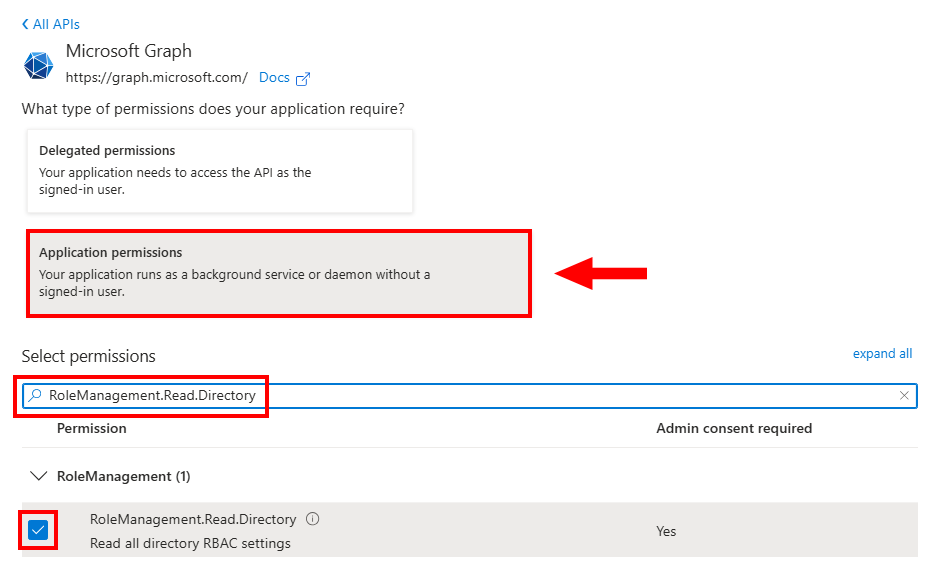
-
-
Click Add permissions.
-
Click Grant admin consent.

-
Verify that each permission displays a green status indicator showing Granted for
YourBusinessName.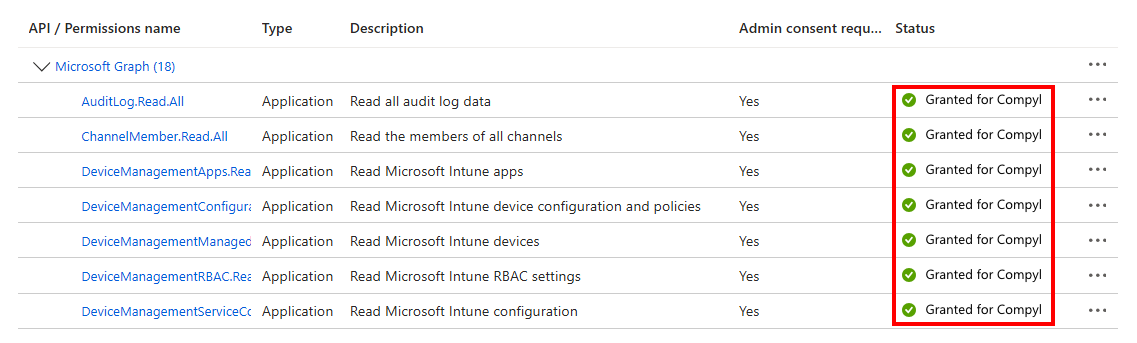
Upon completion, the configured API permissions should include the below:
| API / Permission Name | Type | Status |
|---|---|---|
RoleManagement.Read.Directory | Application | Granted for YourBusinessName |
EntitlementManagement.Read.All | Application | Granted for YourBusinessName |
DeviceManagementConfiguration.Read.All | Application | Granted for YourBusinessName |
NoteIf any permission lists as Delegated, remove it and re-add it as Application. If consent status is missing, re-click Grant admin consent. Adding permissions without granting admin consent will prevent Compyl from acquiring these roles via its client token.
Confirm Azure RBAC for Backup Collectors
-
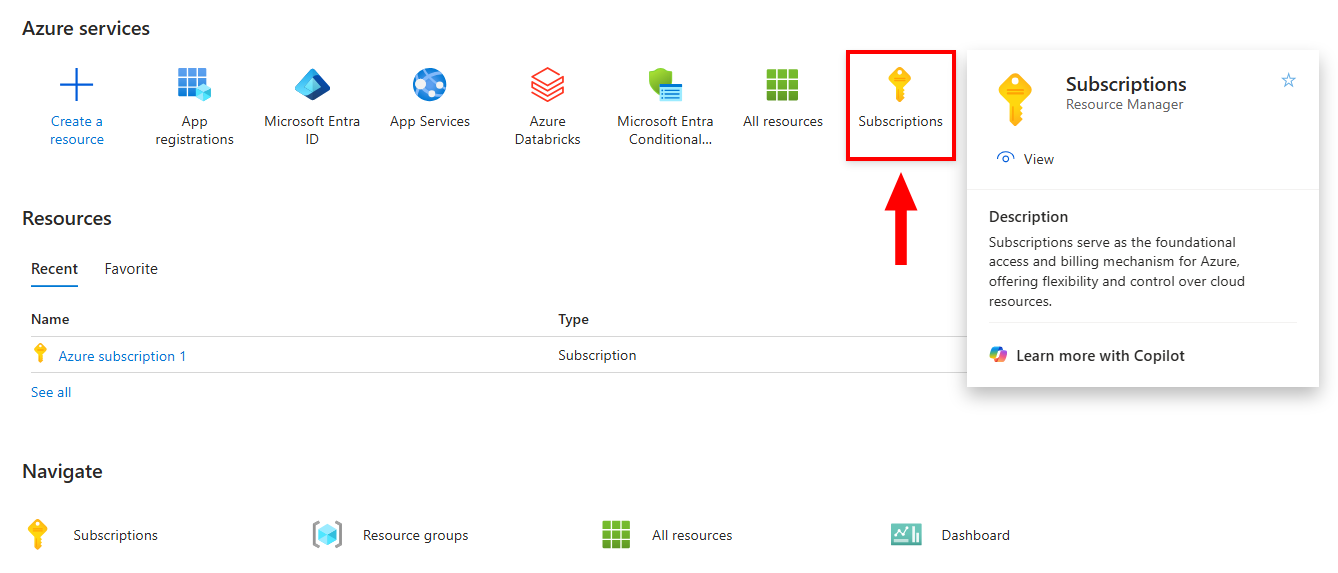
Navigate to your Azure Portal and click on Subscriptions.
-
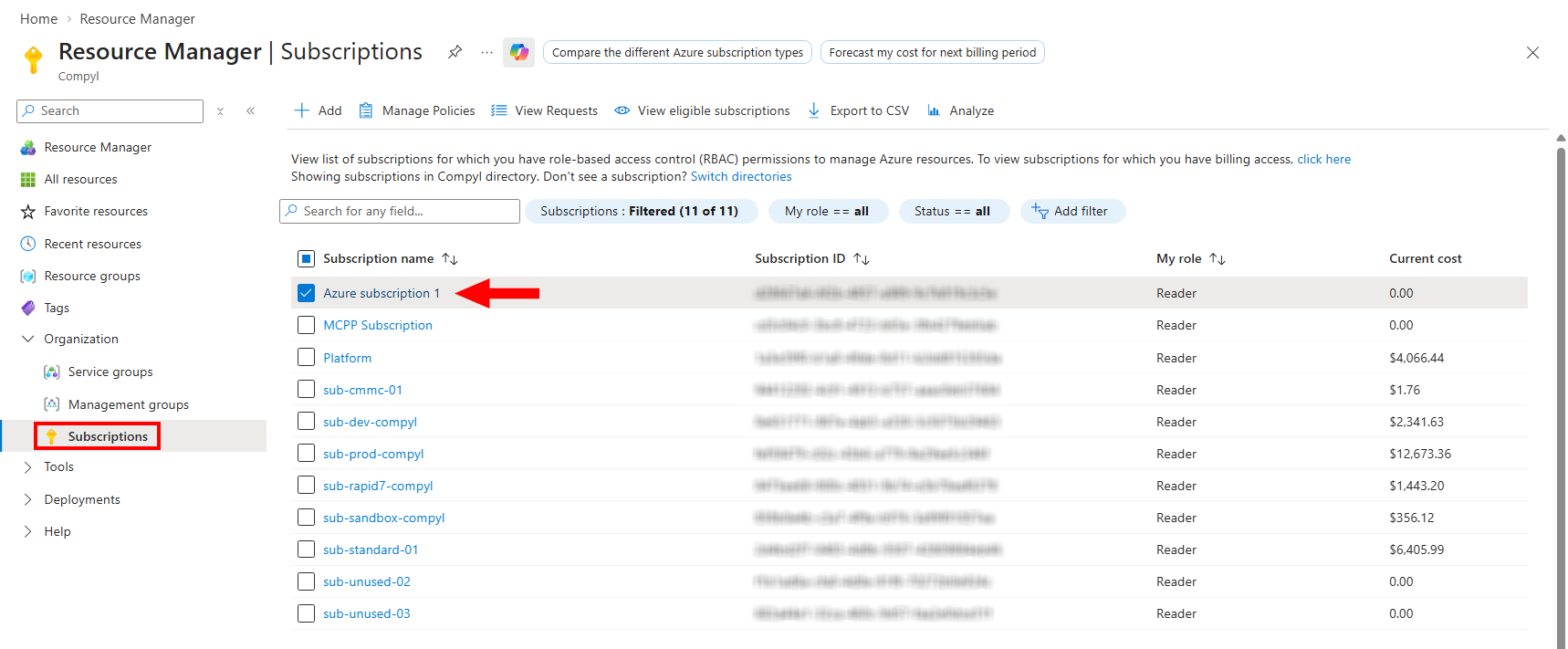
Open each subscription integrated with Compyl.
-
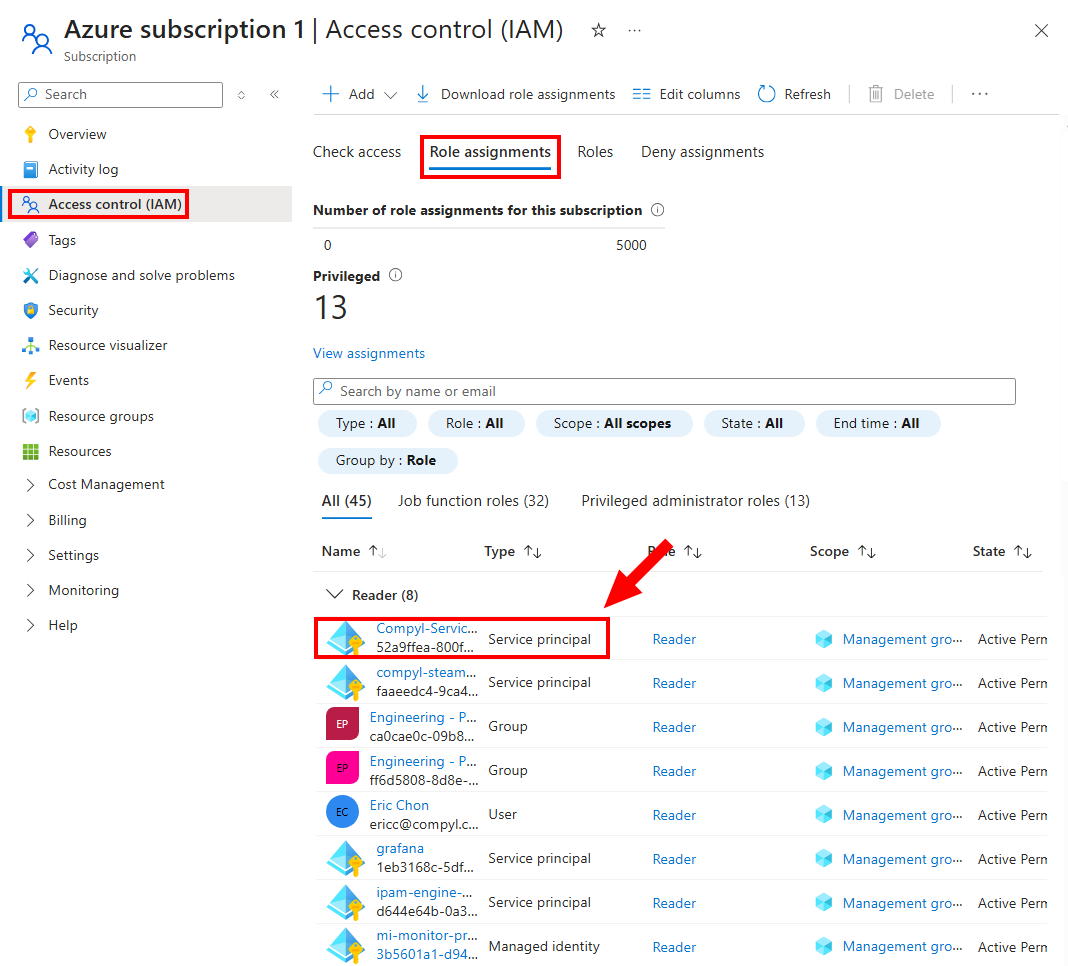
Go to Access control (IAM) → Role assignments. Then locate the service principal / enterprise application associated with your Compyl app.
-
Confirm that either the Reader or Backup Reader role is assigned at the subscription level (or on targeted Recovery Services/Data Protection vaults).
-
If assignment is missing: Click Add → Add role assignment → Select Reader (or Backup Reader) → Assign to the Compyl service principal → Review + assign.
NoteNo Graph permissions are required for ARM. This step ensures read authorization for protected items and backup instances across synced subscriptions.
Re-validate Integration in Compyl
Newly added collectors must be validated in the Compyl integration catalog:
-
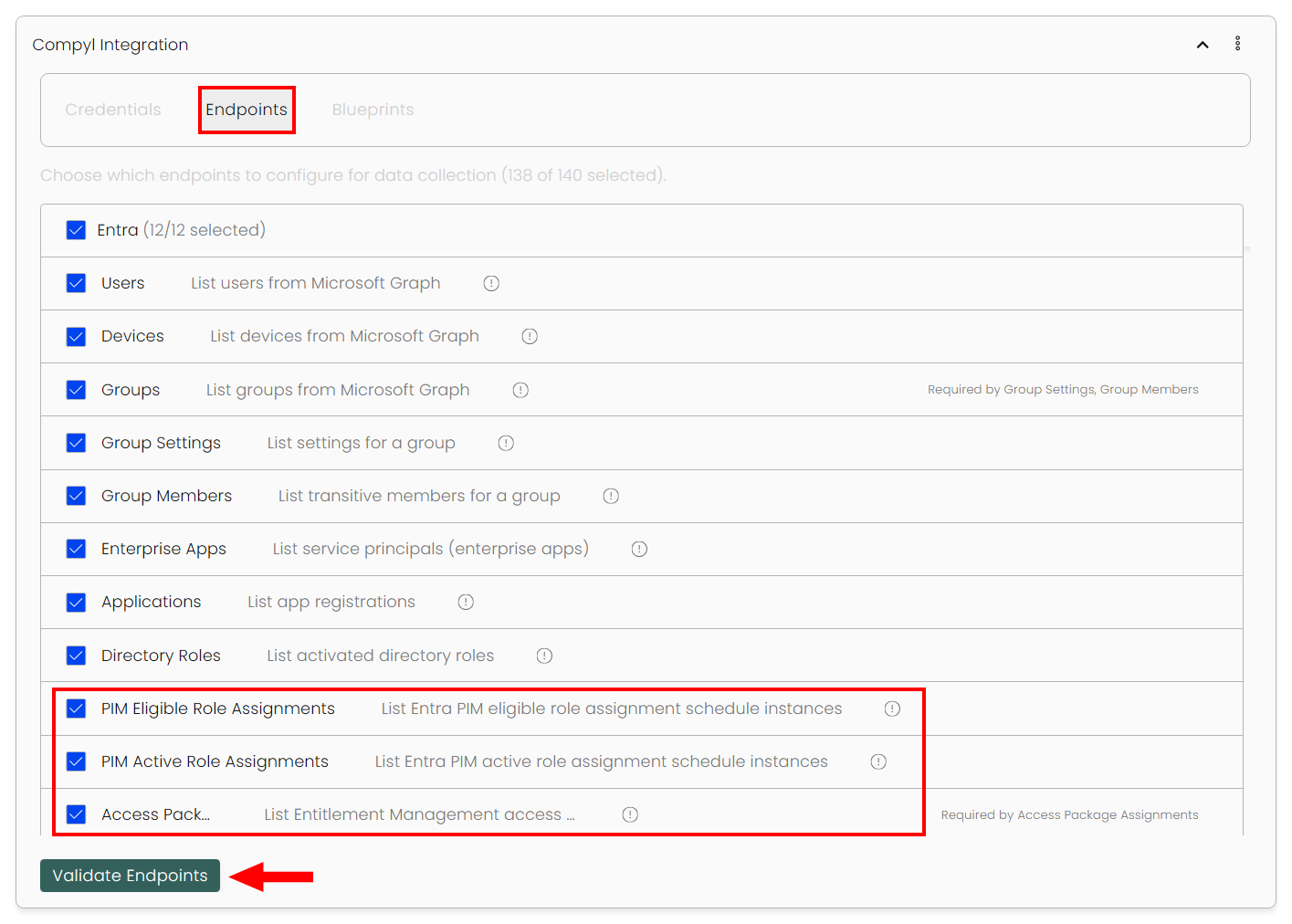
In Compyl, open your Azure integration and navigate to Endpoints. Make sure the new endpoints are selected and then click Validate.
-
Confirm successful validation for the following endpoints (enable them if using a selected endpoint scope):
- PIM Eligible Role Assignments
- PIM Active Role Assignments
- Access Packages
- Access Package Assignments
- Intune Compliance Policies
- Intune Compliance Policy Device Statuses
- Recovery Services Protected Items
- Data Protection Backup Instances
-
Save changes. The new tables will populate on the next scheduled sync.
Updated about 1 month ago