
Notifications
Compyl's in-app notification engine allows you to see all outstanding tasks and alerts within the application
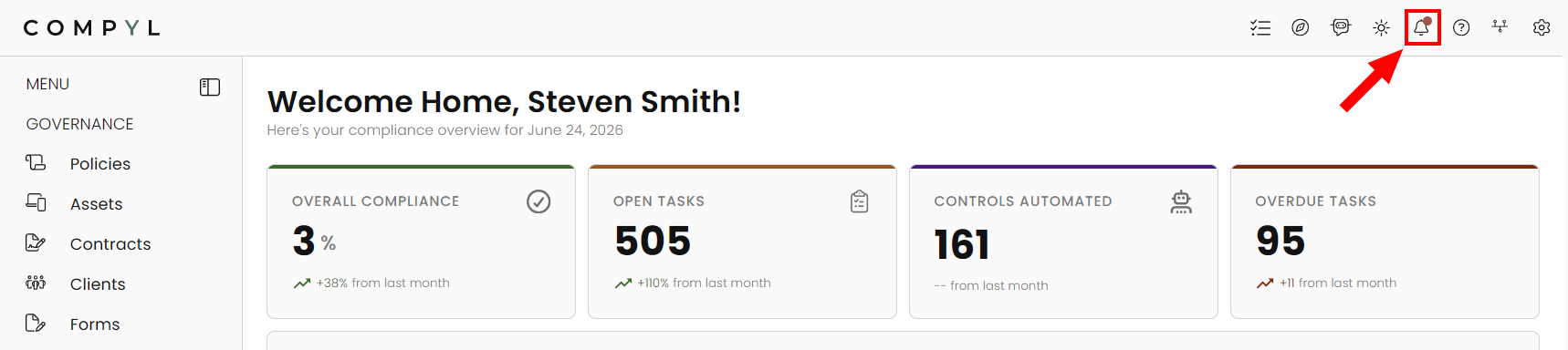
All notifications that are assigned in Compyl will be sent to users via email as well as appear inside the application. Notifications consist of reminders for actions items within Compyl, such as tasks and assessments. When you have outstanding notifications, you will see a red circle atop the bell on the upper right corner of your Compyl window.
Manage Notifications
Below are the default notifications for Associated Users. These notifications are sent via email and shown inside the application via the Notifications icon on the upper right corner.
The two most common types of notifications are Assignment and Reminders.
Assignment: These notifications go out when a user is assigned any role within a record in Compyl. This also encompasses notifications sent out when the user is unassigned from that record.
Reminders: These notifications go out when an item's Due Date is coming up in 30 days, 15 days, 7 days, and 2 days. This also encompasses notifications for when the item is overdue, which is sent out every week until the item is complete. These notifications are only applicable to item with a Due Date.
To view notifications in Compyl
-
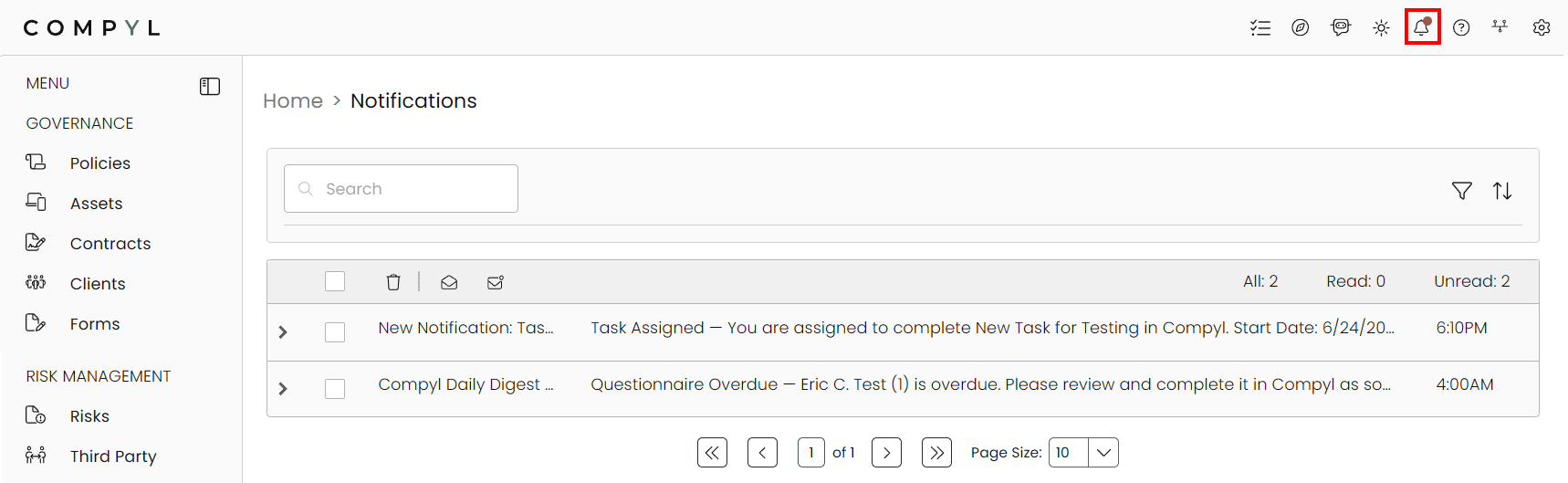
When you notice the red circle on the notification icon, click the bell icon. This brings you to the Notifications page which shows all of your outstanding notifications.
-
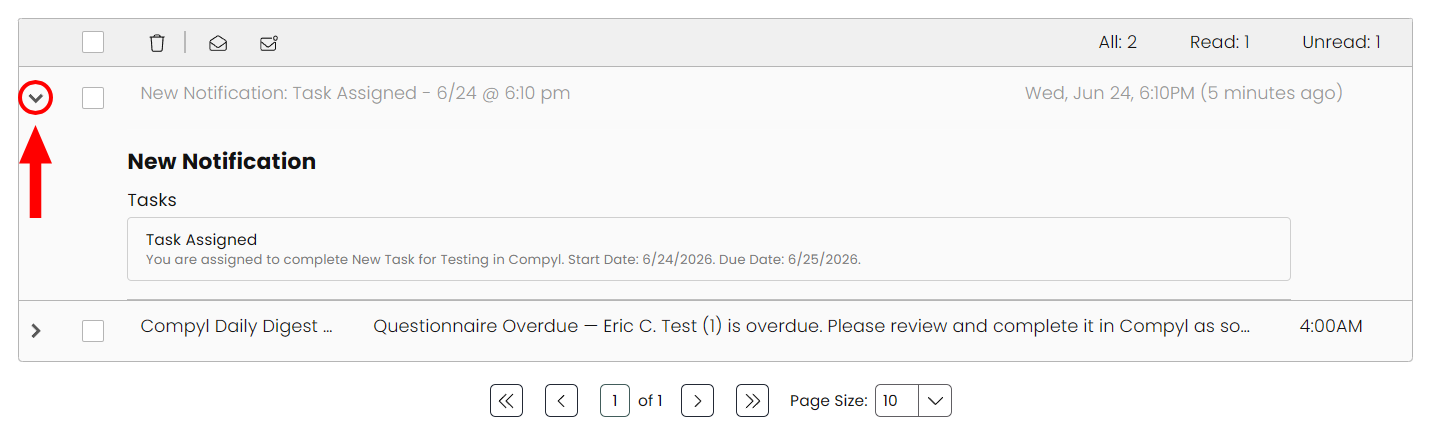
Expand the notification by clicking on the dropdown arrow.
-
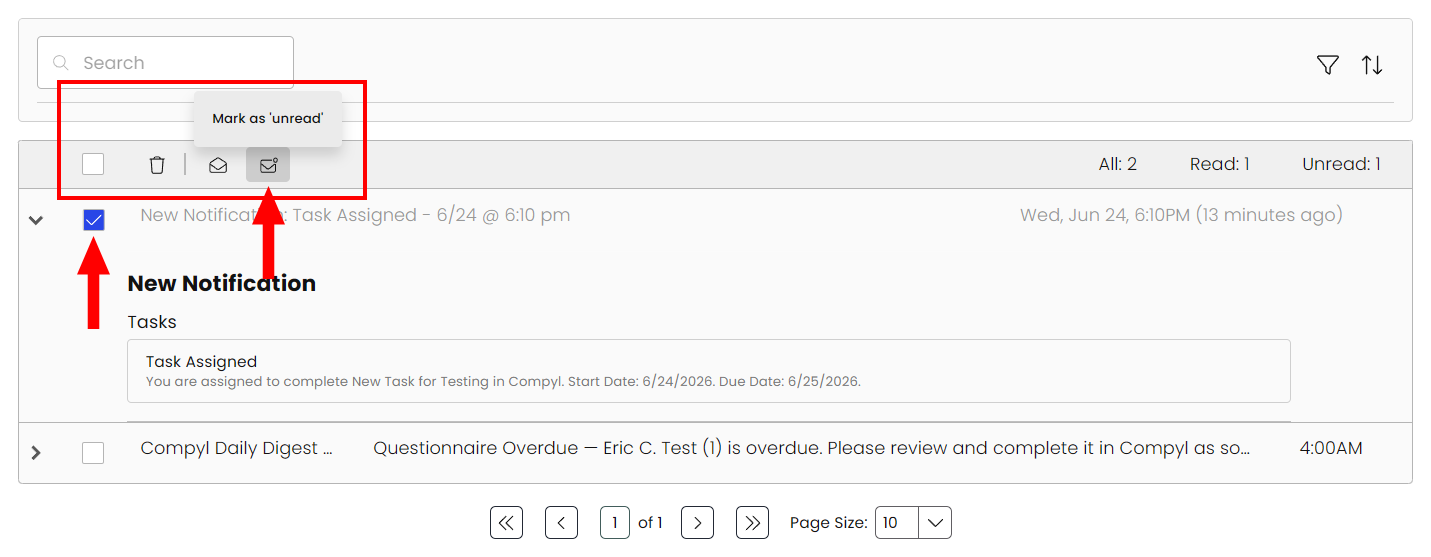
It will be Marked as Red by default when you open the notification, but you can select the checkbox on the left for any notification and change its status in the menu at the top (delete, mark as read, mark as unread).
-
If there is a direct action associated with the notification, follow the instructions and click the link, which will direct you to the entry within Compyl that needs attention.

-
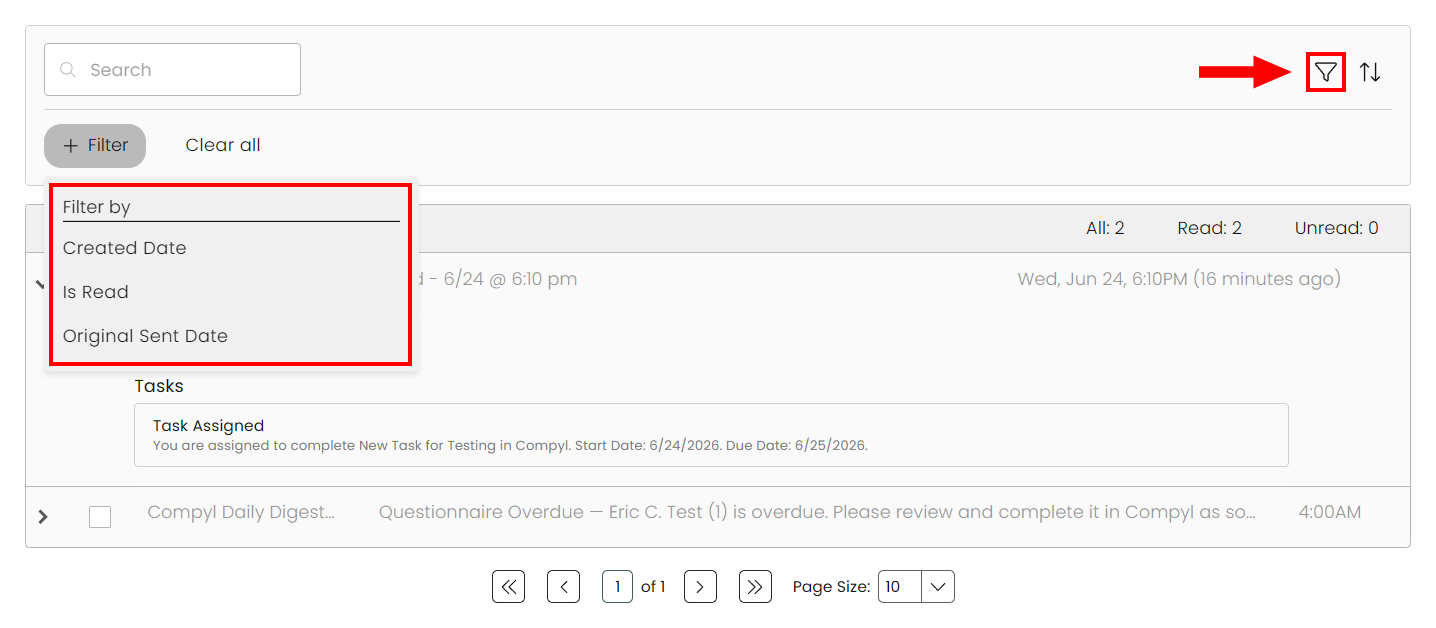
You can filter your notifications by clicking on the funnel icon and picking the specific filter. You can continue to add additional filters to customize your view as well.
NoteNotifications will only be reflected for 30 days and then will be removed from the notifications list.
To learn more about assigning notifications in Compyl, refer to the Associated User Roles section in our Provisioning and Managing Users article.
Updated 8 days ago