
KnowBe4 Integration
Connecting your KnowBe4 environment with Compyl monitors the progress of individuals enrolled in security campaigns, enhances overall security measures, and facilitates evidence collection for upcoming audits.
WarningCompyl uses theReporting API, not the User API
To create an API key follow these steps below:
- Navigate to KnowBe4
- Login to KnowBe4account as admin.
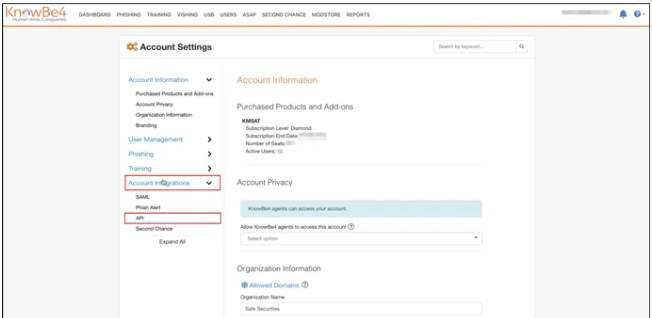
- Go to the Account Settings
- Click the "Account Integrations" from the left menu.
- Click the "API" option.
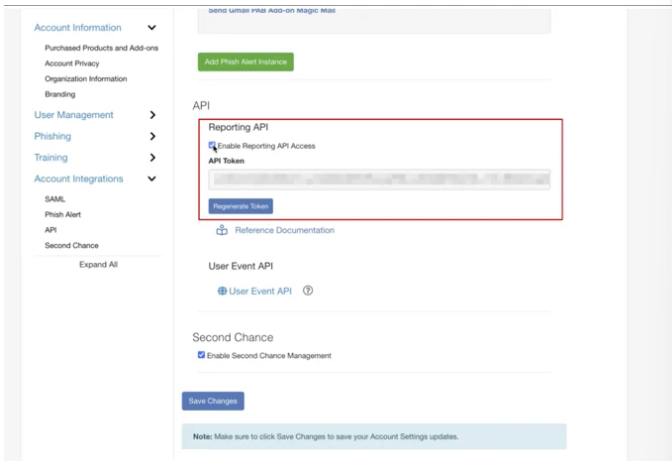
- Mark the Enable Reporting API Access checkbox
- The system generates an API Key. Save this API Key
Note: You need to use this API Key while configuring the integration in Compyl
Add Configuration
-
Navigate to the Integrations tab using the left-hand menu, and select KnowBe4

-
Click the Add Configuration button and fill in the details below:

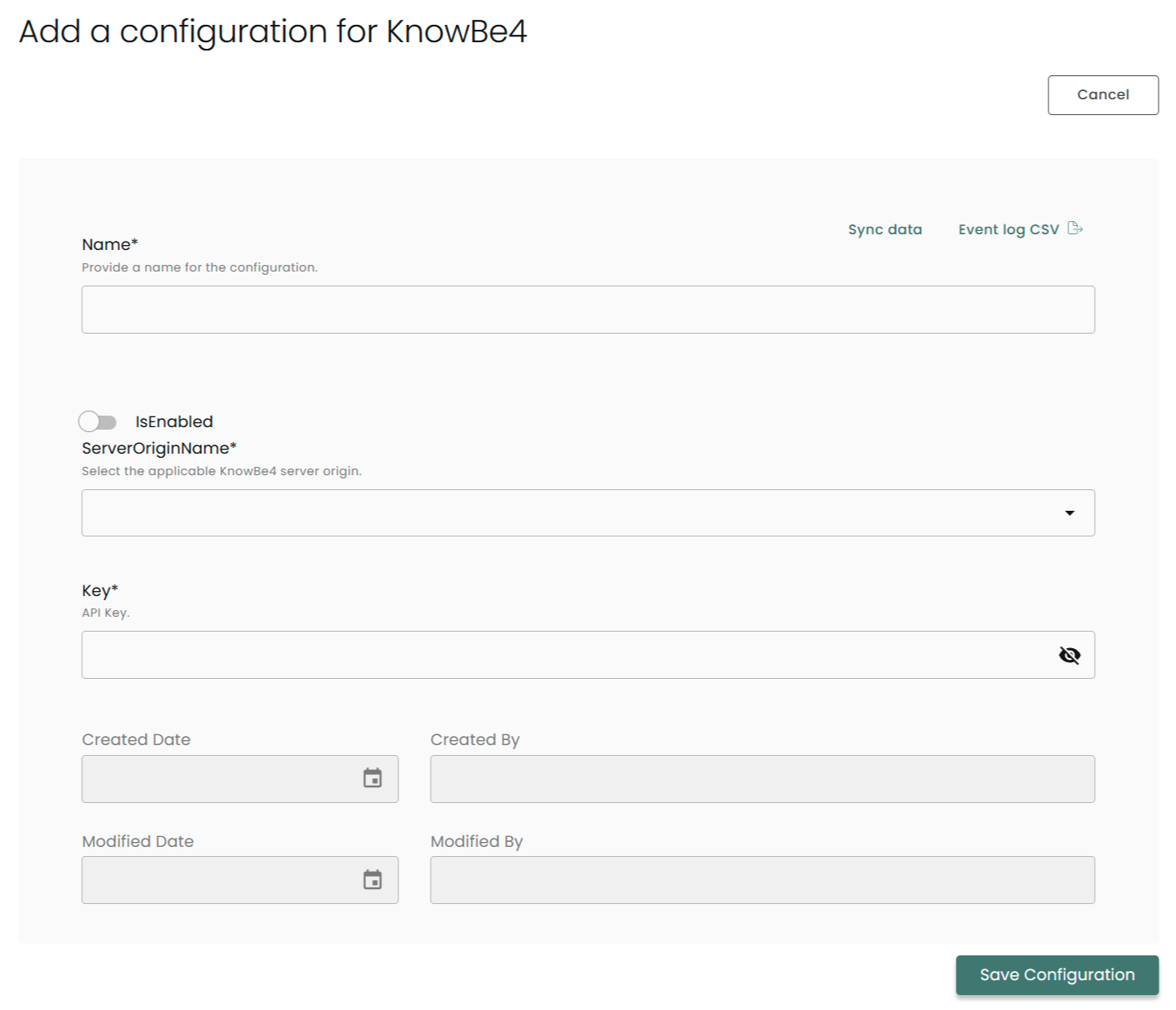
Name: Enter the name of the integration (ex: Compyl x KnowBe4)
is Enabled: Toggle button to ensure data is populated into Compyl
Server Origin Name: Select the origin of your KnowBe4 Server from the dropdown menu (Please refer to the KnowBe4 docs for further clarity on server origin).
Key: Enter your API Token here
Once you have completed filling out the form click Save Configuration.
NoteTo check if the integration is connected, navigate to the Integrations page in Compyl. If the Status icon shows an unbroken link in the right-hand corner, your integration is properly connected.

This integration syncs daily.
To query the data from the integration, refer to the Query Builder article.
Updated 2 months ago