
FlatFile Integration
Integrate FlatFile to enable Compyl to pull data from FlatFiles as way to gain access to data from any system.
Any data in CSV format can be uploaded, and is then accessible in Compyl via the Query Builder or used for dashboards and reports. Though this is static data, it serves as a workaround for getting data into Compyl from systems that cannot be integrated into the platform
Click here to access instructions for the FlatFile API for Compyl .
To Upload a FlatFile in Compyl
-
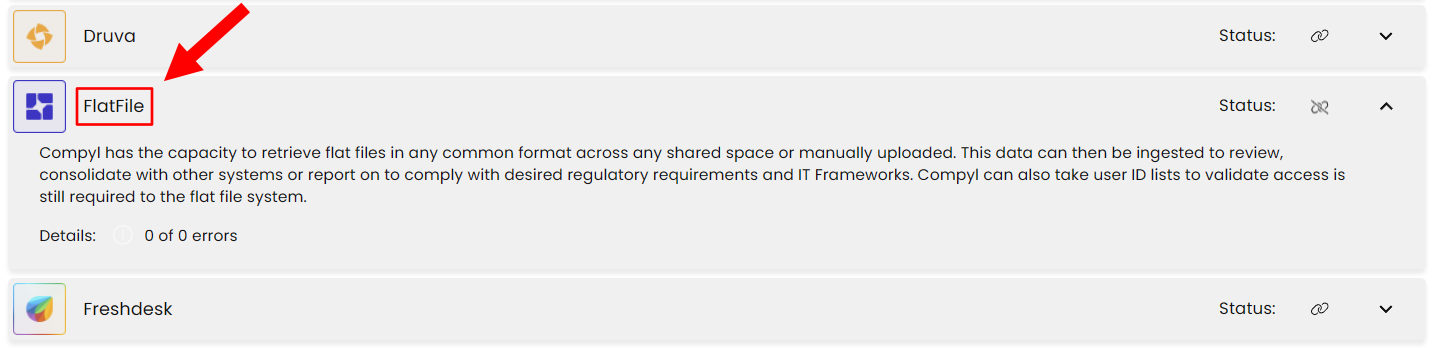
Navigate to the Integrations tab using the left-hand menu, and select FlatFile
-
Click the Add Flat File button and fill in the details below:

-
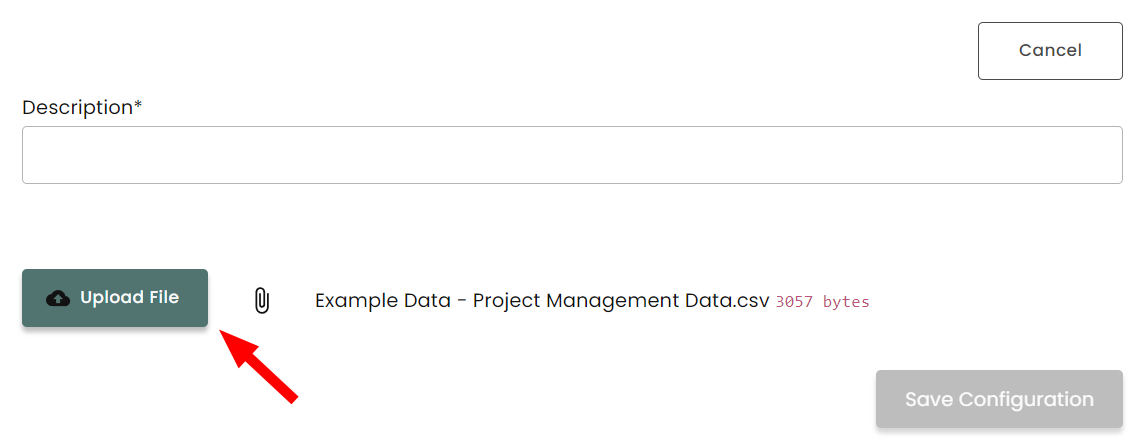
Select Upload File in the bottom left corner and select the file that you would like to upload. This file must be in .csv format to be uploaded.
-
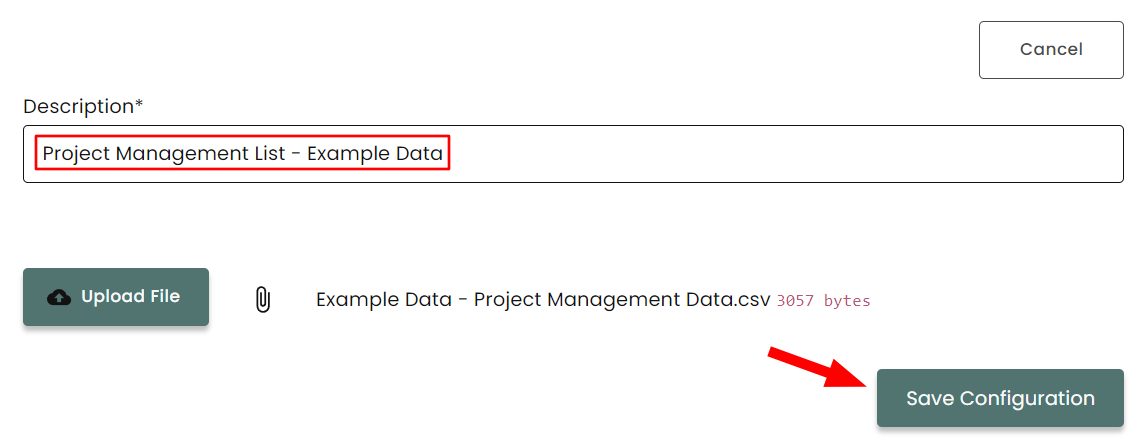
Add a description of the file and then hit Save Configuration
-
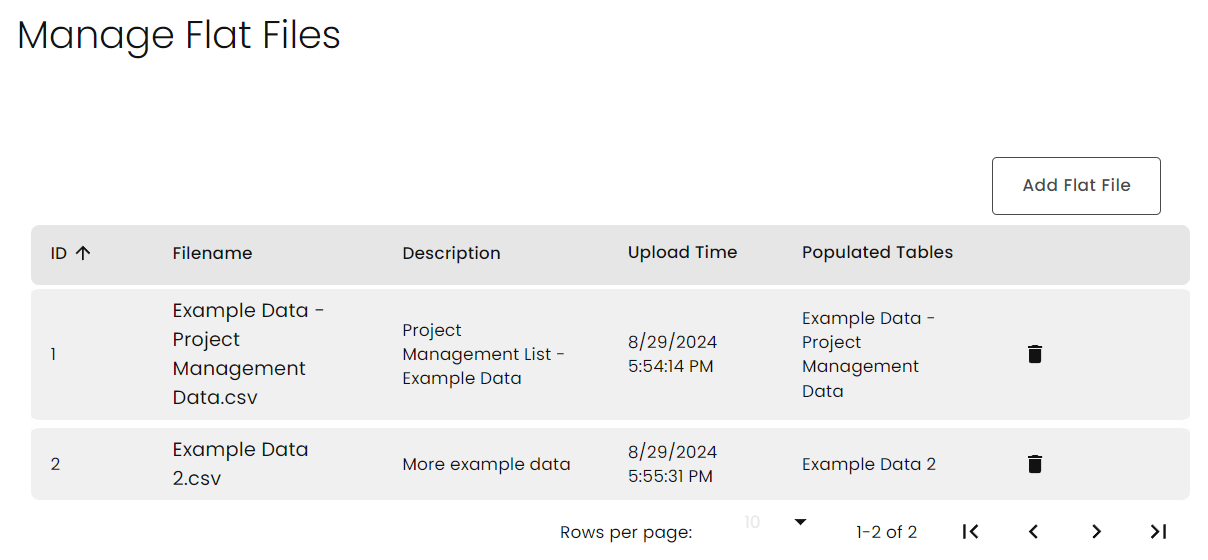
The uploaded Files will be available to view when you manage your FlatFile integration
-
Once the files have uploaded, you can use these files in the Query Builder as well as other reporting tools to manipulate and run reports on the data provided. See photo below for reference on how to select an imported table in the query builder.
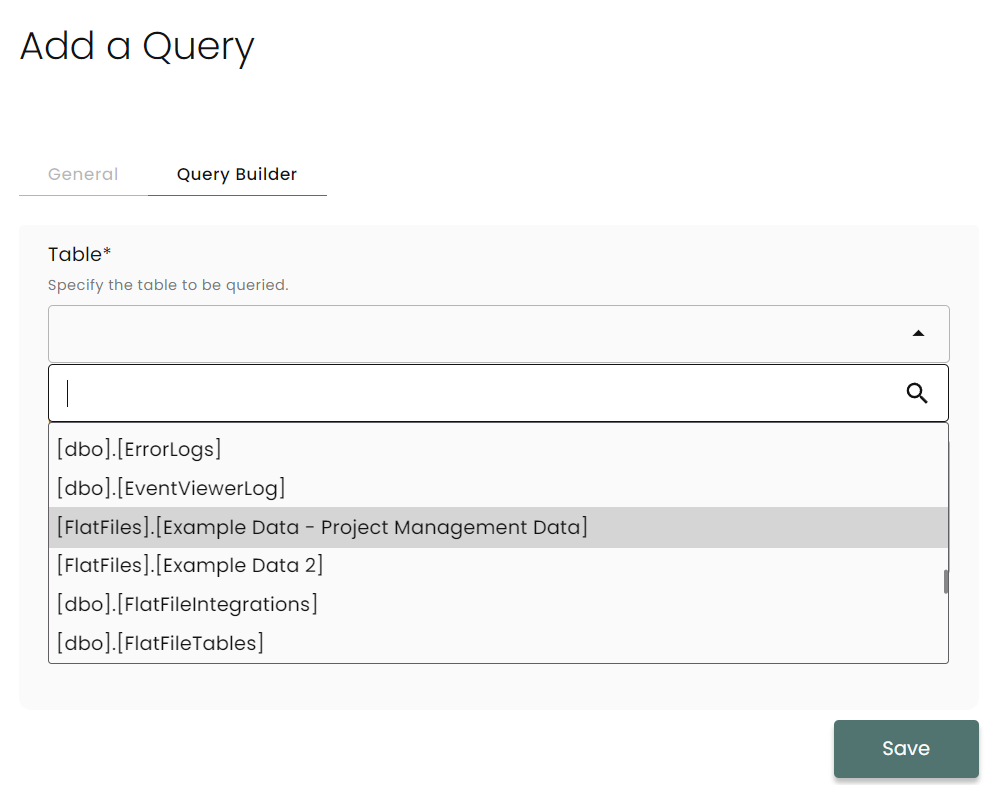
For more information on these functions please see the Knowledge Base articles on the Query Builder and Dashboards and Reports.
Updated 2 months ago