
UKG Pro Integration
PrerequisitesYou will need a username and password for a UKG Pro Service Account or a UKG Pro Web User account with Web Services permissions. Service Accounts can be granted permission to any of our web services on the Service Account administrative page in UKG Pro.
Authentication also requires a valid Customer API key and User API Key.
Authenticating via a Web Service Account
UKG Pro APIs using Basic Authentication are only accessible with a web service account. UKG Pro users with system administrator rights can create web service accounts by navigating to System Configuration → Security → Service Account Administration.
Like user accounts, web service accounts requires a unique username, password, and granular permissions. Permissions can be granted to one or more resource or method.
Each web service account is assigned a unique user API key.
This user API key, along with the web service account username and password, is necessary for authentication to an endpoint.
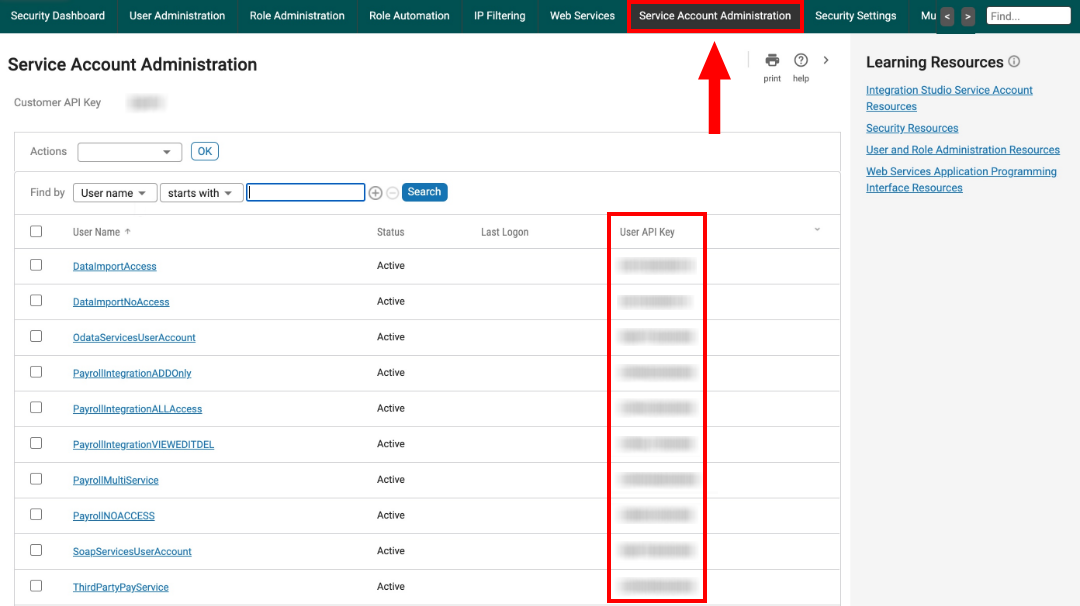
For security, only grant access to the API resources and actions a web service account will use.
Finding the Host for the Service Endpoint
UKG Pro HCM system administrators can locate the service endpoints by navigating to System Configuration → Security → Web Services.
Each endpoint is made up of two parts: the base service URL and the resource path.
The base service URL will be similar to https://servicet.ultipro.com/services/, but will vary by customer datacenter and production/test environments.
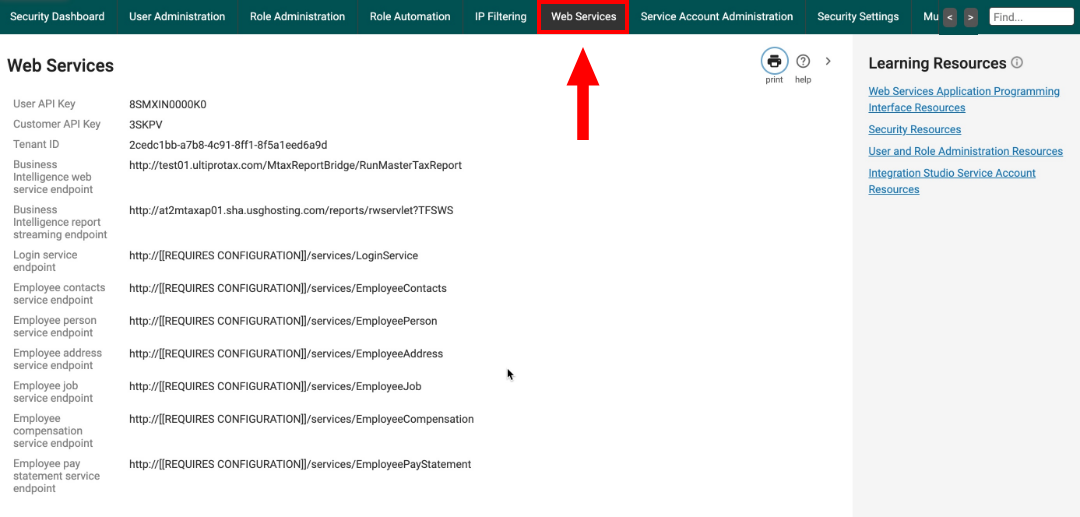
To integrate with Compyl, you will need to pull the hostname from your base service URL. If the URL is https://servicet.ultipro.com/services/, then the hostname would be servicet.ultipro.com.
Add Configuration
-
Navigate to the Integrations tab using the left-hand menu, and select UKG Pro.

-
Click the Add Configuration button and fill in the details below:

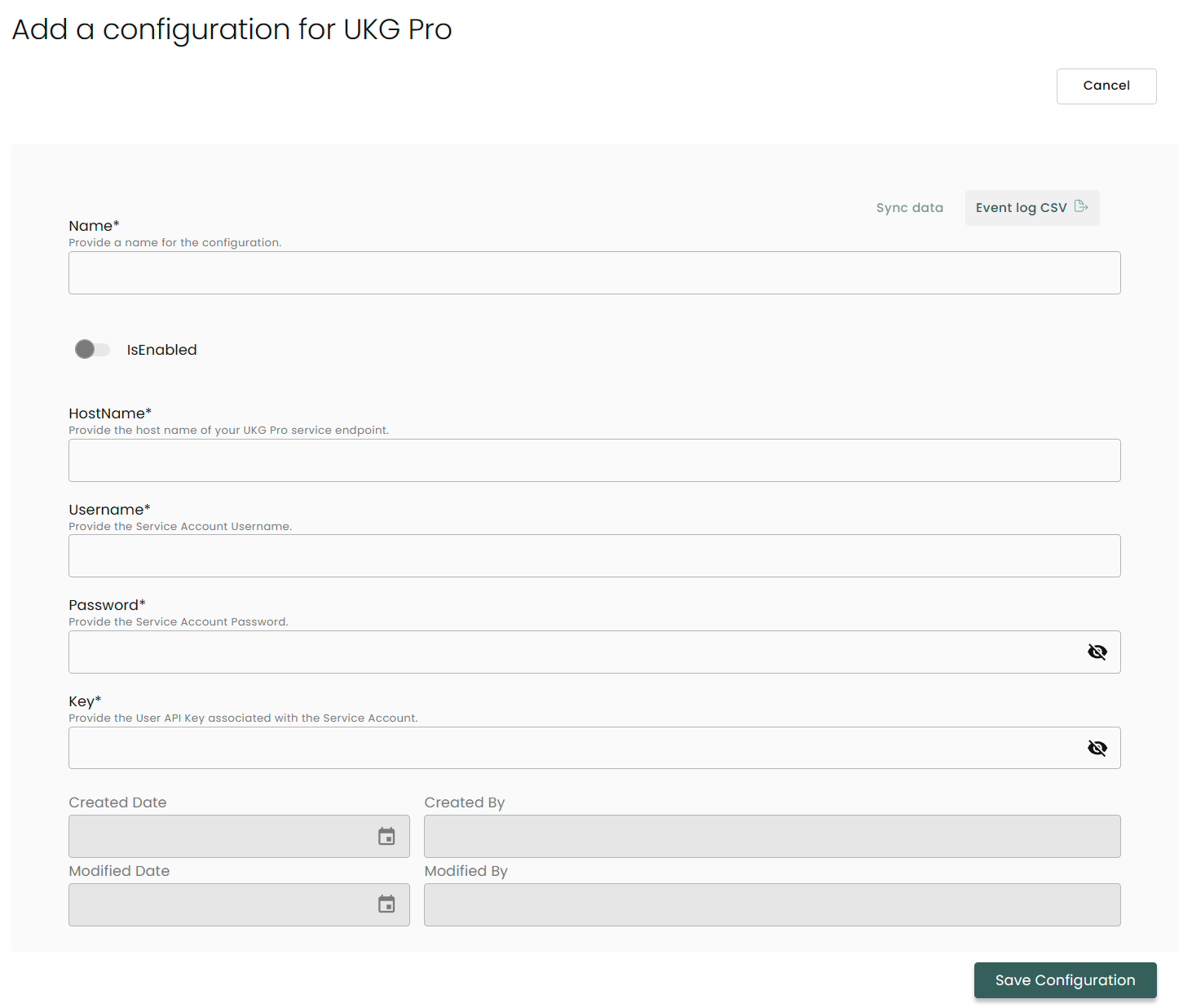
Name: Enter the name of the integration.
is Enabled: Toggle button to ensure data is populated into Compyl.
Hostname: The host for the service endpoint found above.
Username: Service Account Username.
Password: Service Account Password.
API Key: User API Key associated with the Service Account located in above
Once you have completed filling out the form click Save Configuration.
NoteTo check if the integration is connected, navigate to the Integrations page in Compyl. If the Status icon shows an unbroken linkin the right-hand corner, your integration is properly connected.

This integration syncs daily.
To query the data from the integration, refer to the Query Builder article.
Updated 2 months ago