
Compyl Copilot
Compyl Copilot is our enhanced, context-aware virtual assistant that securely references live platform data, analyzes user documents, and delivers richer outputs in an expanded chat interface to streamline investigative, reporting, and analysis workflows.
Copilot functionality is integrated throughout the platform for specific dialog boxes. Each Copilot-enabled box pulls in data from the title of the entry, prepopulating it with suggested text.

Clicking in on the green header fills in the suggestion. Clicking anywhere else presents a blank text box. If you wish to generate a new suggestion, just click on Compyl with Copilot in the upper-right.

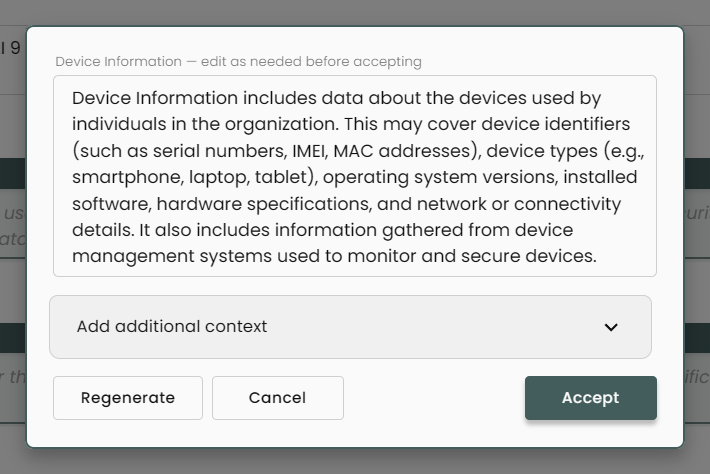
Using Compyl Copilot Fields
-
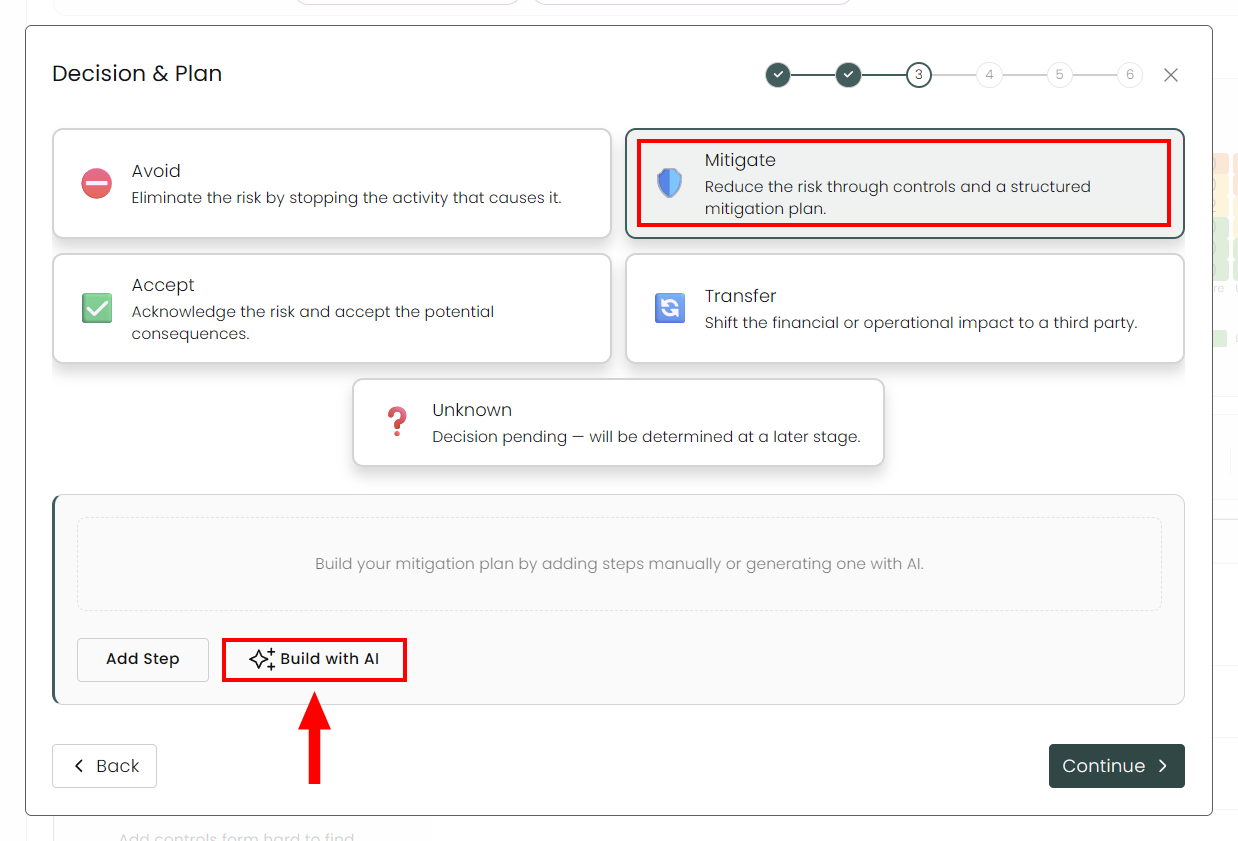
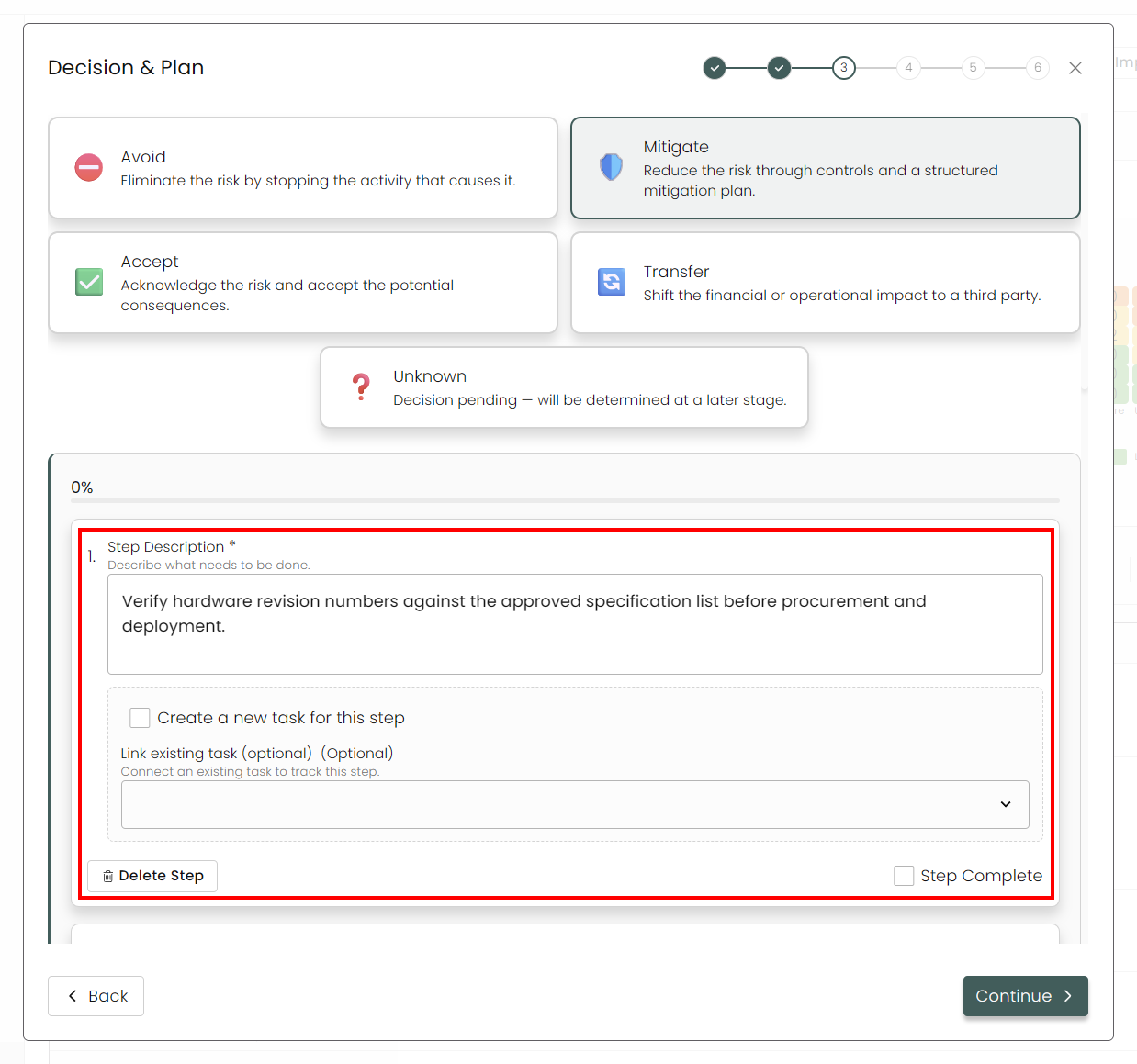
For this example, we will be creating a Risk Mitigation Plan. So go to Risks under Risk Management. Click Add Risk. On step 3 of the Guided Workflow, choose Mitigate and select Build with AI.
-
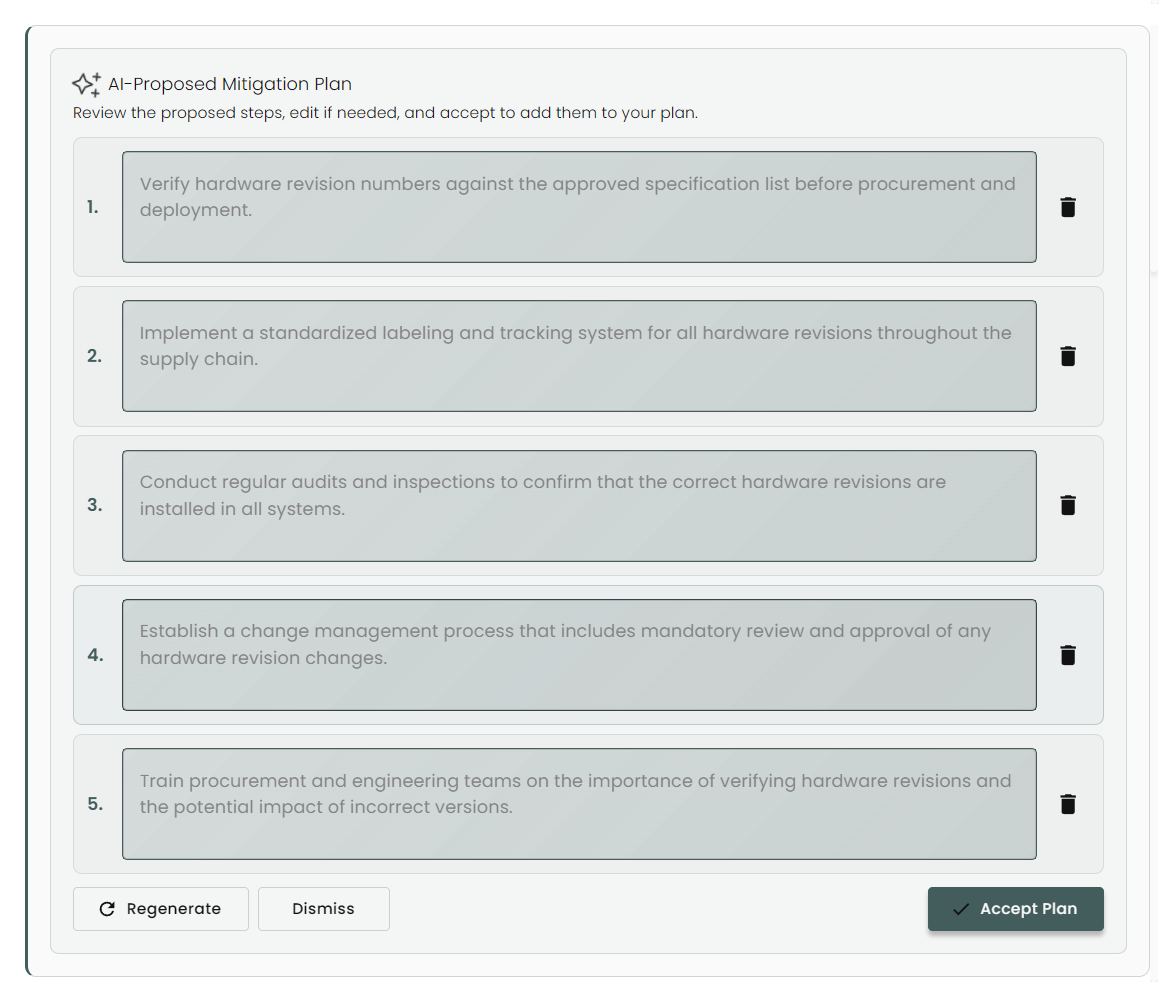
Compyl Copilot will generate a step-by-step plan based on your prior information.
-
You can edit each step by clicking into the dialog box and typing.

-
Click on the trash can icon to delete the step completely.

-
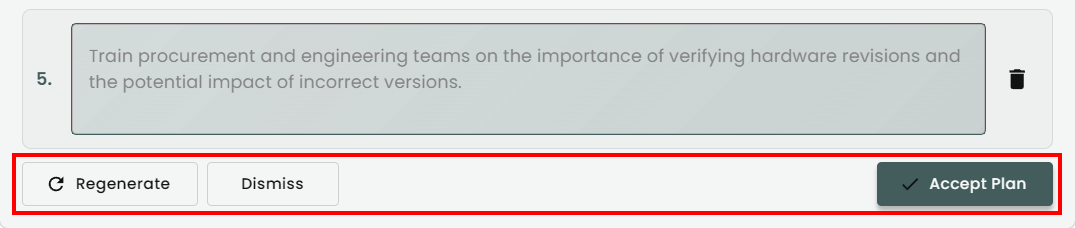
If necessary, scroll down to the end of the list where you Regenerate the steps completely, Cancel creating the plan, or Accept the plan.
-
Once accepted, you can see the steps within the Mitigation Plan tab as well as add additional steps, create or link a task to a step, or continue to edit them.
Updated 8 days ago