
GitHub Integration
The Compyl GitHub Integration enables users to pull in raw data from their GitHub environment, run queries for configuration checks and other forms of monitoring, and log evidence for security audits.
Prerequisites
- You must be an Admin on every repository you want Compyl to scan for branch protections and rulesets.
- You must have the Security Manager role for any of the Security Endpoints.
- Your Personal Access Token (PAT) must be a fine-grained token that includes the specific repositories and the Administration → Read repository permission.
Enabling Personal Access Tokens (PAT)
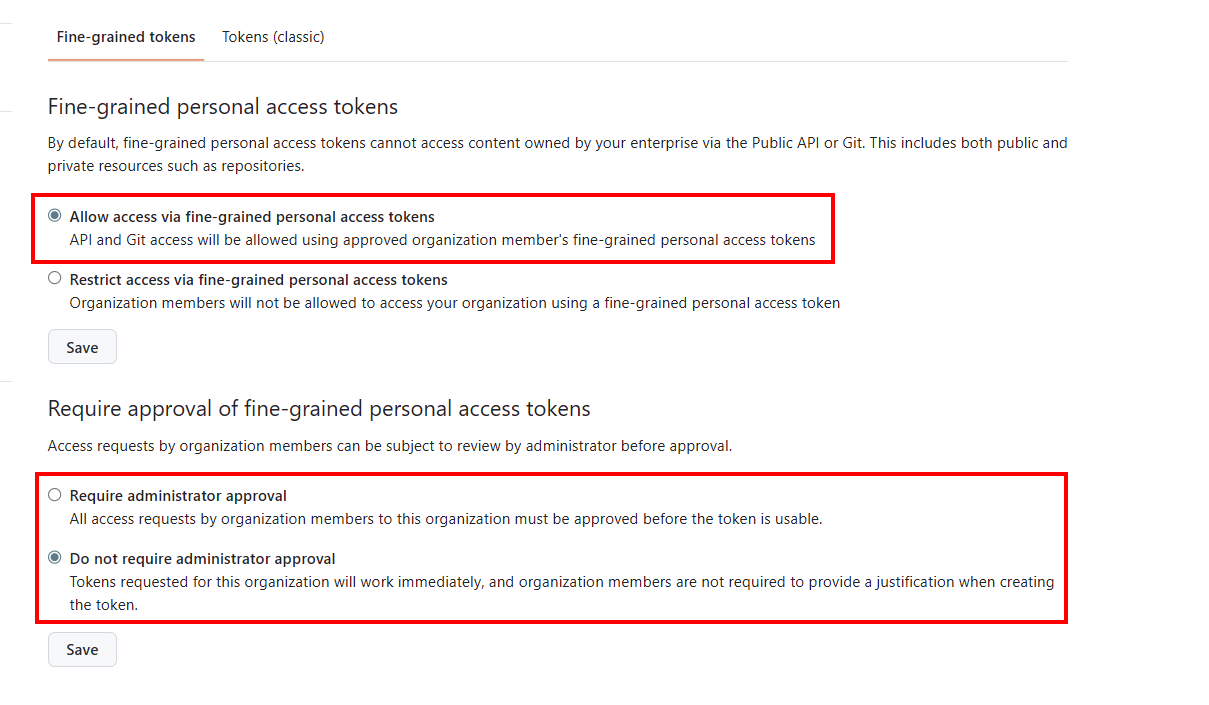
If your organization requires approval for fine-grained PATs, an organization owner must enable them first and then either turn off the approval requirement or approve your token request before Compyl can sync.
-
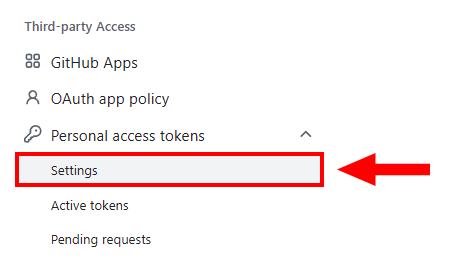
In the left panel, under Third-party access, click on Personal access tokens, and then select Settings.
-
Allow access via fine-grained personal access tokens and then Save.
Creating a GitHub Token/Key
Before setting up the GitHub integration in Compyl, an API token must be created in GitHub in the 'Developer' setting to add this integration correctly.
-
Login to https://github.com/.
-
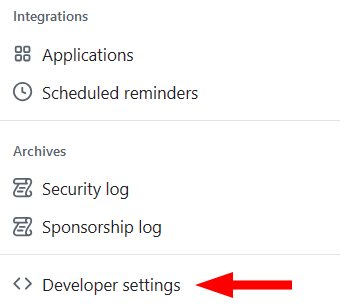
In the left sidebar, click Developer settings.
-
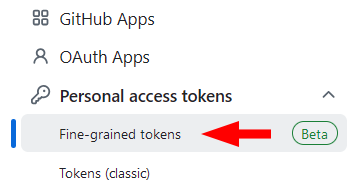
In the left sidebar, under Personal access tokens, click Fine-grained tokens.
-
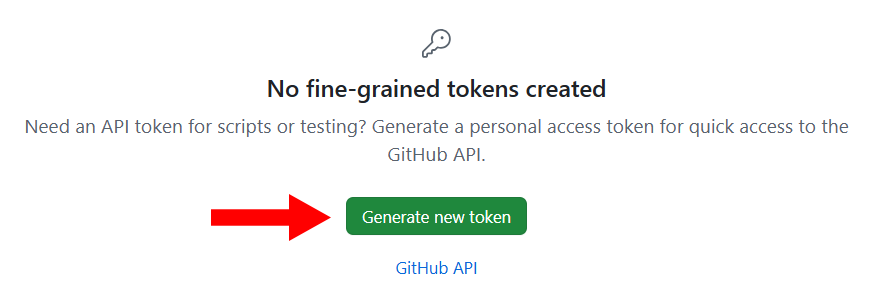
Click Generate new token.
-
Under the Token name, enter a name for the token.
-
Under Expiration, select an expiration for the token.
-
Optionally, under Description, add a note describing the token's purpose.
-
Under Resource owner, select the correct GitHub organization that you want to integrate with. The token will only be able to access resources owned by the selected organization.
Organizations you are a member of will not appear unless the organization opts into fine-grained personal access tokens.
For more information, see "Setting a personal access token policy for your organization."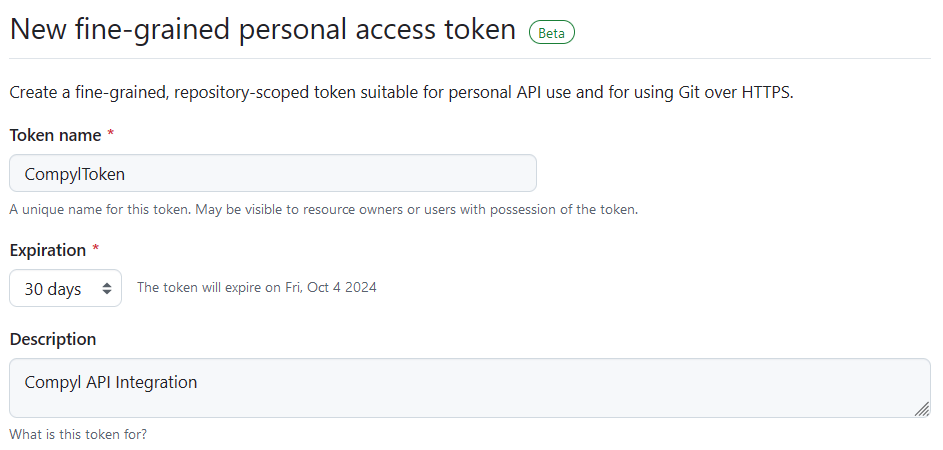
ImportantWhen generating the token, Resource owner defaults to your personal account. You must change Resource owner to the GitHub organization you want to pull data from.
If you leave it as your personal account, you may not see the organization permissions you need and can end up with incomplete org-level results.
-
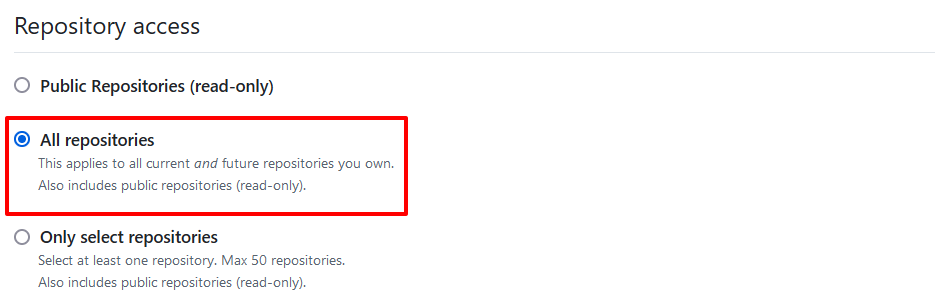
Under Repository access, select which repositories you want the token to access. You'll need to choose the minimal repository access that meets your needs. For example, tokens always include read-only access to all public repositories on GitHub.
-
Under Permissions, select Repository permissions and choose Read-only for all scopes except for Workflows and Codespace secrets.
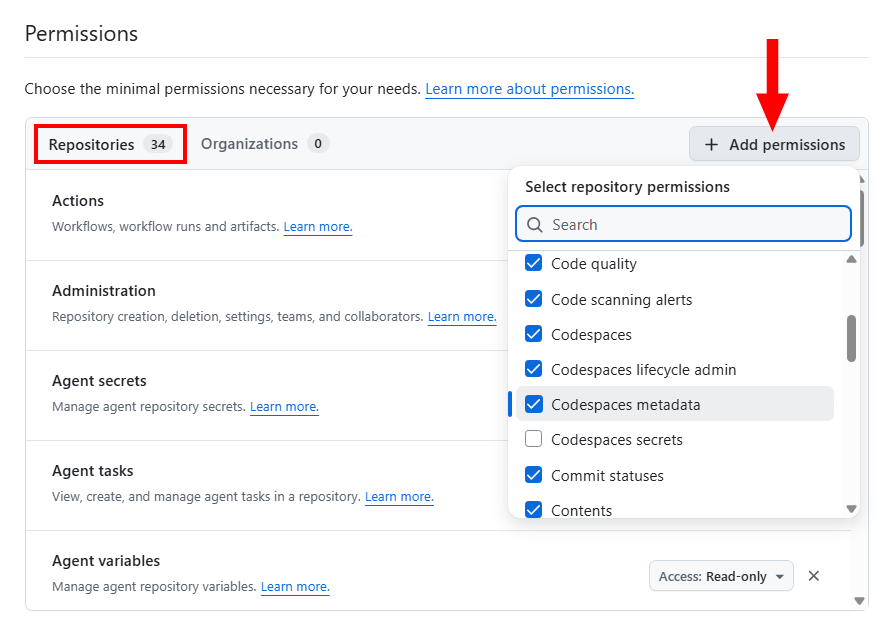
The minimum for repos, branches, and branch protections are Administration (required to read branch protection and rulesets) and Contents (required to list branches and commits).
Optionally, you can also include:
-
Pull requests
-
Issues
-
Checks (for check runs / status)
-
Actions (workflow metadata)
-
Code scanning alerts / Dependabot alerts / Secret scanning alerts (if you ingest security signals)
For more information about what permissions are required for each REST API operation, see "Permissions required for fine-grained personal access tokens."
-
- Next, click on Organizations and select the following:
-
Members (
Read) -
Administration (
Read and Write-Readonly does not satisfy the org rulesets) -
Custom organization roles (
Read)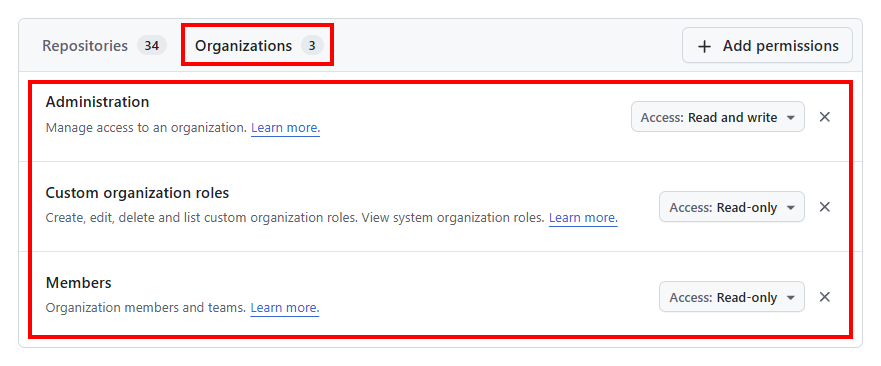
-
-
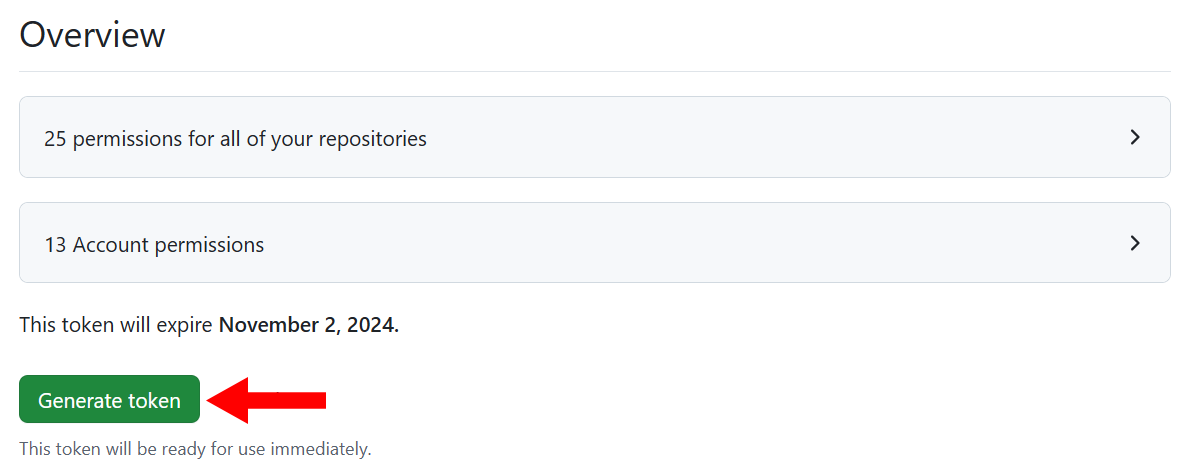
Click Generate token.
-
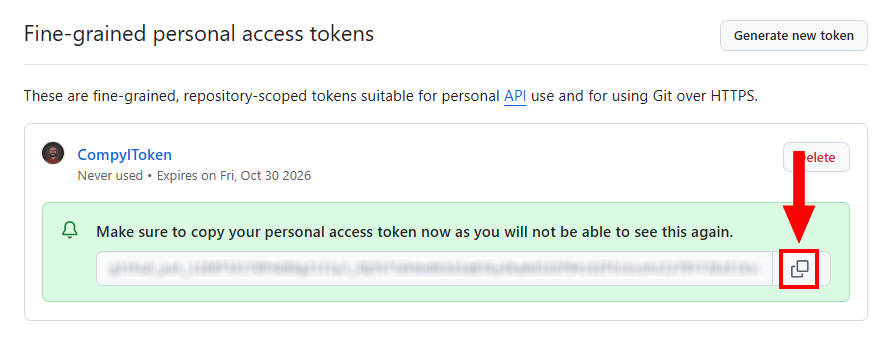
Click on Copy Token to paste this into the GitHub integration within Compyl.
What Permission Enables Which Data
| Data pulled into Compyl | GitHub REST examples | Required fine-grained repo permission | Repo role needed |
|---|---|---|---|
| Repositories (metadata) | /repos/{owner}/{repo} | Contents: Read (or Metadata default) | Member |
| Branch list & commit SHAs | /repos/{owner}/{repo}/branches | Contents: Read | Member |
| Branch protections (full details) | /repos/{owner}/{repo}/branches/{branch}/protection | Administration: Read | Admin |
| Rulesets (if used) | /repos/{owner}/{repo}/rulesets | Administration: Read | Admin |
| Commits (details) | /repos/{owner}/{repo}/commits | Contents: Read | Member |
| PRs / Issues (optional) | /pulls, /issues | Pull requests: Read, Issues: Read | Member |
| Checks / Actions (optional) | /check-runs, workflow endpoints | Checks: Read, Actions: Read | Member |
Granting Admin Permissions on the Repository (UI)
- Login to your Github Repository and navigate to Settings → Collaborators & teams. Then set your user or team permission to Admin.
- Alternately, you can also do this at the Team level: Login to your Github Organization and navigate to Teams. Then select your team and go to Repositories. Finally, set the permission on the target repository to Admin.
Without Admin permissions, GitHub will return a 403 error when Compyl reads branch protection details.
Enterprise Audit Logs
This requires an Enterprise subscription within GitHub. Additionally, an org-owned fine-grained Personal Access Token usually cannot retrieve the Audit Logs endpoint.
Use an enterprise-scoped token or a classic Personal Access Token with read: audit_log.
Otherwise, disable the Audit Log endpoint within your configuration.
Troubleshooting
403 “Resource not accessible by personal access token” on branch protection
-
Confirm your role:
curl -H "Authorization: Bearer <TOKEN>" -H "X-GitHub-Api-Version: 2022-11-28" https://api.github.com/repos/OWNER/REPO/collaborators/YOUR_LOGIN/permission # Expect: "permission": "admin" -
Confirm endpoint requirement (headers show it):
curl -sS -D - -o /dev/null -H "Authorization: Bearer <TOKEN>" -H "X-GitHub-Api-Version: 2022-11-28" https://api.github.com/repos/OWNER/REPO/branches/BRANCH/protection # Look for: x-accepted-github-permissions: administration=read -
Confirm the token includes the correct repo(s) and
Administration: Read:- Re-edit the Fine-grained token to ensure the organization and target repositories are selected and that the
Administration: Readpermission is enabled.
- Re-edit the Fine-grained token to ensure the organization and target repositories are selected and that the
-
If your organization enforces approvals for fine-grained PATs, ask an org owner to approve your token request.
Connected but missing branches / protections
- Ensure
Contents: Read(branches) andAdministration: Read(protections) are enabled on the token. - Verify the Org Name and Base URL in the Compyl integration match your GitHub org and
https://api.github.com/.
Add Configuration
-
Navigate to the Integrations tab using the left-hand menu, find Integration Name, and select +Add Configuration.

-
Next, fill in the details below and select Continue.
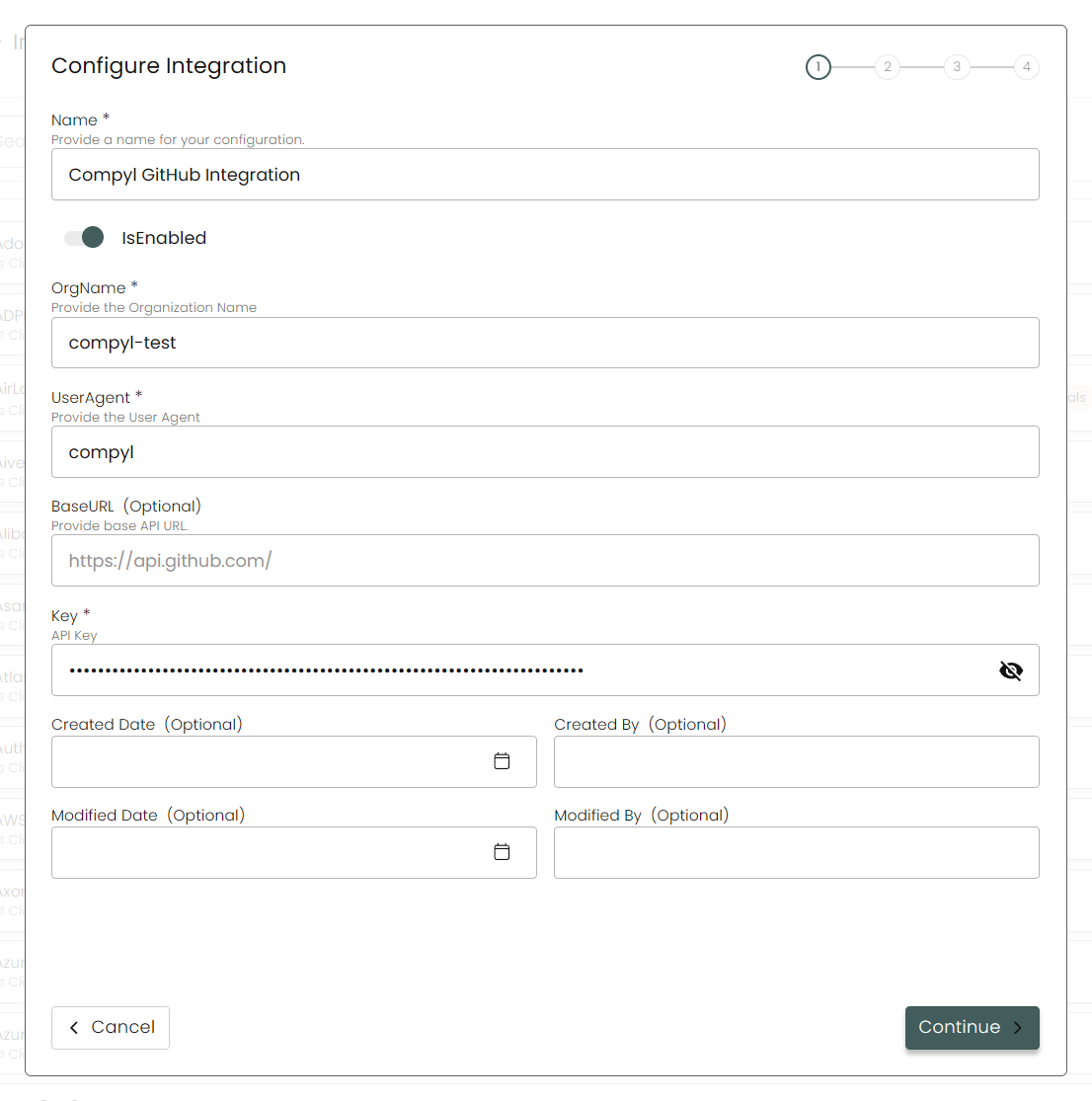
Name: Enter the name of the integration.
is Enabled: Toggle button to ensure data is populated into Compyl.
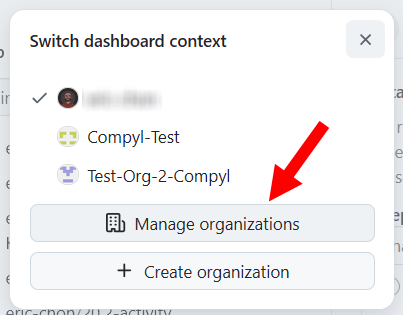
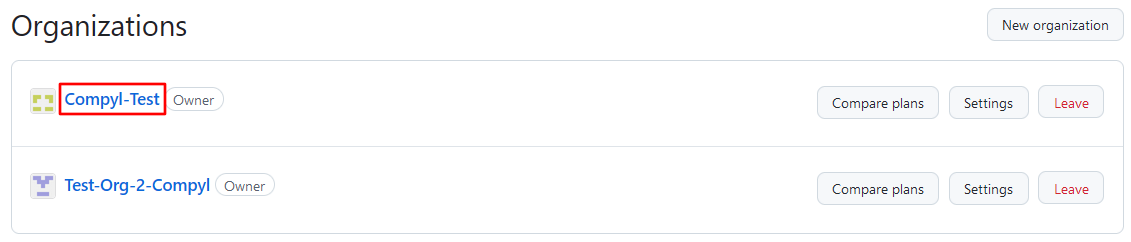
Org Name: Your GitHub Organization login (e.g., compyl-test).
- Go to github.com → click on your profile name → click on Manage organizations
User Agent: .Compyl (recommended)
Base URL: https://api.github.com/
Key: Your fine-grained PAT as found above in Creating a GitHub Token/Key
-
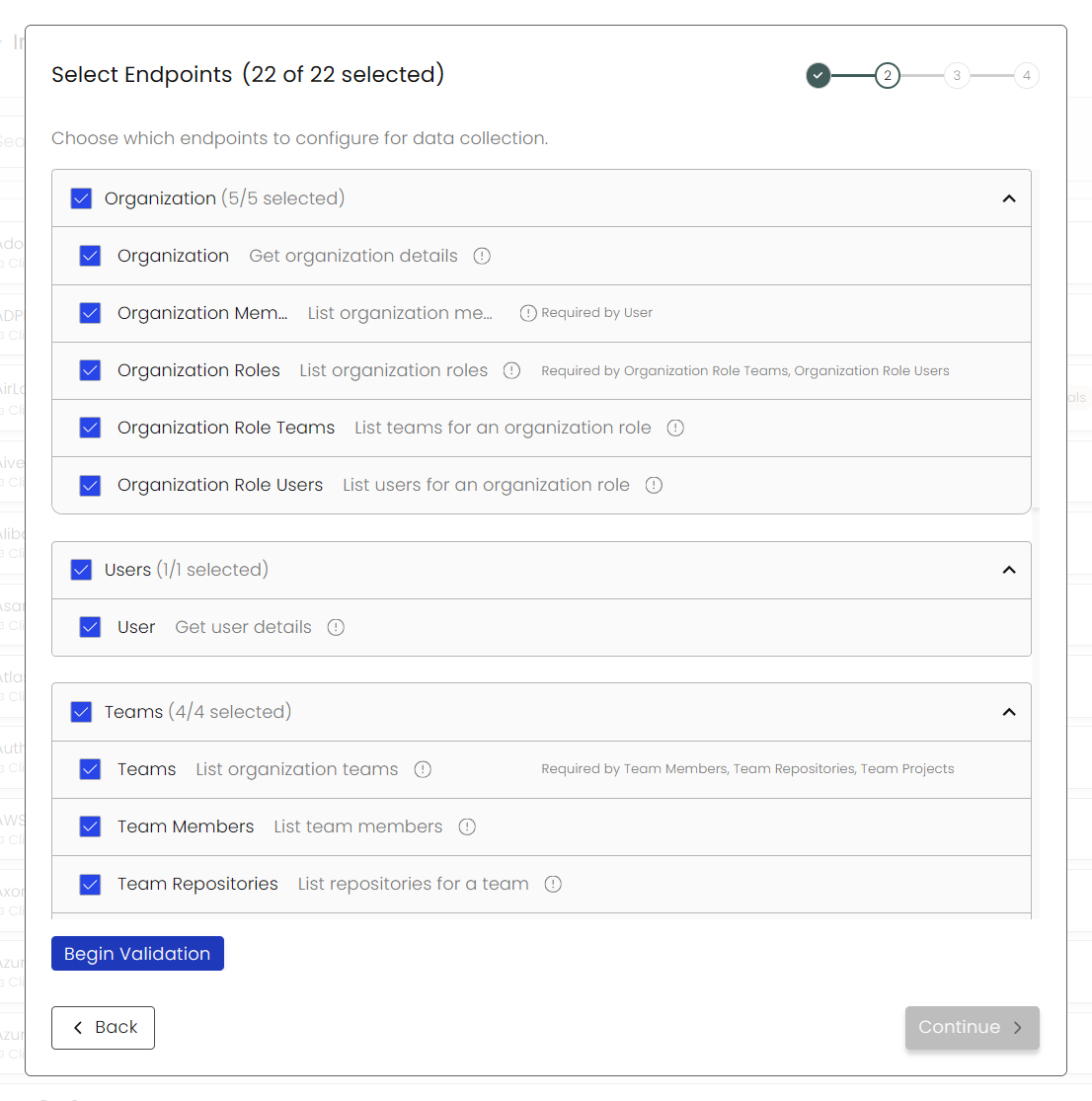
Choose your Endpoints and Begin Validation to validate your connection.
-
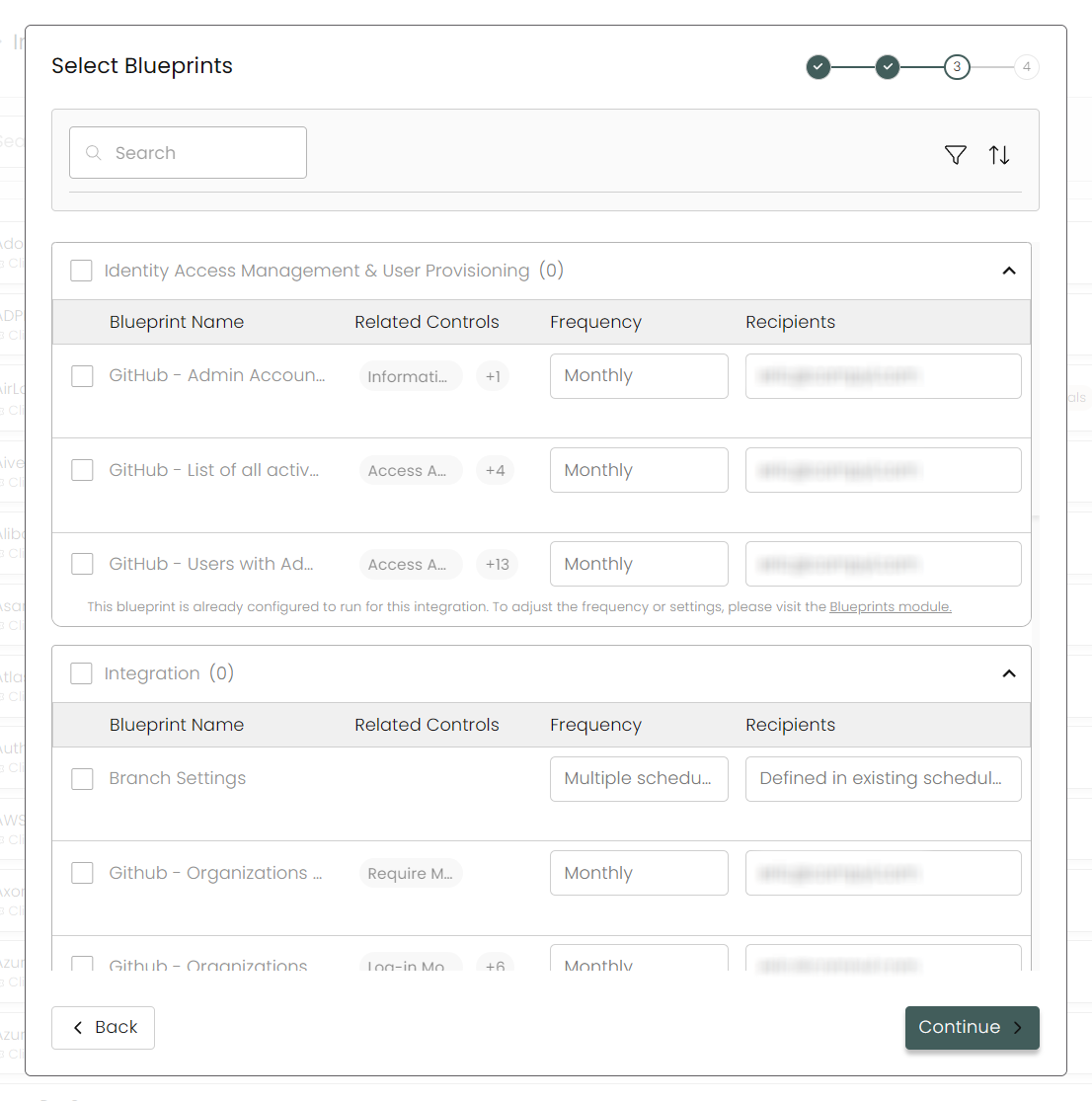
Next, select any Blueprints you wish to associate with this integration.
-
After you hit Continue, you'll see a summary screen. Click Return to Integrations to complete the configuration.
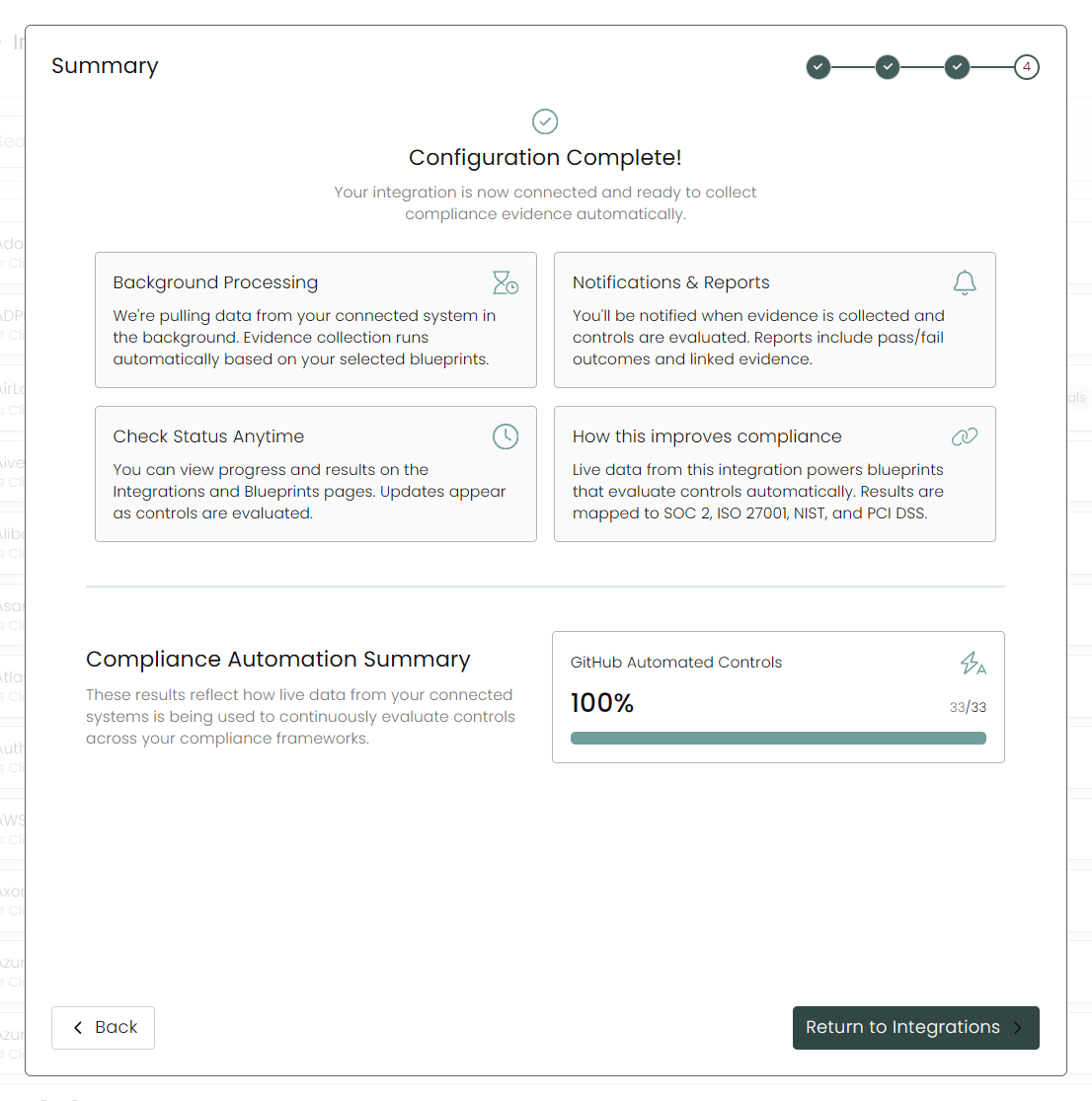
Once you have completed filling out the form click Return to Integrations.
You'll know the integration is successfully added when the status updates to Complete.

Data is synced on a recurring schedule configured by your Compyl administrator. Each sync pulls the latest data from all enabled endpoints.
To query the data from the integration, refer to the Blueprints article.
Updated 10 days ago