
Netskope Integration
Prerequisites
- An active Netskope tenant with Tenant Admin access (required to create Service Accounts).
- Access to the Compyl platform with permissions to configure integrations.
Identify Your Tenant Name
Your Tenant Name is the subdomain of your Netskope URL.
For example, if you log in at https://acmecorp.goskope.com, your tenant name is acmecorp.
Create a Service Account in Netskope
Compyl authenticates with Netskope using a REST API v2 token tied to a Service Account. Service Accounts are non-interactive accounts designed specifically for API integrations.
-
Log in to your Netskope tenant at
https://<your-tenant>.goskope.com. -
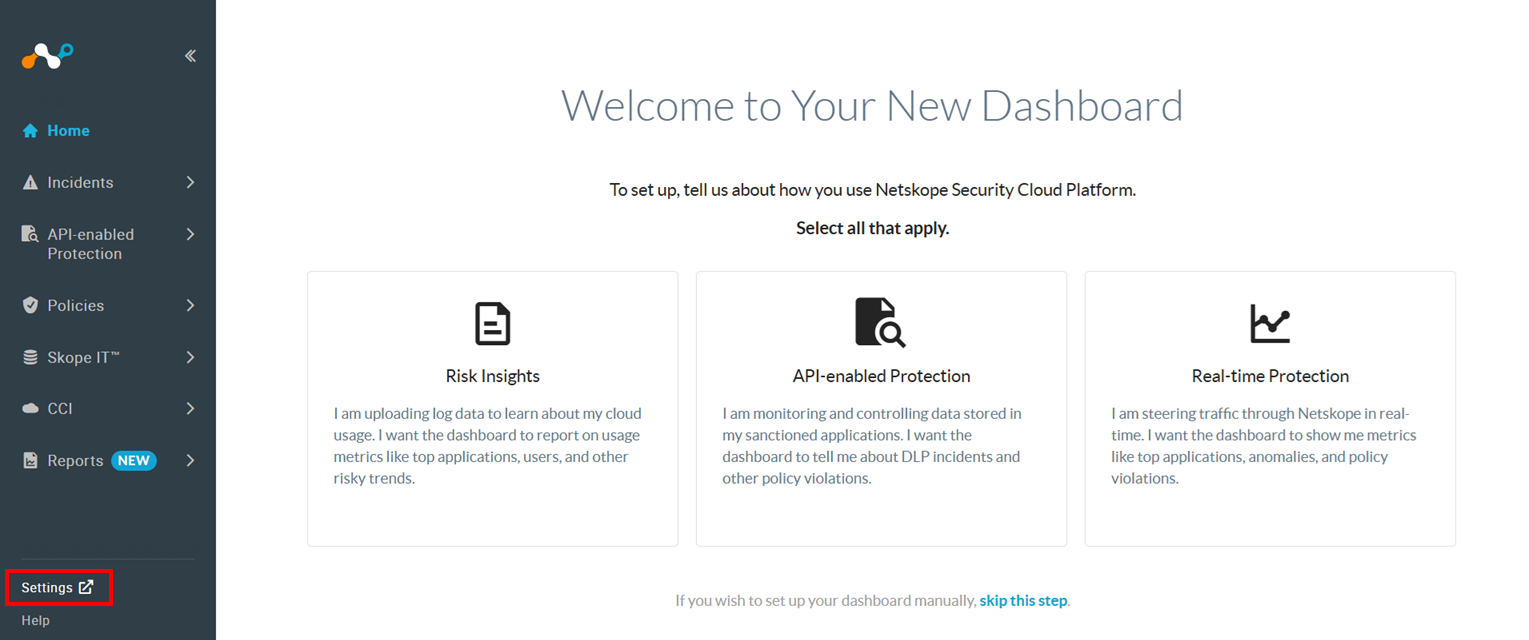
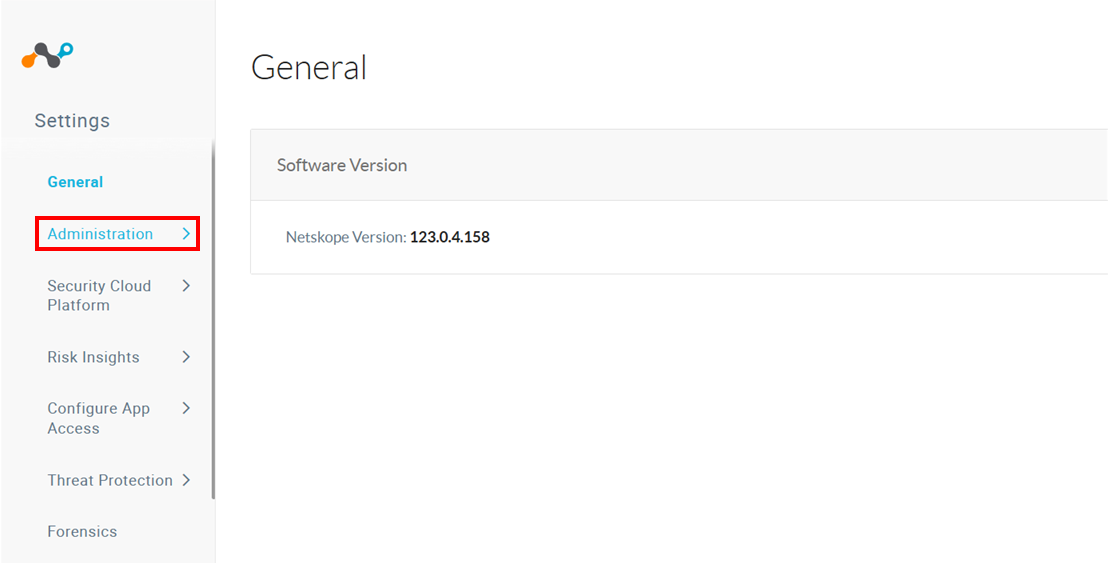
Next, navigate to Settings → Administration → Administrators & Roles.
-
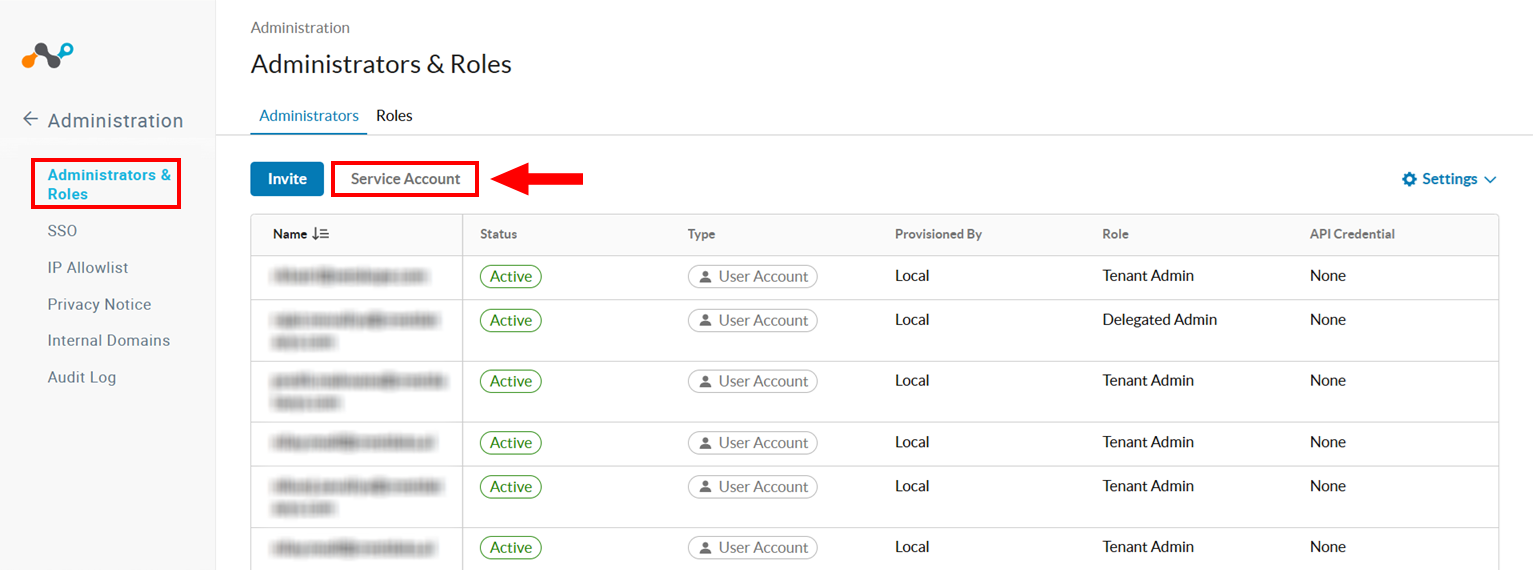
From there, select Administrators & Roles and click on Service Account.
-
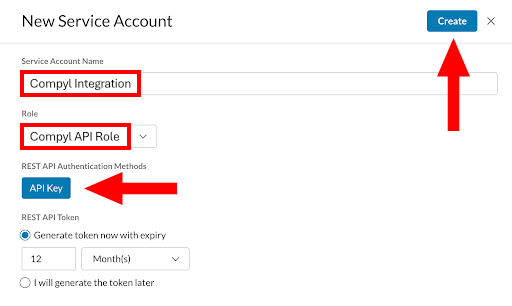
Enter a descriptive name for the service account (e.g., Compyl Integration).c
-
Select a Role from the dropdown. The role must have read access to the Events API endpoints (
/api/v2/events/data/*). If you are unsure which role to use, consult your Netskope administrator or use a role with full REST API v2 read permissions. -
Check the option to Generate a REST API Token.
-
Set an appropriate token expiration (e.g., 365 days). Make a note of when the token will expire so you can rotate it before it lapses.
-
-
Click Create.
ImportantCopy the generated token immediately. The token will not be displayed again after you leave this page. Store it in a secure location such as a password manager.
For more details, refer to the official Netskope documentation on creating Service Accounts.
IP Allowlisting
If your Netskope tenant has IP Allowlisting enabled (Settings → Administration → IP Allowlist), you must add Compyl's outbound IP addresses to the allow list.
Contact your Compyl account representative for the current list of IPs.
Add Configuration
-
Navigate to the Integrations tab using the left-hand menu, find Netskope, and select +Add Configuration.

-
Next, fill in the details below and select Continue.
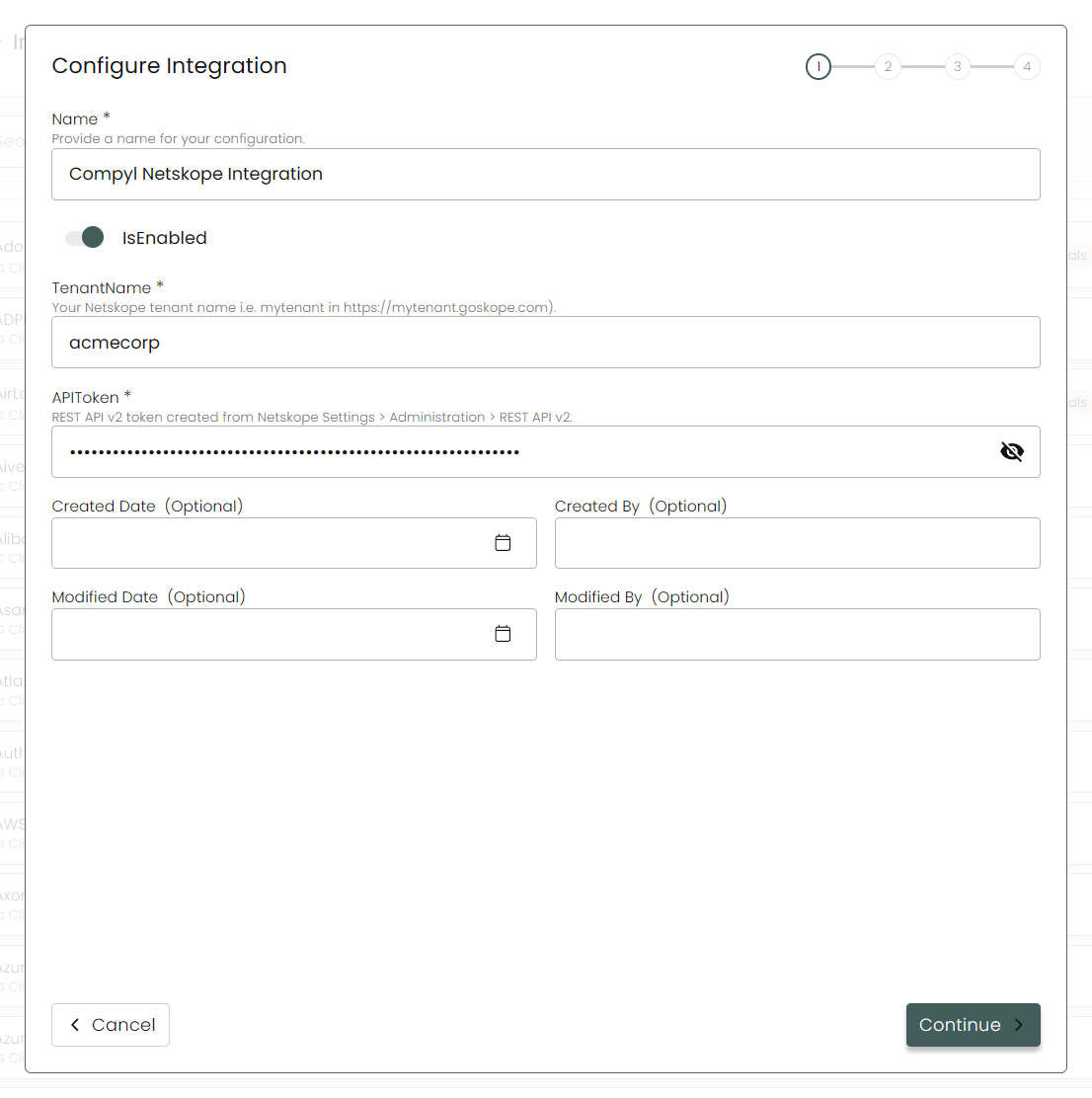
Name: The name for this configuration (e.g., Compyl Netskope Integration).
Tenant Name: Your Netskope tenant subdomain (e.g.,
acmecorp). Do not includehttps://or.goskope.com.API Token: Paste the REST API v2 token you generated in above.
-
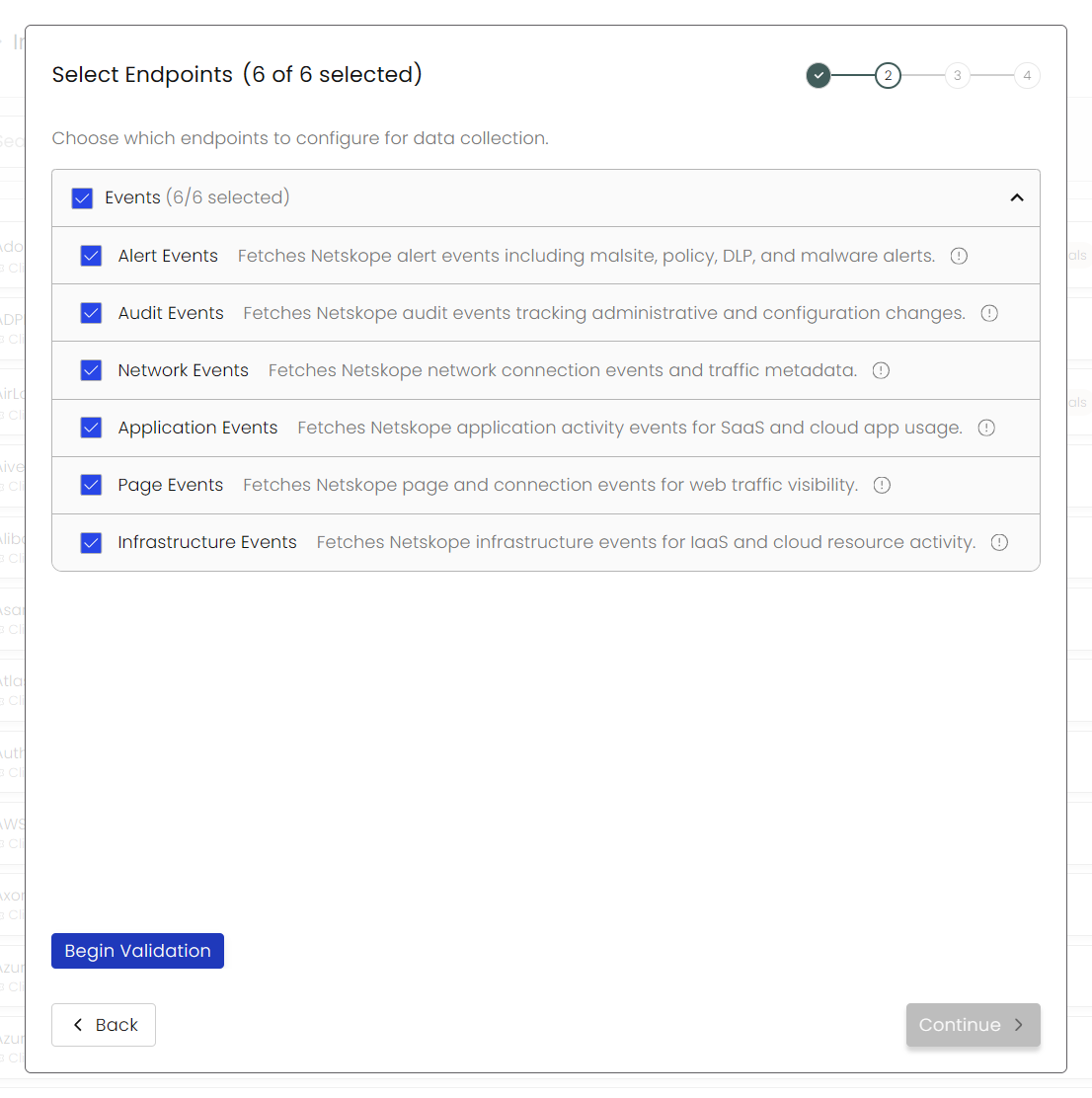
Next, choose any Endpoints you wish to configure for data collection and validate them. Then select your relevant Blueprints.
-
After you hit Continue, you'll see a summary screen. Click Return to Integrations to complete the configuration.
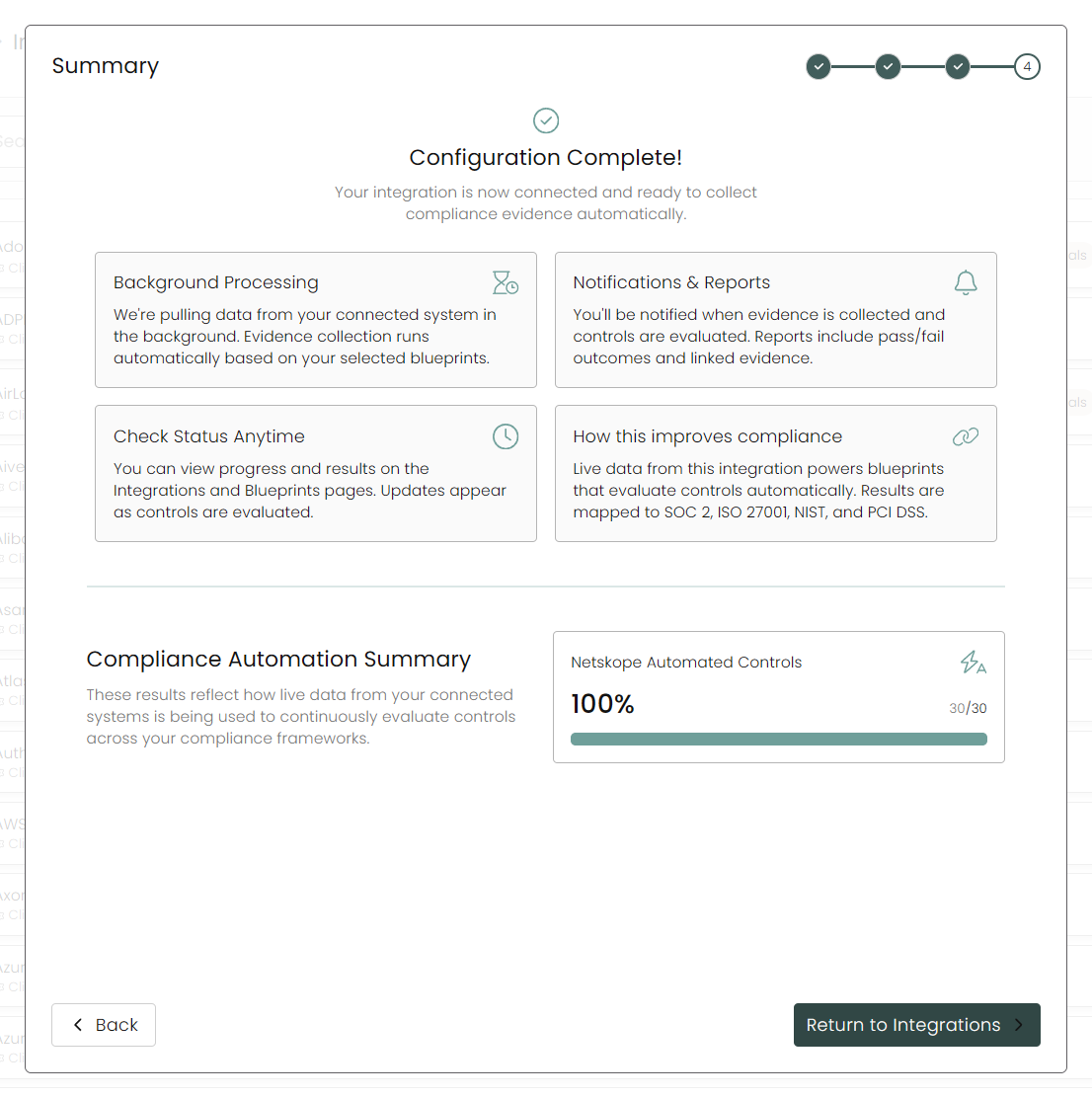
Once you have completed filling out the form click Return to Integrations.
You'll know the integration is successfully added when the status updates to Complete.

Data is synced on a recurring schedule configured by your Compyl administrator. Each sync pulls the latest data from all enabled endpoints.
To query the data from the integration, refer to the Blueprints article.
Updated 2 months ago