
Controls Admin Settings
Manage key control set settings directly from the Controls page
When a control set is selected, an Admin Settings panel appears at the top of the controls grid, giving admins direct control over how a control set behaves across the platform. This is accessible to anyone with either the Controls - Admin or Settings - System Admin permissions.
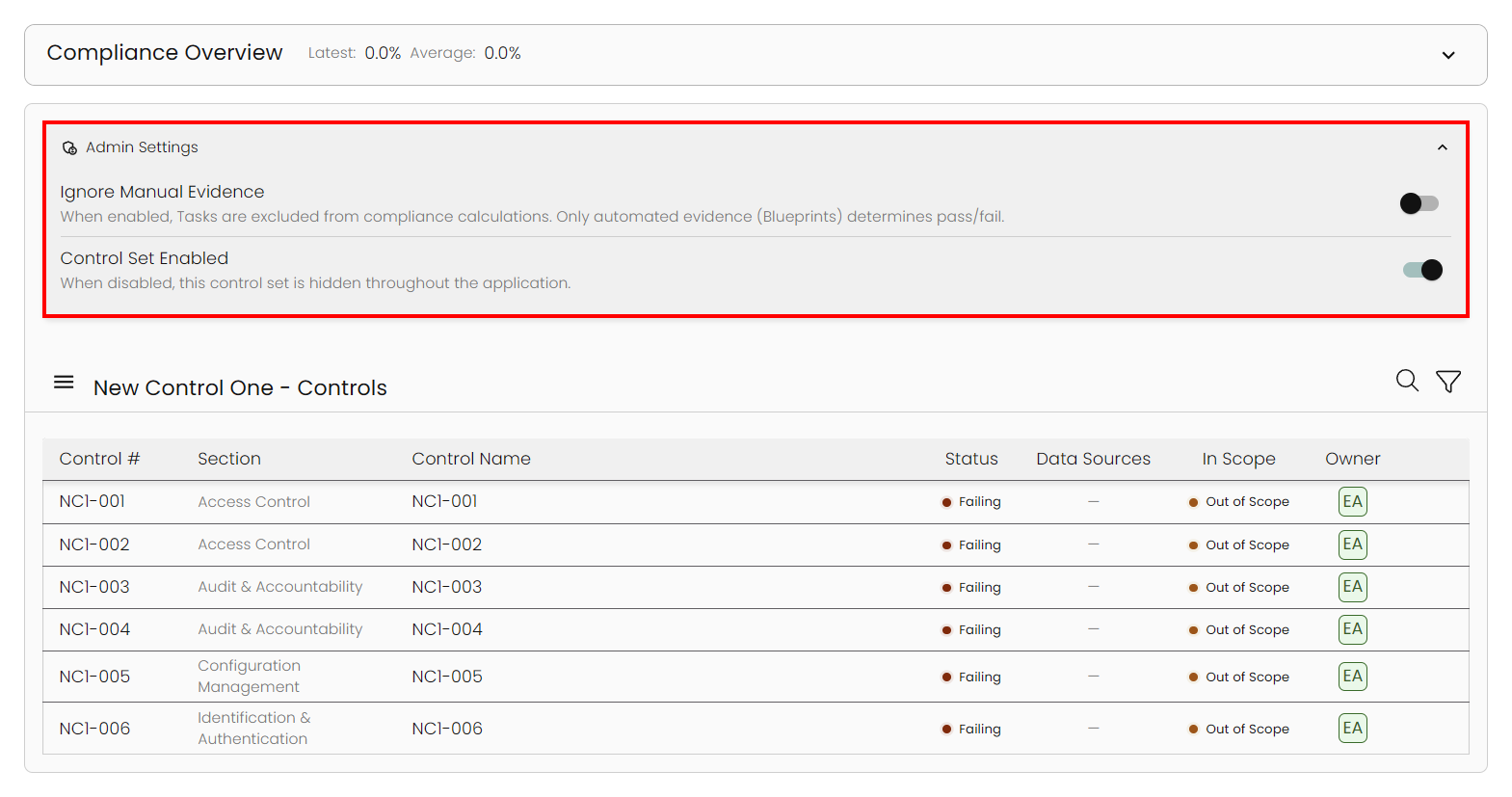
Ignore Manual Evidence
When enabled, task completions are excluded from the control's compliance score. Only automated results from connected integrations (pass/fail from blueprints) are counted.
When to use thisIf your organization relies entirely on automated integrations to measure compliance and does not want manual task completions affecting your scores.
Control Set Enabled
When disabled, the control set is hidden across the entire application — including the home page, controls page, and assessment dropdowns. When enabled, it is visible everywhere.
When to use thisIf a control set is still being configured and is not ready to appear on dashboards or in assessments.
Once toggled and confirmed, a compliance recalculation runs automatically in the background. You will see a notification: "Compliance recalculation is running in the background..." followed by a success message once complete. Scores update within a few seconds — no manual refresh needed.
Updated about 1 month ago