
Monday Integration
Prerequisites
Admin access or an account with API Token access
Use a dedicated Monday service/admin account where possible. The token inherits the same permissions as the user in the Monday UI, so restricted board/workspace access will also restrict ETL visibility.
This user needs to have access to the following scopes:
Required Scopes account:readassets:readboards:readdepartments:readmanage_account_securityteams:readupdates:readusers:readwebhooks:readworkspaces:read
Create the API Token
-
Log in to Monday.com as the service/admin user.
-
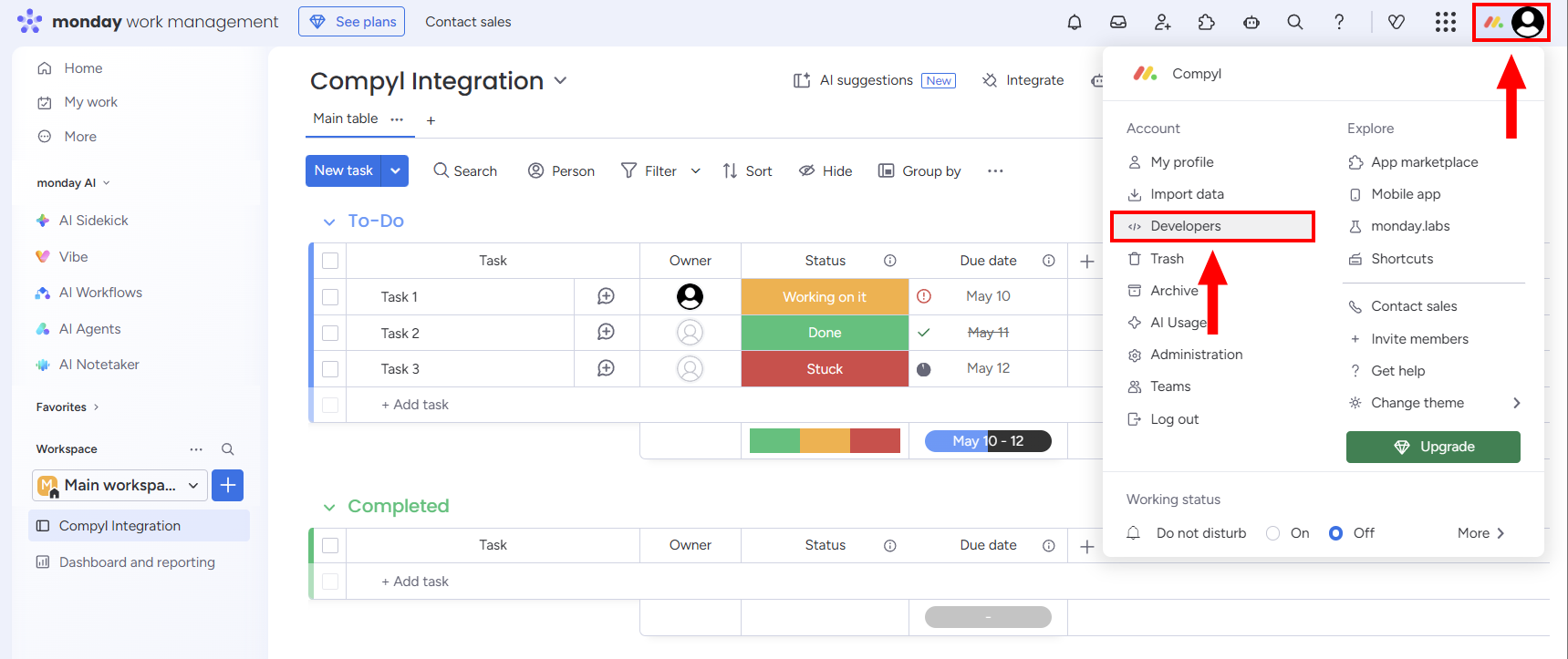
Select the profile picture in the top-right corner and select Developers.
-
Click on API token. Next select Copy and save it in a secure location.
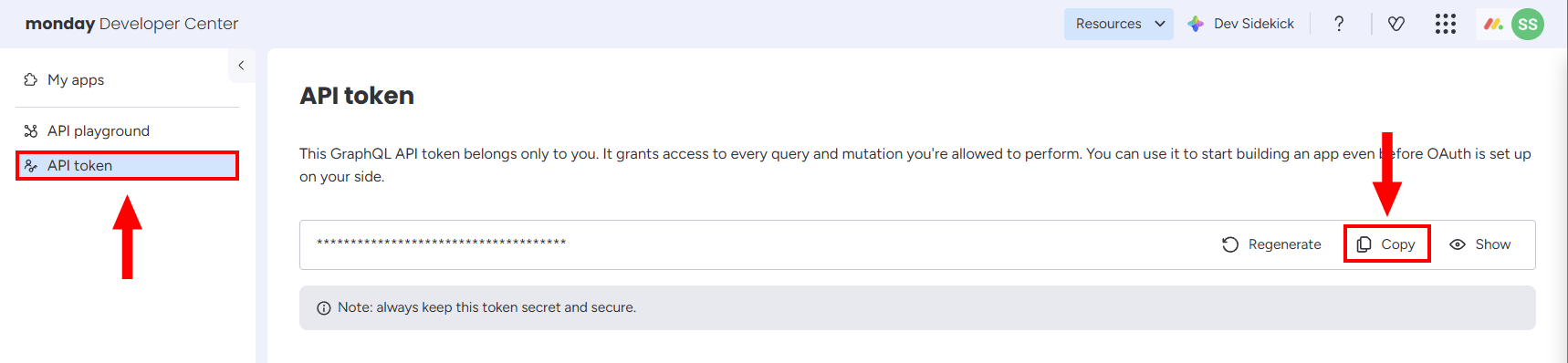
Admins may also retrieve the token from:
Administration → Connections → Personal API token
Add Configuration
-
Navigate to the Integrations tab using the left-hand menu, find Monday, and select +Add Configuration.

-
Next, fill in the details below and select Continue.
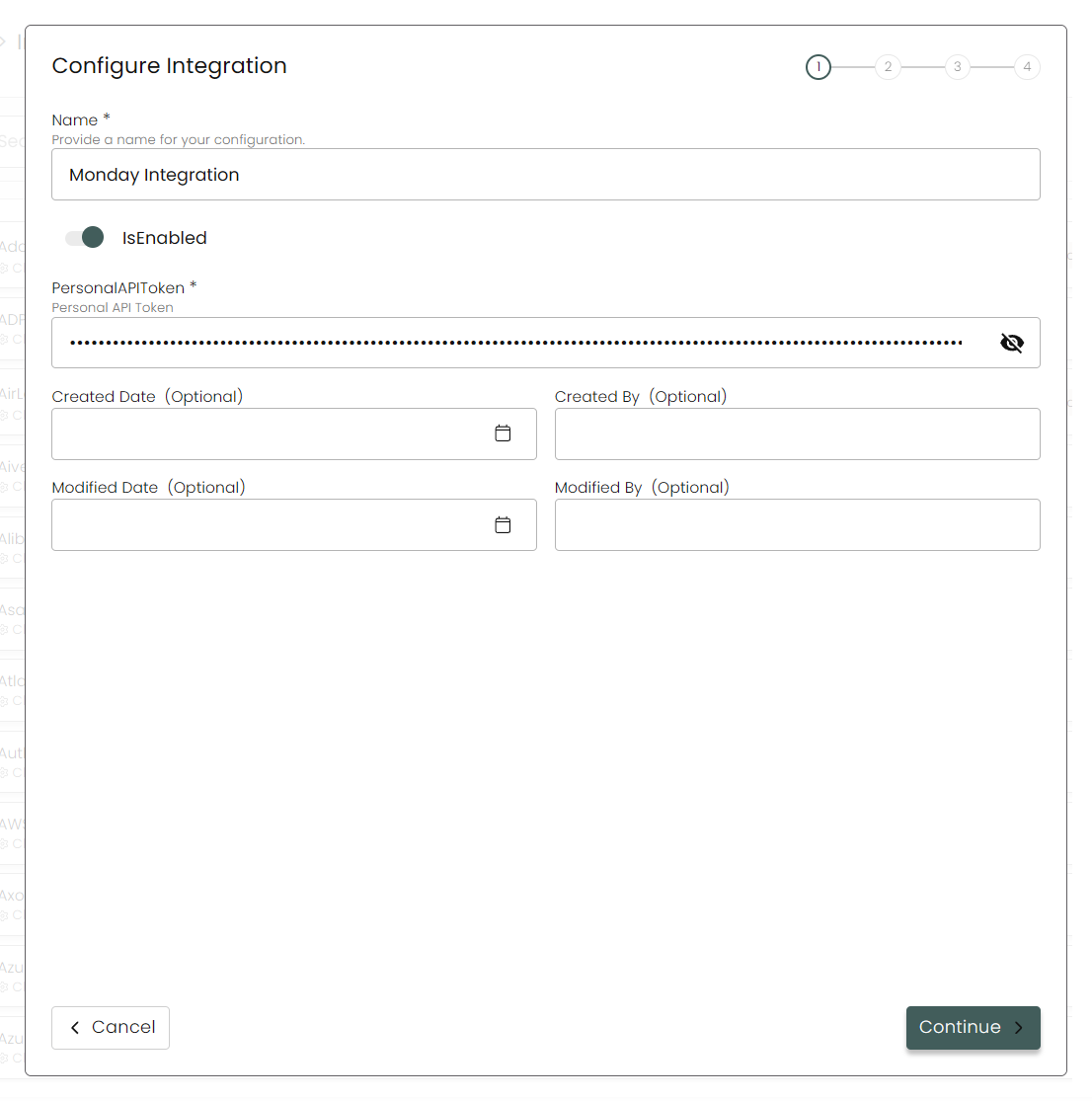
Name: Enter the name of the integration.
is Enabled: Toggle button to ensure data is populated into Compyl.
Personal API Token: Paste the Monday personal API token.
-
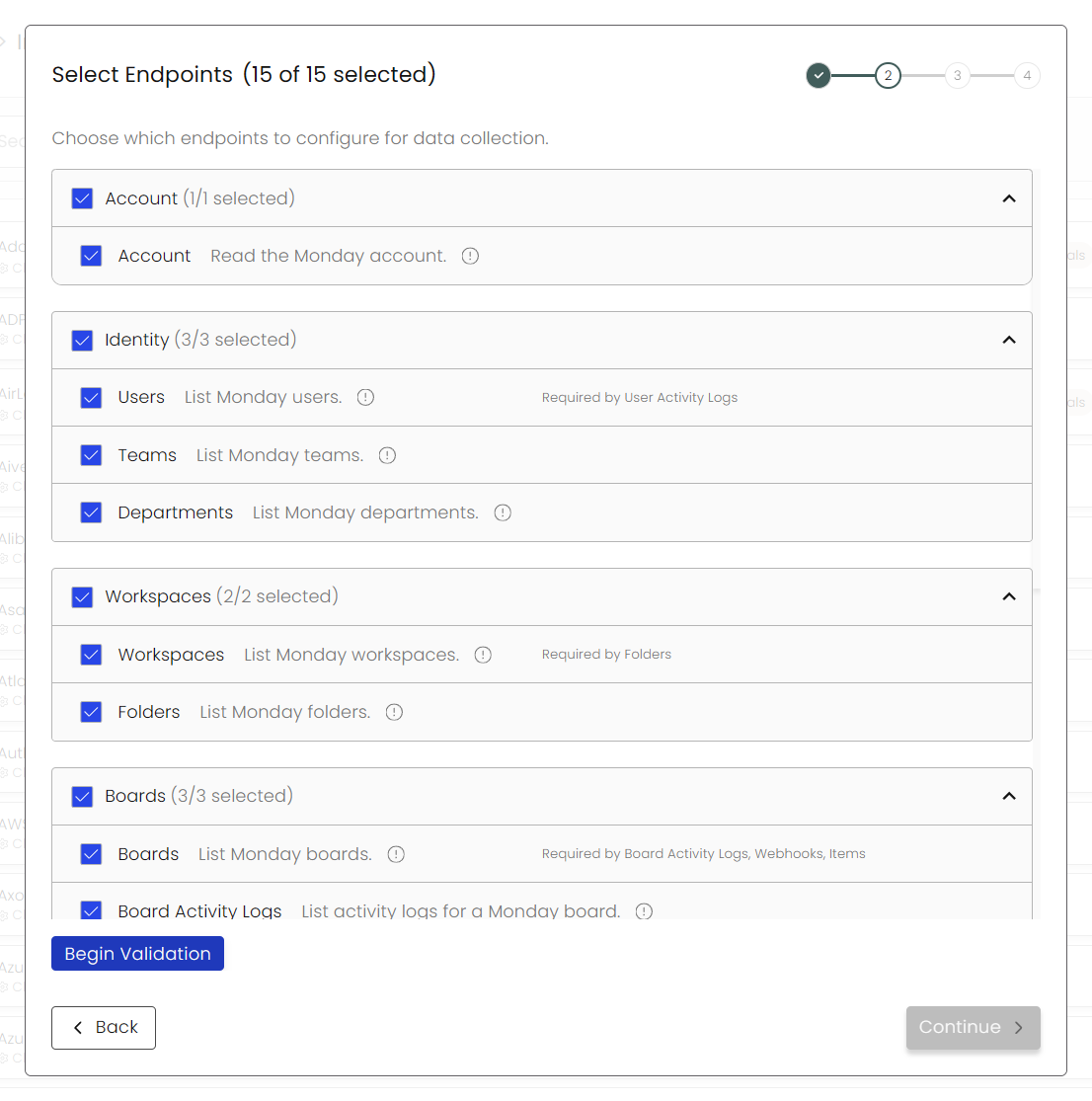
Choose your Endpoints and Begin Validation to validate your connection.
-
Select any Blueprints you wish to associate with this integration.
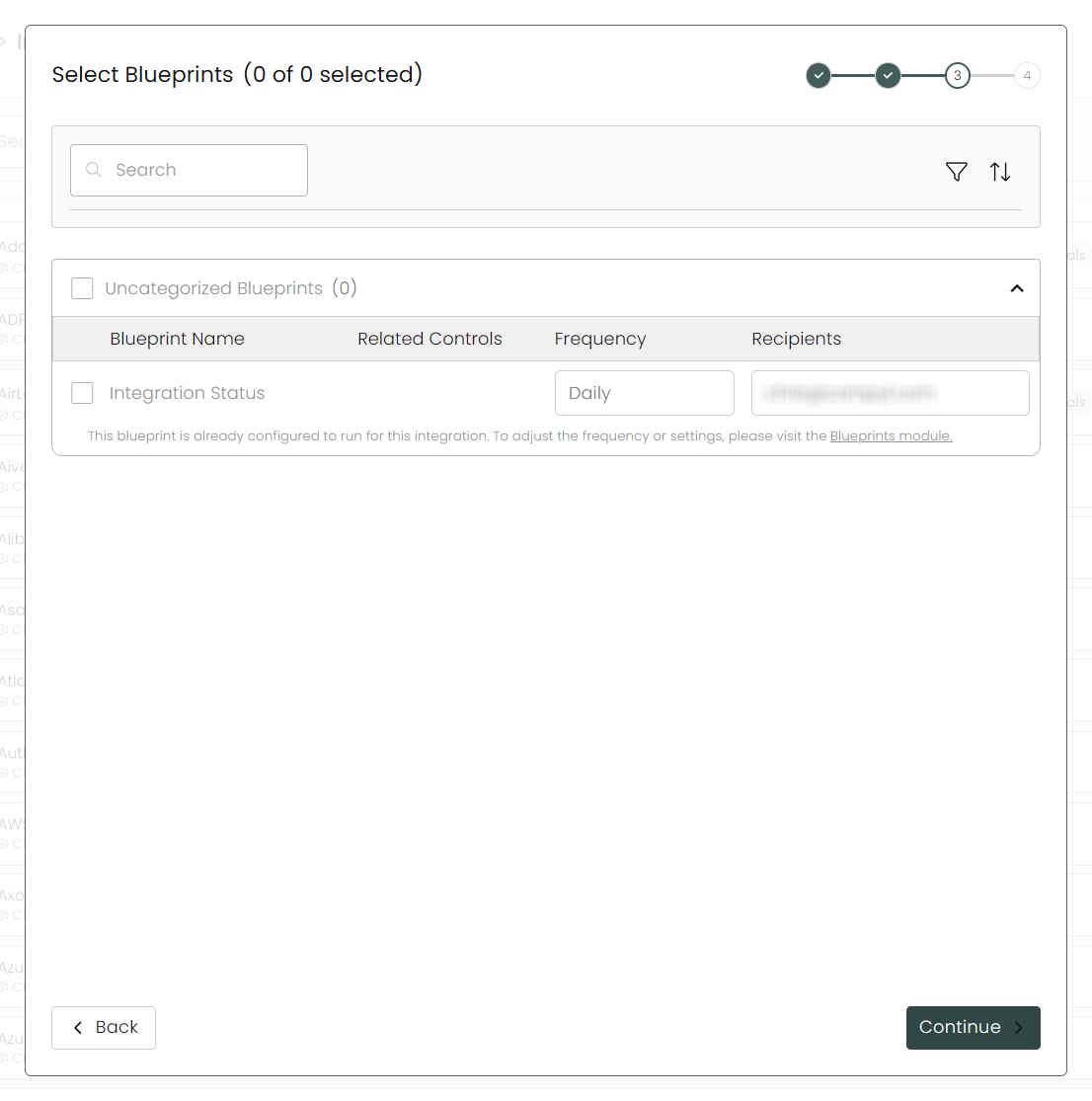
-
After you hit Continue, you'll see a summary screen. Click Return to Integrations to complete the configuration.
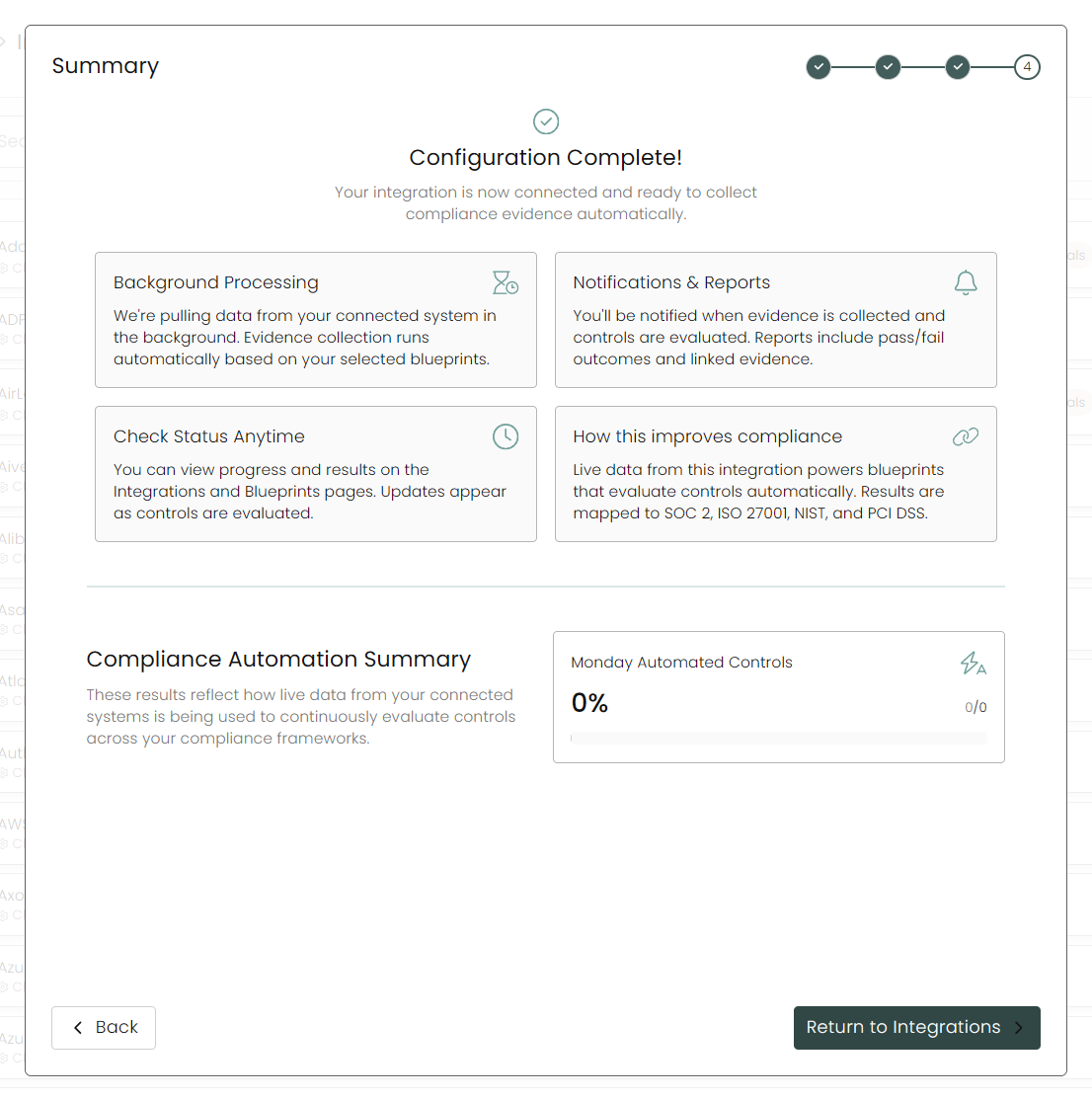
Once you have completed filling out the form click Return to Integrations.
You'll know the integration is successfully added when the status updates to Complete.

Data is synced on a recurring schedule configured by your Compyl administrator. Each sync pulls the latest data from all enabled endpoints.
To query the data from the integration, refer to the Blueprints article.
Updated 2 months ago