
Contracts Register
Compyl provides end-to-end Contract Management in one central location
Compyl centralizes all of your Contracts and subsequent renewal tasks. You can link Contracts to any Vendors and Clients you are also housing within Compyl, further enabling you to track information and requirements of these relationships.
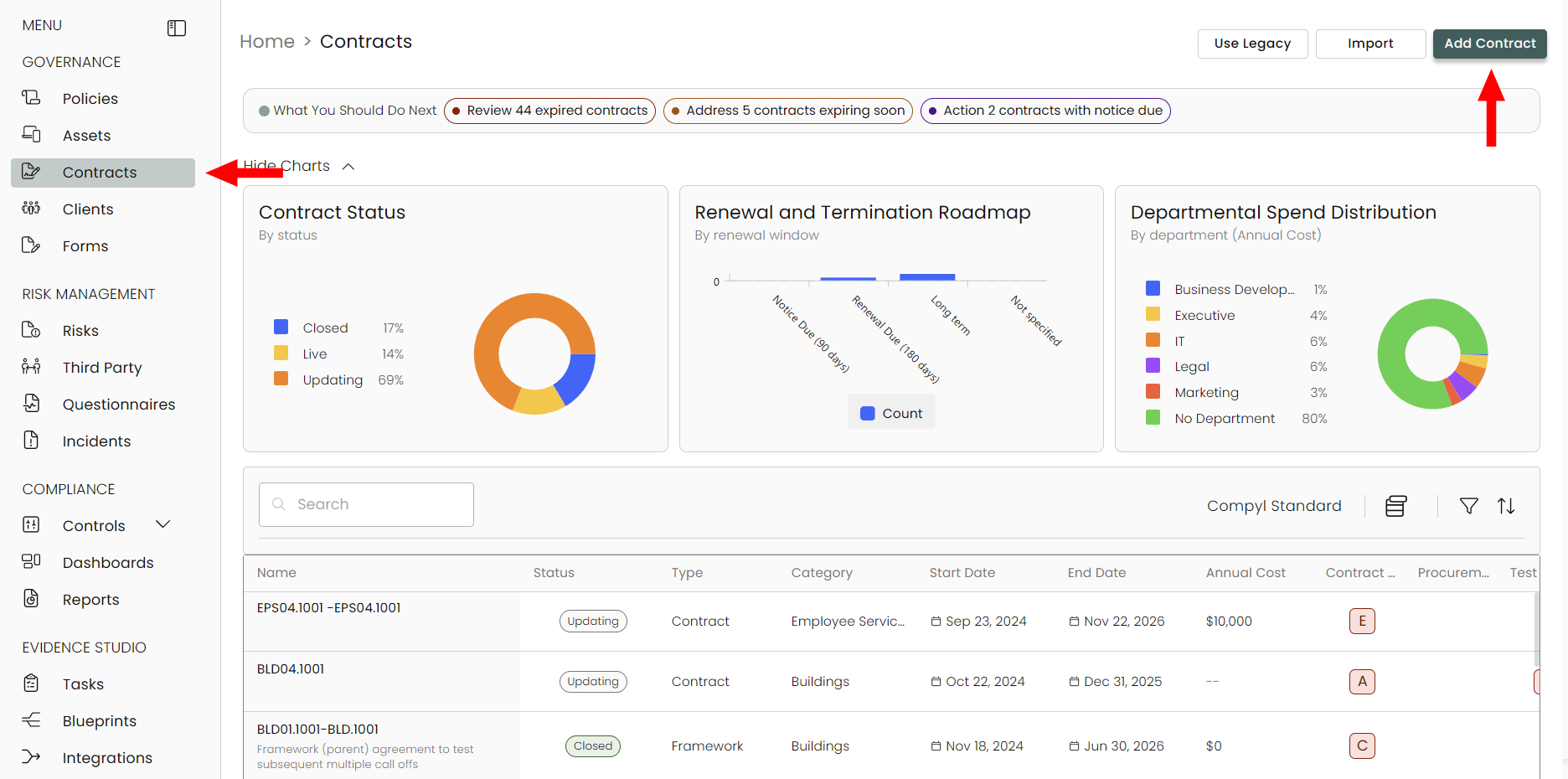
When you first get to the Contract Management page, all contracts can be viewed and managed. You can choose which key fields you want as columns in the default view, such as Owner, Cost, and Renewal date.
To Add a Contract
Using the left sidebar under Governance, select Contracts and then Add Contract.
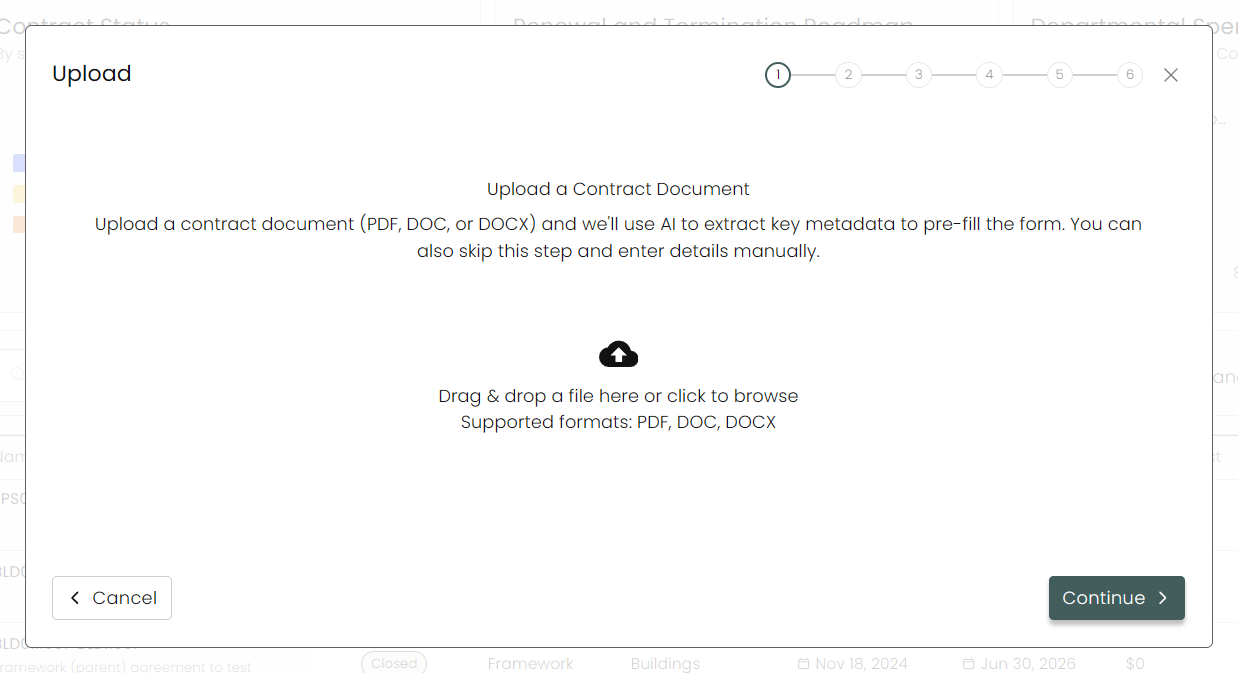
Upload
You can upload a contract document and Compyl AI will begin to extra the key metadata to pre-fill out the form. If you want to create one within Compyl, you can skip this and manually enter in your data by clicking on Continue.
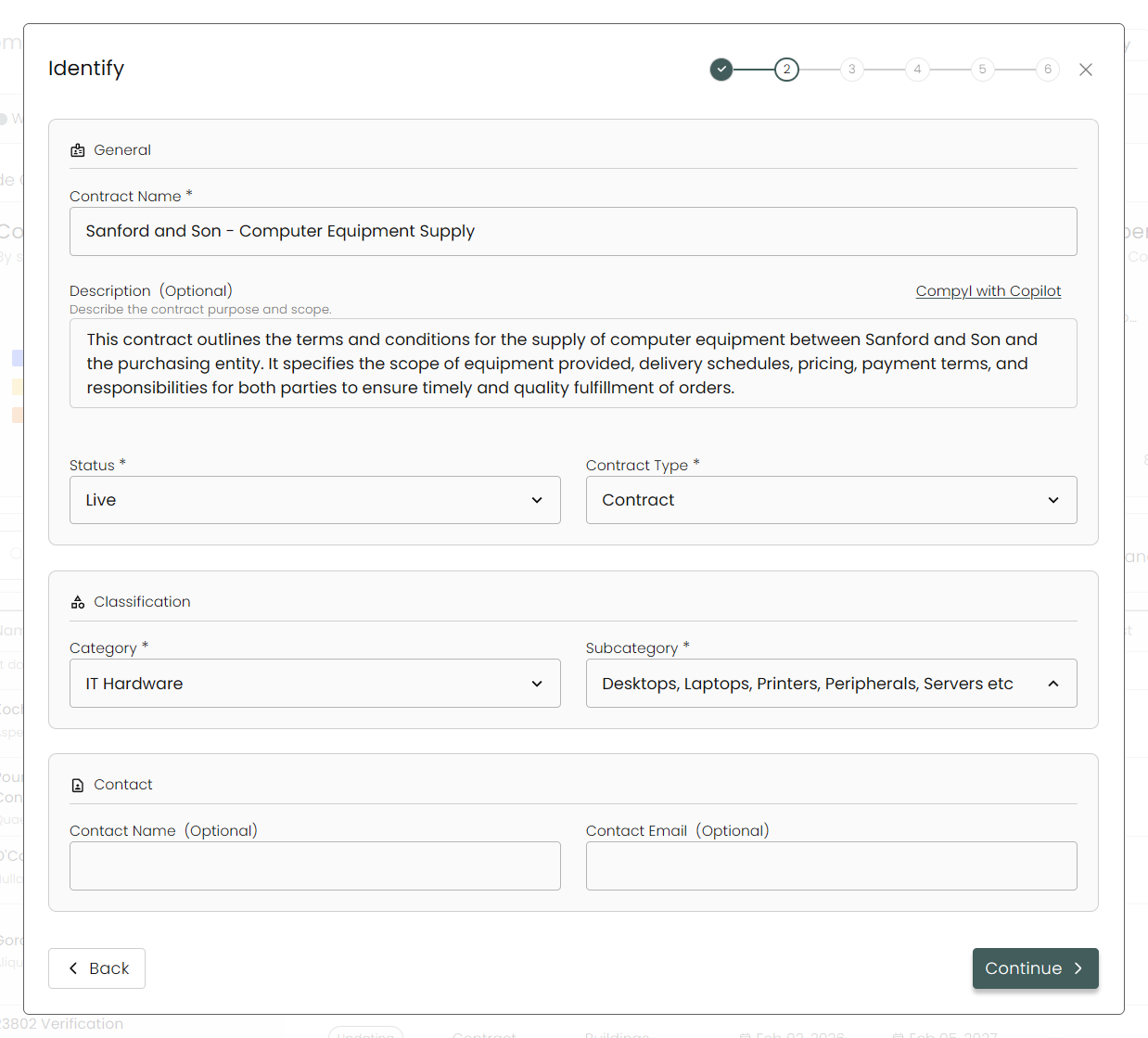
Identify
Enter all known information about the Contract in the fields provided.
A Contract's Type determines whether it has a Parent contract associated with it. At the moment, this applies only to Variation Orders and Call-offs:
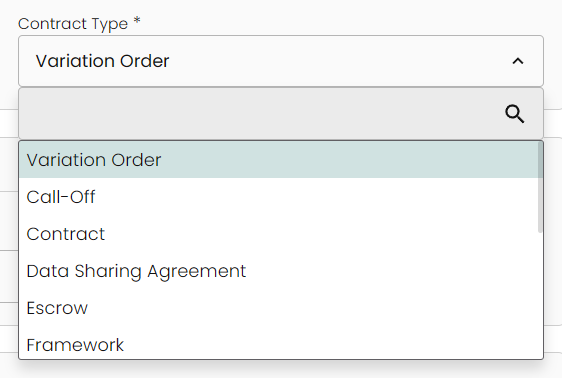
- Variations are actually changes to a contract to alter the service or rate or included projects / resources. This could be an add-on or removal of a service. Variations have a parent contract, and that parent contract can have any Contract Type except for Call-Off, Variation, or Framework.
- Call-Offs always have a parent contract with the type of Framework. Frameworks are Master Service Level Agreements or Terms of Service for pricing and rates of projects and future contract agreements. Call-Offs are the projects or contracts that are being made in reference to the Framework or Master Service Agreement.
Read more about them in the next section.
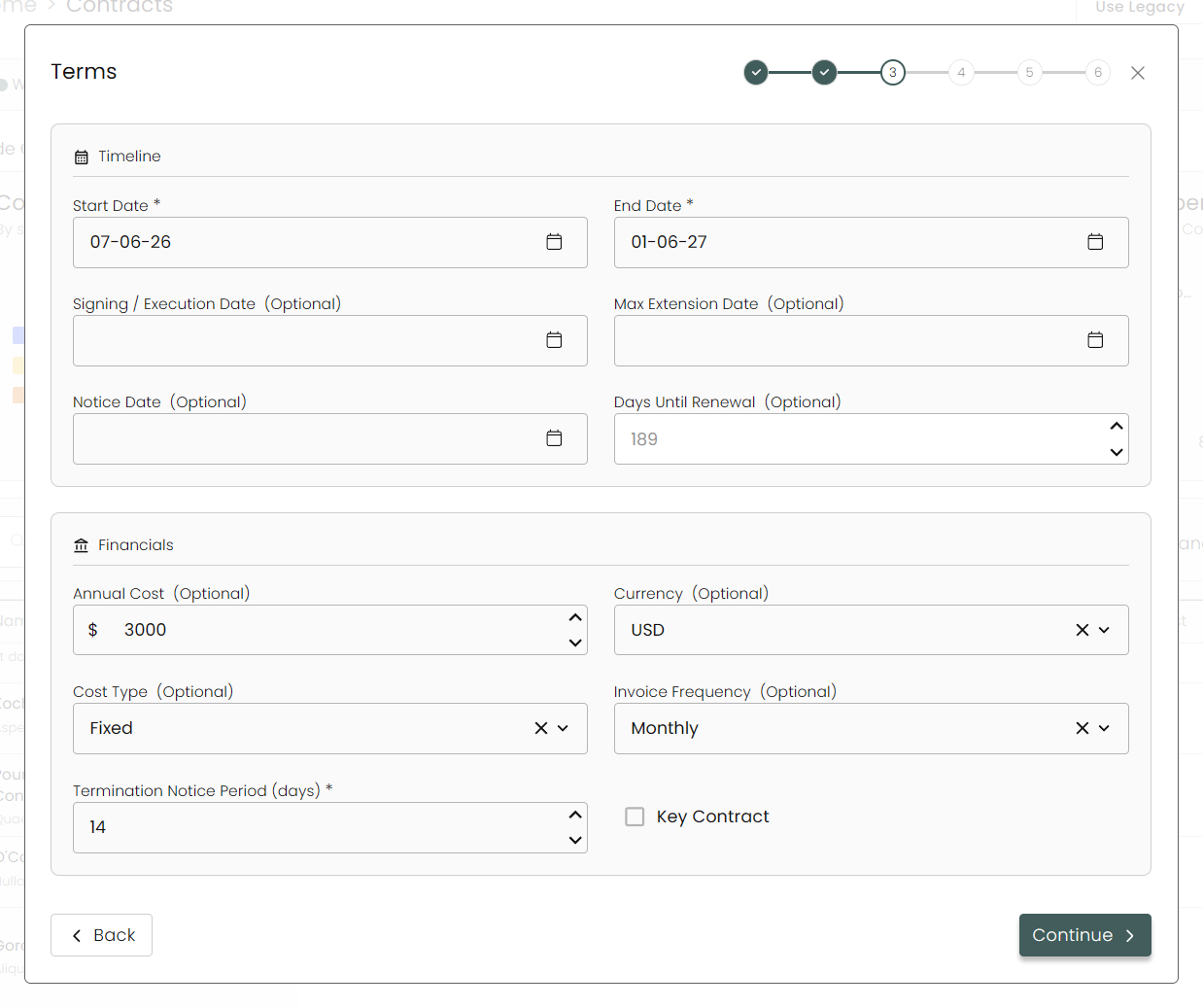
Terms
Here you can input all the specifics of your contract including start and end dates, annual cost, invoice frequency and more. Be sure to fill in all required fields.
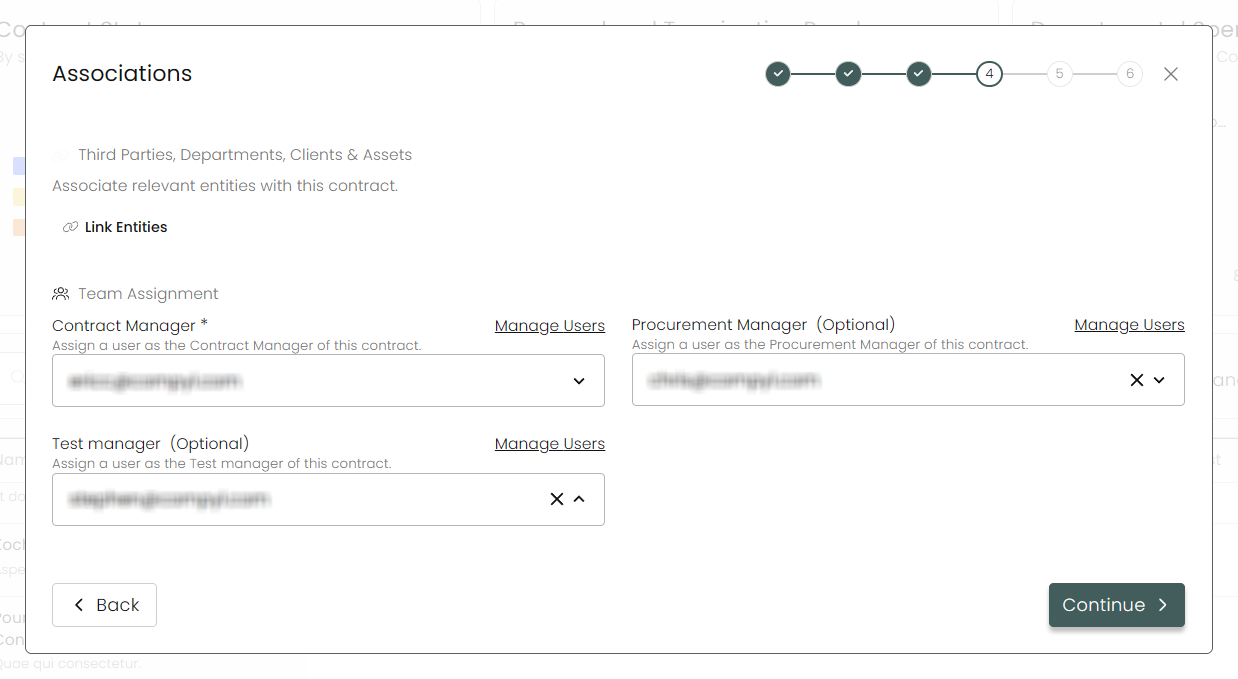
Associations
Assign your Contract Manager (required), and any other users you wish to add.
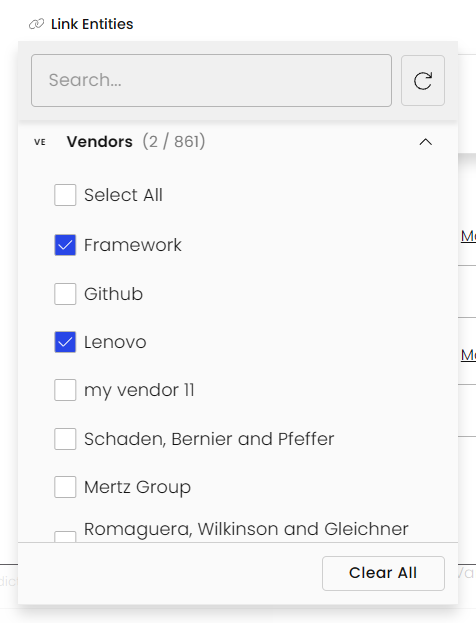
Link Entities
Clicking on this allows you to associate other entities throughout the system (such as Vendors, Departments, or Assets).
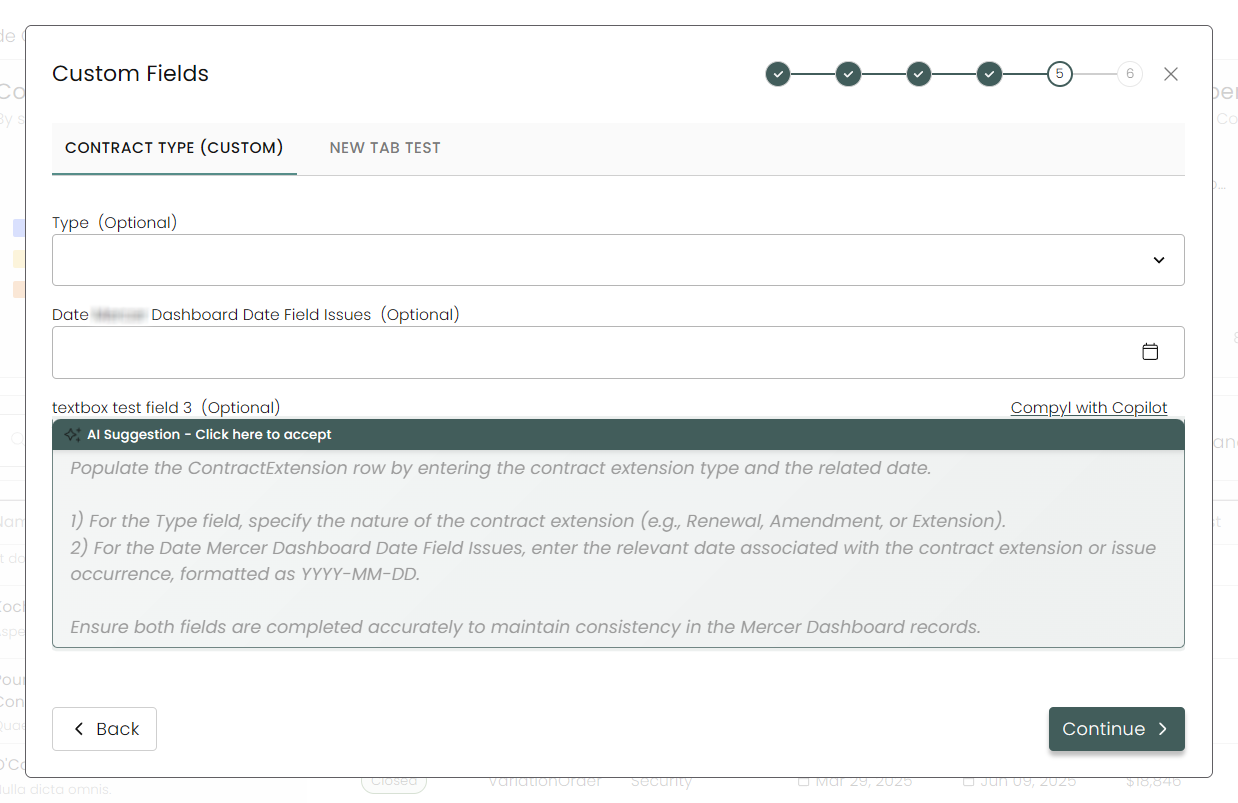
Custom Fields
Any custom fields and tabs added in via our Forms Module will show up here.
Review
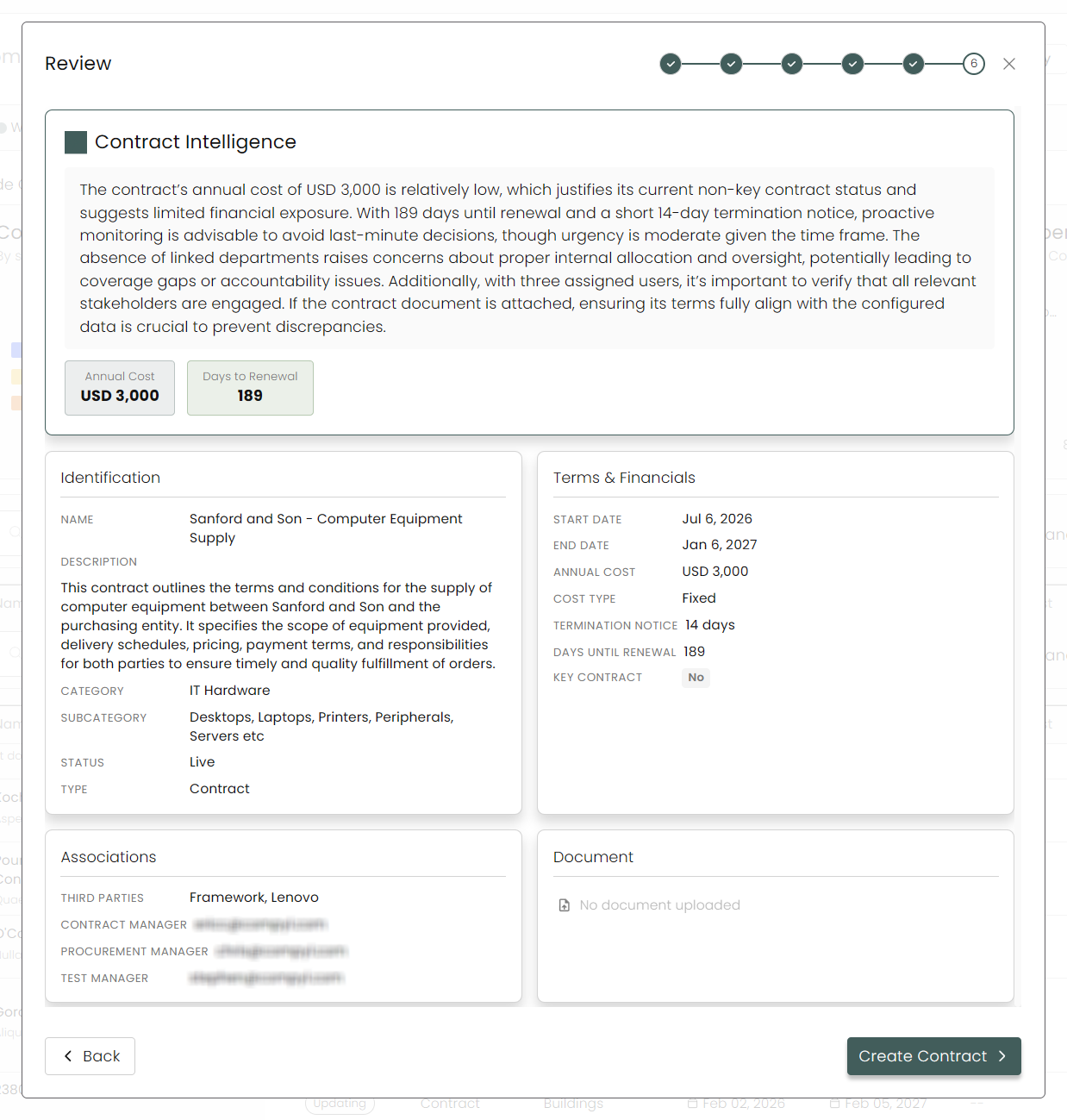
Finally, you'll see an overview of your created contract. Make sure everything is correct and then click Create Contract when complete.
Frameworks and Call-Offs
As mentioned above, Frameworks are Master Service Level Agreements or Terms of Service for pricing and rates of projects and future contract agreements. Call-Offs are the projects or contracts that are being made in reference to the Framework or Master Service Agreement. Think of the Framework as the parent contract and call-offs as the child contract(s) connected to it.
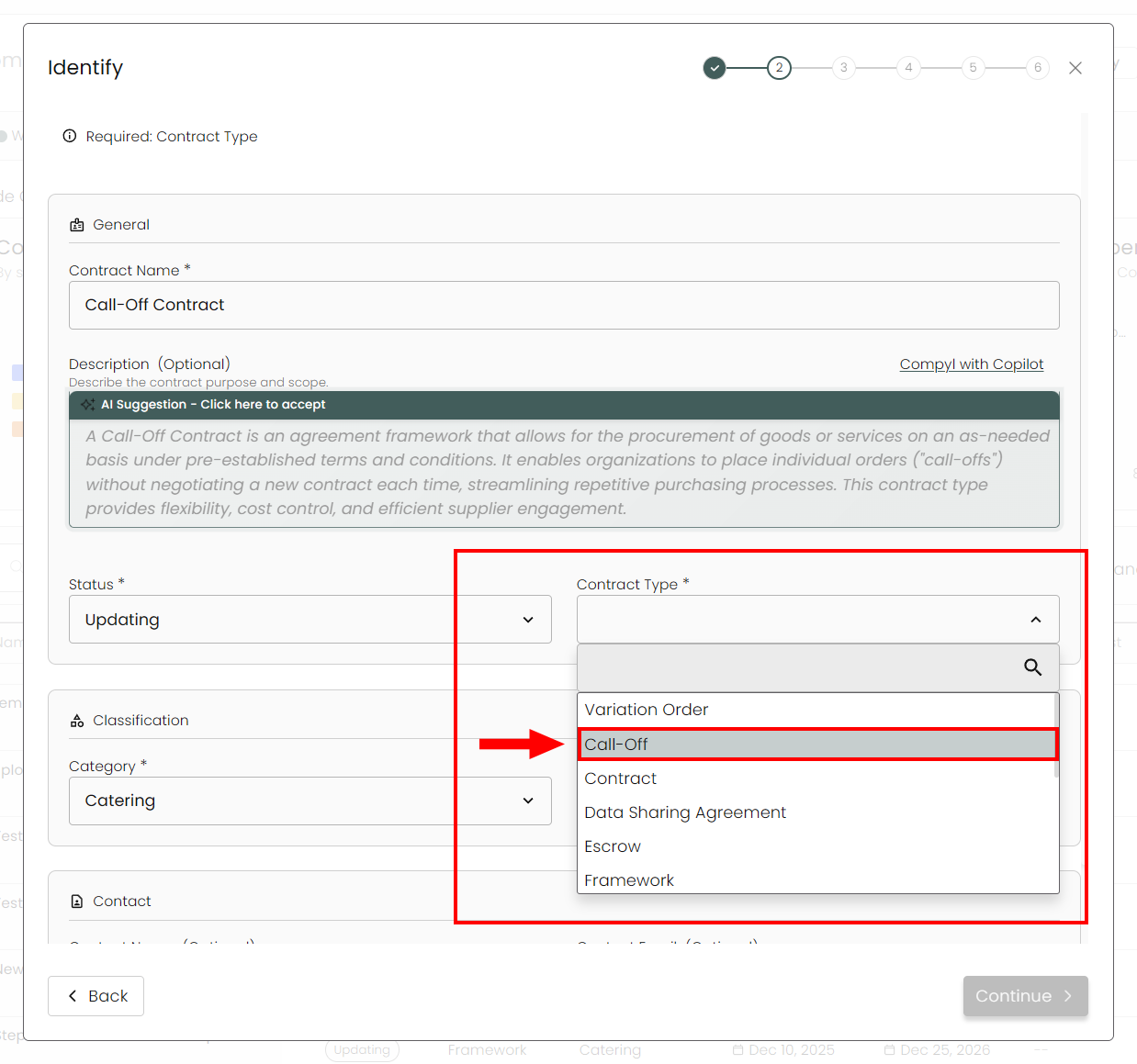
When creating a Call-Off contract, you must associate it with a Framework contract. The best way to do this is selecting the Call-Off contract type when creating a new contract.
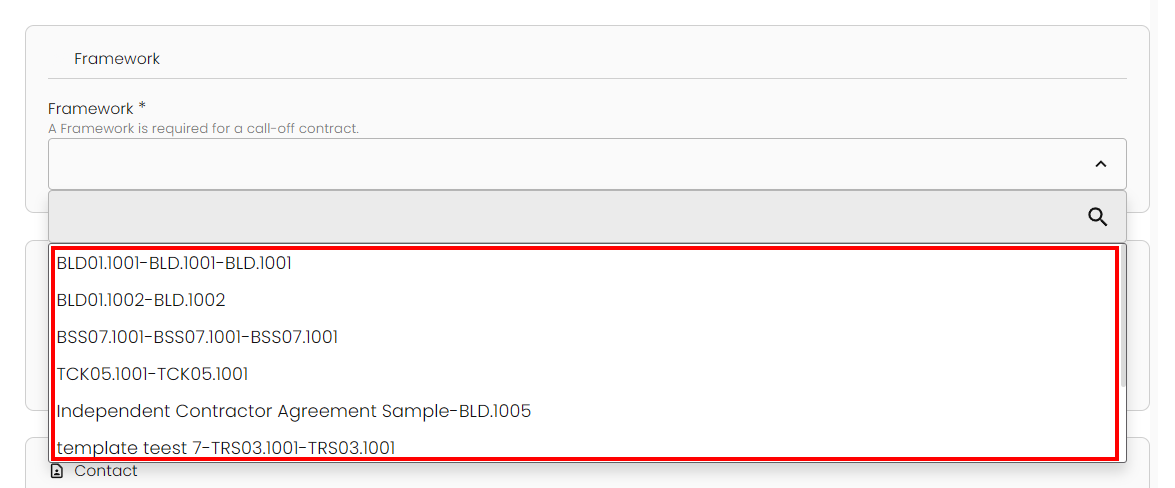
This adds a new dropdown titled Framework that lets you select which Framework you wish to associate this Call-Off contract with.
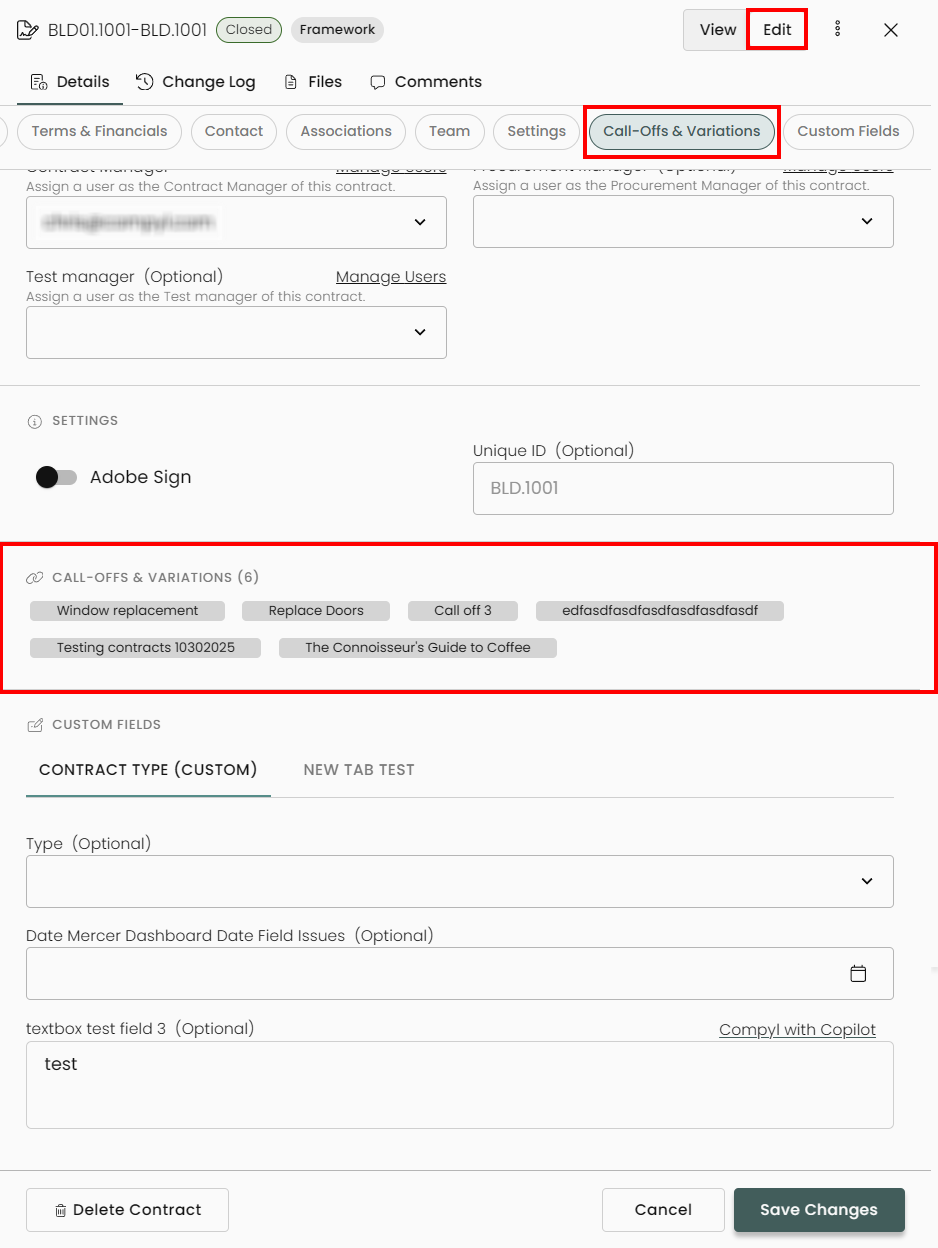
You can also edit a Framework contract and go to the Call-Offs and Variations section to see the list of associated Call-Offs.
Contract Workflows
Compyl provides inherent workflows that are available to manage contracts. These can be used to alert contract owners before a contract lapses and allow for appropriate re-negotiation time. Some of the basic checks and notifications that can be assigned in the Contracts Register include the following:
- Contracts that are up coming up for renewal: These reminders begin 90 days leading up the end contract End Date entered for the contract. At the time these reminders start, the contract Status will automatically be adjusted to Updating.
- Contracts that are expired: When the contract's End Date has passed, these reminders are sent weekly until the contract's Status is updated to Live.
- Reminders for termination notice within the proper time frame: This is based on how many days are entered in the Termination Notice Period field. These reminders start 4 weeks leading up to the last date the contract can be terminated.
Please refer to the Associated User Roles article to learn more and set up initial contract workflows.
Updated 8 days ago