
Notion Integration
PrerequisitesIn order to successfully configure the Compyl Notion integration, you will need:
- Enterprise Workspace Administrator access
- Access to the Notion workspace
- Access to the Notion Developer Portal
Compyl's Notion integration requires two types of API tokens:
| Token Type | Purpose |
|---|---|
| Integration Token (Workspace Access Token) | Used by applications to access pages, databases, and user information within a single Notion workspace. |
| Organization Admin API Token | Used for organization-level administration APIs such as organization agents, legal holds, workspace export, and other Enterprise features. |
Generate the Notion Integration Token
Step 1. Creating the Connection
-
Open your Notion workspace.
-
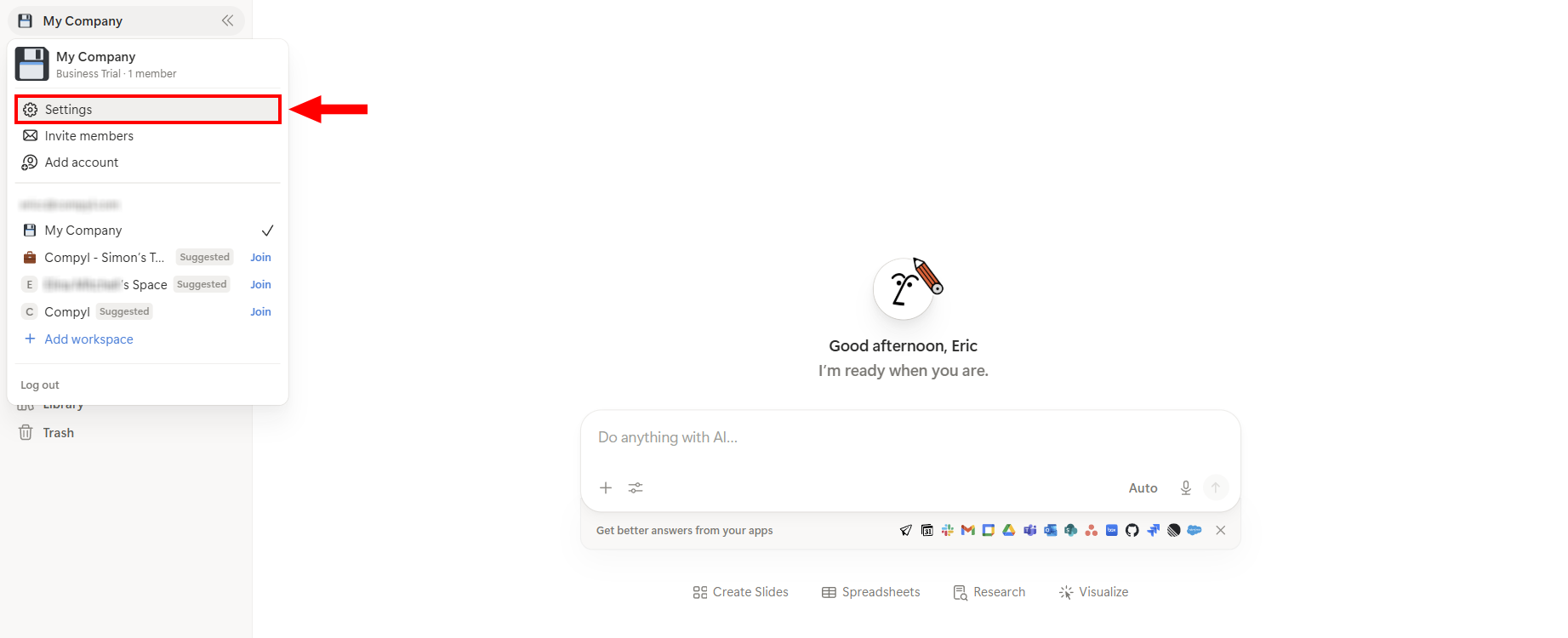
Click the workspace name in the upper-left corner, then select Settings.
-
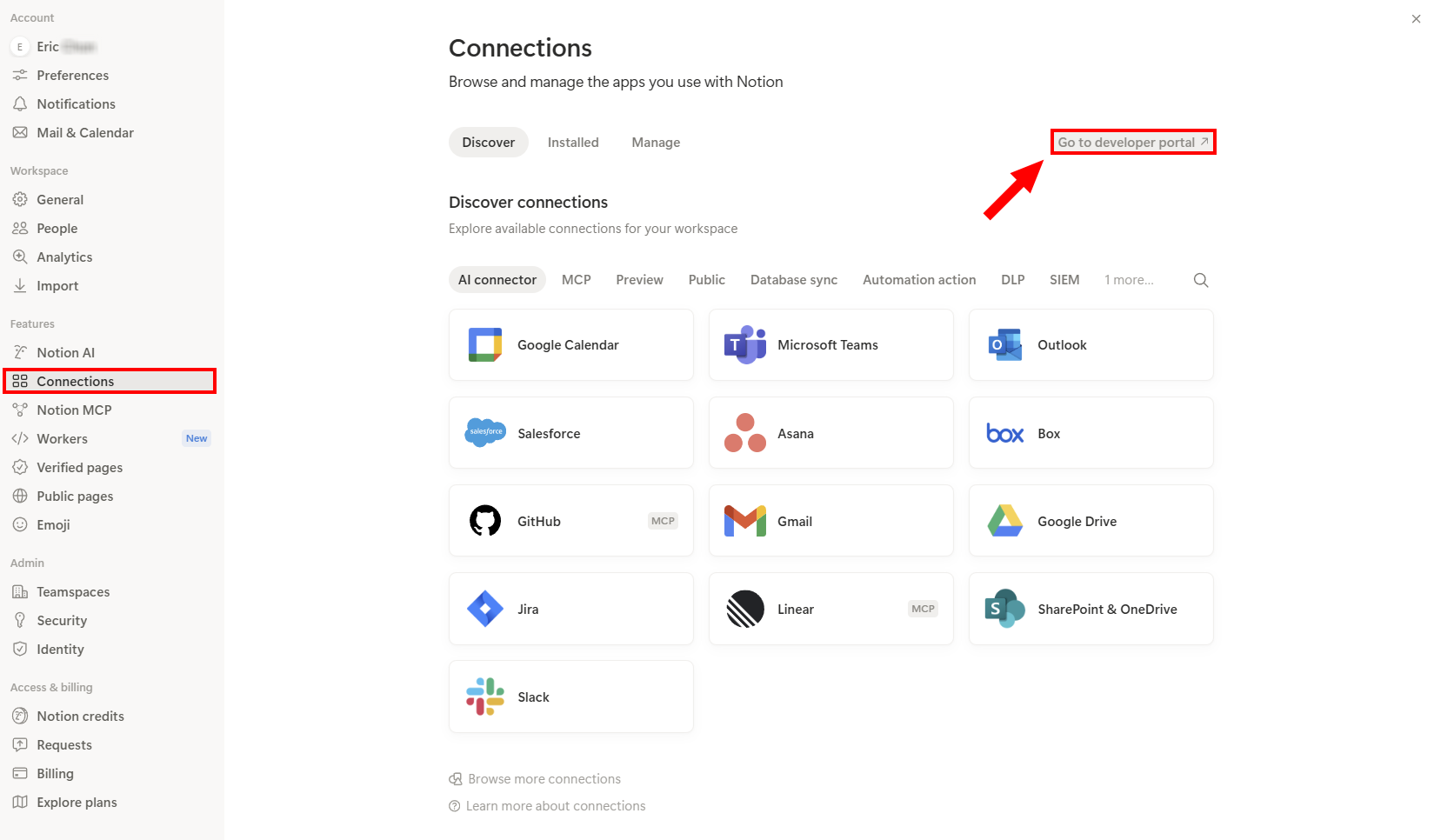
From the left navigation menu, select Connections, then click Go to developer portal.
-
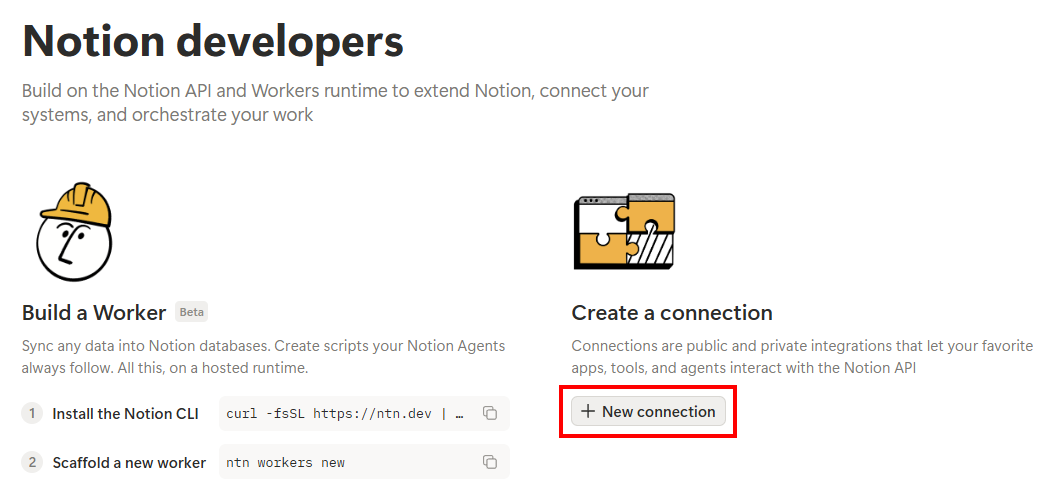
Inside the Developer Portal, click New connection.
-
Complete the following:
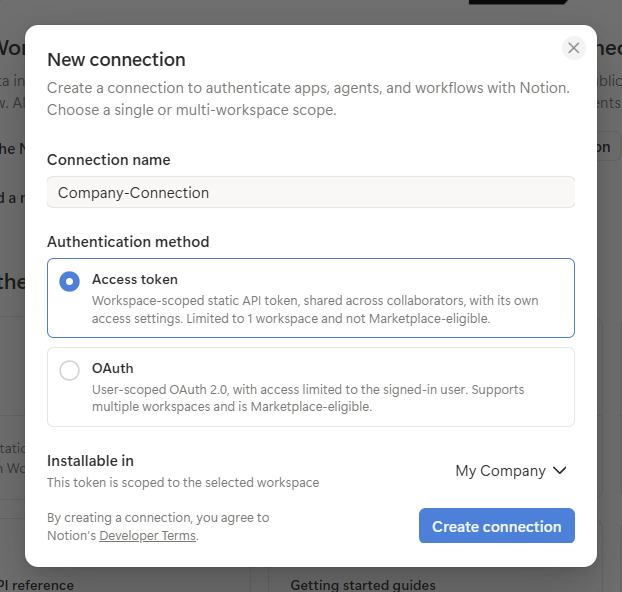
- Connection Name: Enter a descriptive name. (e.g., Company-Connection).
- Authentication Method: Select Access token.
- Installable In: Select your workspace. (e.g., My Company).
-
Click Create connection.
Step 2. Configure Permissions
-
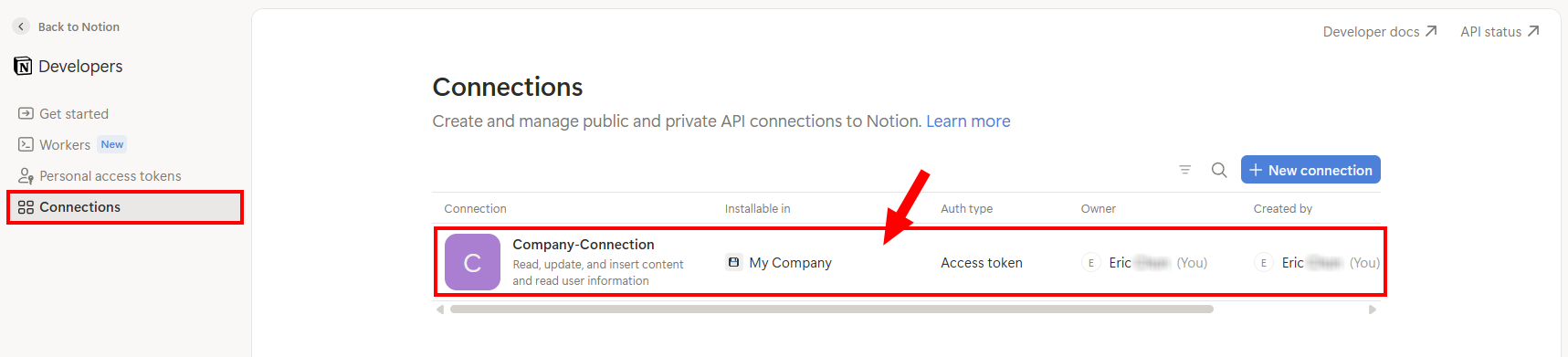
Select Connections on the left-hand menu and click on your newly created connection.
-
Make sure to enable the following capabilities/permissions:
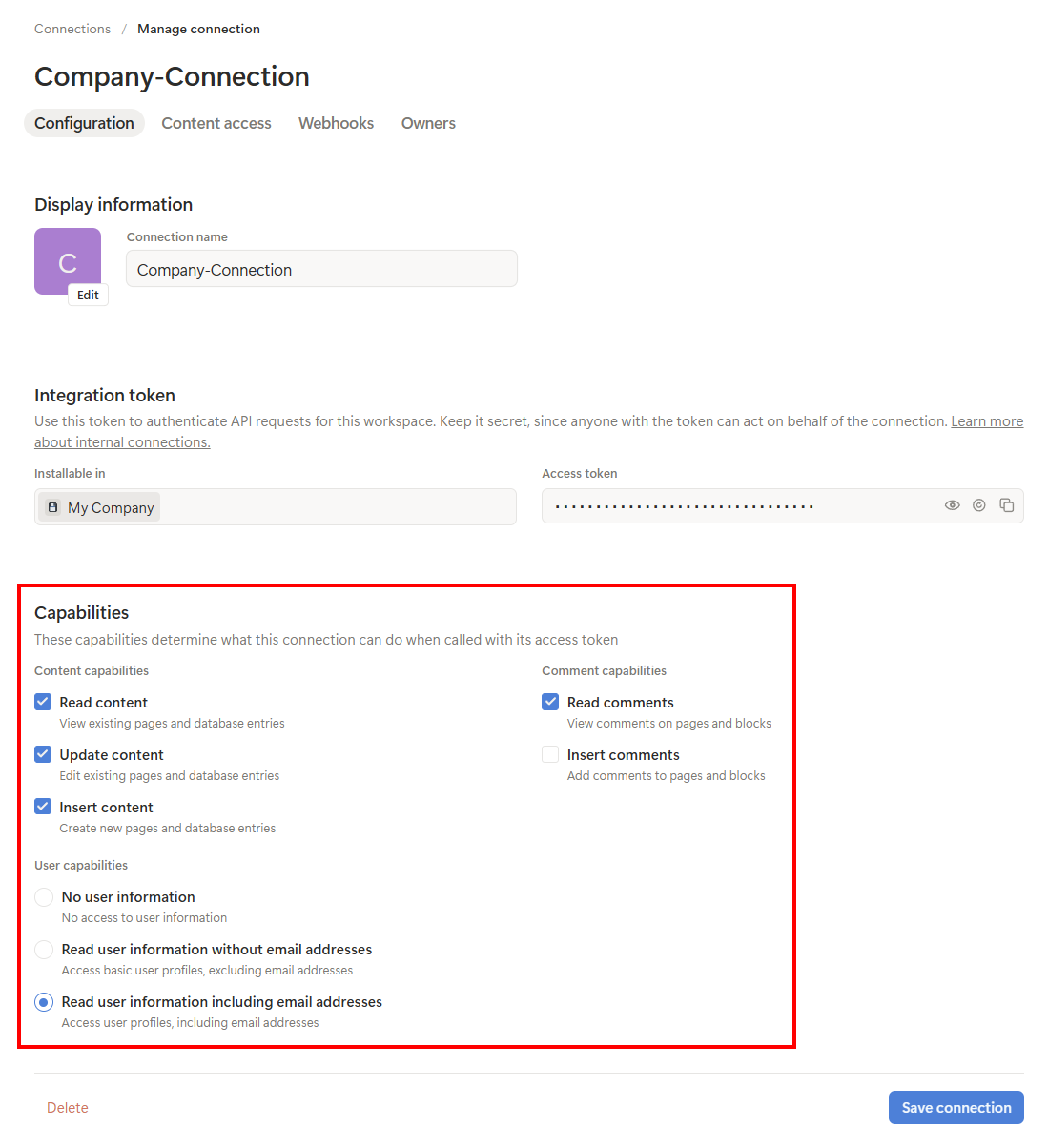
- Read content- Update content
- Insert content
- Read comments
- Read user information including email addresses
- Insert comments (optional - only if required)
-
Next, copy the Access token and store it securely.

- Click Save connection.
Step 3. Manage Page Access
-
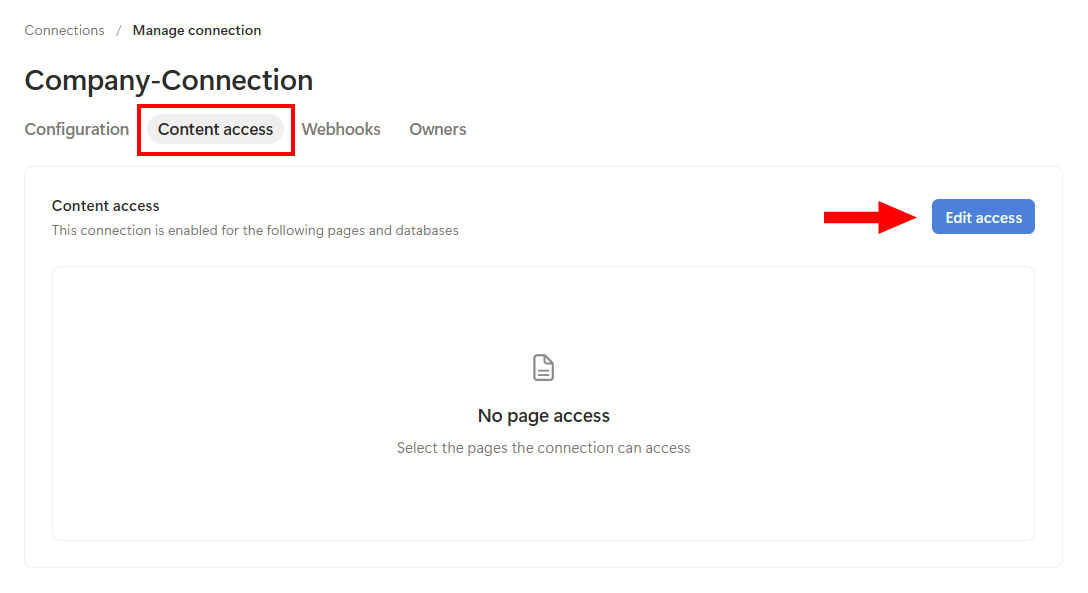
Select the Content access tab and then click on Edit access.
-
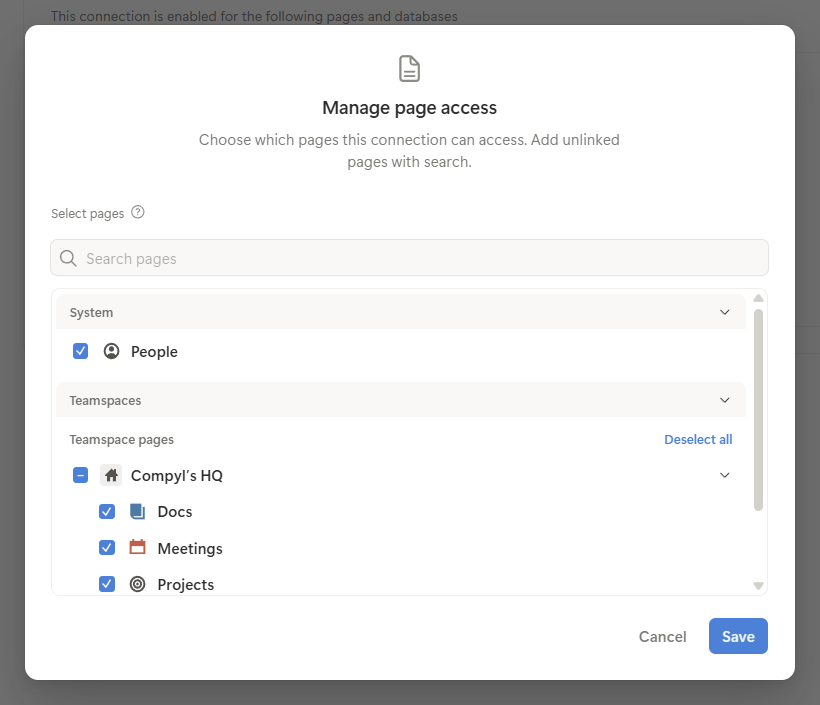
Select which pages and databases the integration can access and click Save.
Generate the Organization Admin API Token
Step 1. Creating the Connection
-
Open your Notion workspace.
-
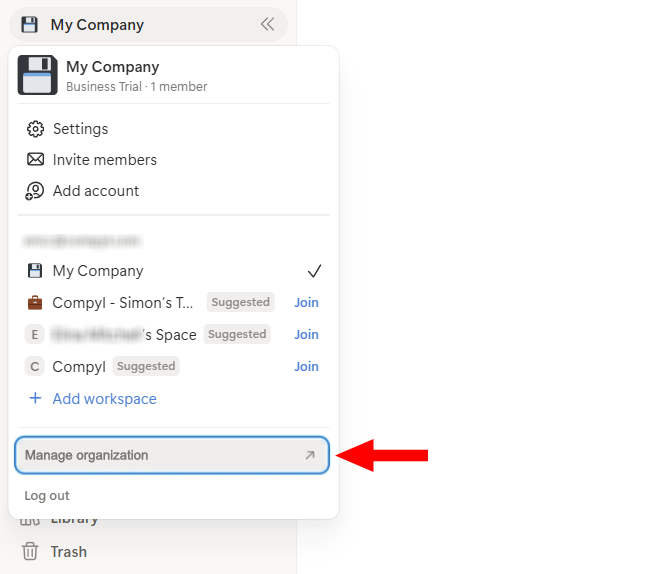
Click the workspace name in the upper-left corner, then select Manage organization.
-
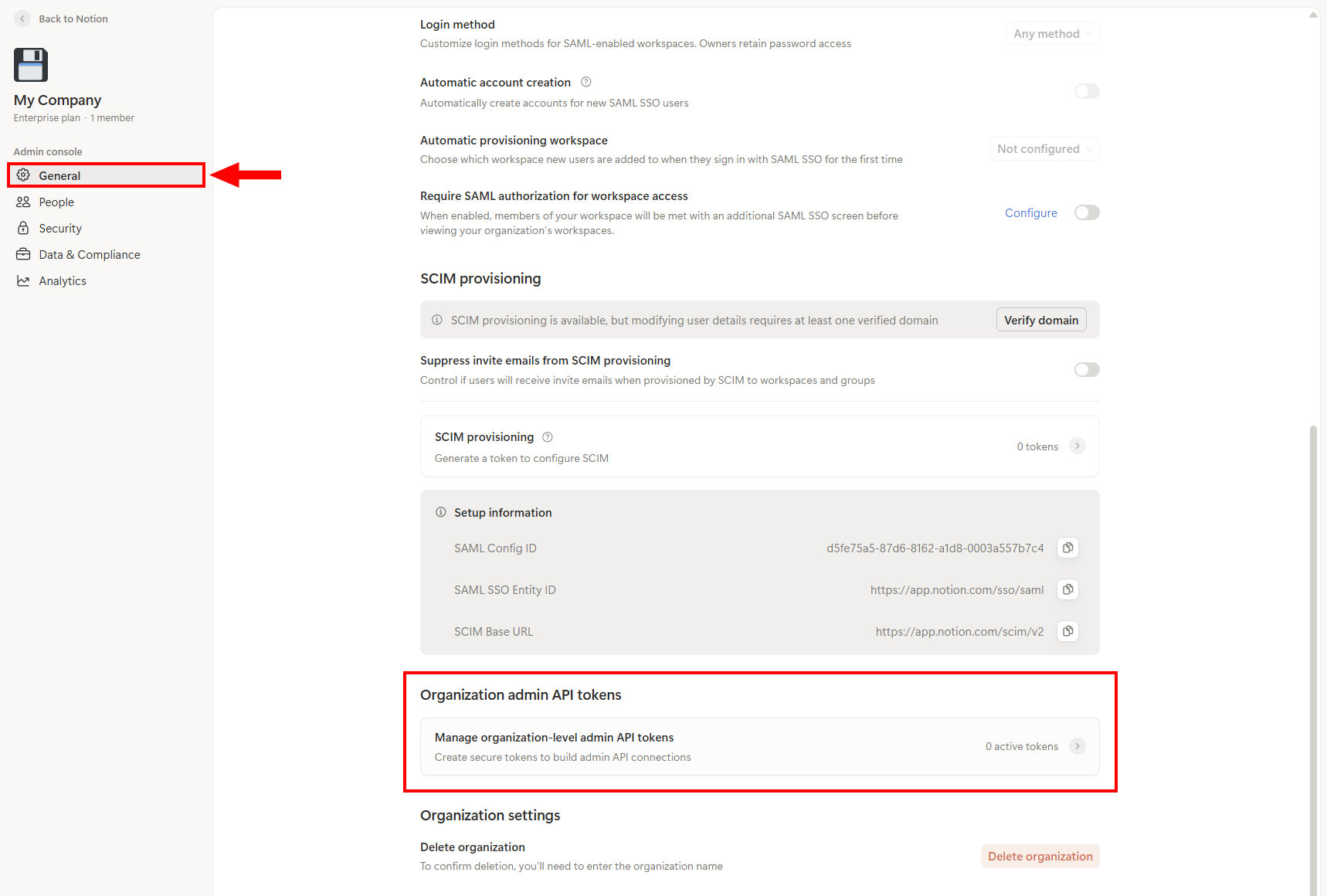
Navigate to General → Organization admin API tokens and select Manage organization-level admin API tokens.
-
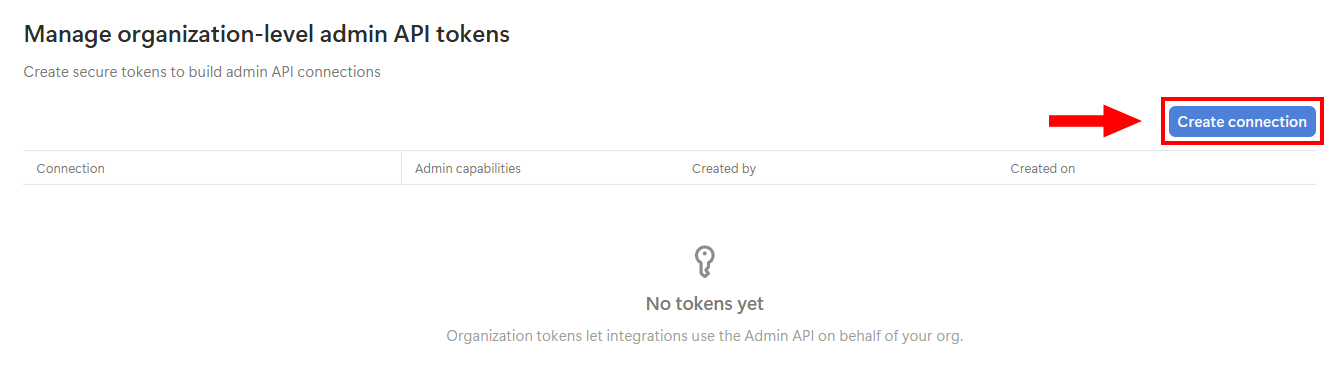
Click Create connection.
Step 2. Select the Required Scopes and Create Token
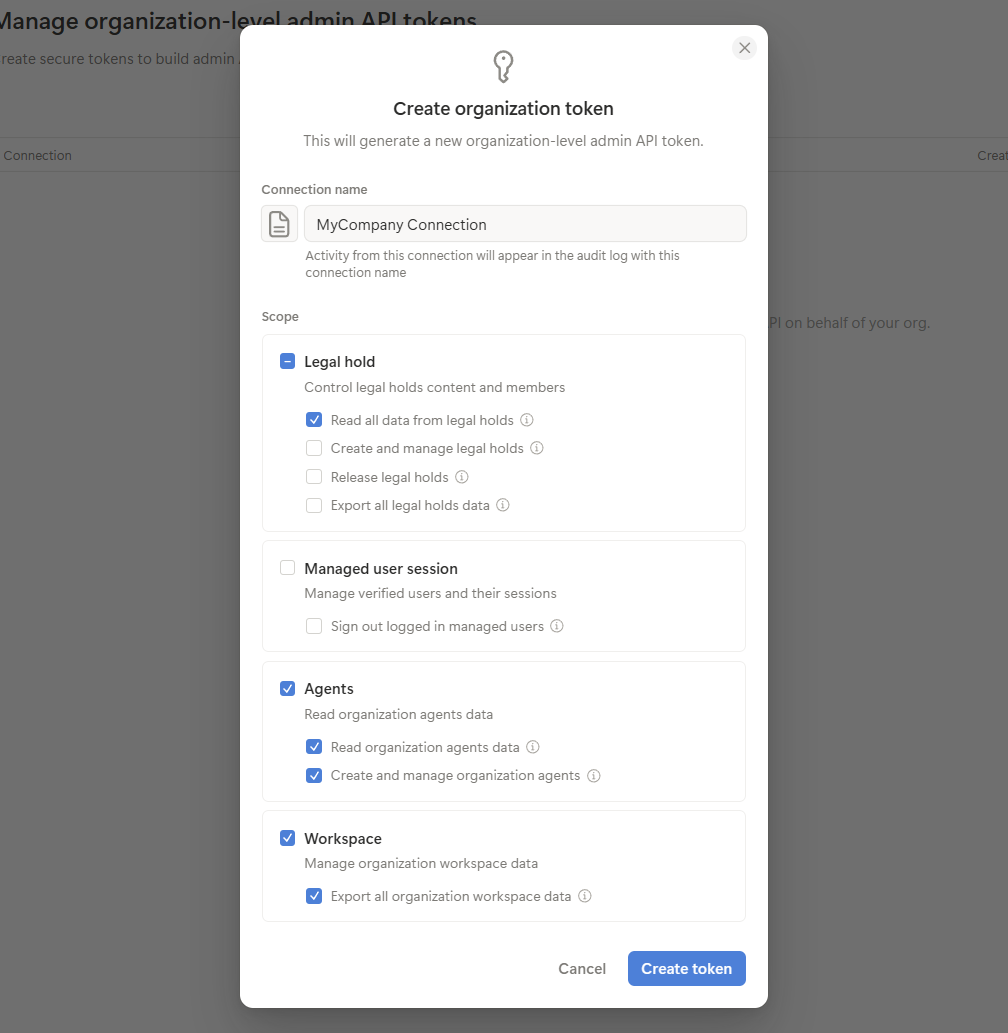
- Choose the permissions required by your application. Typical scopes include:
-
Legal Hold: Read all data from legal holds.
-
Agents: Read organization agents data and Create and manage organization agents (if required).
-
Workspace: Enable any required workspace administration permissions.
-
-
Click Create token.
-
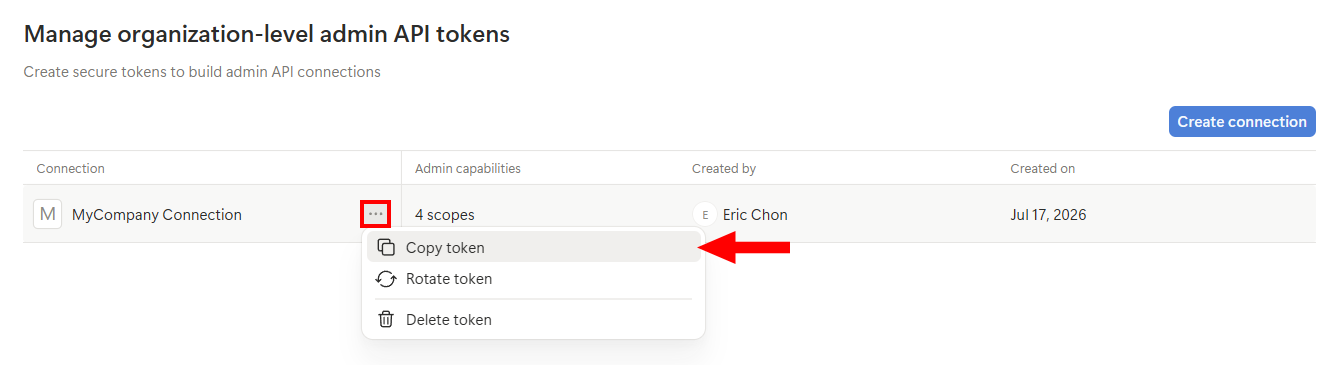
The modal will disappear and you'll be brought back to the Manage API tokes page. Click on the 3-dot menu and select Copy token. Store it securely.
Add Configuration
-
Navigate to the Integrations tab using the left-hand menu, find Integration Name, and select +Add Configuration.

-
Next, fill in the details below and select Continue.
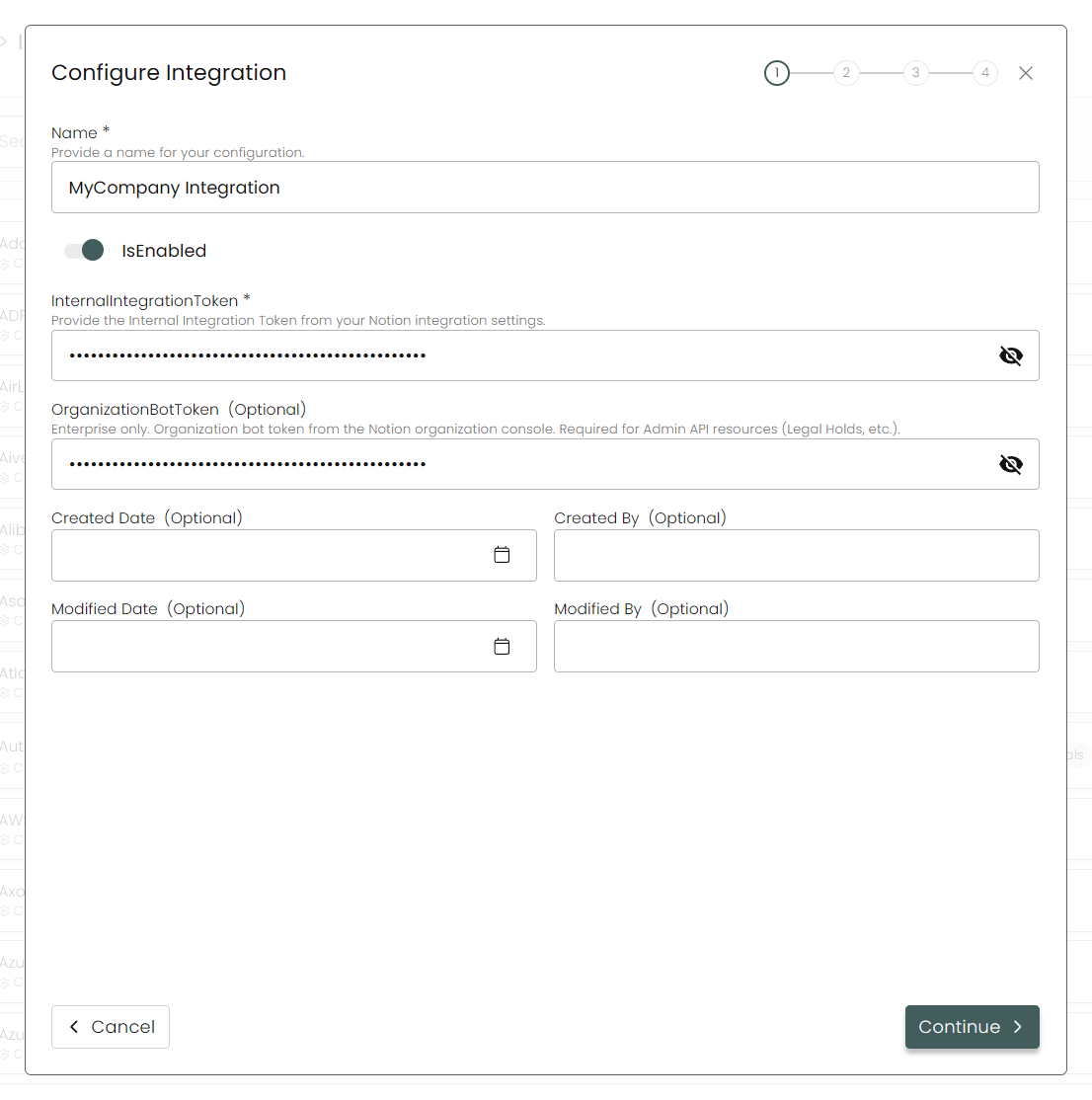
Name: Enter the name of the integration.is Enabled: Toggle button to ensure data is populated into Compyl.
Internal Integration Token: This is the integration token you created here.
Organization Bot Token: This is the organization admin API token created here. For Notion enterprise accounts only.
-
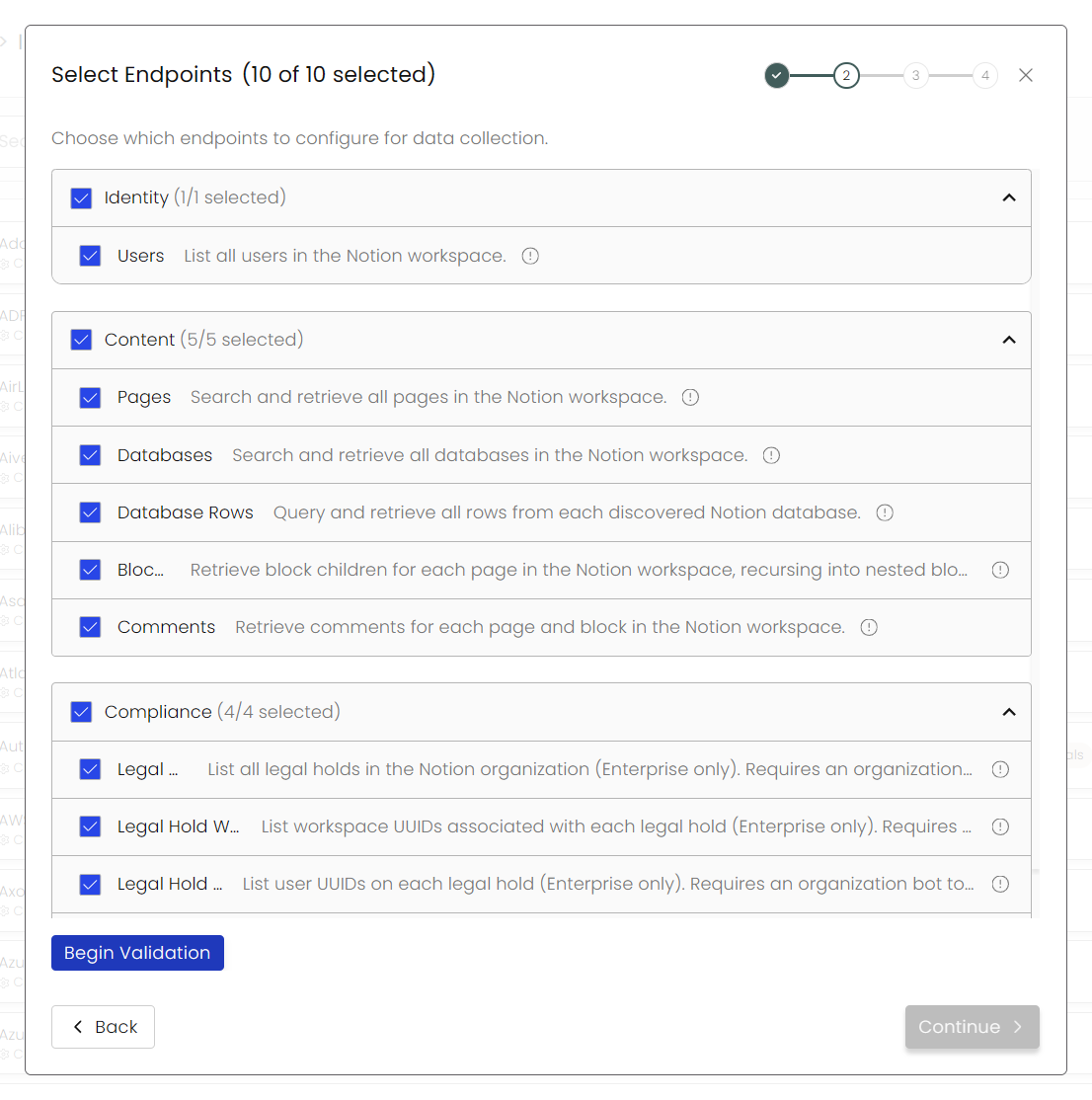
Choose your Endpoints and Begin Validation to validate your connection.
-
After you hit Continue, you'll see a summary screen. Click Return to Integrations to complete the configuration.
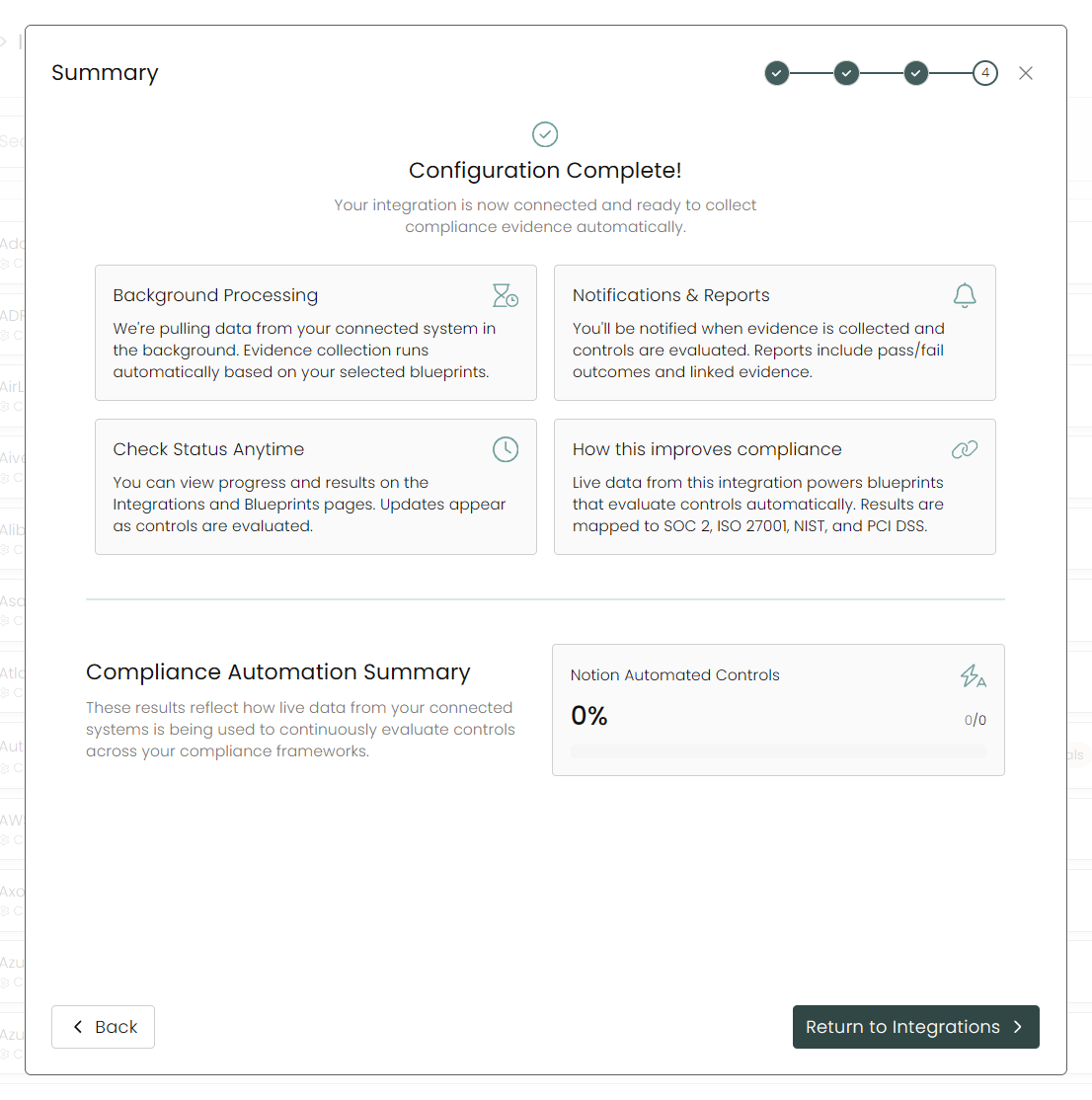
Once you have completed filling out the form click Return to Integrations.
You'll know the integration is successfully added when the status updates to Complete.

Data is synced on a recurring schedule configured by your Compyl administrator. Each sync pulls the latest data from all enabled endpoints.
To query the data from the integration, refer to the Blueprints article.
Token Comparison
| Feature | Integration Token | Organization Admin Token |
|---|---|---|
| Scope | Single workspace | Entire organization |
| Used For | Pages, databases, comments, users | Enterprise administration APIs |
| Developer Portal | Yes | Organization Admin Console |
| Requires Enterprise | No | Yes |
| Supports Page Access Control | Yes | No |
| Intended Usage | Workspace integrations | Organization administration |
Updated 2 months ago