
Asana Integration
PrerequisitesTo integrate with Asana through Compyl, you must generate a Service Account within Asana for authentication purposes. Service Accounts are long-lived tokens that provide programmatic access to the Asana API.
This is an Enterprise tier feature and can only be created by Asana super admins (see more about admin roles at Asana).
Service Accounts provide complete access to all data within your Asana account, including private user data.
How to generate a Service Account Token:
-
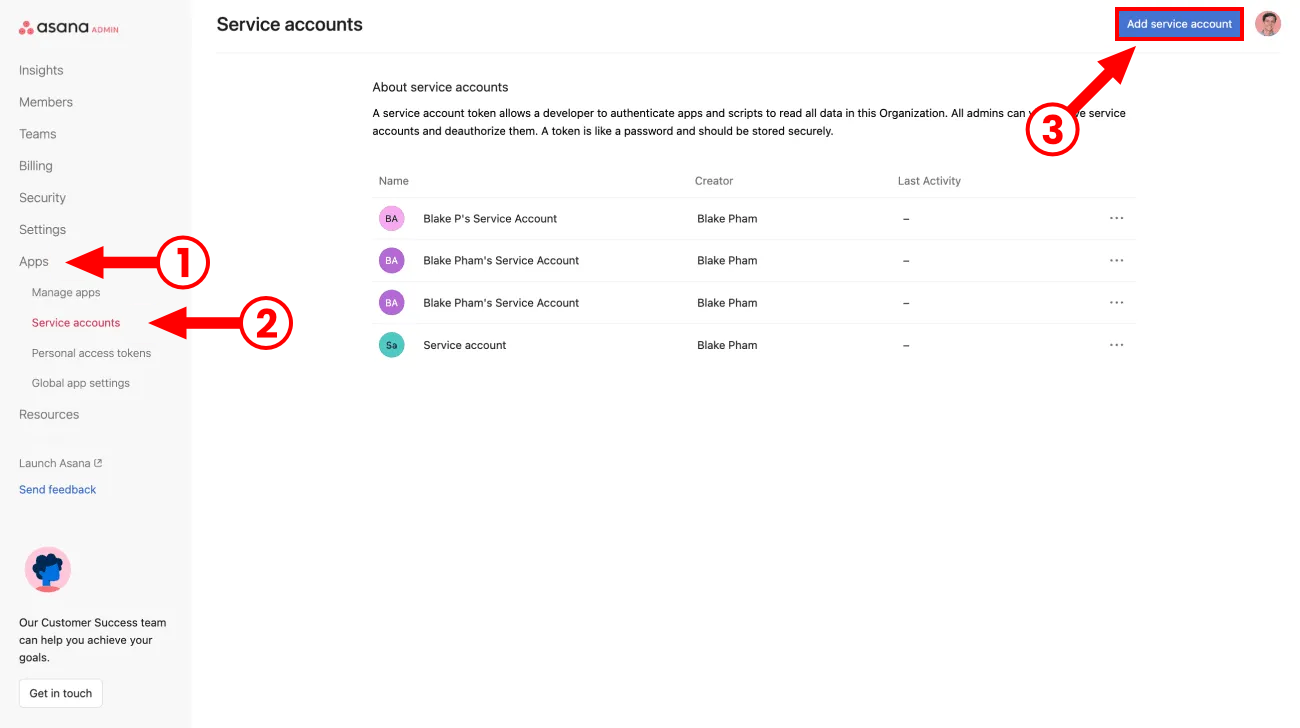
Click the Apps tab from within the admin console.
-
Click Service Accounts.
-
Click the Add Service Account button.
-
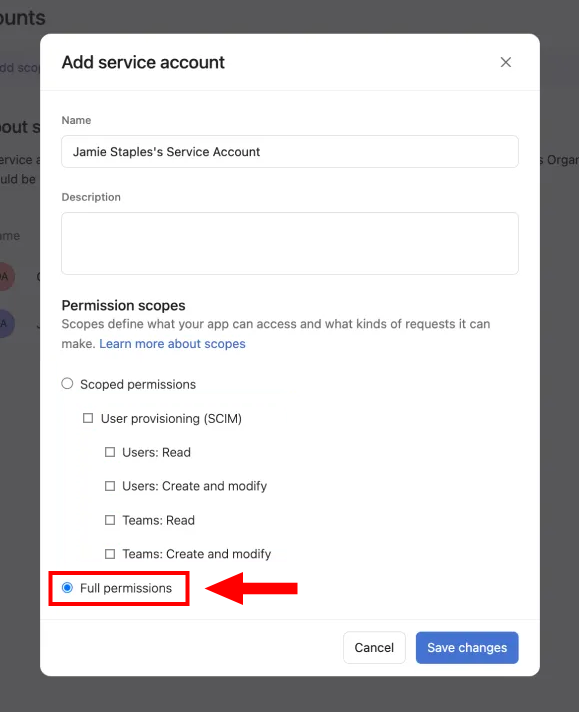
Choose Full permissions to give access to all data.
-
Fill out the required fields and save your new Service Account.
-
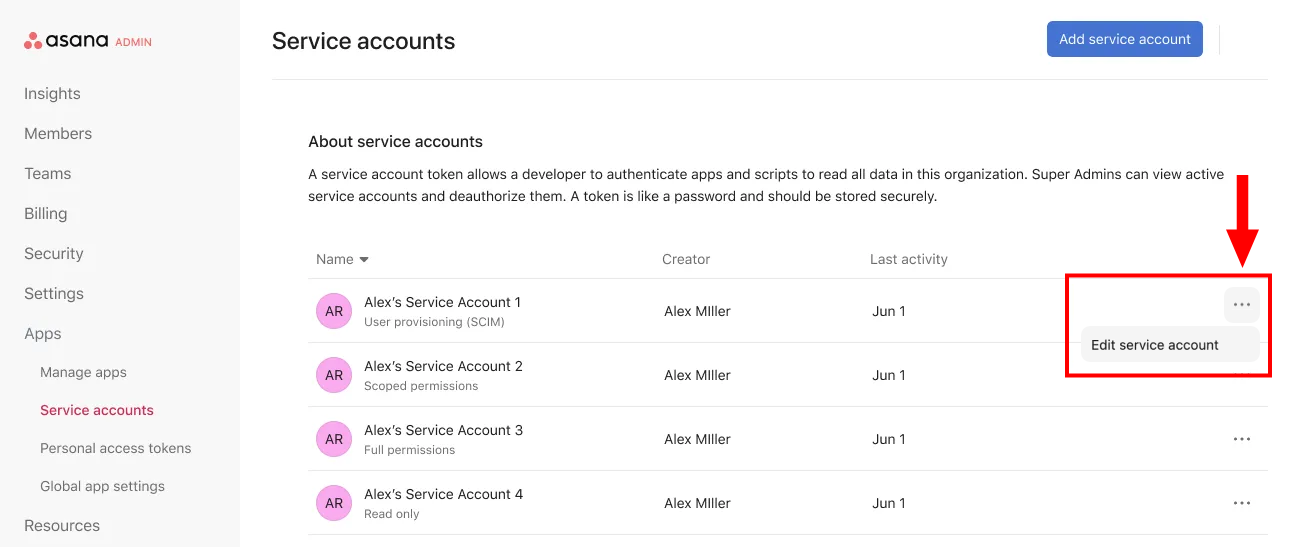
Return back to the Service Accounts page. Click the three dot icon next to your newly created service account and click Edit.
-
Once in the Edit Service Account window, copy the Token and store it in a secure location to be used in your Asana integration with Compyl.
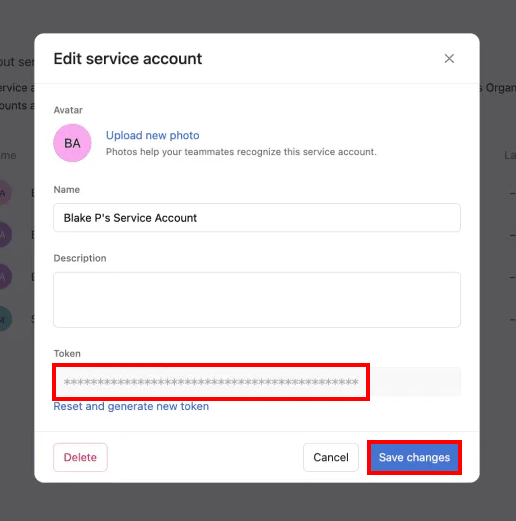
WarningStore this token securely as you will need to generate a new one if you misplace it.
(Optional) Identify the Project IDs you want to sync
Compyl now supports scoping the Asana sync to a specific set of projects. If you only want a subset of projects ingested into Compyl, gather the numeric project IDs ahead of time. If you want to sync all projects accessible to the Service Account, you can skip this step.
To find a project ID:
-
Open the project in Asana.
-
Look at the URL in your browser. It will be in the form:
https://app.asana.com/0/<project_id>/listThe numeric value in the
<project_id>position is the value you'll provide to Compyl.You can collect as many project IDs as needed; Compyl accepts a comma-separated list (e.g.,
1234567890,9876543210).
Add Configuration
-
Navigate to the Integrations tab using the left-hand menu, find Asana, and select +Add Configuration.

-
Next, fill in the details below and select Continue.
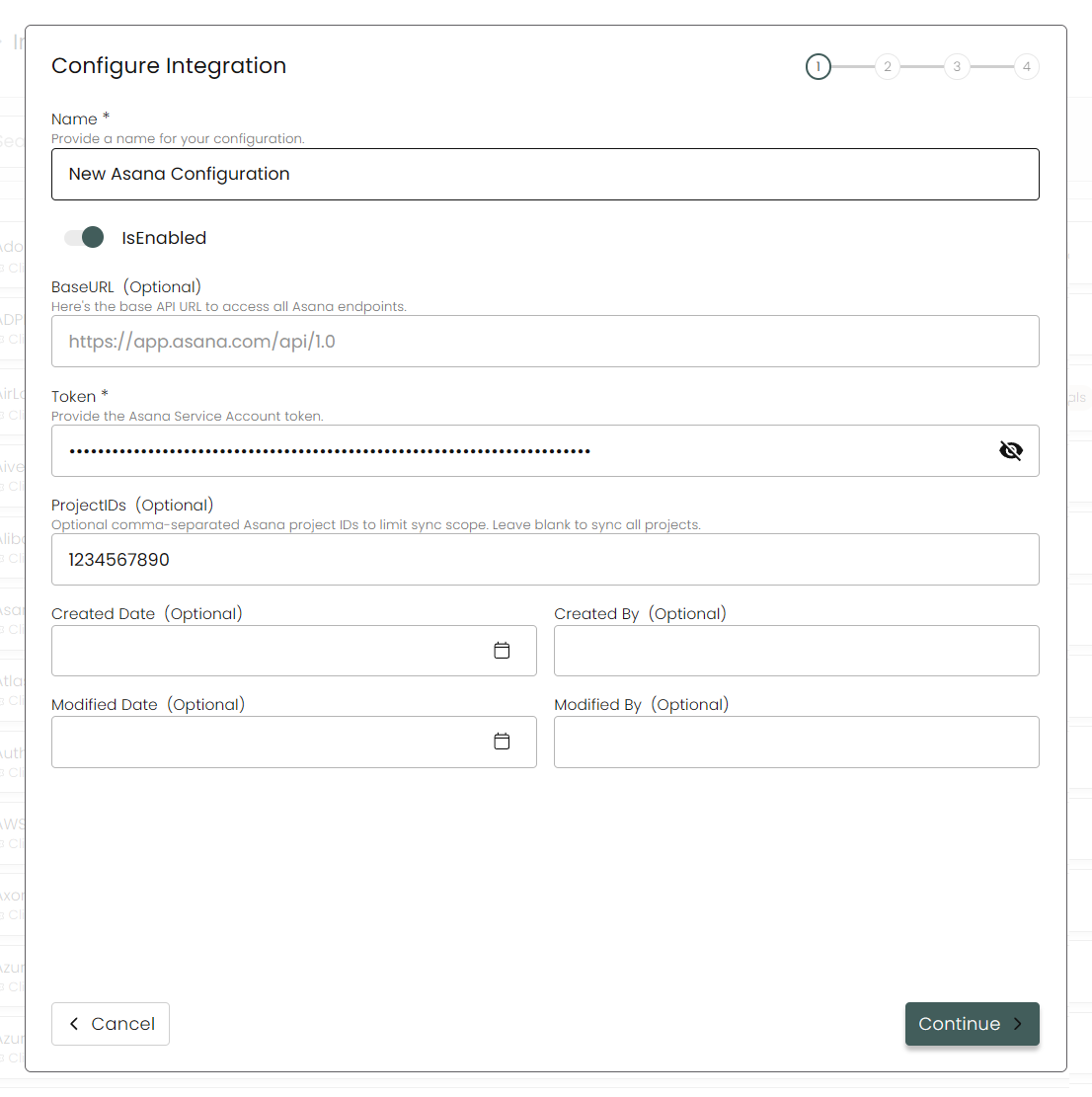
Name: Enter the name of the integration
is Enabled: Toggle button to ensure data is populated into Compyl
Base URL: This is automatically populated as
https://app.asana.com/api/1.0Token: The Service Account Token you generated above
Project IDs: Optional comma-separated list of numeric Asana project IDs to limit sync scope. Leave blank to sync all projects accessible to the Service Account. Must match the pattern
digits[,digits...](e.g.,1234567890,9876543210).
-
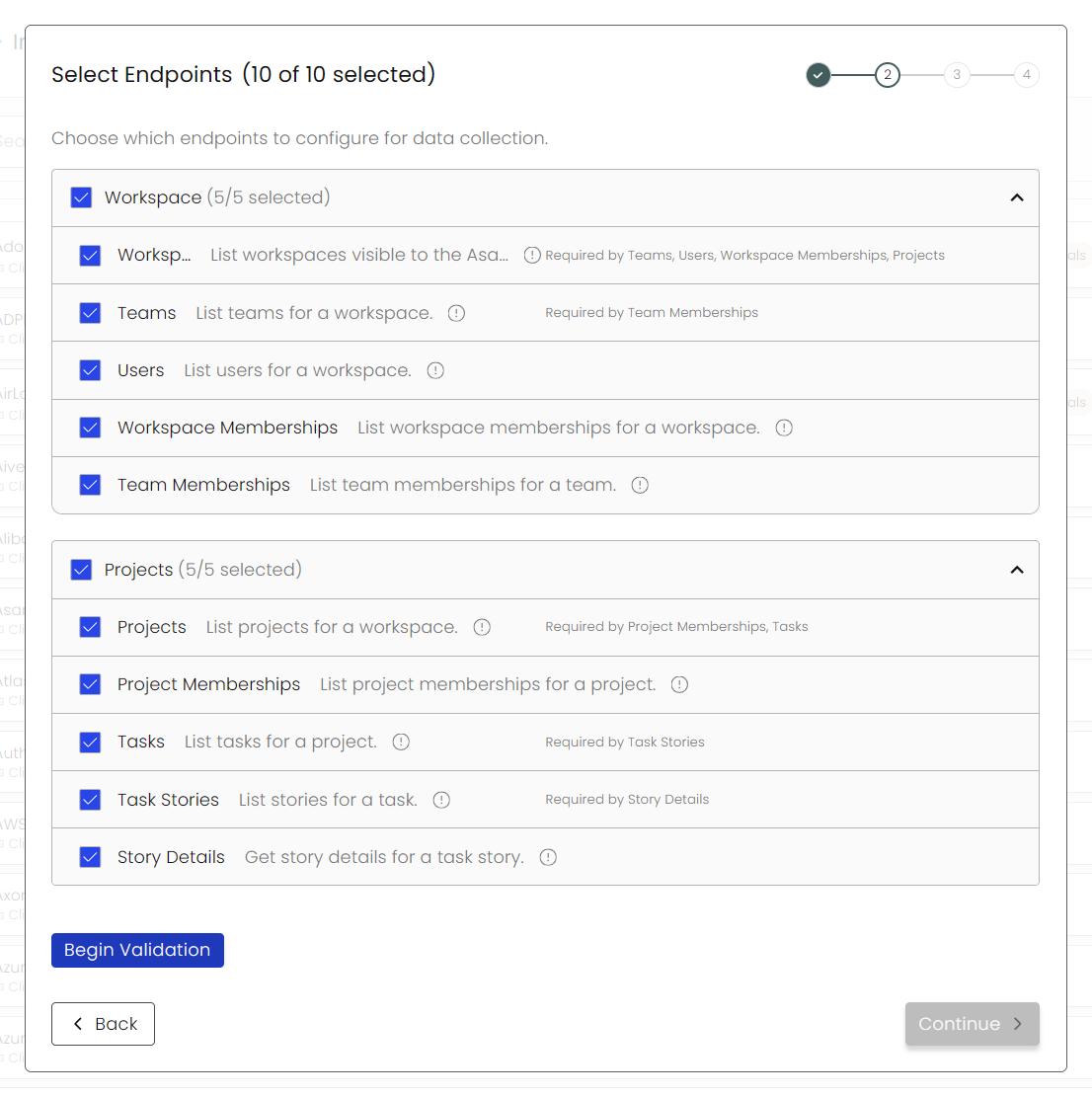
Choose your Endpoints and Begin Validation to validate your connection.
-
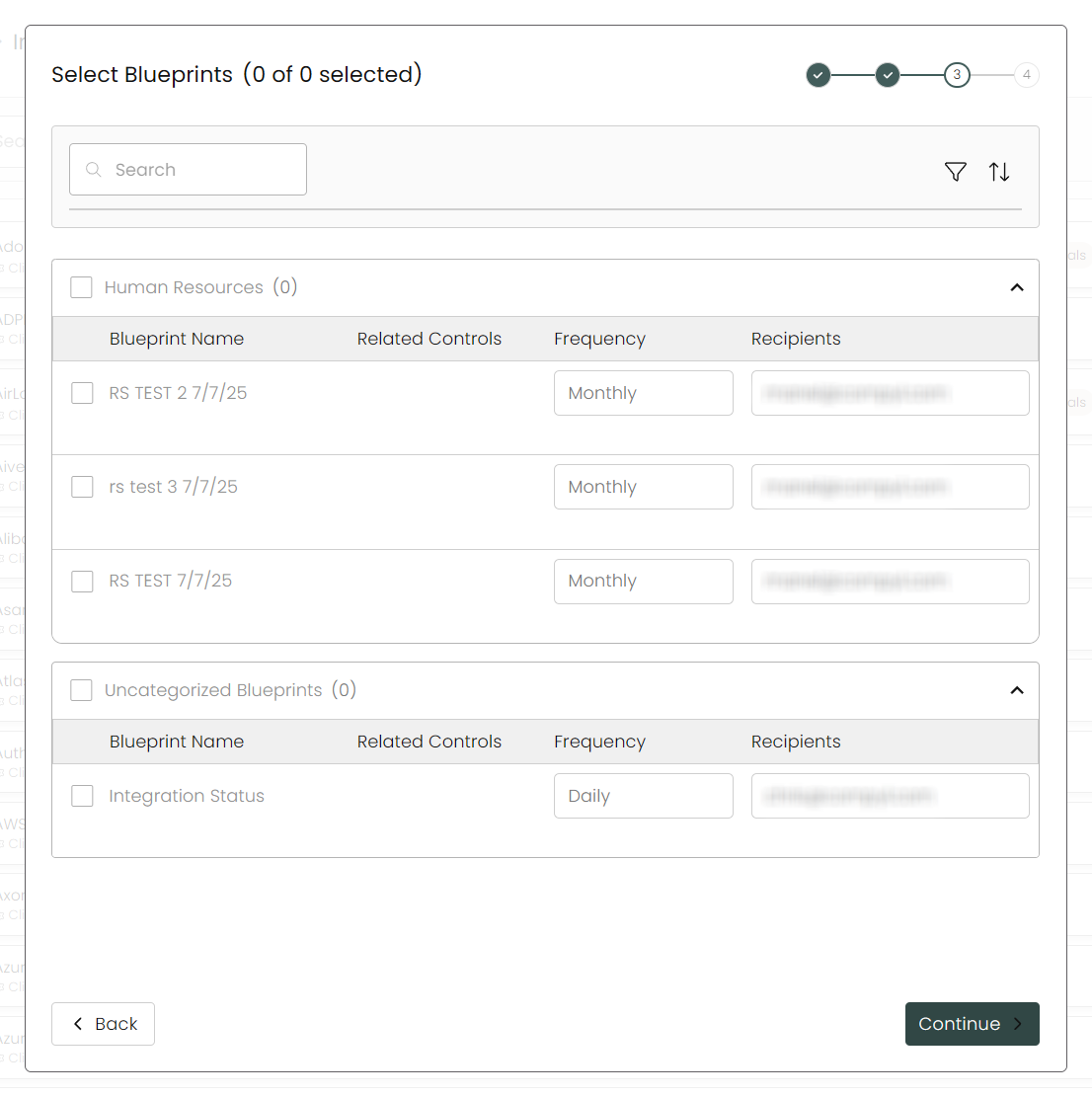
Select any Blueprints you wish to associate with this integration.
-
After you hit Continue, you'll see a summary screen. Click Return to Integrations to complete the configuration.
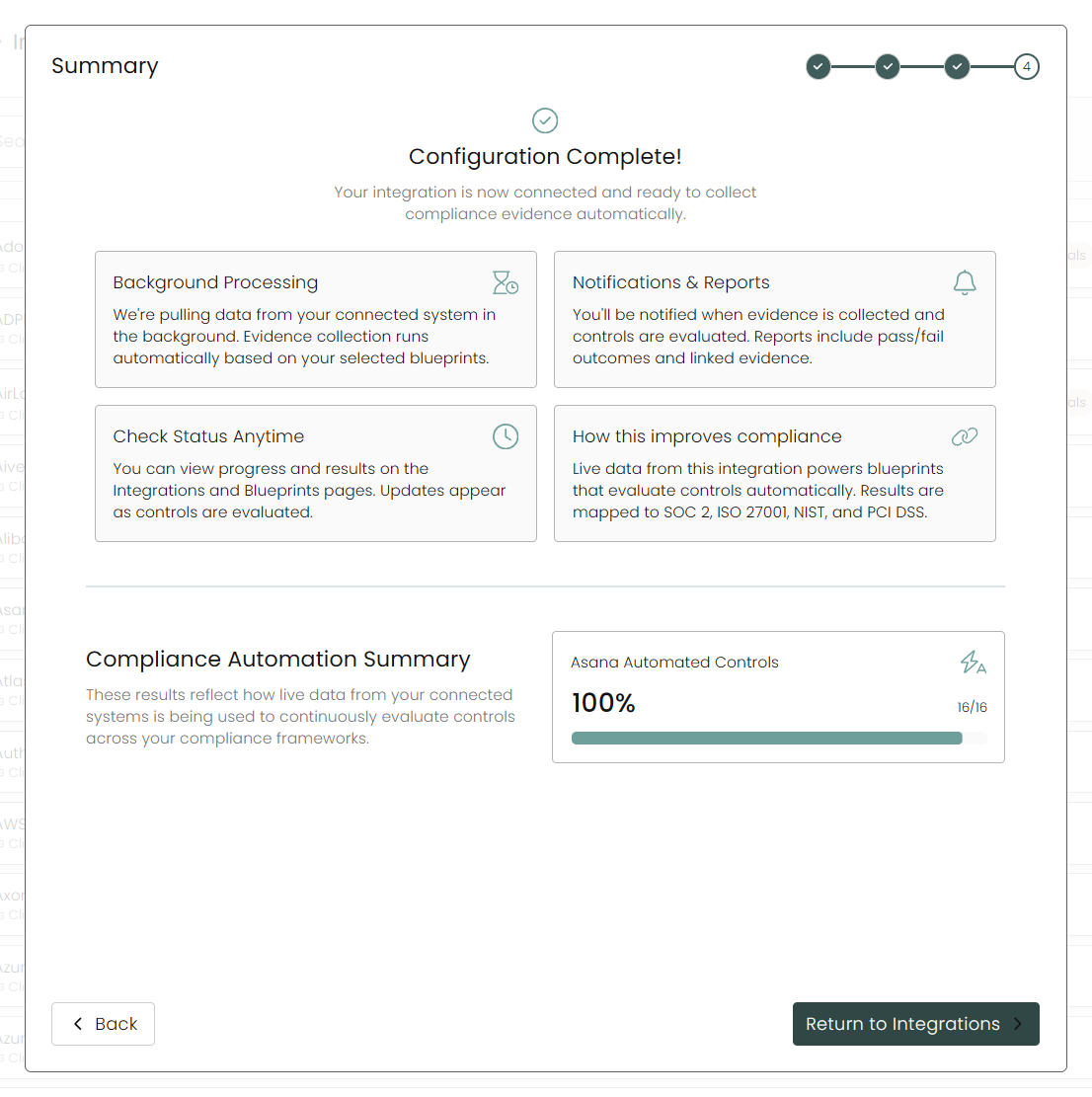
Once you have completed filling out the form click Return to Integrations.
You'll know the integration is successfully added when the status updates to Complete.

Data is synced on a recurring schedule configured by your Compyl administrator. Each sync pulls the latest data from all enabled endpoints.
When Project IDs is populated, only those projects (and their associated tasks, attachments, stories, memberships, and dependencies) are pulled. When left blank, every project visible to the Service Account is synced.
To query the data from the integration, refer to the Blueprints article.
Updated 2 months ago