
JumpCloud Integration
Create (or find) your API key in JumpCloud
-
Sign in to the JumpCloud Admin Console.
-
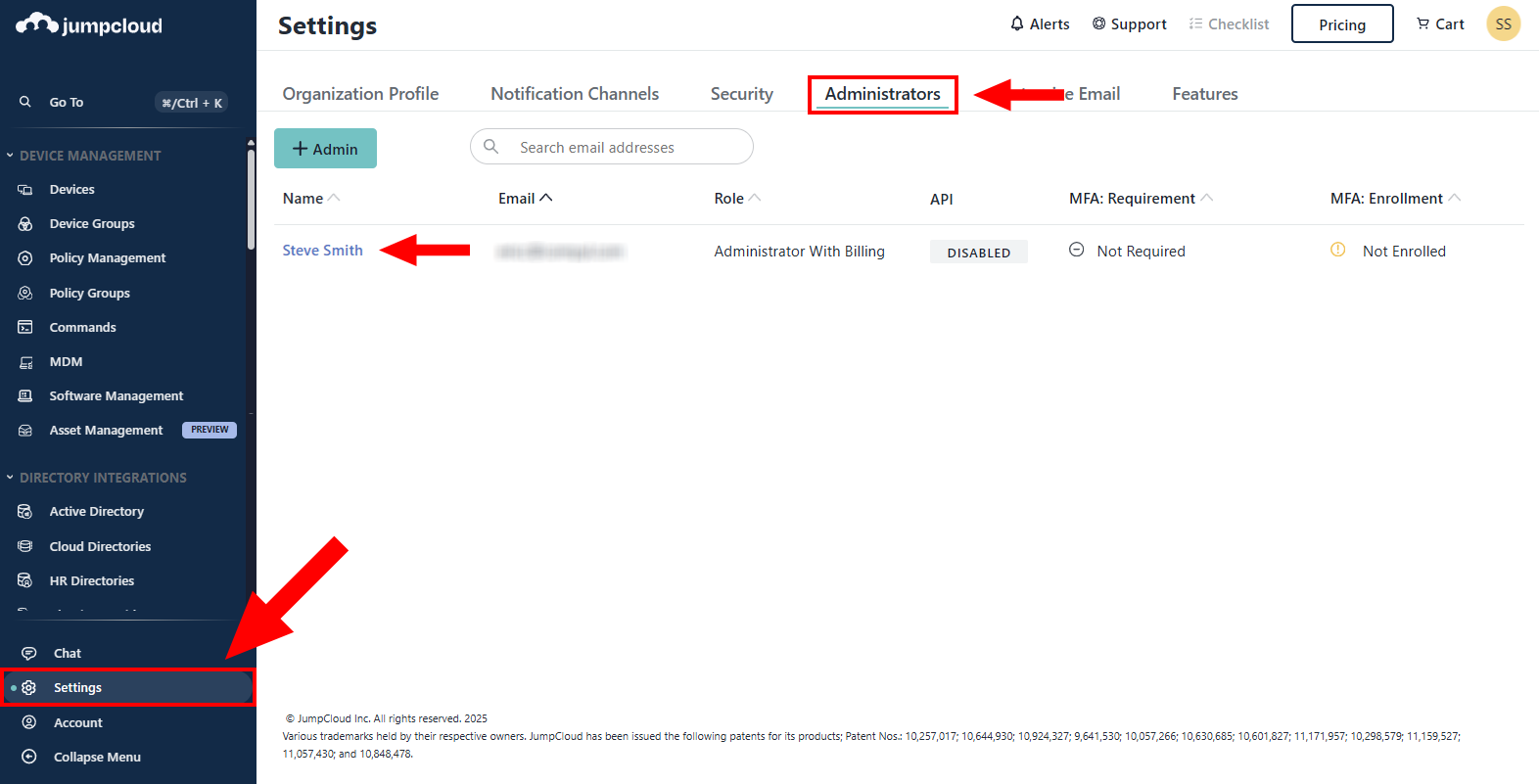
Go to Settings → Administrators and click on your Admin name.
-
Ensure Enable API access is turned on. Then click Save.
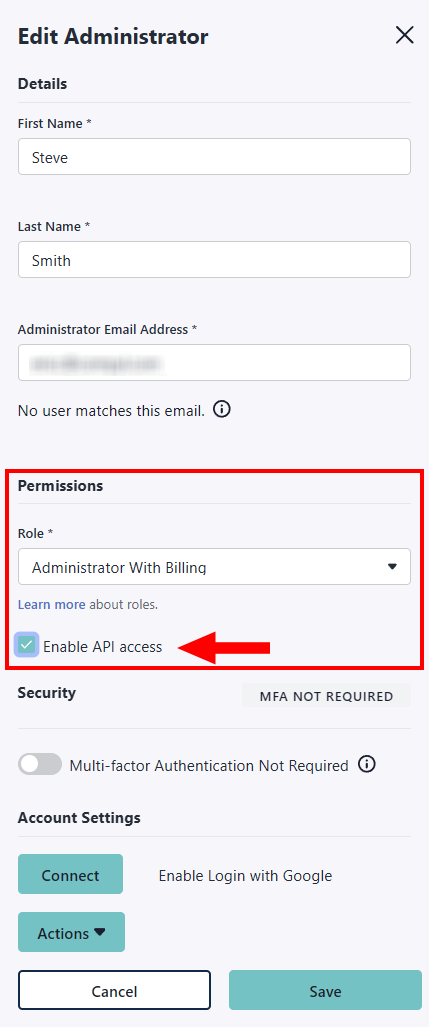
You'll see that API is now set to Enabled in your list of Administrators.

-
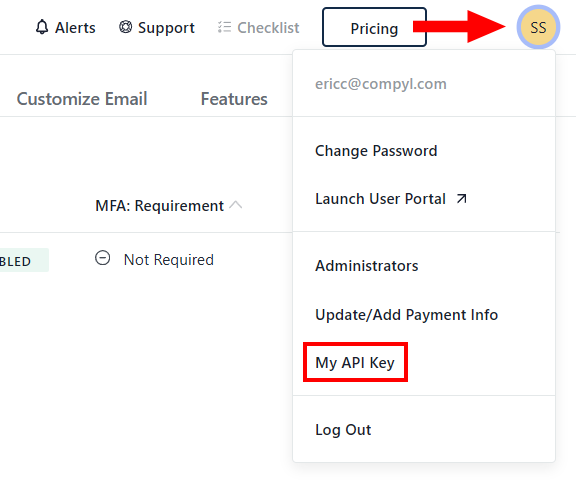
From the top-right avatar menu, choose My API Key.
-
Click Generate New API Key, then copy the key.
Important Notes
- The API key is per administrator. Each admin has a different key.
- Treat this key as a secret. Anyone with this key can access data your admin can access.
- To rotate/reset, repeat step 5. The previous key is invalid immediately—update Compyl right away.
Add Configuration
-
Navigate to the Integrations tab using the left-hand menu, and select JumpCloud.

-
Click the Add Configuration button and fill in the details below:

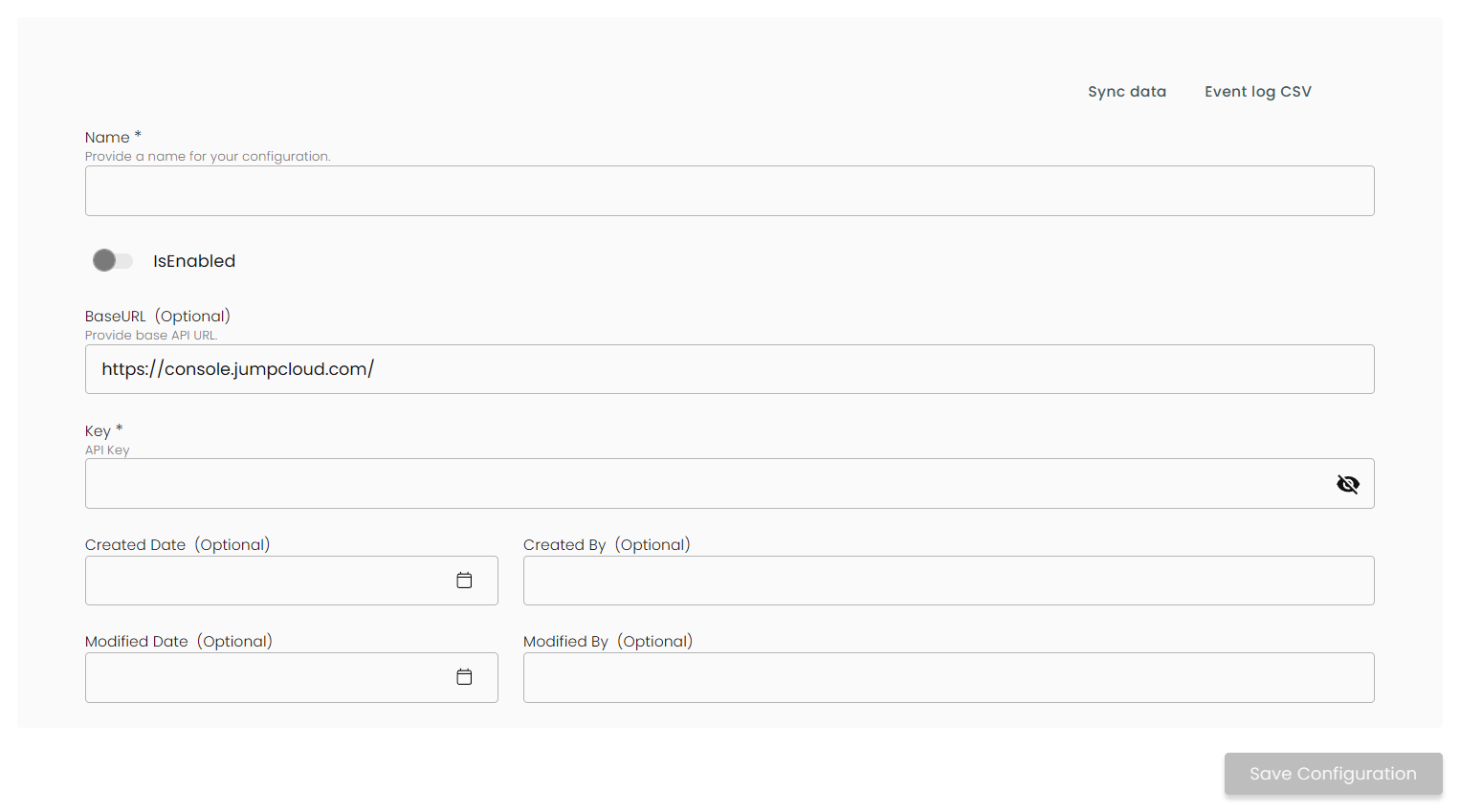
Name: Enter the name of the integration
is Enabled: Toggle button to ensure data is populated into Compyl
Base URL: This is automatically populated as https://console.jumpcloud.com/
Key: The API Token you generated above
Once you have completed filling out the form click Save Configuration.
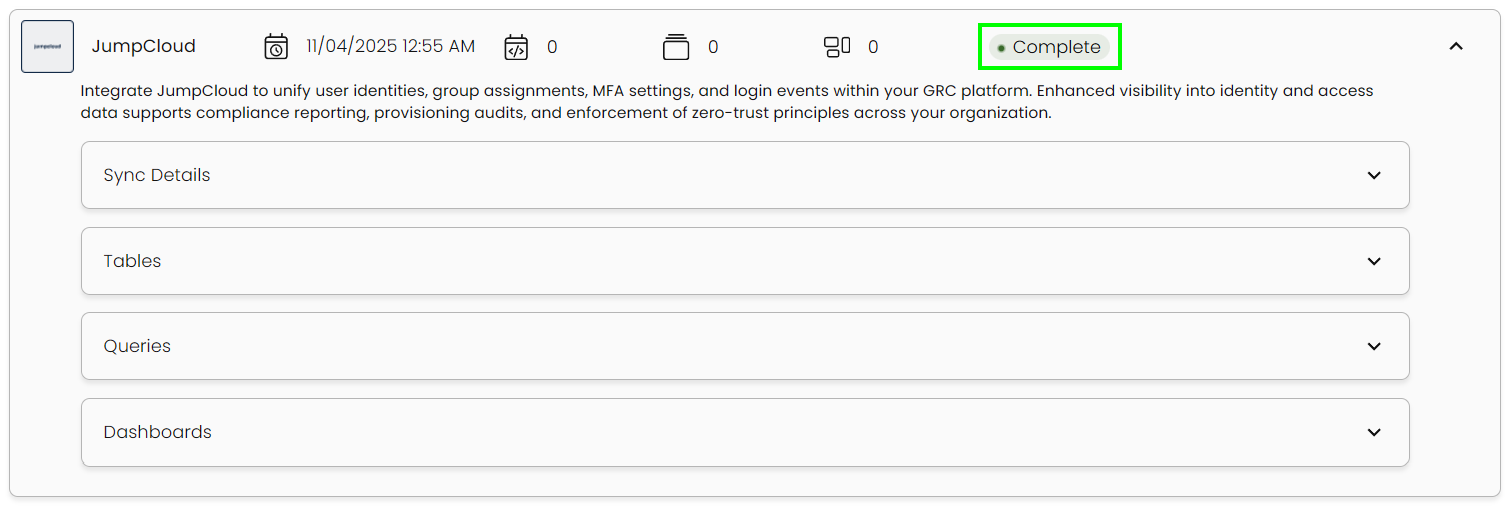
This integration syncs daily.
To query the data from the integration, refer to the Query Builder article.
Updated 2 months ago