
Grafana Integration
To integrate Grafana with Compyl, you’ll configure API access using a Grafana service account token, your organization ID, and the base URL of your Grafana instance. These credentials allow secure access to Grafana’s HTTP API and are required to configure the Grafana integration within Compyl.
PrerequisitesTo authenticate with Grafana’s HTTP API, you need the following:
- Your Grafana instance URL (e.g.,
https://grafanainstance.grafana.net)- Organization ID
- Service Account Token
Warning regarding Multi-Org stacksA single Grafana Cloud stack can contain multiple organizations. However, Grafana service account tokens are scoped to exactly one organization — they cannot cross org boundaries.
- If you have 3 organizations under one Grafana Cloud stack, you will need 3 separate service account tokens (one created inside each org in the Grafana UI) .
- Each token requires its own separate integration configuration in Compyl .
- Each configuration will use the same Base URL but a different service account token.
- Compyl will automatically detect which organization each token belongs to.
Create a Service Account & Token
-
Sign in to your Grafana instance with a user who can manage service accounts.
-
Go to Administration → Users and access → Service Accounts.
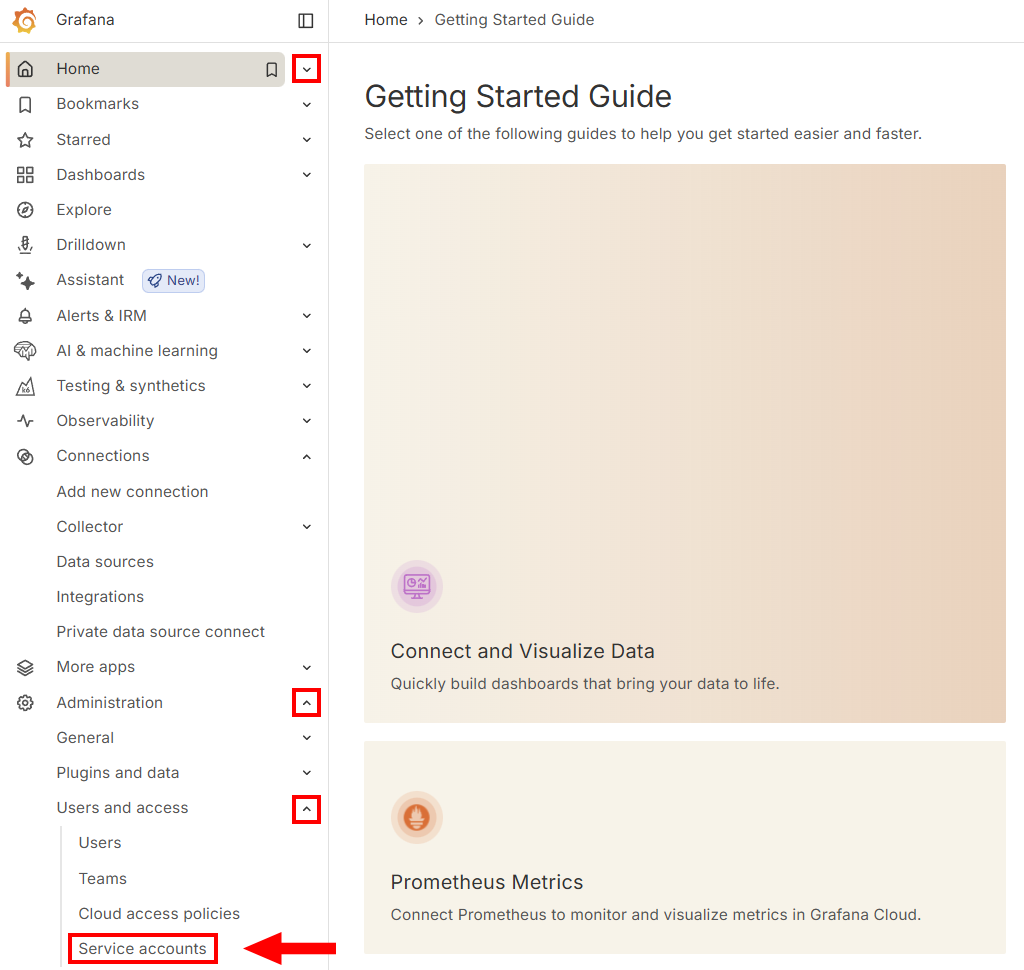
-
Click on Add service account.

-
Give it a descriptive name (e.g.,
Compyl-integration), and assign the least-privileged role required (typicallyViewerunless your use case needs more). The click Create.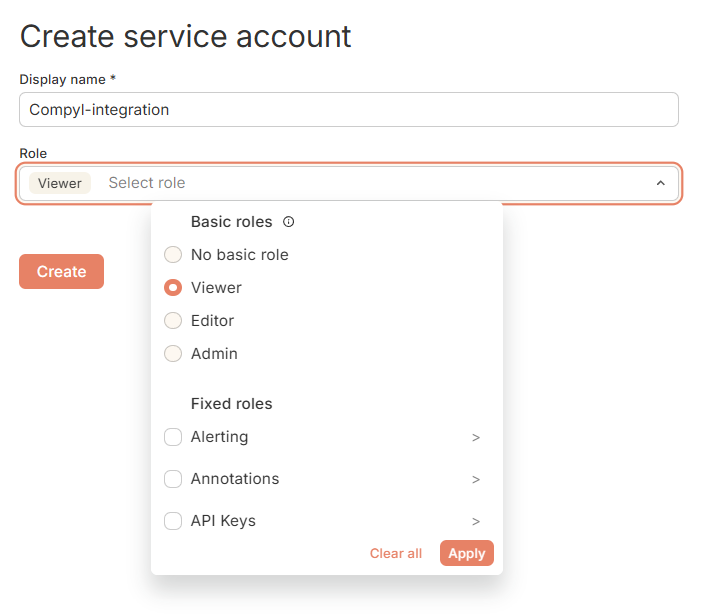
-
In the service account details page, click Add service account token (or New token).
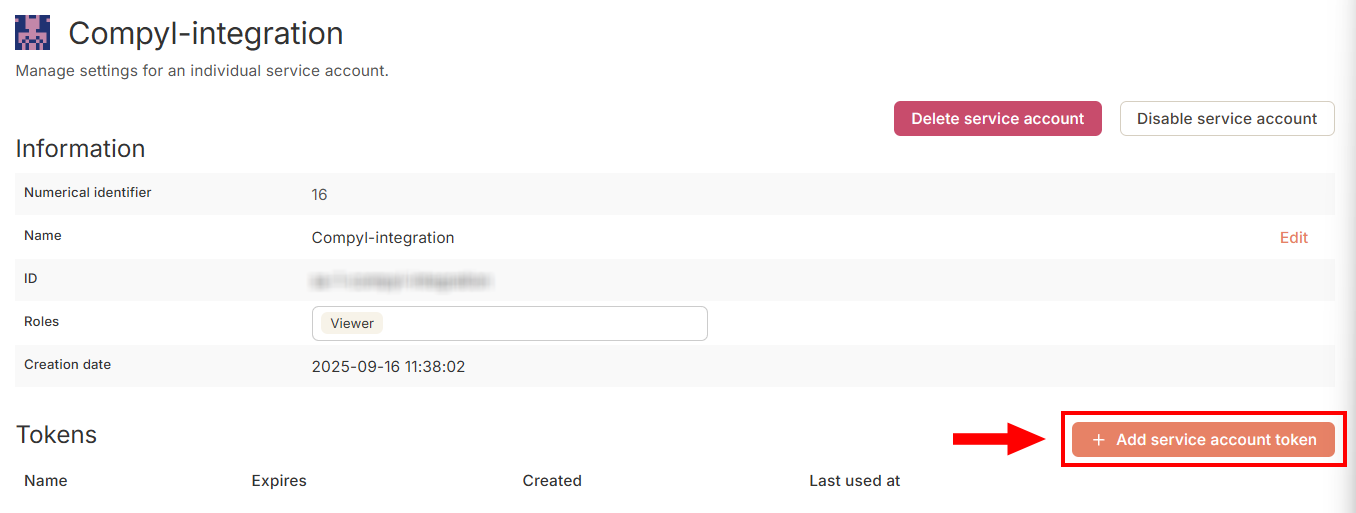
Give the token a name and click Generate token.
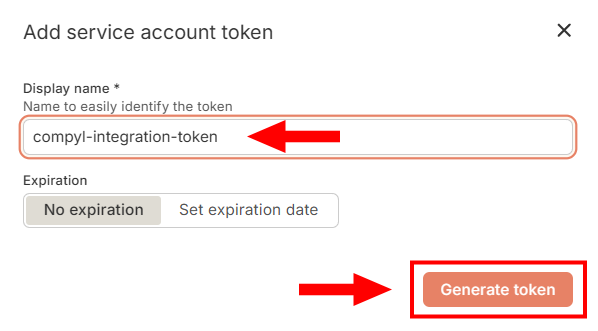
-
Copy the token value now and store it securely.
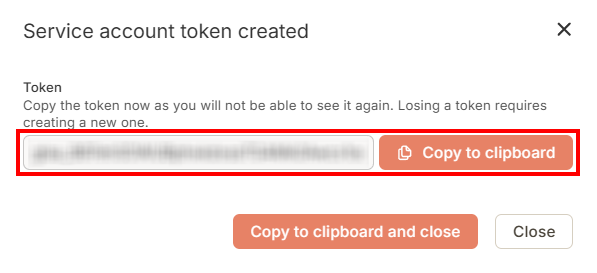
ImportantService account tokens are shown only once at creation. Copy and store them securely immediately.
Add Configuration
-
Navigate to the Integrations tab using the left-hand menu, find Integration Name, and select +Add Configuration.

-
Next, fill in the details below and select Continue.
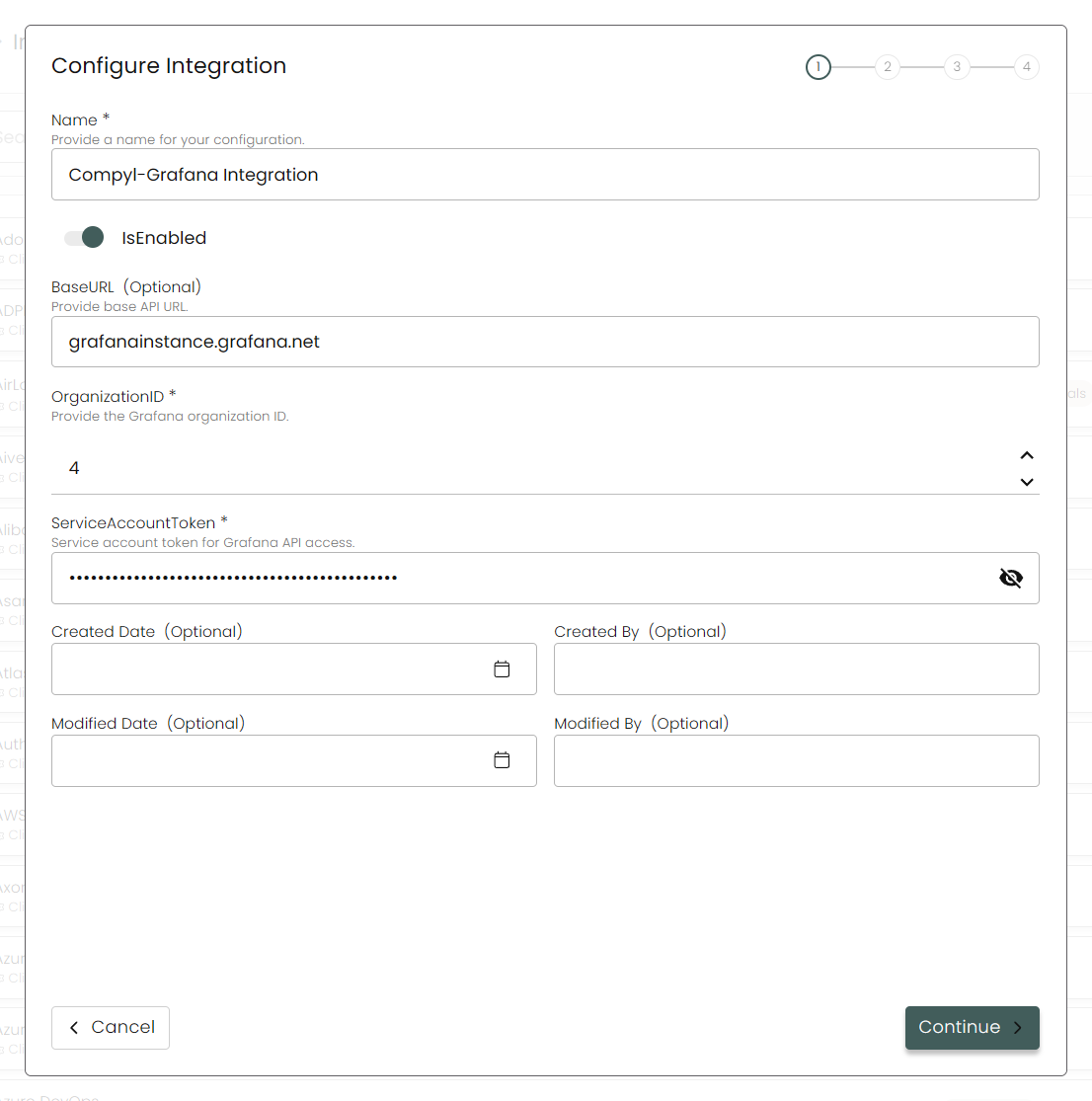
Name: Enter the name of the integration.
is Enabled: Toggle button to ensure data is populated into Compyl.
Base URL: Your Grafana instance URL (e.g.,
https://grafanainstance.grafana.net).

Do not include /api or any path segments - only the host is required.
Organization ID: The numeric org ID you retrieved (e.g.,
4). You can find this by going to Administration → General → Organizations.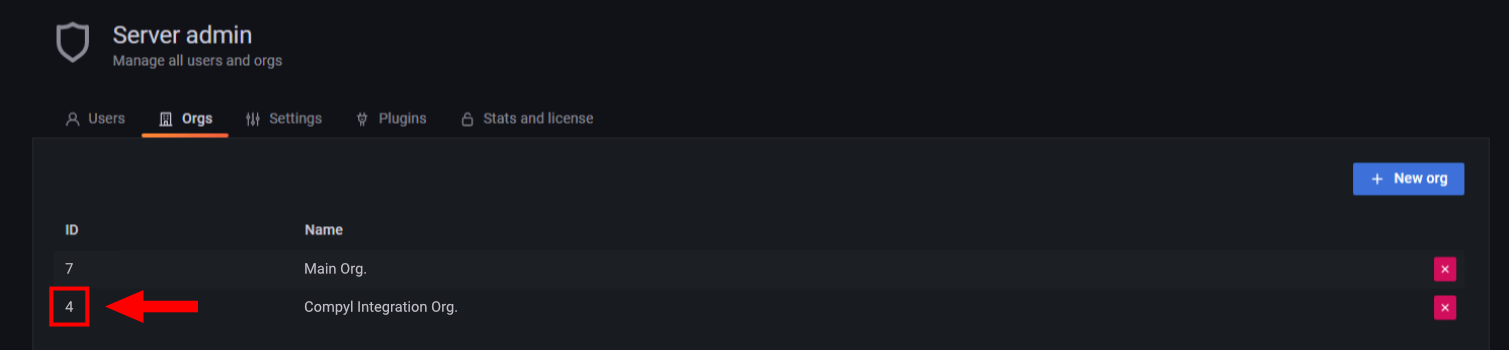
Service Account Token: Paste the token you created in above .
-
Choose your Endpoints and Begin Validation to validate your connection.
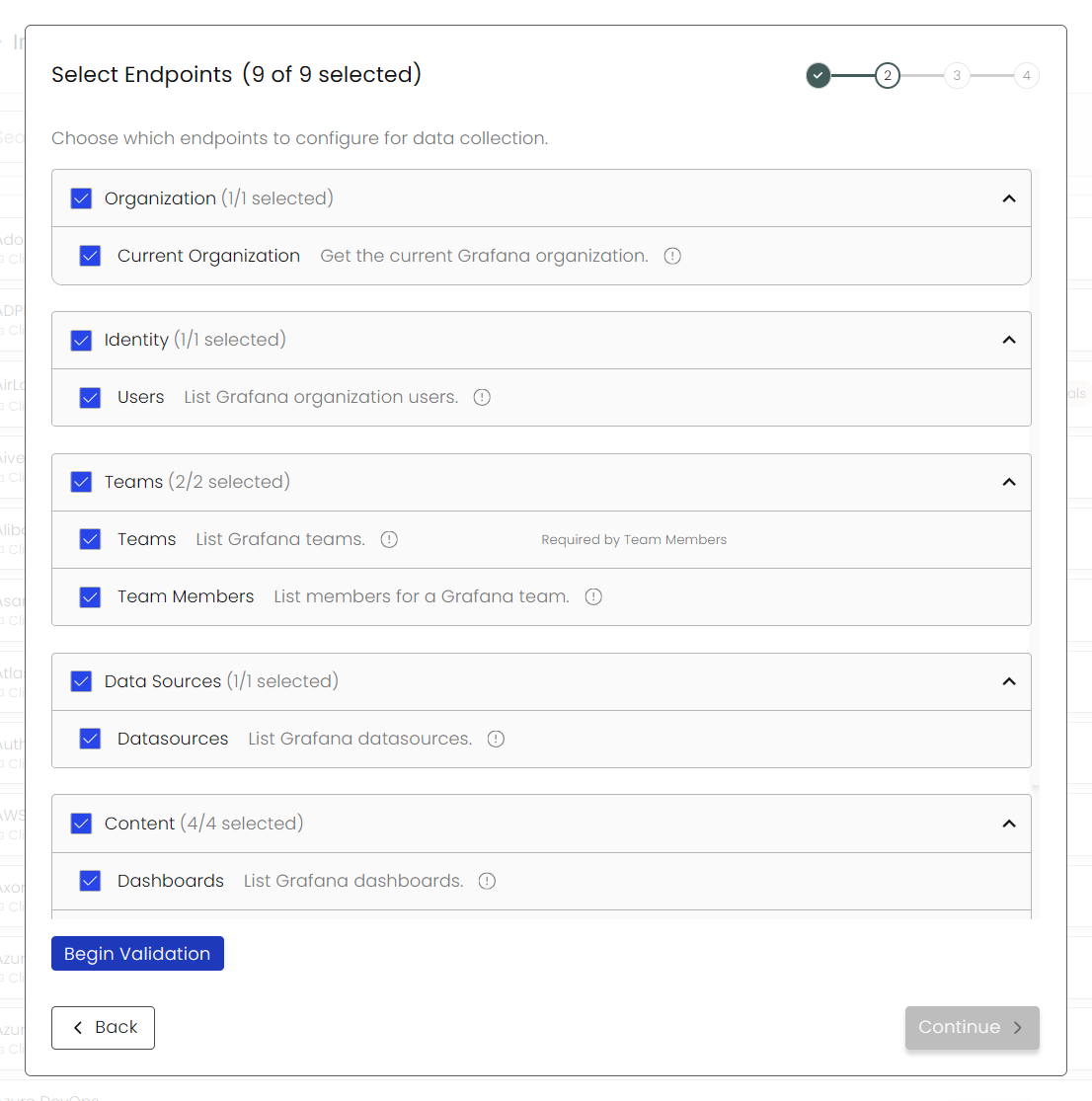
-
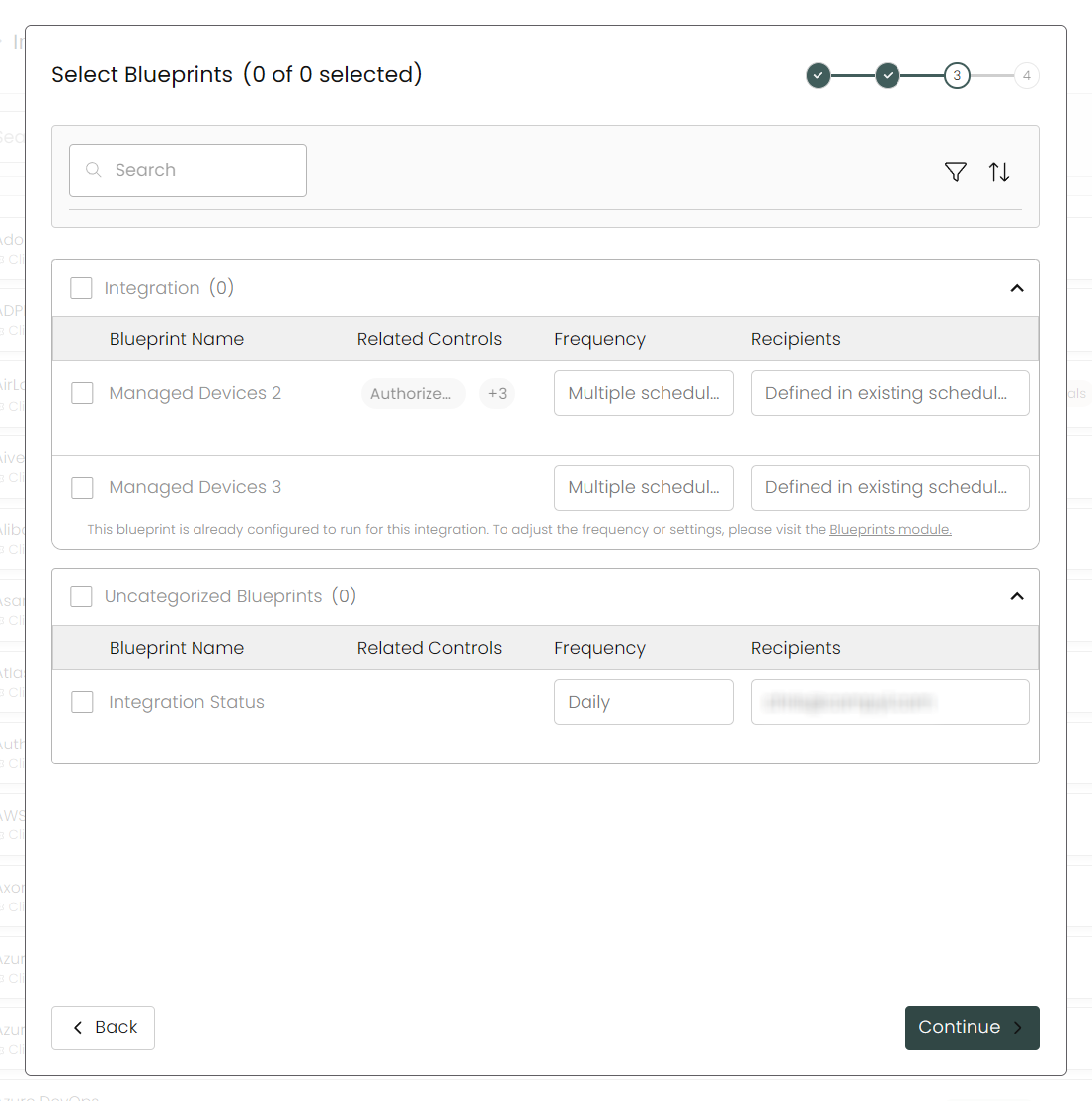
Select any Blueprints you wish to associate with this integration.
-
After you hit Continue, you'll see a summary screen. Click Return to Integrations to complete the configuration.
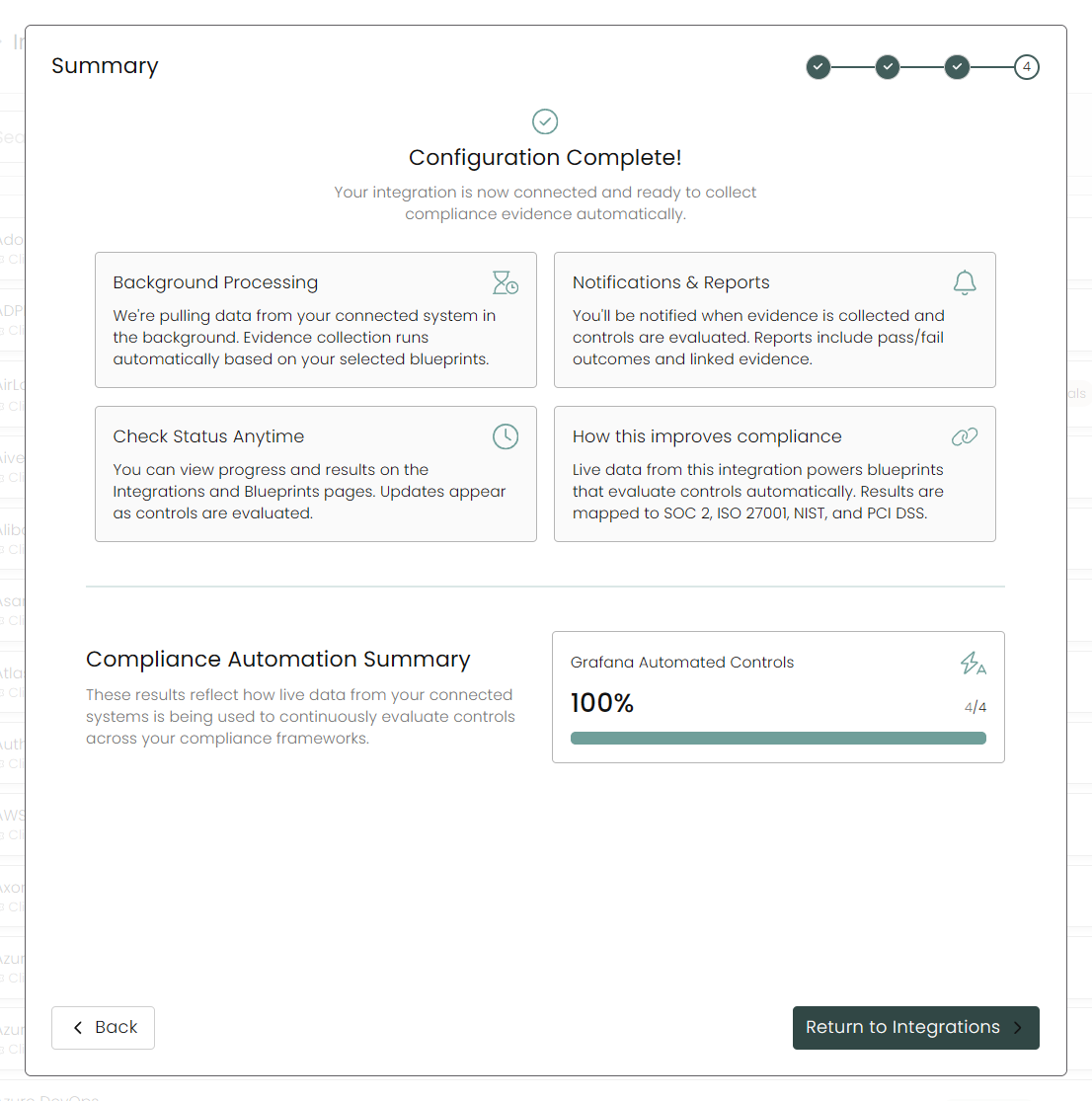
Once you have completed filling out the form click Return to Integrations.
You'll know the integration is successfully added when the status updates to Complete.

Data is synced on a recurring schedule configured by your Compyl administrator. Each sync pulls the latest data from all enabled endpoints.
To query the data from the integration, refer to the Blueprints article.
Updated 2 months ago