
Assets Register
The Assets Register securely stores your systems that holds or processes your data and information
Your assets (software/hardware) are centralized in Compyl, where key information is collected about the asset. Each asset is then scored on criticality, integrity, and availability (CIA) based on how the system is utilized in your organization.
NoteCompyl's IT Asset Register is focused primarily on software assets, particularly SaaS/On-prem systems and applications that store key company data.
Hardware assets, such as laptops and servers, can also be tracked and monitored in Compyl, but in a separate location. Compyl can integrate with an existing asset management system, or ingest the information via FlatFile. From here, the data will be available to be queried via the Query Builder and Dashboarding tools.
Adding a new Asset
Select Assets from the sidebar on the left-hand side under Governance and then select Add Asset.
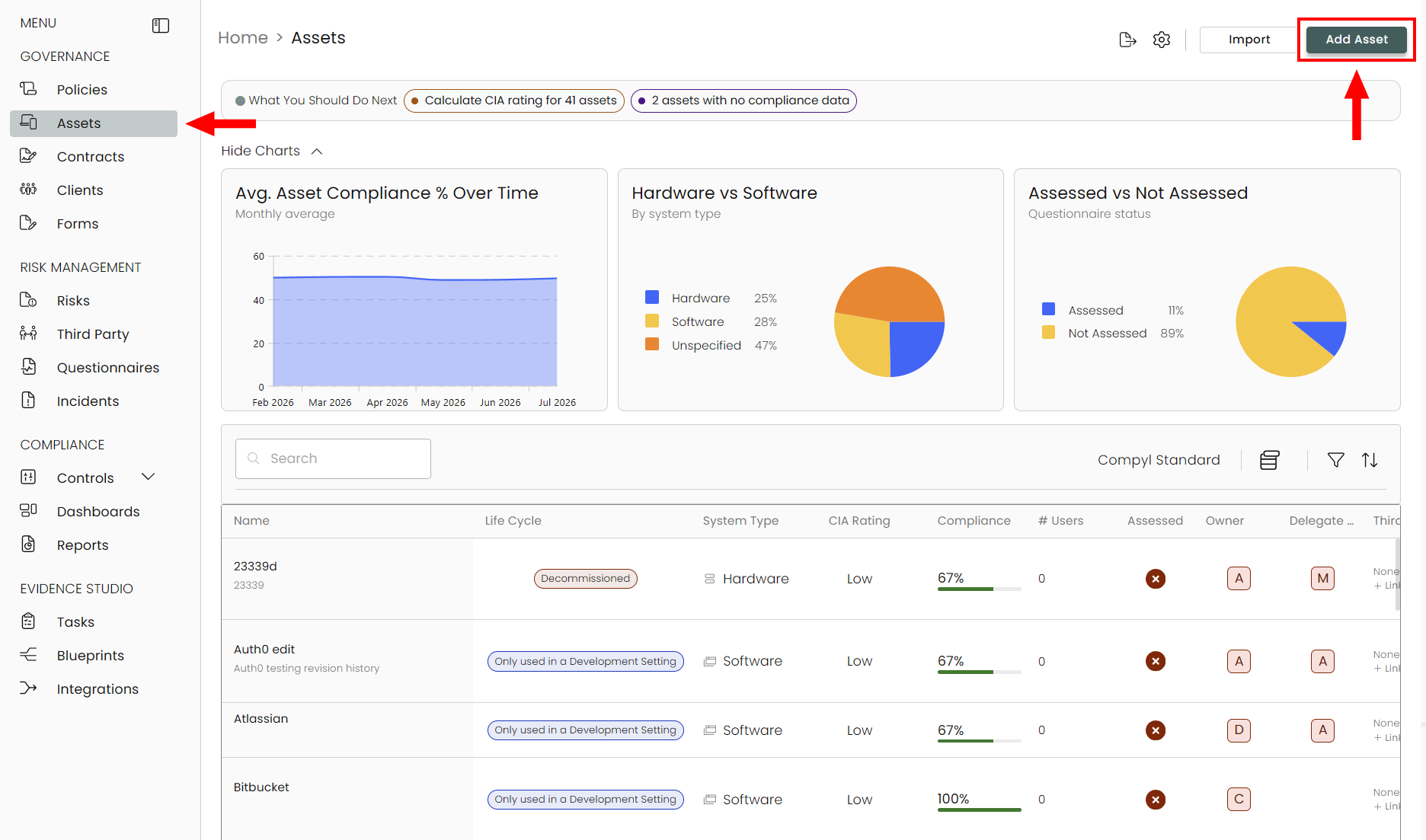
A Guided Workflow for adding an asset will pop-up. Follow through each step to add your new asset.
Basic Info
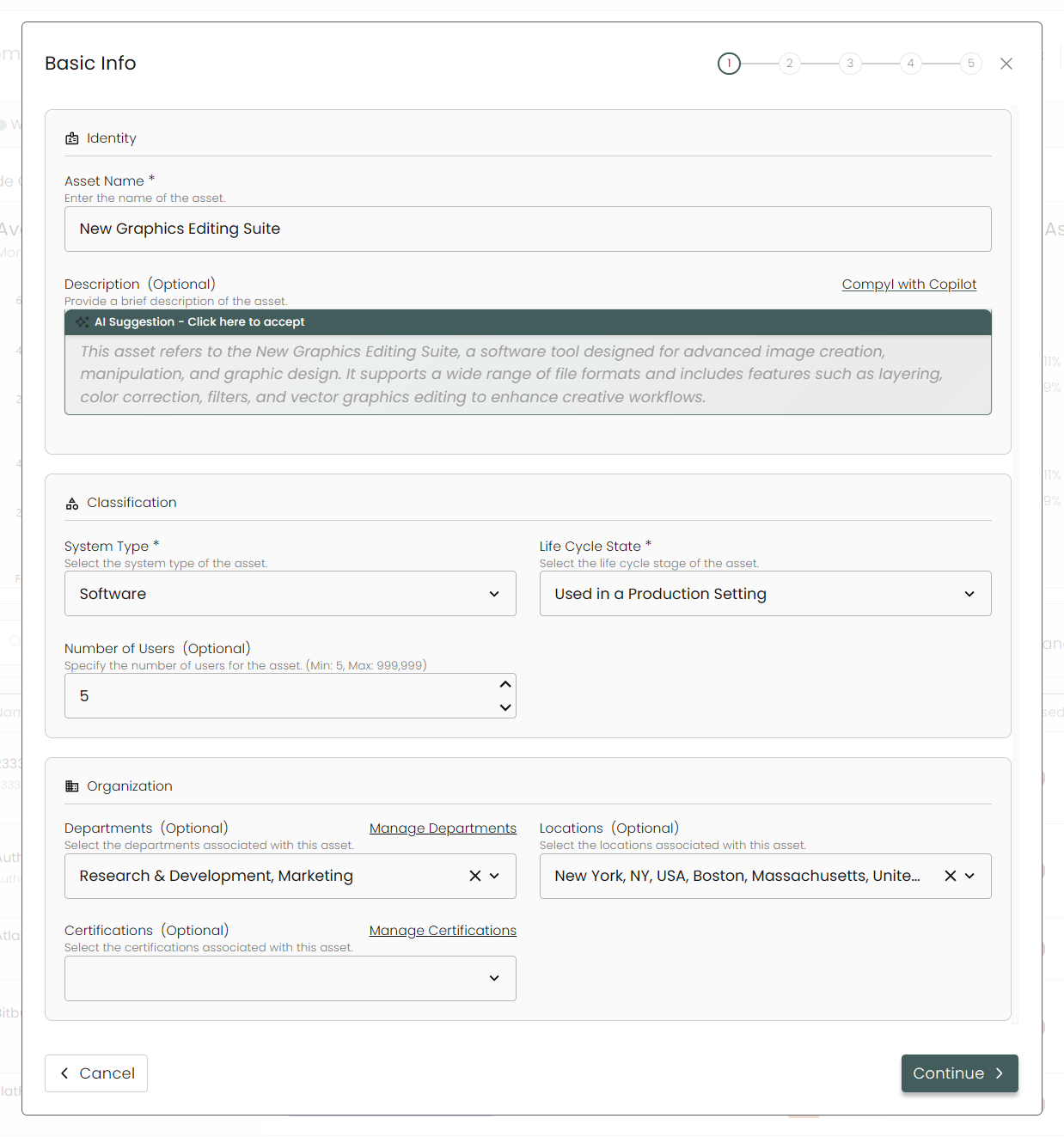
Identity
Provide details on the software or hardware you are adding. Give the asset a Name and either let Compyl AI craft a description for it or add one yourself (optional).
Classification
Select the type of asset this is (software or hardware), it's life cycle state, and the general number of users.
Organization
Here you can specify which departments are using the asset, where they're located, and what certifications are associated with it.
Click Continue when complete.
Properties
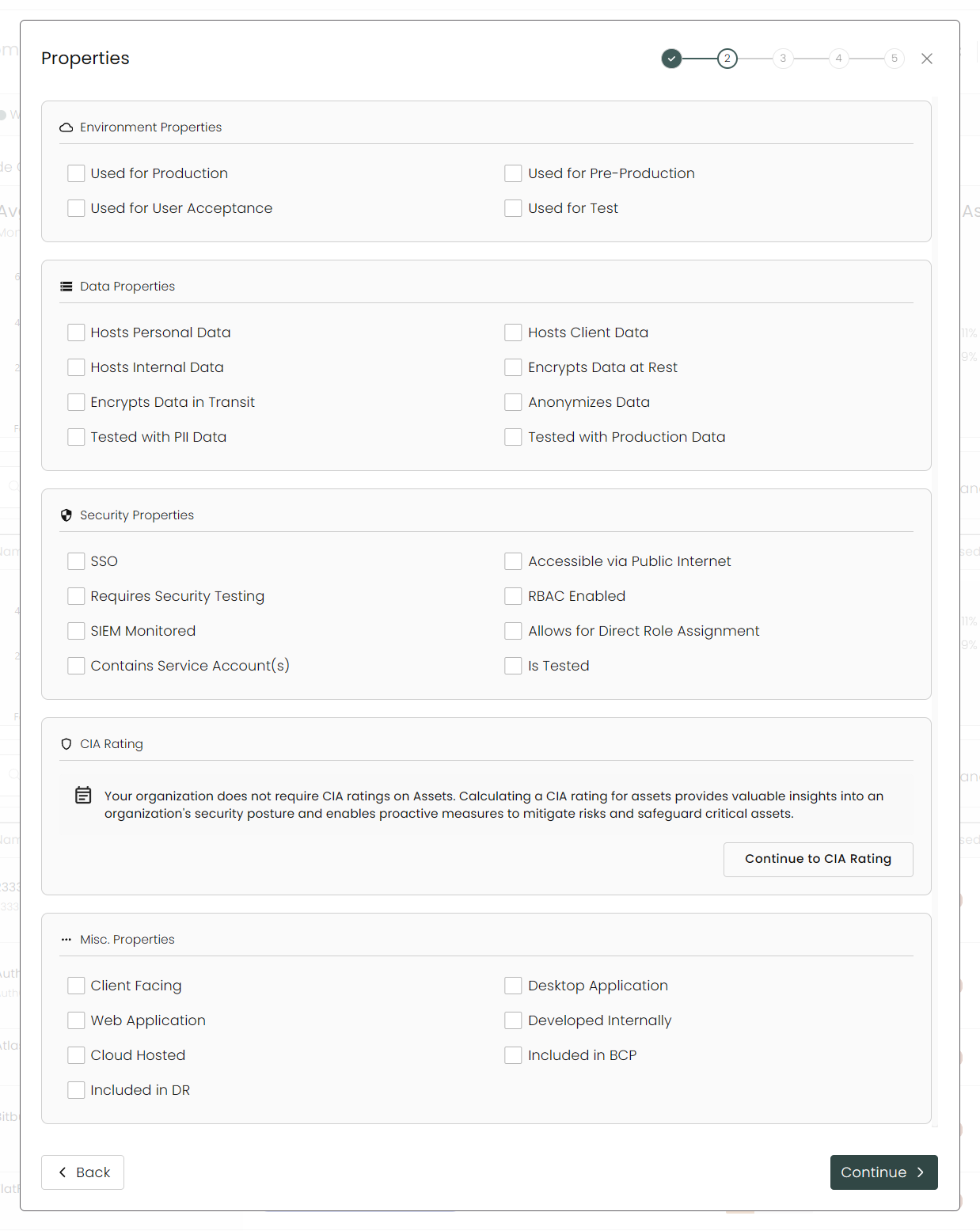
Under Properties, select all that apply to the asset.
CIA Rating
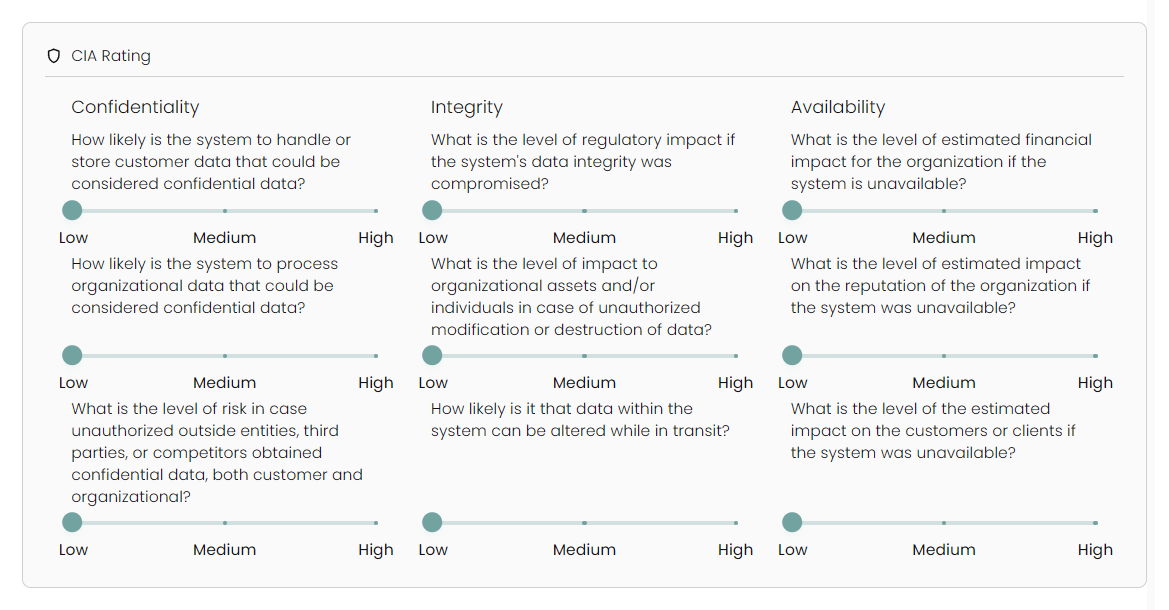
The CIA rating determines the overall criticality of the IT Asset. It is calculated by a set of questions in the form provided: 3 for confidentiality, 3 for integrity, and 3 for availability.
If you wish to configure your CIA Rating, click on Continue to CIA Rating and answer these questions to the best of your ability based on how the IT Asset is used throughout the organization.
Associations
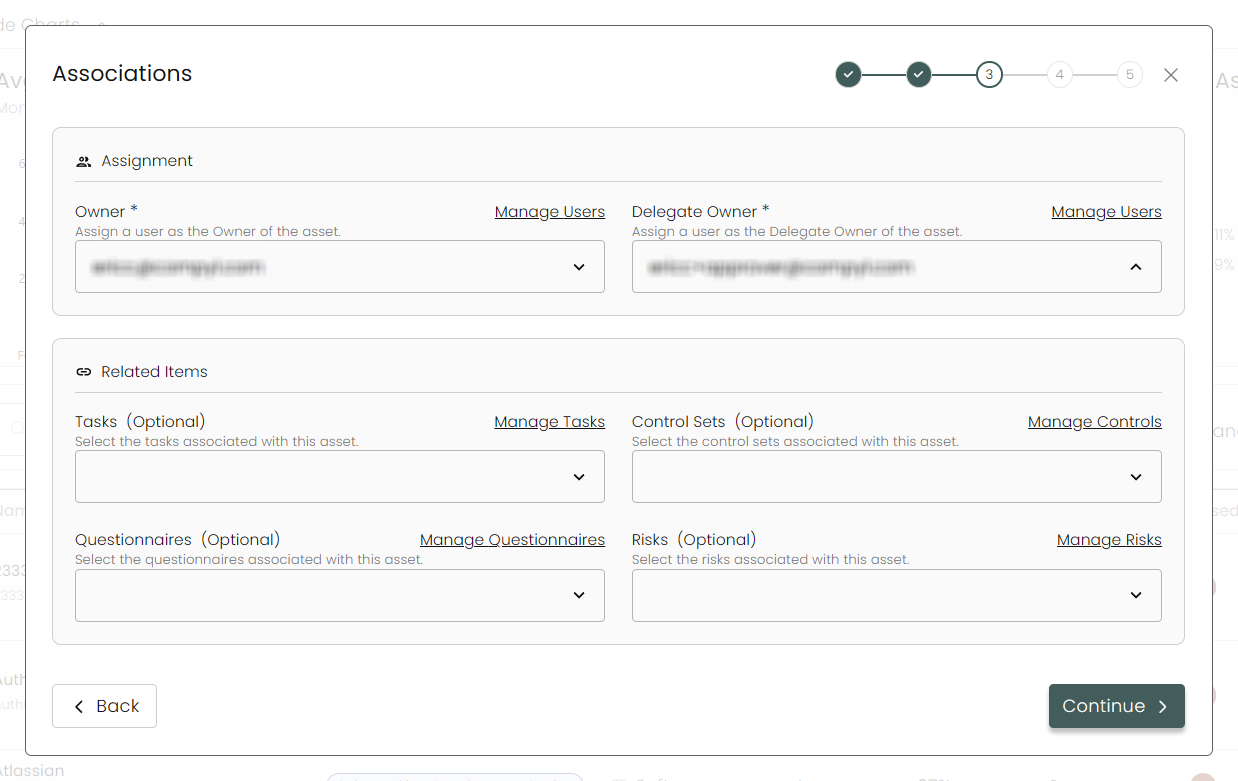
Here is where you will assign an Owner and Delegate Owner to the Asset. Additionally you can link the asset to Tasks, Control Sets, Questionnaires, and Risks.
Custom Fields
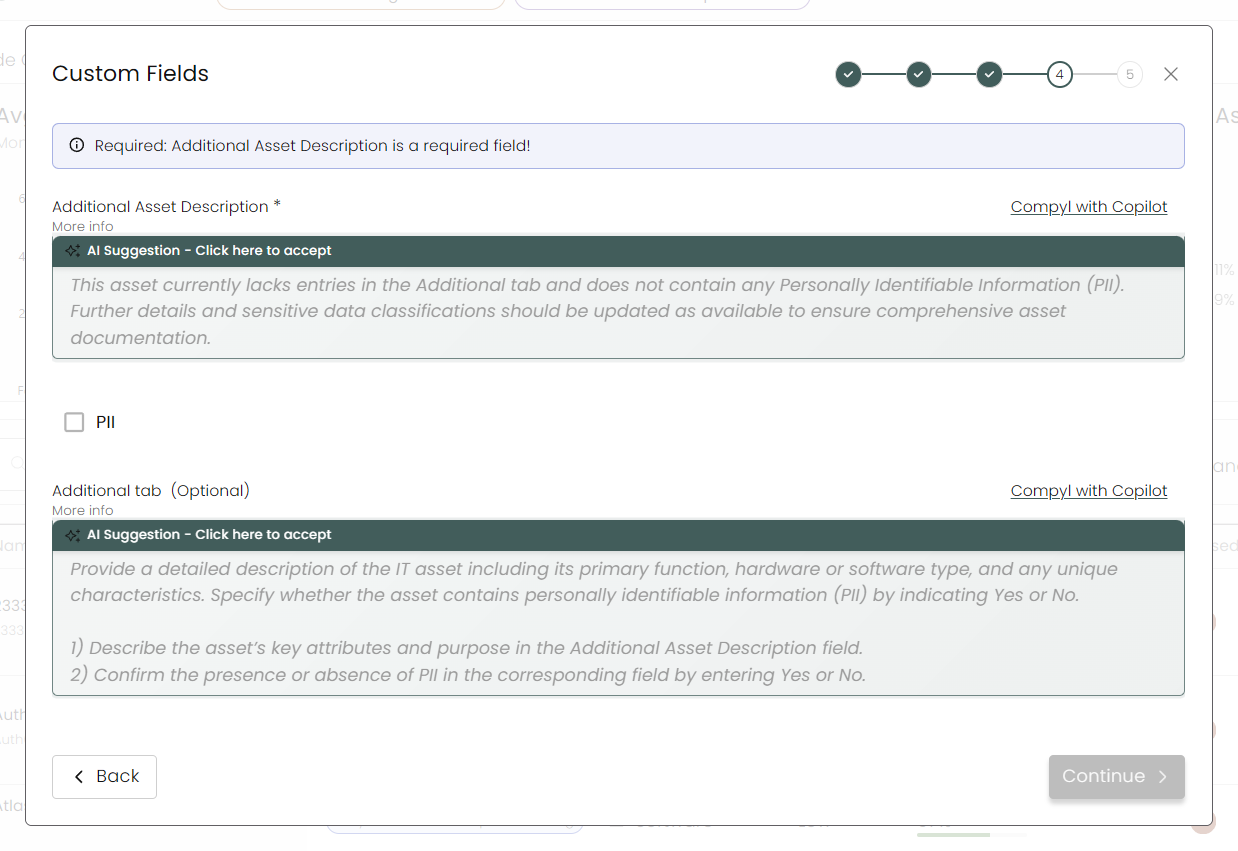
Any customized fields added via our Forms module will show up here.
Review
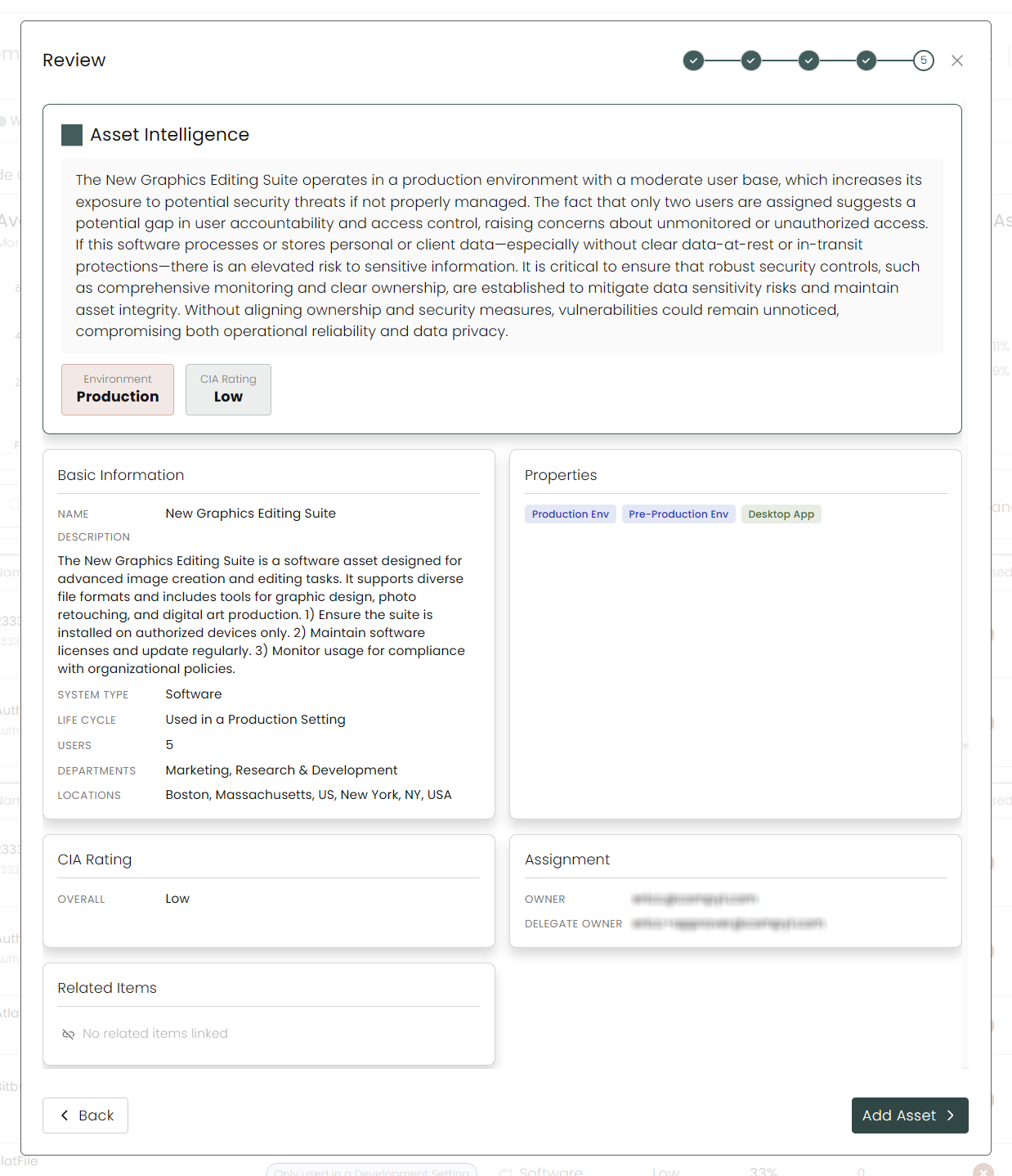
Finally, you'll see an overview of the asset with all of the information you provided, allowing you to review and confirm that everything is correct. Click on Add Asset when complete.
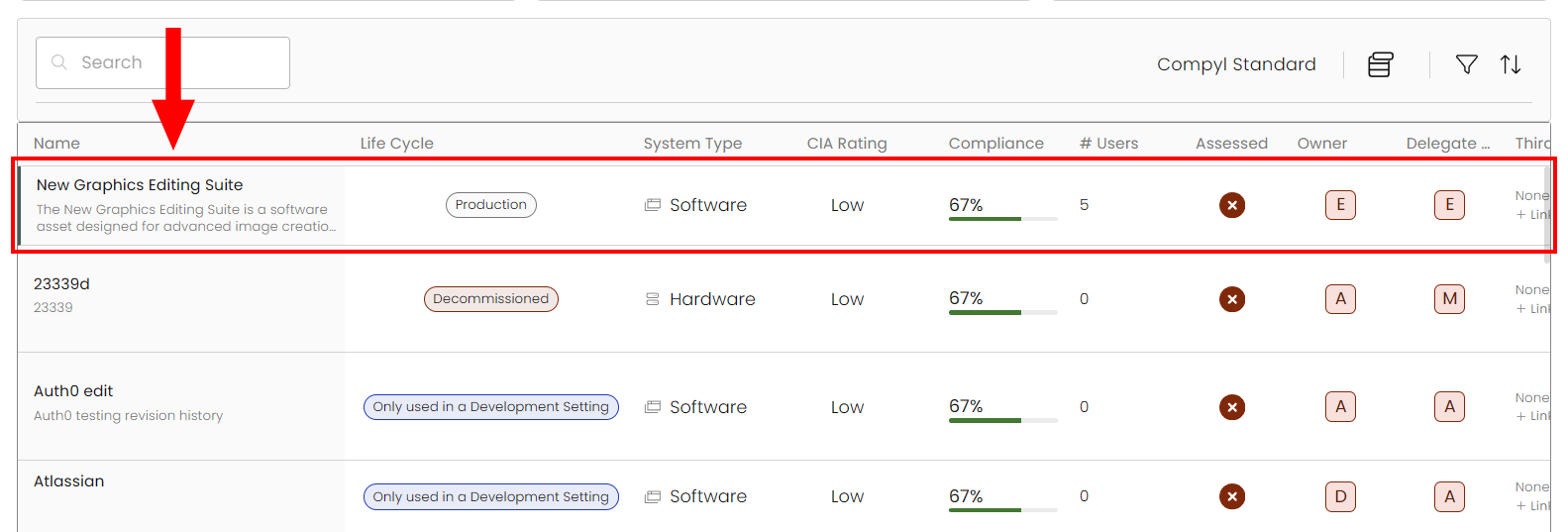
Once the form is saved, you can view the Asset you entered in the grid view of the Asset Register.
Asset Workflows
Compyl also enables you to automate the management of the Asset Register. Some potential examples of notifications for the Asset Register include:
- Notifications to initial Owners and Delegate Owners that they have been assigned to an Asset (configured in the Associated Users section of Provisioning and Managing Users).
- Quarterly Review of all Assets by Owner (can be configured via Blueprints).
Updated 8 days ago