
Rapid7 Attack Surface Management Integration
PrerequisitesTo integrate with Rapid7 Attack Surface Management, you need:
- Access to a Rapid7 Attack Surface instance.
- Administrator privileges to generate API keys.
- Your Attack Surface instance URL (Base URL).
Generating an Attack Surface API Key
-
Log into your Rapid7 account at https://insight.rapid7.com
-
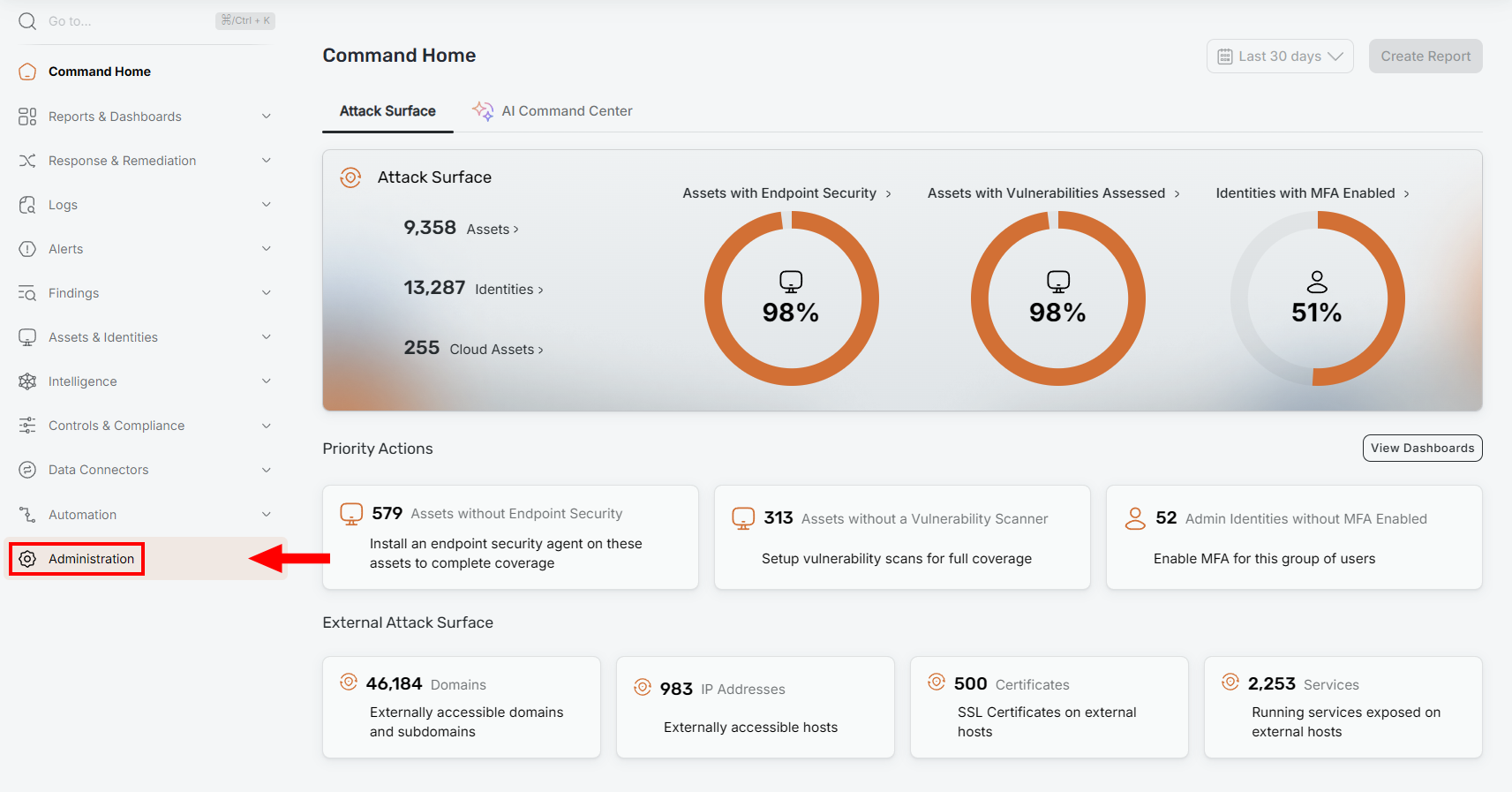
Navigate to Administration from the left-hand sidebar.
-
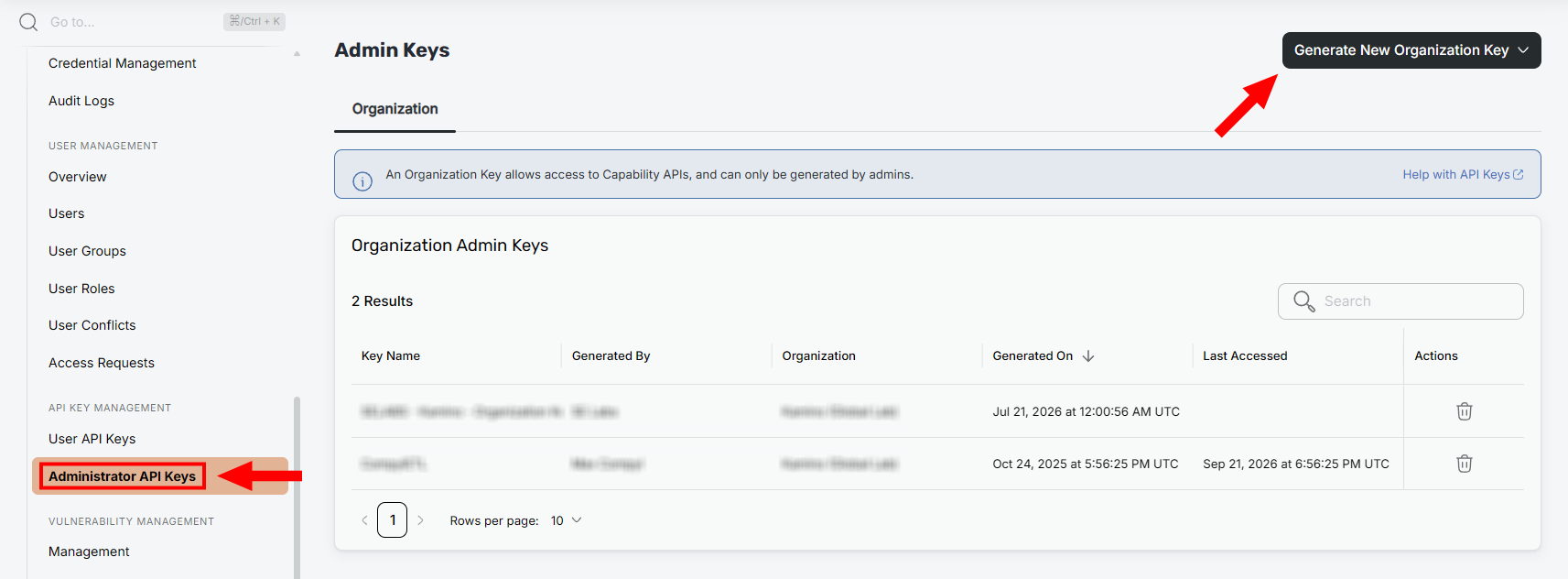
Select Administrator API Keys and click Generate New Organization Key
-
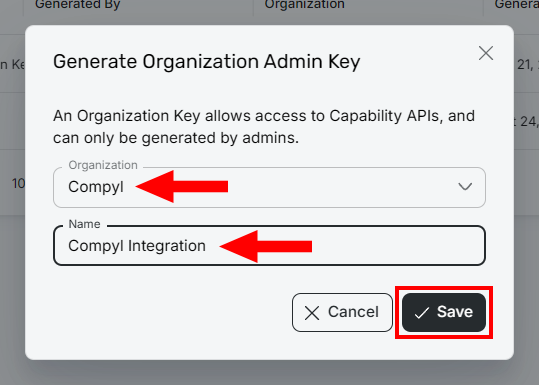
In the panel that appears:
- Select the organization (if applicable).
- Enter a descriptive name for the key (e.g. Compyl Integration)
- Click Save.
-
Copy the API key from the popup. This is the only time it will be visible.
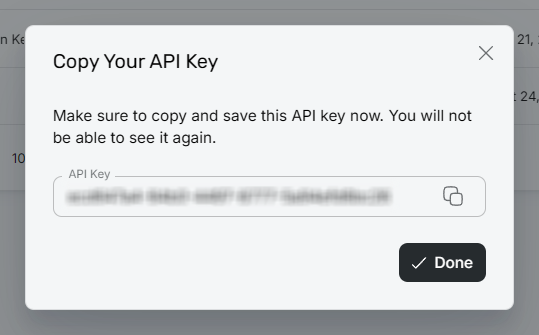
- Click Done.
WarningYou must copy the API key immediately after generating it. You won't be able to retrieve it again later.
NoteIf your organization uses a managed Attack Surface instance, contact your Rapid7 account representative to obtain API credentials.
Identifying Your Base URL
Your Attack Surface Base URL is the web address you use to access your Attack Surface instance. It will be in this format:https://{region}.api.insight.rapid7.com/surface. Ex: https://us2.api.insight.rapid7.com/surface.
Add Configuration
-
Navigate to the Integrations tab using the left-hand menu, find Rapid7 ASM, and select +Add Configuration.

-
Next, fill in the details below and select Continue.
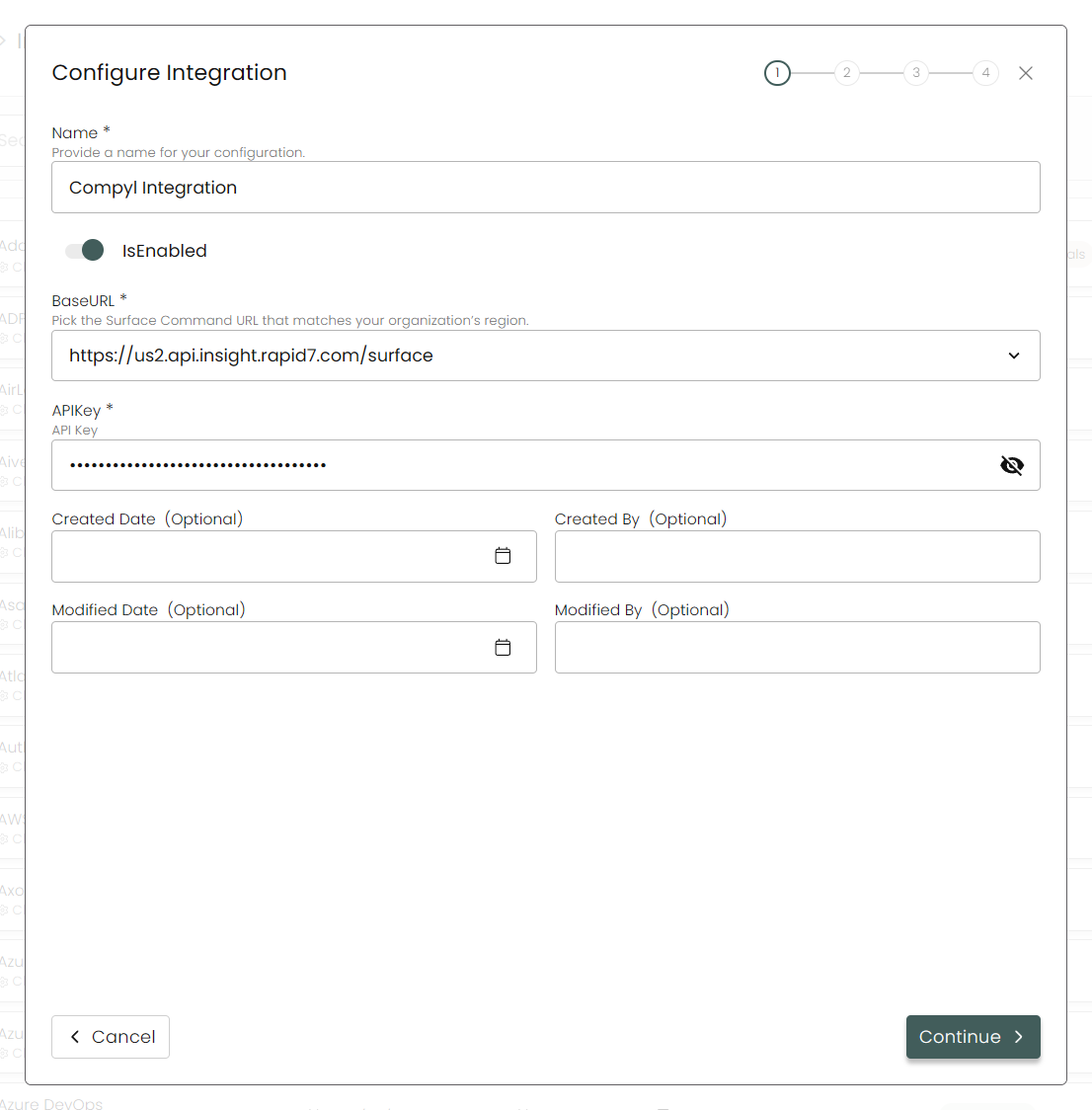
Name: Enter a descriptive name for this integration (e.g., Compyl Integration)
Is Enabled: Toggle ON to enable automatic data synchronization.
Base URL: Enter your Attack Surface instance URL.
API Key: Paste the API key you generated above.
-
Choose your Endpoints and Begin Validation to validate your connection.
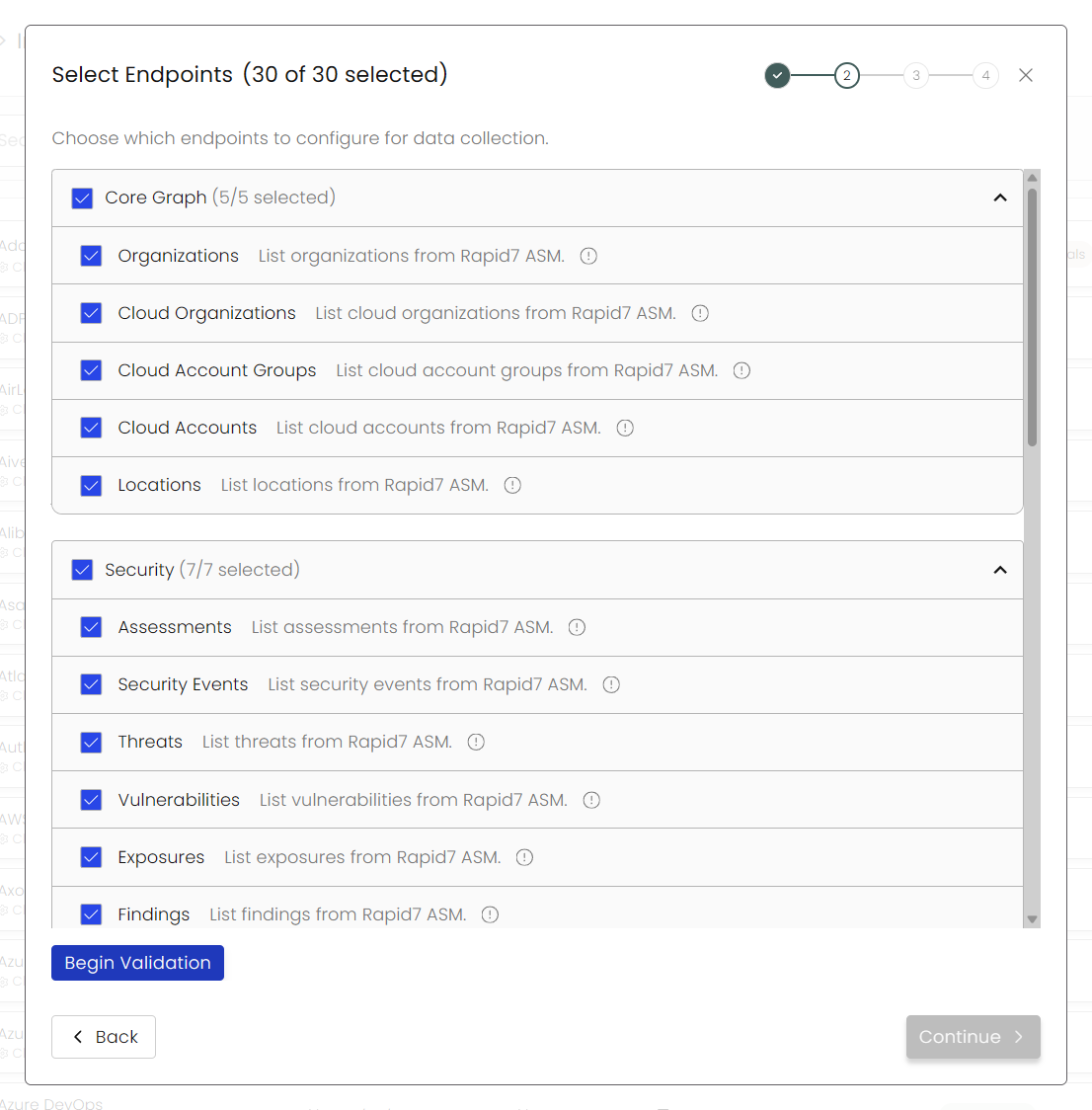
-
After you hit Continue, you'll see a summary screen. Click Return to Integrations to complete the configuration.
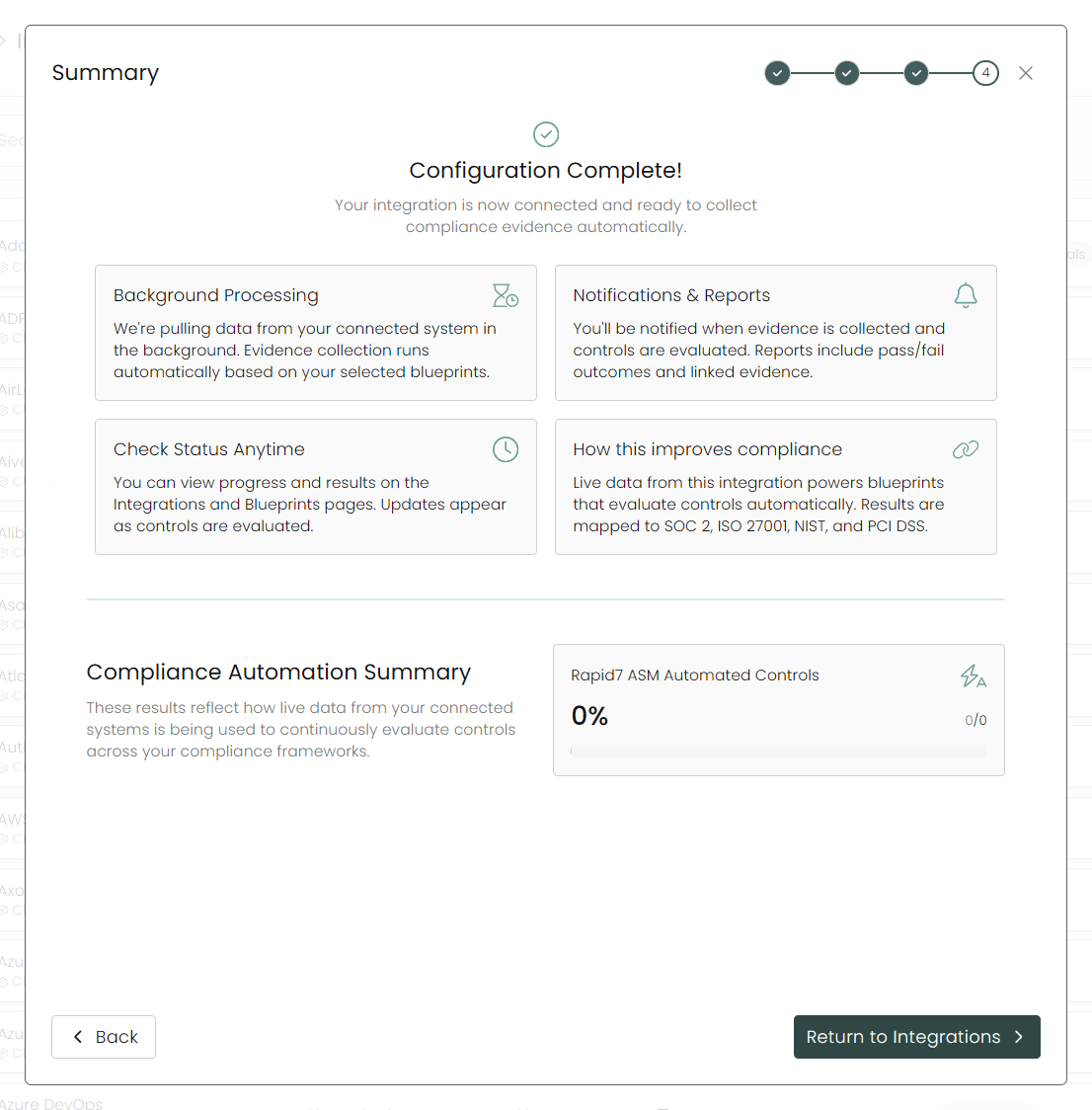
Once you have completed filling out the form click Return to Integrations.
You'll know the integration is successfully added when the status updates to Complete.

Data is synced on a recurring schedule configured by your Compyl administrator. Each sync pulls the latest data from all enabled endpoints.
To query the data from the integration, refer to the Blueprints article.
Updated 25 days ago