
Druva Integration
Creating Druva API Credentials
ImportantOnly Druva Cloud Administrators can create and manage API credentials.
-
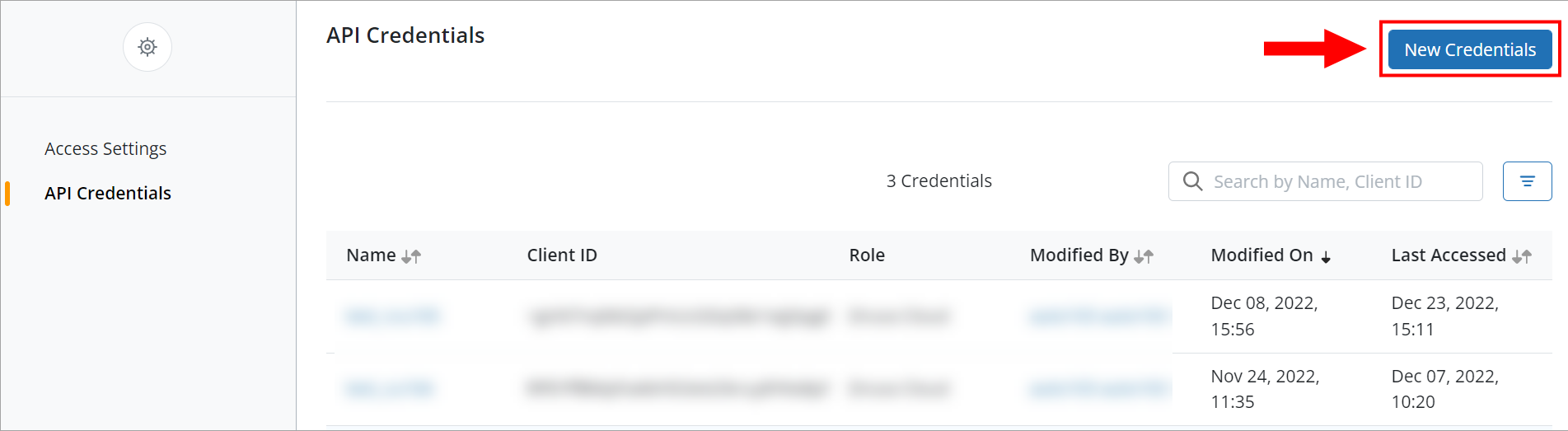
Go to Druva Cloud Platform Console Global Navigation → Druva Cloud Settings→ API Credentials
-
Click New Credentials. In the new window, provide a name for the credential (e.g. Compyl Integration)
-
To apply network restrictions, perform the steps provided in the Apply network restrictions instructions.
-
To apply authorization restrictions, perform the steps provided in the Apply authorization restrictions instructions.
-
Click Save. Your Credential Details window will appear.
-
Click the New copy icon to copy the auto-generated Client ID and Secret Key to the clipboard. Store this in a secure file for later use during the configuration.
WarningIf you don't copy the Secret Key you will need to generate a new one.
Add Configuration
-
Navigate to the Integrations tab using the left-hand menu, and select Druva

-
Click the Add Configuration button and fill in the details below:

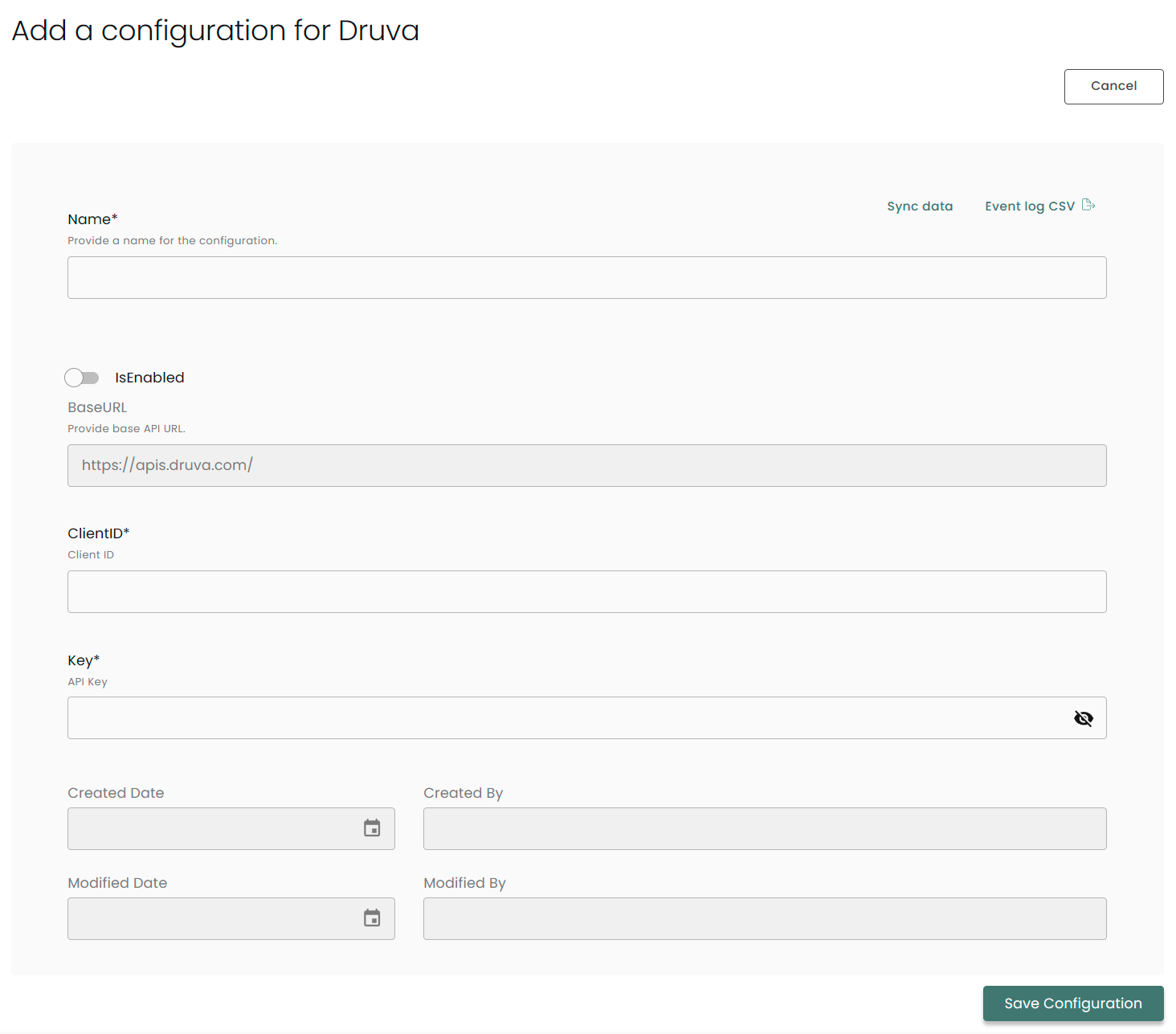
Name: Enter the name of the integration
is Enabled: Toggle button to ensure data is populated into Compyl
Base URL: This is automatically populated as https://apis.druva.com/
ClientID: The ClientID you generated above
Key: The API Token you generated above
Once you have completed filling out the form click Save Configuration.
NoteTo check if the integration is connected, navigate to the Integrations page in Compyl. If the Status icon shows an unbroken link in the right-hand corner, your integration is properly connected.

This integration syncs daily.
To query the data from the integration, refer to the Query Builder article.
Updated 2 months ago