
SSO and Security Settings
Managing your Single Sign-On Configuration.
SSO Configuration
Prerequisites
- The user implementing these changes must be assigned to a group in Compyl with Settings - System Admin permissions.
- The user implementing these changes must be able to create the necessary resources within their Identity Provider (IdP) to configure a SAML (Security Assertion Markup Language) Configuration.
- If SSO is not present in the Admin Center, please contact your Customer Success Manager if you are interested in adding this functionality to your account.
Common Identity Providers (IdP)Azure / Entra: Users aiming to create a SAML connection between their Azure tenant will need to create an Enterprise Application with SAML authentication flows enabled
JumpCloud: Users aiming to create a SAML connection between the JumpCloud tenant will need to create an Application & Connector within JumpCloud
Enabling SAML 2.0 Single Sign-On
-
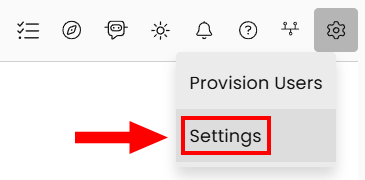
Head to Settings by click on the Gear icon in the upper right-hand corner.
-
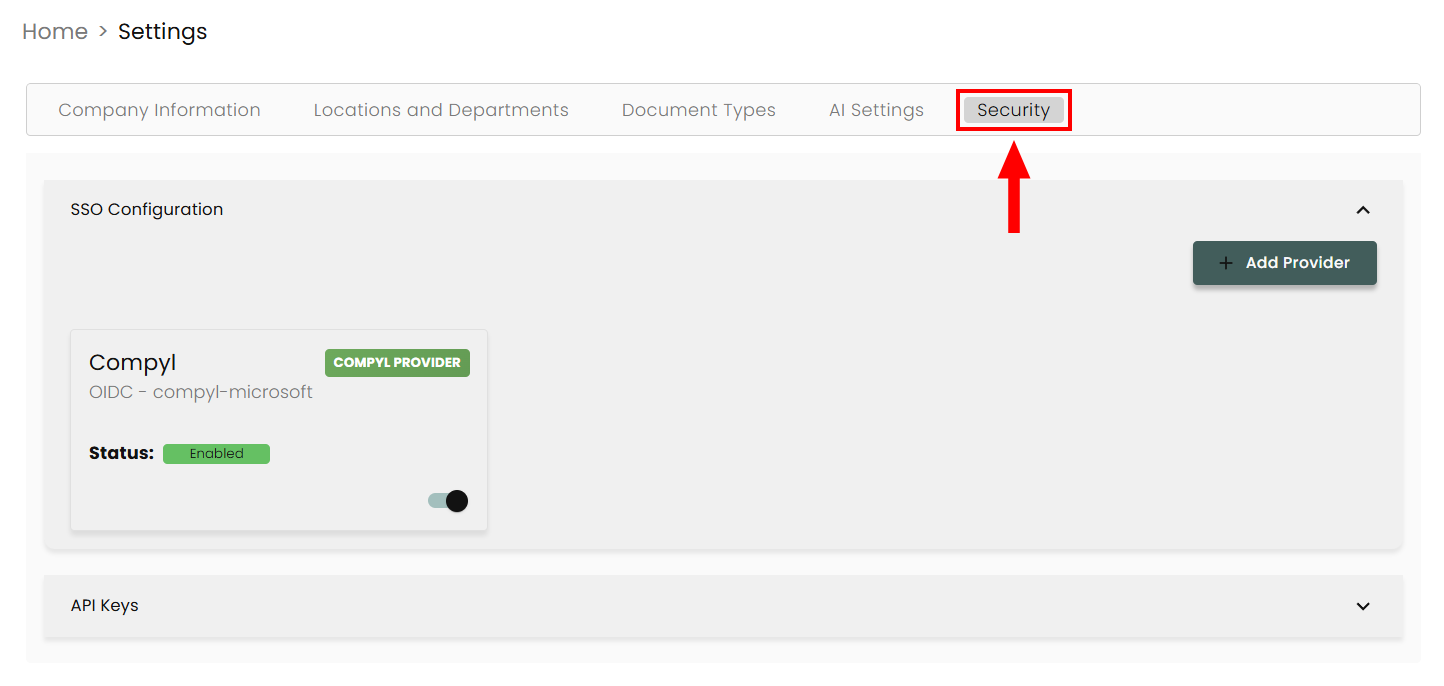
Select the Security tab.
-
Expand SSO Configuration.
-
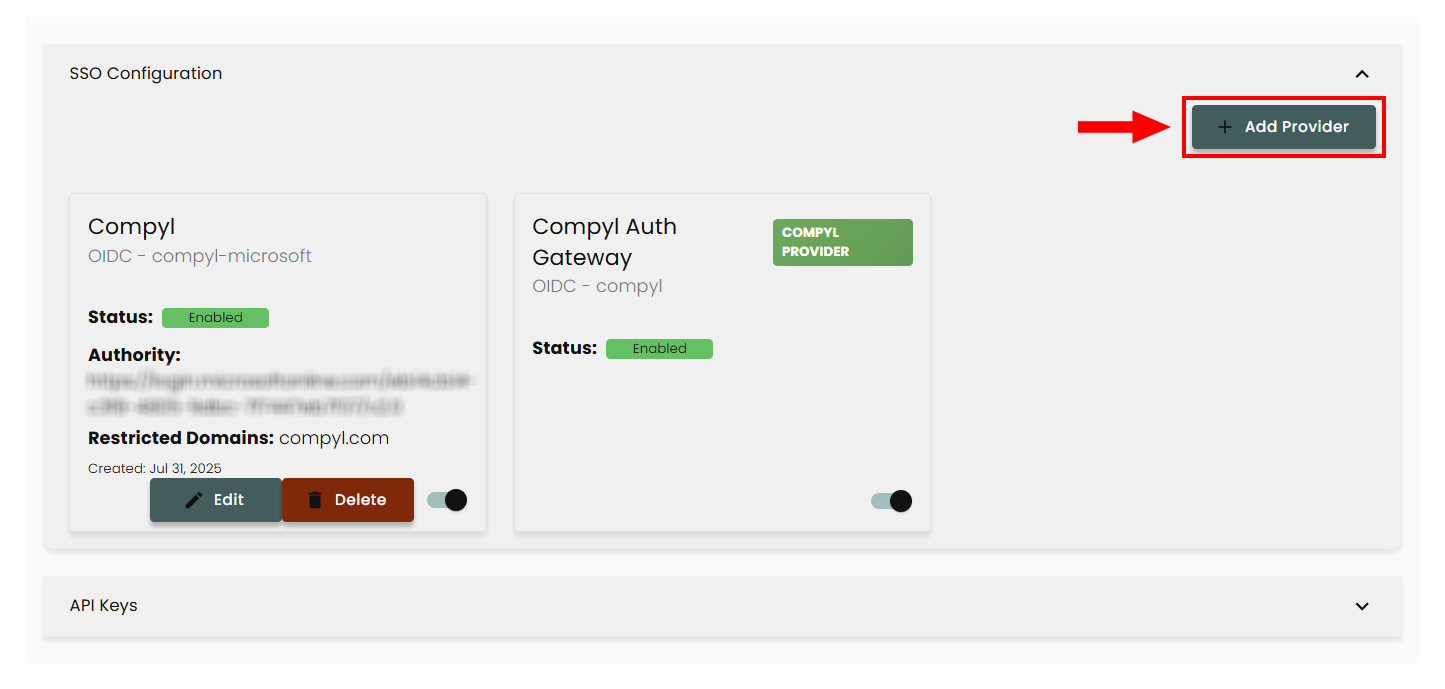
Click Add Provider.
-
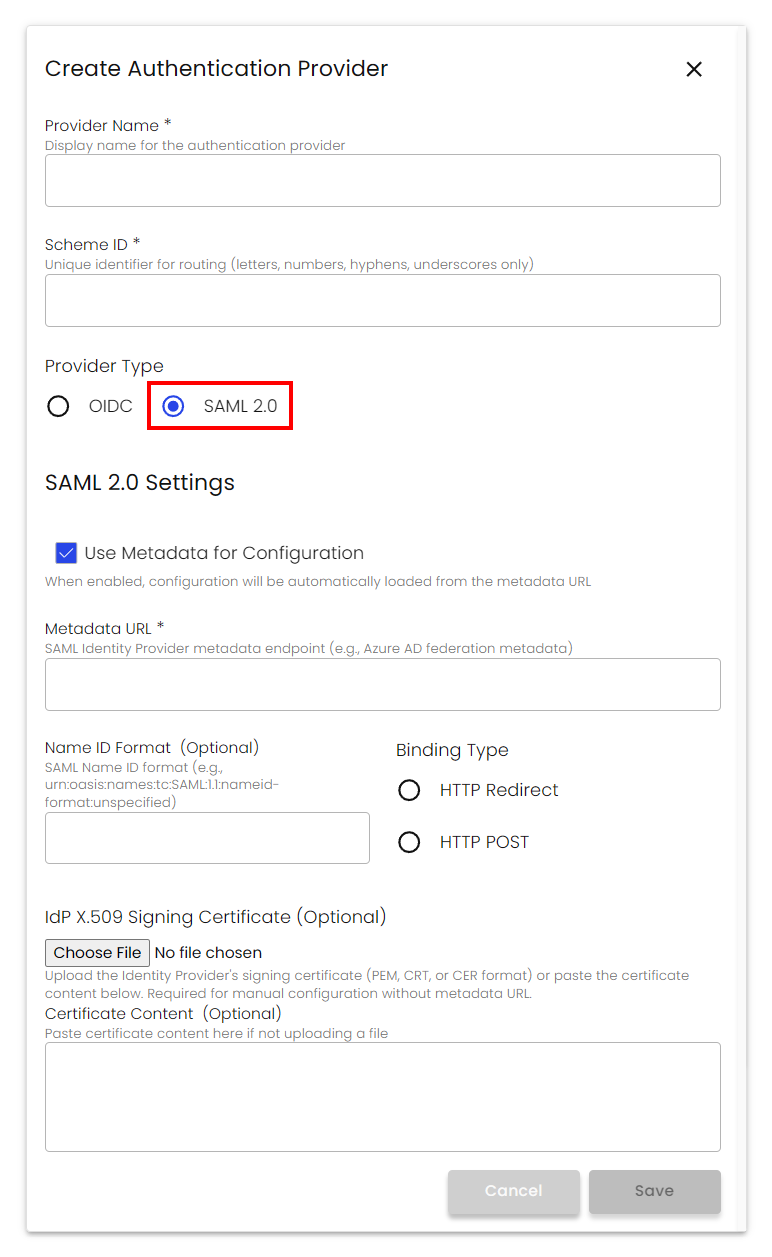
Provide unique values for the following:
-
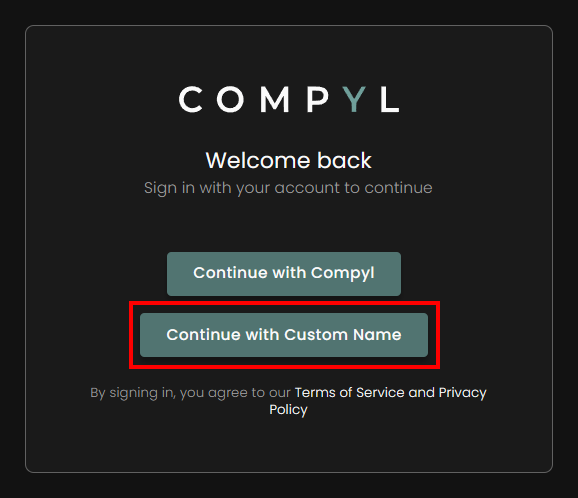
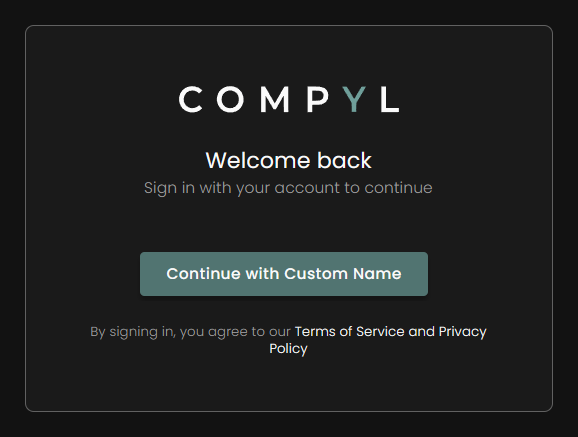
Provider Name: This will influence your login page. When unauthenticated users navigate to your Compyl instance they will see a button with the text Continue with Provider Name. This can be renamed at any time.
-
Scheme ID: Must be unique, and will be used for routing purposes.
-
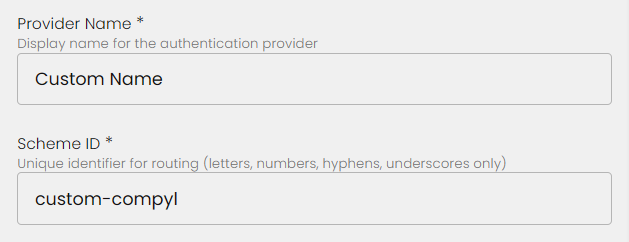
Your provider name will show up on the login screen.
-
Choose to provide a metadata URL or to provide SAML configuration values manually.
For simplicity, we suggest to use the metadata URL provided by your IdP when possible.
- Base URL:
https://mycompany.compyl.com - SP Entity ID (Audience/Identifier):
https://mycompany.compyl.com/saml2 - ACS (Assertion Consumer Service) URL:
https://mycompany.compyl.com/Saml2/Acs
(Binding: HTTP-POST) - SP Metadata URL (recommended to import):
https://mycompany.compyl.com/Saml2/Metadata - Single Logout URL (optional):
https://mycompany.compyl.com/Saml2/Logout
- Base URL:
-
Choose your binding type. Most often this will be Redirect, but double check with your IdP if unsure.
-
Optional Provide a Name ID Format: We default to a widely used format, but if you know the specific format used for your IdP you can provide the upn in this field.
- NameID format (recommended):
urn:oasis:names:tc:SAML:1.1:nameid-format:emailAddress
- NameID format (recommended):
-
Optional Upload the IdP X.509 Signing Certificate: This is your Identity Provider's signing certificate (PEM, CRT, or CER format). Alternately you can paste it in the text box below.
Required for manual configuration without metadata URL. -
Click Save.
Once configured, it will display on your Authentication Providers page.
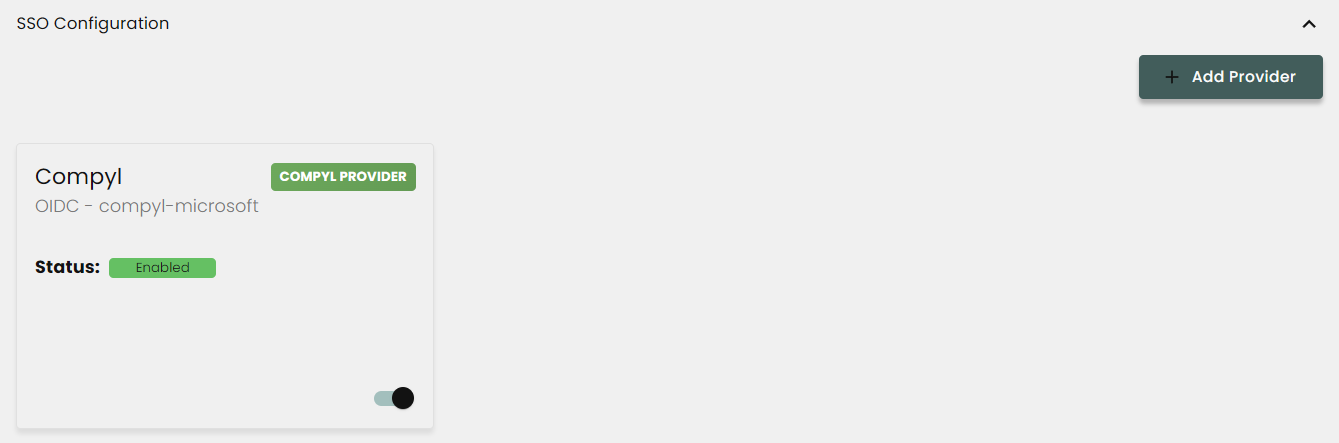
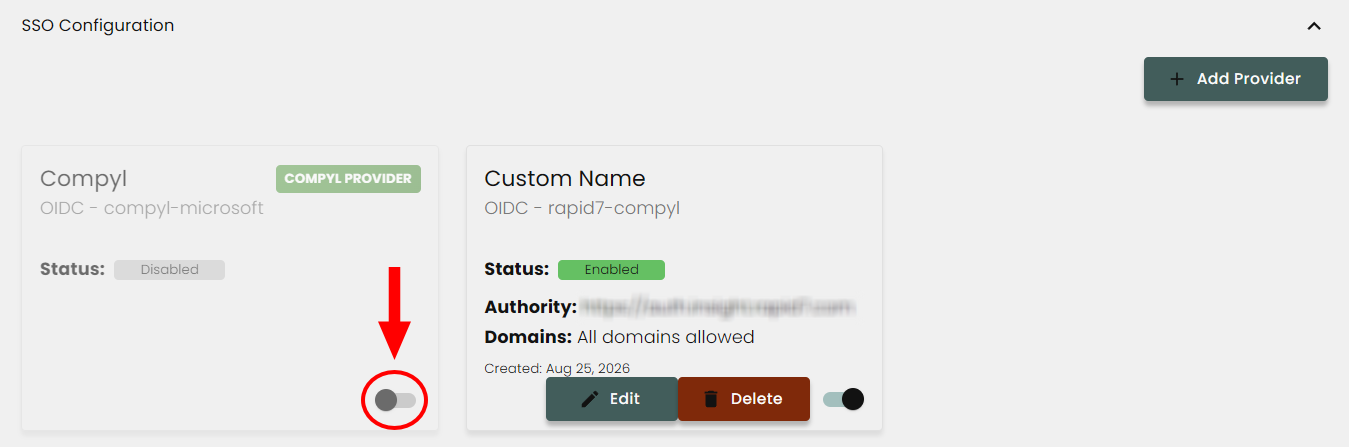
If you wish to disable one of your SSO configurations, just click the toggle switch and it will be hidden without deleting it.
Important InfoIf using OIDC, the OIDC connection redirect needs to be
https://domain.compyl.com/signin-{SCHEMA_ID}
Considerations
After providing your SAML flow & confirming authentication is working as expected, you can disable the Compyl login flow. You will still see the original button on the unauthenticated page saying Continue with Compyl, but upon interacting with that button you will be met with a message indicating the flow is disabled.
Updated about 2 hours ago