
Duo Integration
Generating the Required Credentials
-
Log in to Cisco Duo.
-
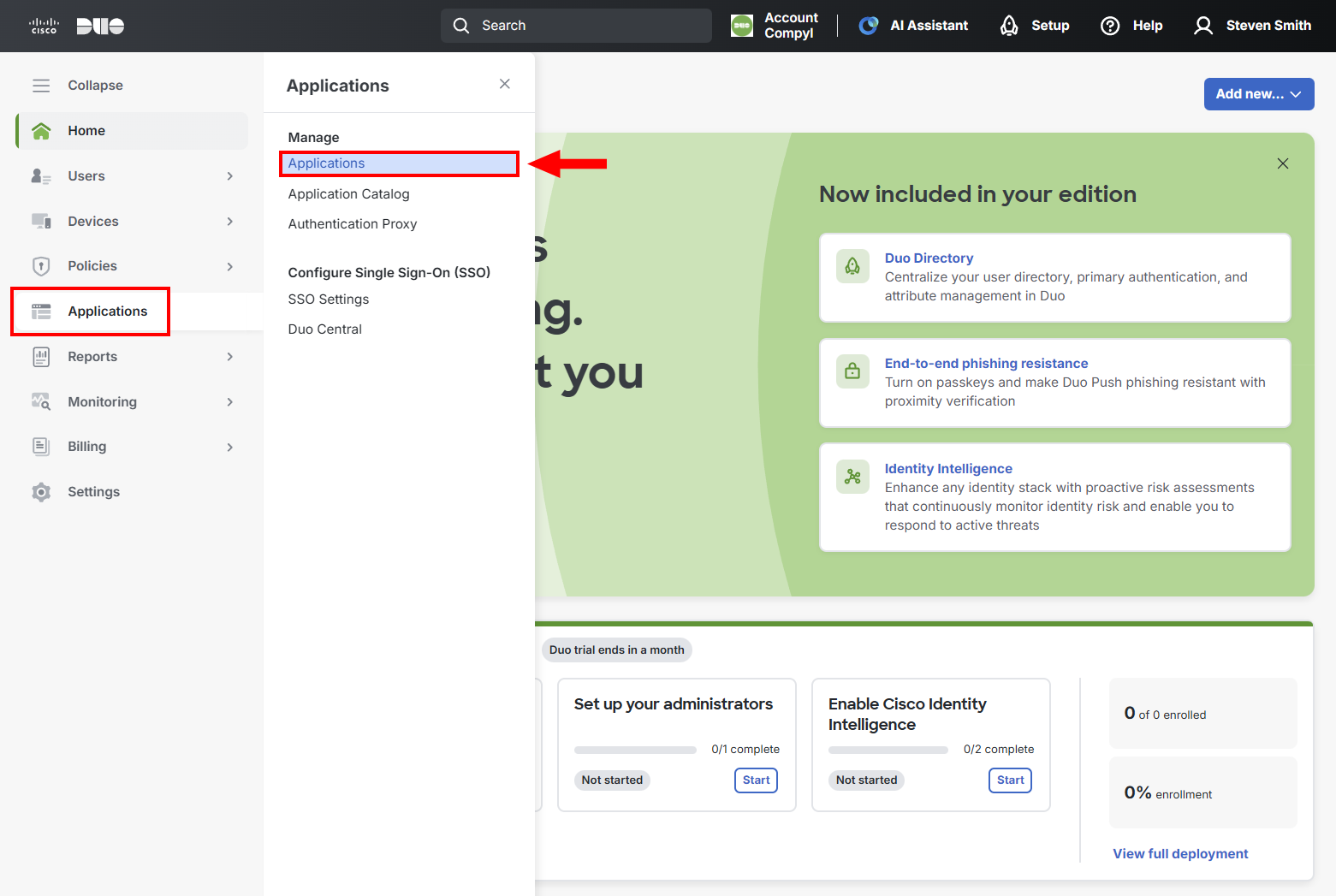
Select Applications → Applications in the left-hand menu.
-
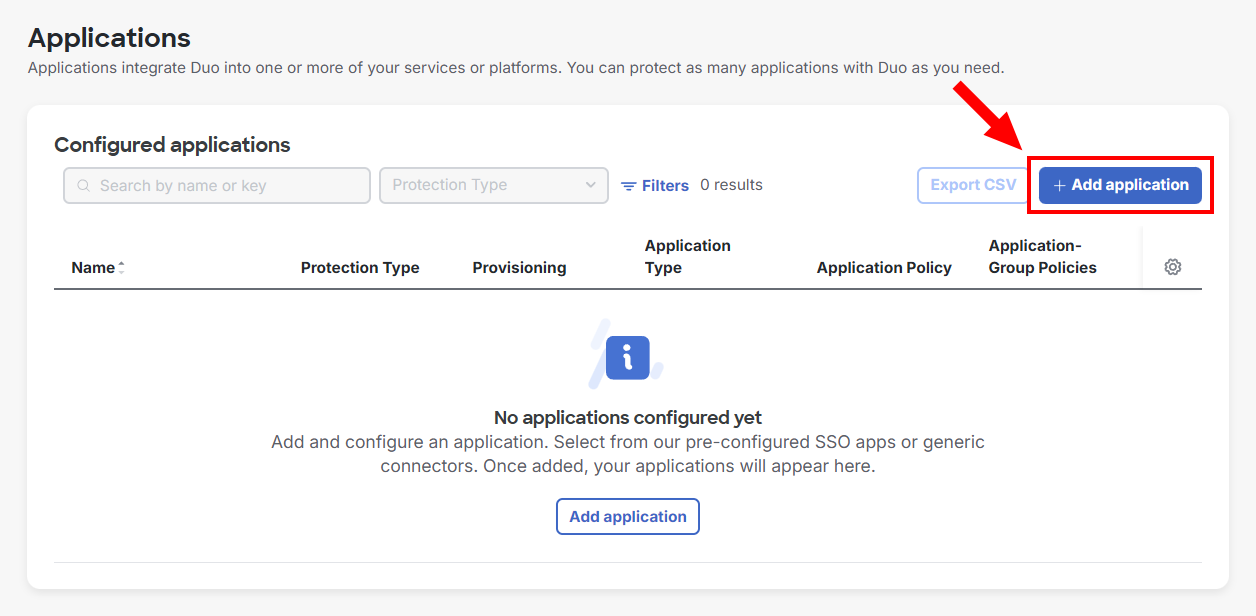
Then click the +Add Application.
-
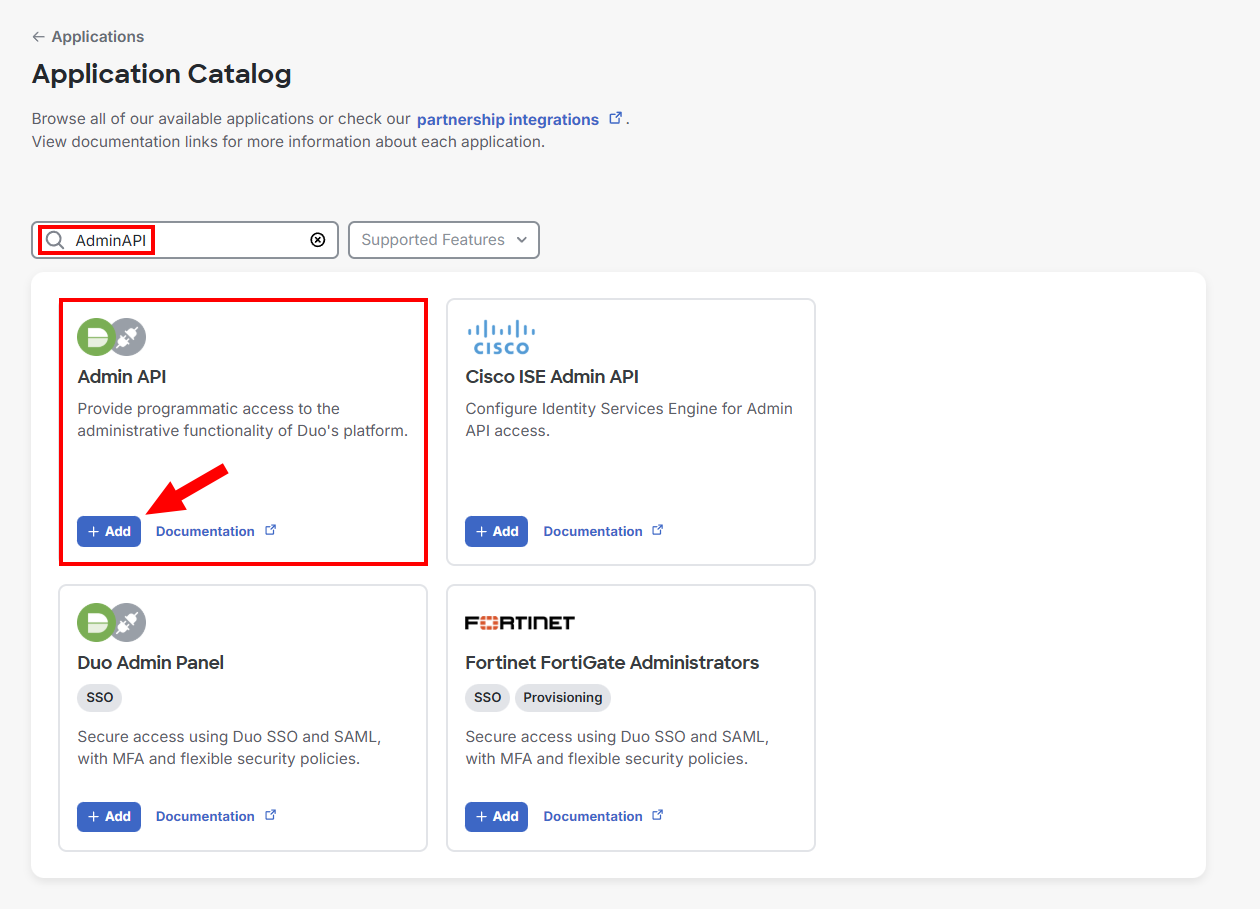
Search for AdminAPI and then click +Add.
-
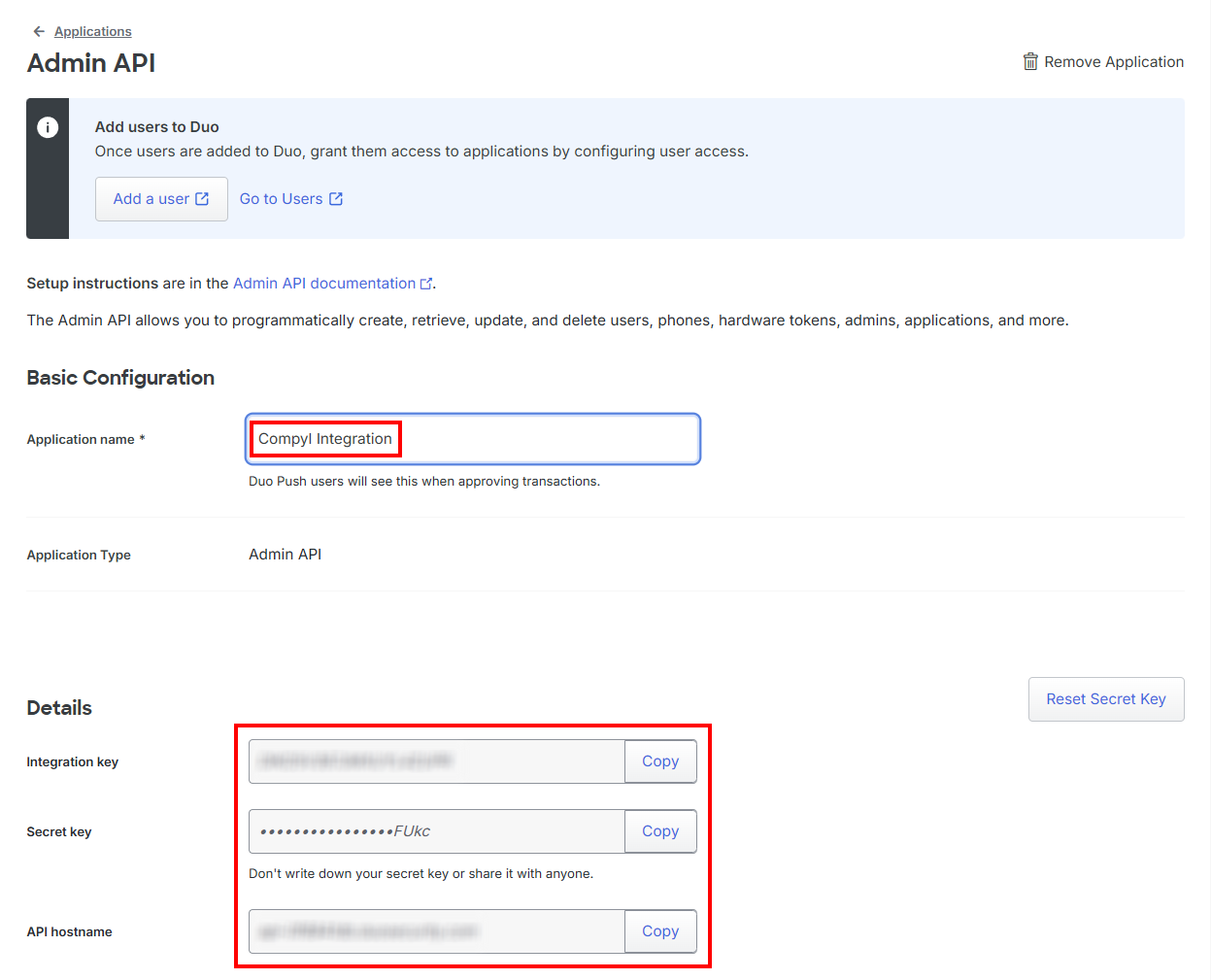
Name the new application (e.g. Compyl Integration) and copy down the following values in a secure location:
-
Integration key
-
Secret key
-
API hostname
-
Add Configuration
-
Navigate to the Integrations tab using the left-hand menu, and select Integration Name.

-
Click the Add Configuration button and fill in the details below:

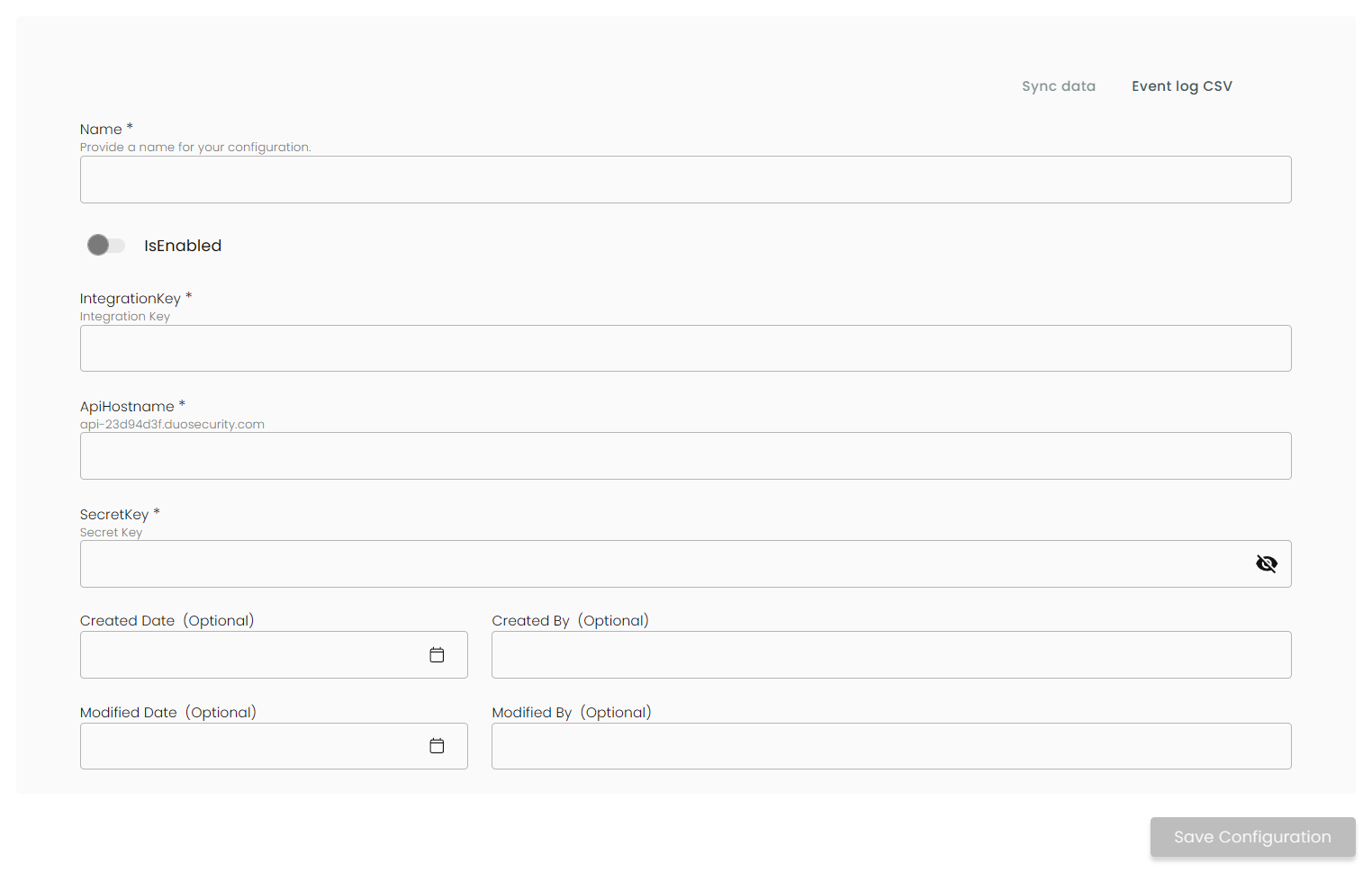
Name: Enter the name of the integration.
is Enabled: Toggle button to ensure data is populated into Compyl.
Integration Key: The key that was generated in Generating the Required Credentials .
API Host name: The API Host name you generated above .
Secret Key: The Secret Key that was generated above .
Once you have completed filling out the form click Save Configuration.
You'll know the integration is successful if the status updates to Complete.
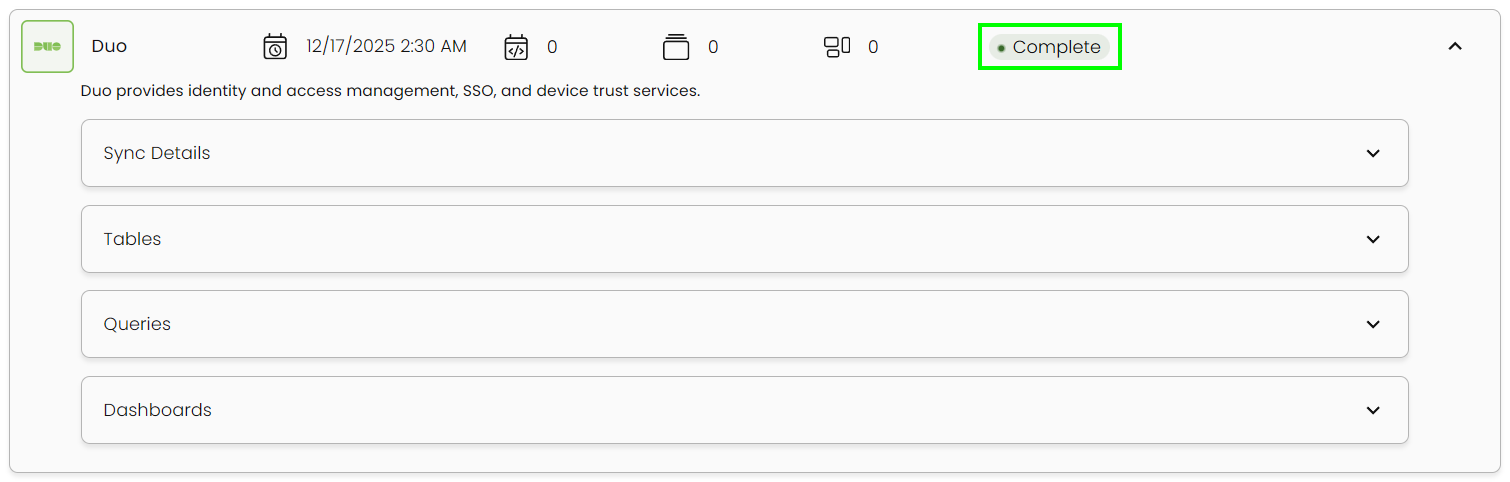
This integration syncs daily.
To query the data from the integration, refer to the Query Builder article.
Updated 2 months ago