
Questionnaire Assistant
This feature analyzes existing documents and policies, generates relevant answers, and delivers them back in their original file format, significantly reducing your manual workload and provies a huge return on time saved.
The Questionnaire Assist feature allows users to upload Excel or CSV files containing questions—such as those found in assessments, surveys, or RFPs—and receive AI-generated answers based on their organization’s existing policies and documentation. Leveraging Azure AI Services for secure, private document analysis and built on the Compyl Copilot framework, the system ensures consistency, accuracy, and data privacy. Once the AI populates the answers, the completed file is emailed back to you to review and refine as needed. You can also upload additional documents (e.g., policies or procedures) to help generate more contextual responses.
The feature provides visibility into the percentage of questions answered by the AI and estimates time savings—calculated at four minutes per automated response—highlighting clear ROI. This tool helps streamline compliance workflows, reduce manual effort and errors, and scale operations efficiently as organizational demands grow.
NoteYou must have read access to Questionnaires in your platform to use this feature.
Steps to Use AI Questionnaire Auto-Population
-
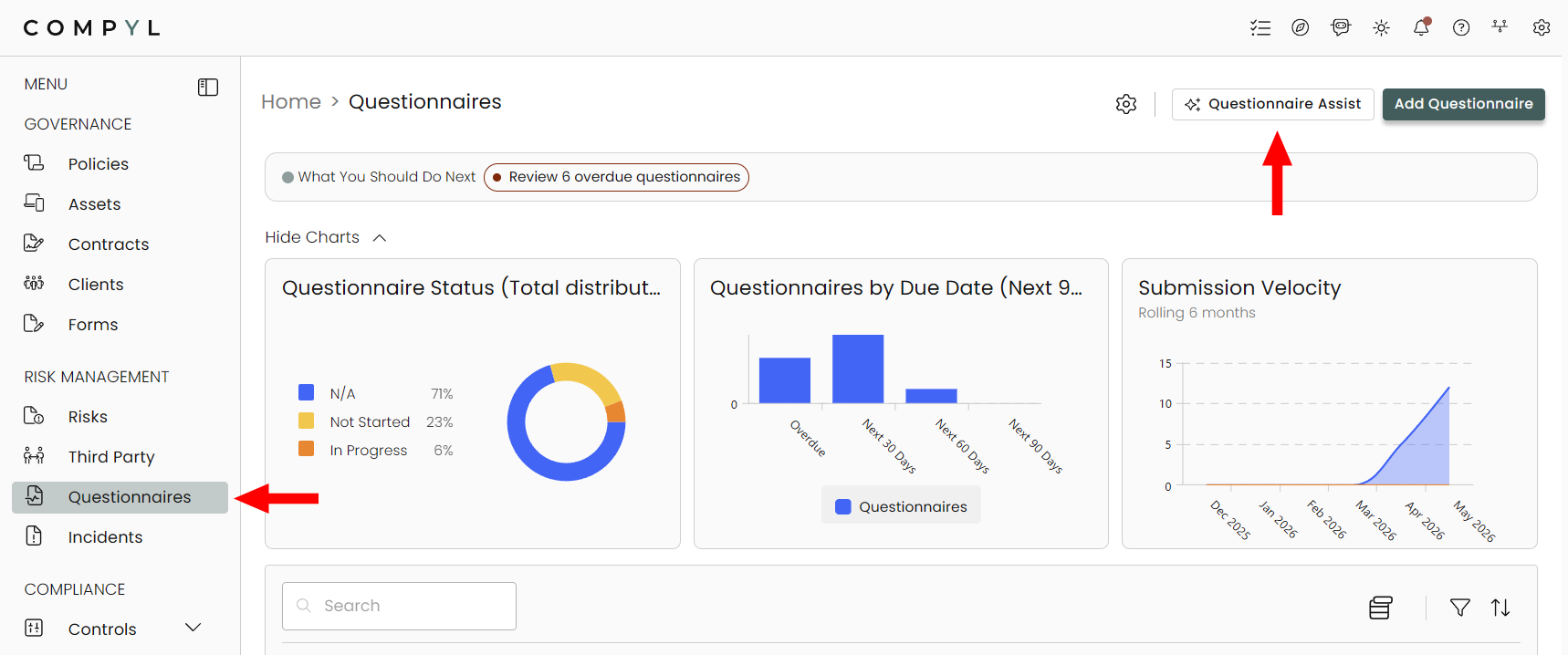
Navigate to the Questionnaires module and click the Questionnaire Assist button.
-
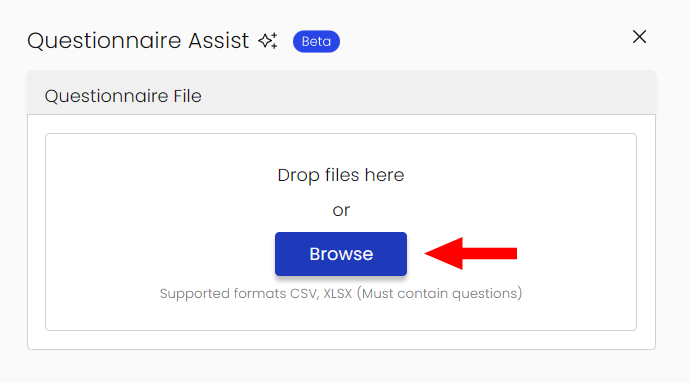
Upload your questionnaire file (.csv, .xls, or .xlsx).
-
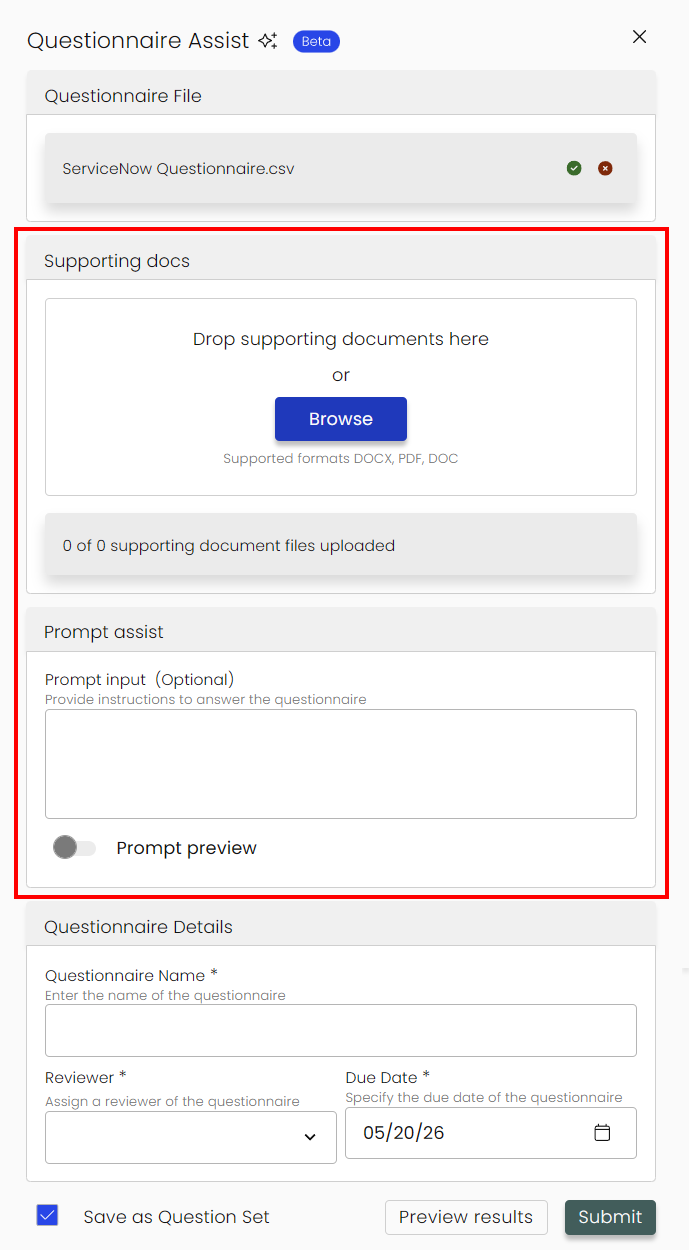
Next, you'll have the options to add supporting documentation and include a prompt to assist owners with instructions.
-
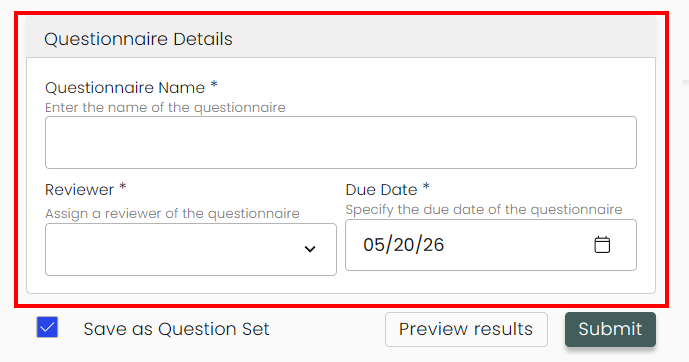
Under Questionnaire Details you will name your Questionnaire, assign a reviewer, and select its due date.
-
Once complete, you can preview the results to make any necessary changes or Submit to complete the process.
Once generated, Compyl AI will:
- Identify all questions within the uploaded file (available as part of Compyl's AI Services package).
- Estimate the time savings based on automated responses.
- Email the selected recipients a completed file in CSV format, containing the columns: Question, Answer, and Comment.
All responses are generated using your organization's existing policies and related content.
Contact your Customer Success Rep for more information
Updated 4 months ago