
Zendesk Integration
PrerequisitesBefore you begin, make sure you have the following:
- Zendesk Admin or Agent access — you must have a role that can generate API tokens.
- Your Zendesk subdomain — the custom part of your Zendesk URL (e.g., if your Zendesk URL is
https://acmecorp.zendesk.com, your subdomain is acmecorp).- API token access enabled — API token generation must be turned on in your Zendesk Admin Center.
Step 1 - Enable API Token Access in Zendesk
If your Zendesk instance already has API tokens enabled, skip to Step 2.
-
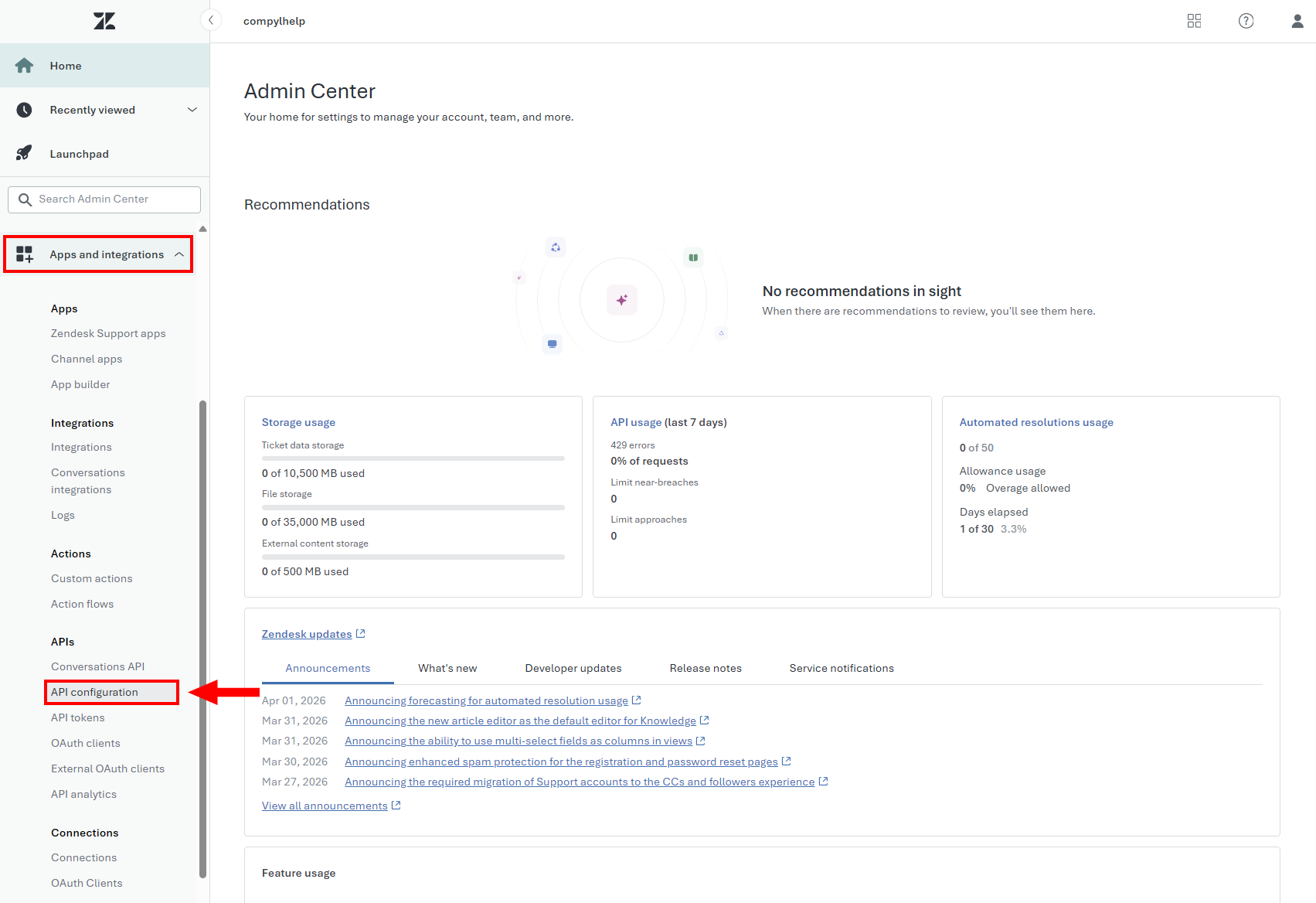
In to your Zendesk Admin Center, navigate to Apps and integrations > APIs > API configuration.
-
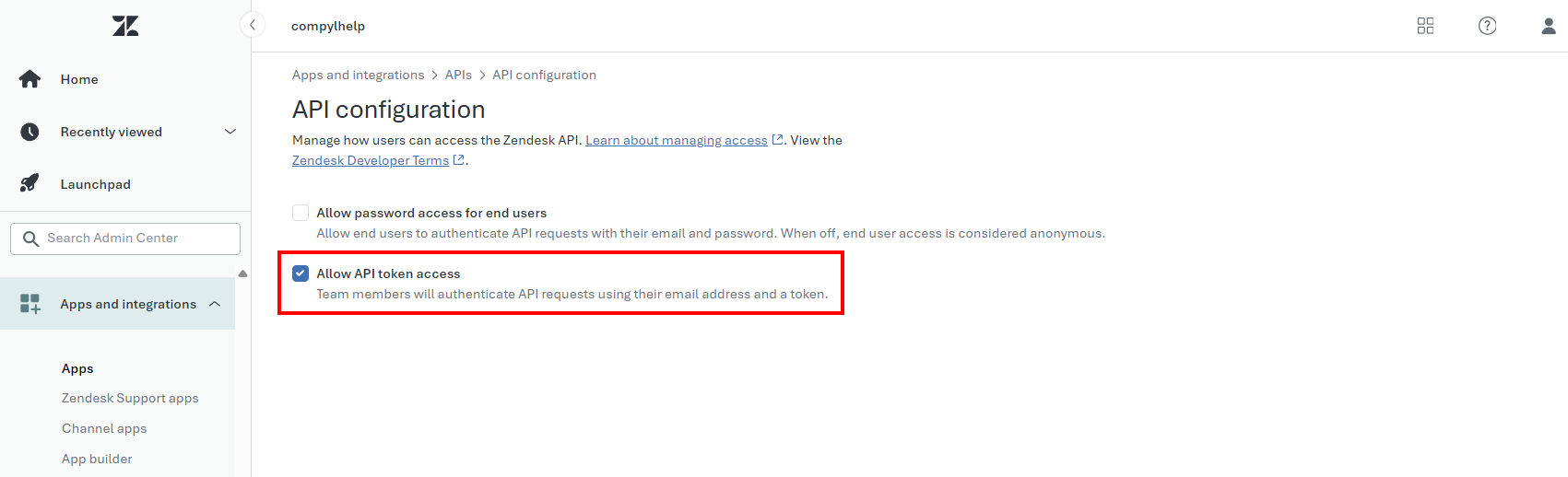
Enable Allow API token access.
-
Click Save.
Step 2 - Generate an API Token
-
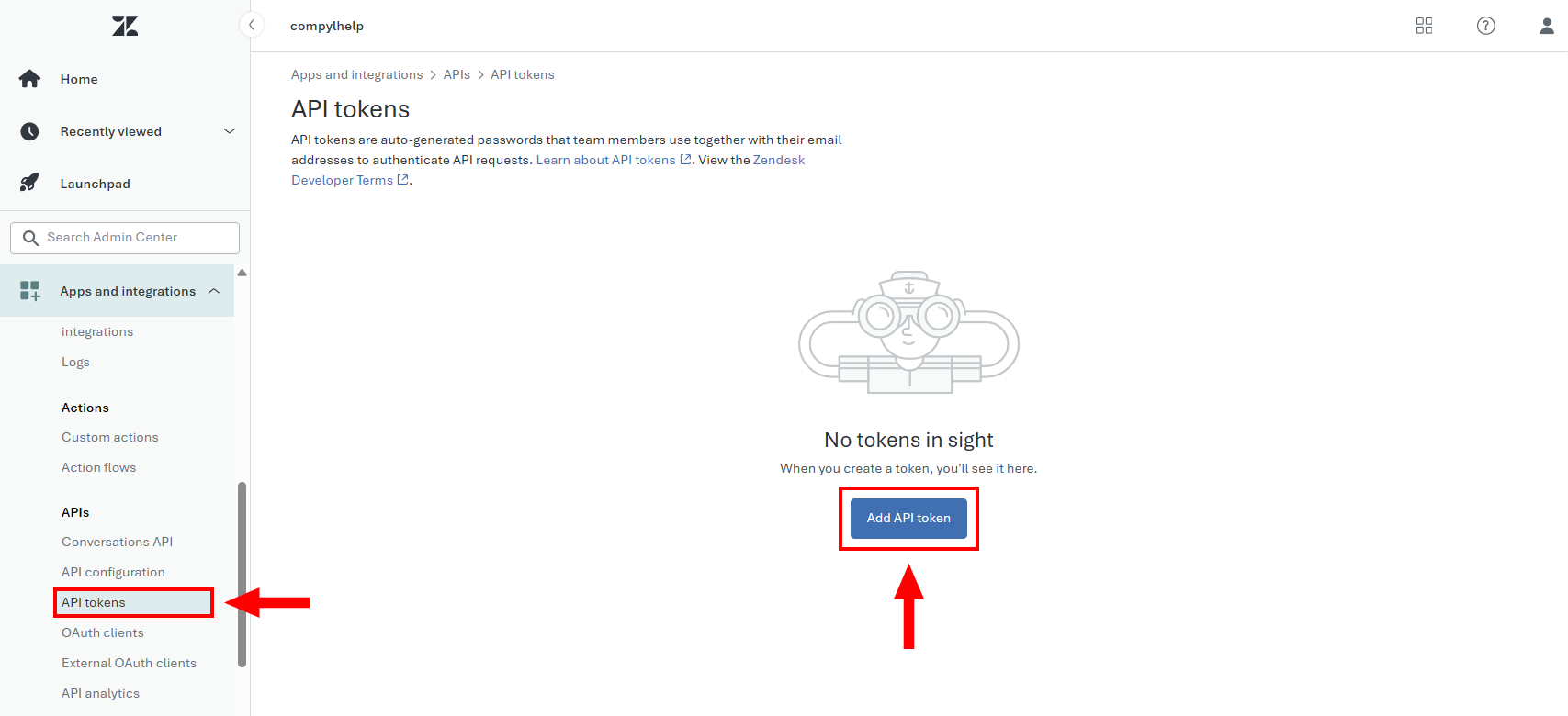
Navigate to API tokens and click Add API token.
-
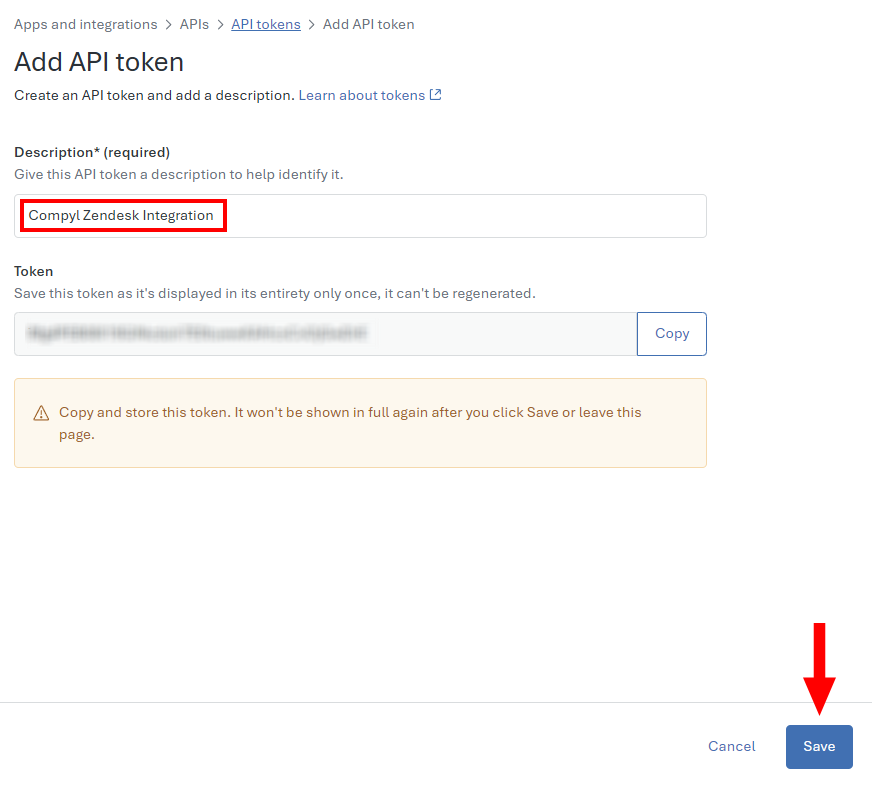
Click Save to generate the token. Optional: Enter a description (e.g., Compyl Zendesk Integration).
-
Copy the token immediately — Zendesk will only show the full token once. Store it in a secure location.
Security noteAPI tokens can impersonate any user in your account. Treat them like passwords. If a token is compromised, delete it immediately in the Zendesk Admin Center and generate a new one.
Add Configuration
-
Navigate to the Integrations tab using the left-hand menu, find Zendesk, and select +Add Configuration.

-
Next, fill in the details below and select Continue.
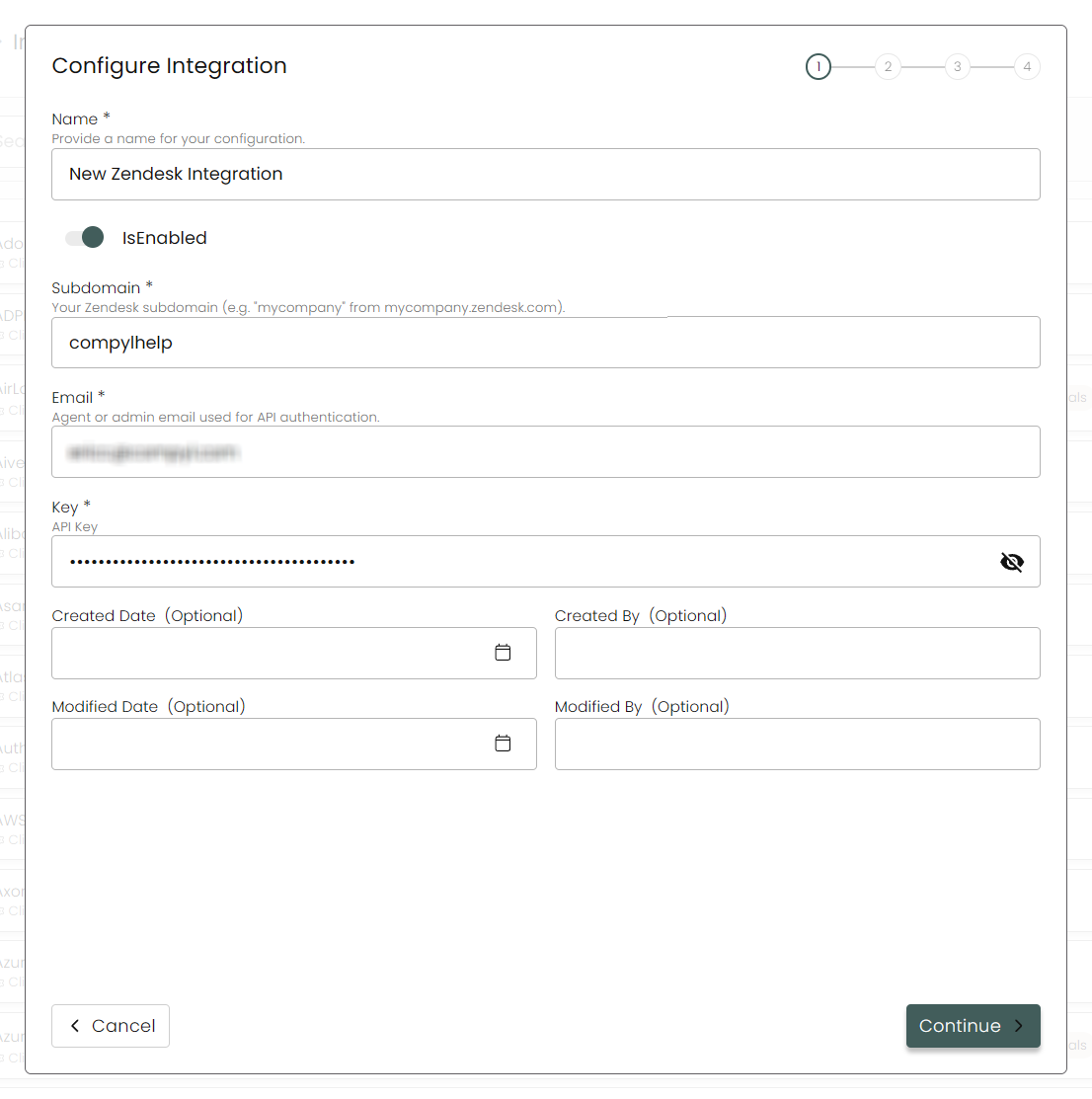
Name: Enter a name for the integration.
is Enabled: Toggle button to ensure data is populated into Compyl.
Subdomain: Your Zendesk subdomain only — do not include
https://or.zendesk.com.Key: The API Token you generated in Step 2.
-
Select any Endpoints you wish to associate with this integration.
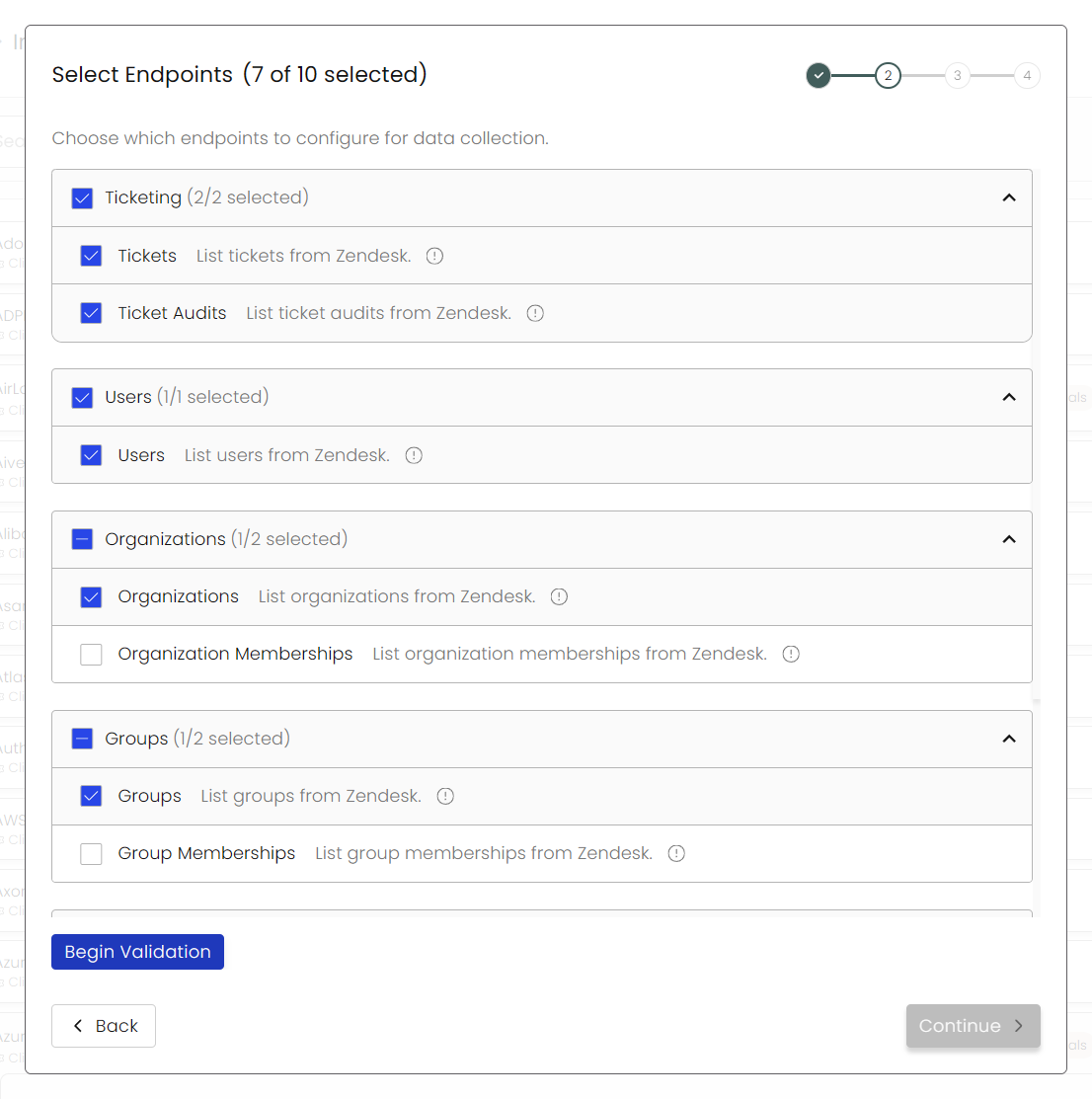
-
Next, click on Begin Validation to validate your selected Endpoints and your Integration's connection.

-
After you hit Continue, select any Blueprints and then click Continue once more. You'll see a summary screen. Click Return to Integrations to complete the configuration.
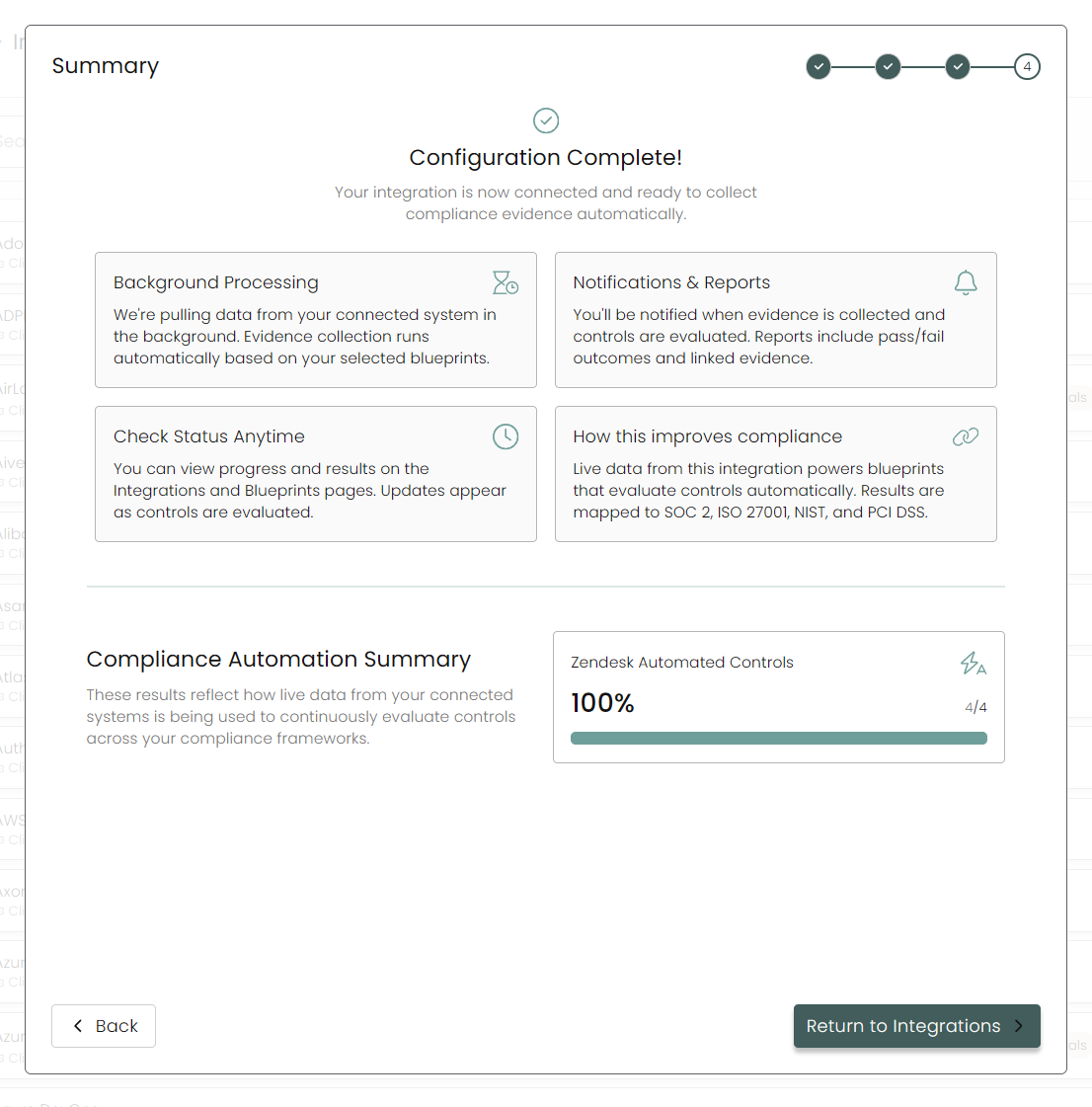
Once you have completed filling out the form click Return to Integrations.
You'll know the integration is successfully added when the status updates to Complete.

Data is synced on a recurring schedule configured by your Compyl administrator. Each sync pulls the latest data from all enabled endpoints.
To query the data from the integration, refer to the Blueprints article.
Updated 2 months ago