
Profile Page
Navigating the Compyl Profile Page
Users in Compyl have the ability to update and personalize their user profile. The Profile page can be found in the upper right corner of the Compyl home page.
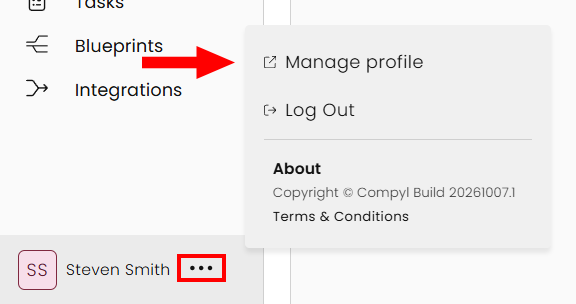
Click on your user name/icon in the lower-left hand corner and select Manage profile.
Edit Profile Information
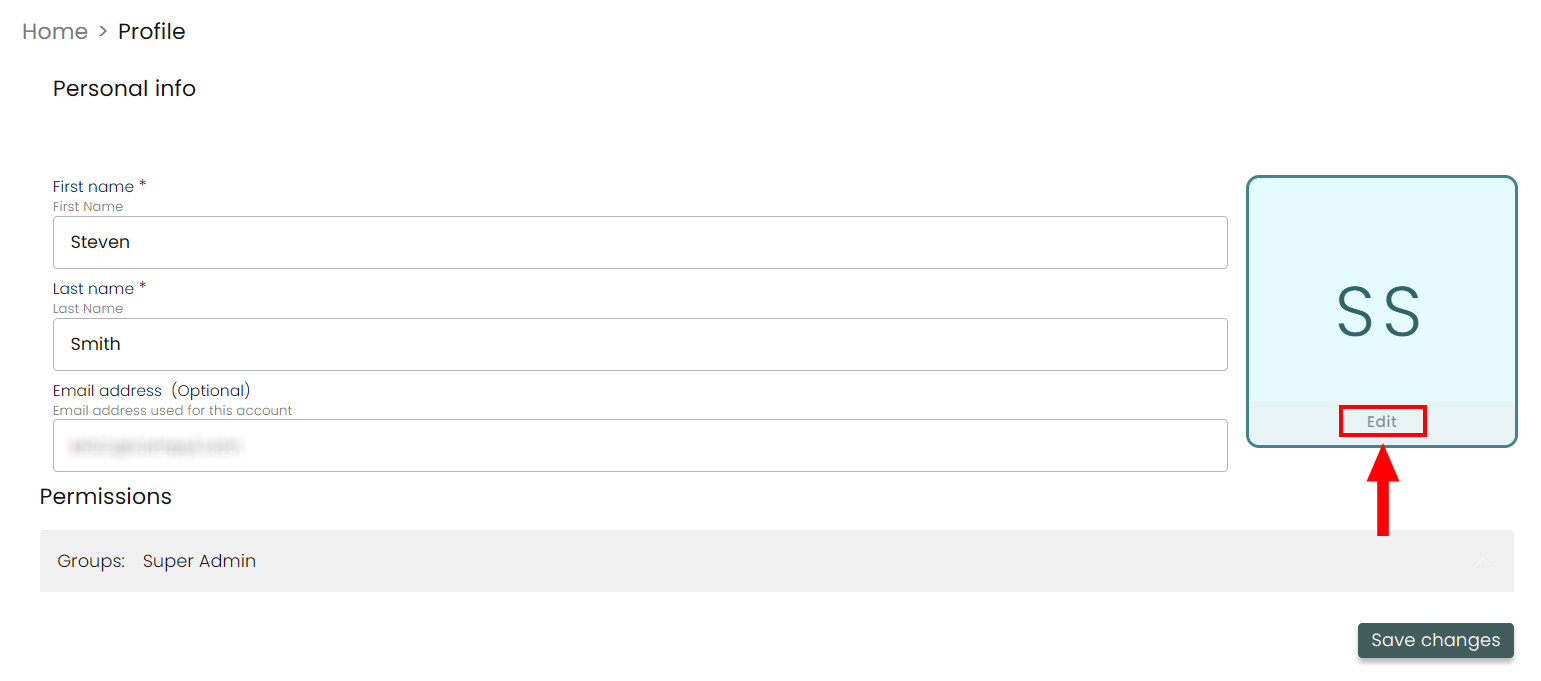
On this page, users can:
-
Update the First and Last Name fields
-
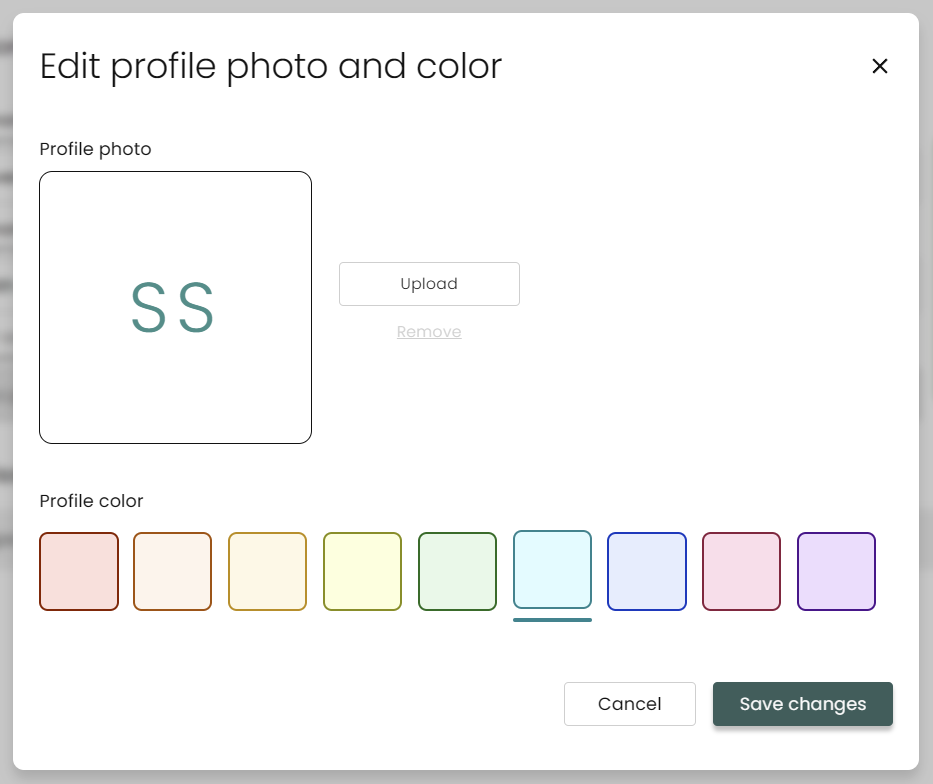
Upload a user Profile Photo and edit their Profile Color
-
View your assigned Permissions containing the Groups you are a part of

Updated 8 days ago
Did this page help you?