
Tenable Integration
Track software & hardware assets along with any underlying vulnerabilities by connecting your Tenable environment to Compyl.
First StepYou will need a valid user account with Tenable Vulnerability Management with appropriate permissions to generate an API Key.
Creating a Tenable API Token/Key
- In Vulnerability Management, in the left navigation plane, click Settings.
- On the Settings page, click the My Account tile.
- The My Account page appears, where you can view and update your account details.
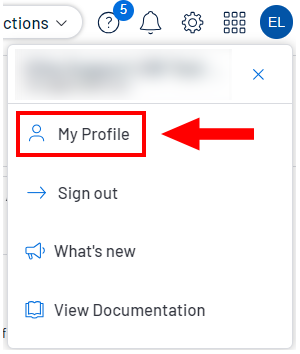
- In the upper-right corner, click the user profile icon.
- The user account menu appears.
-
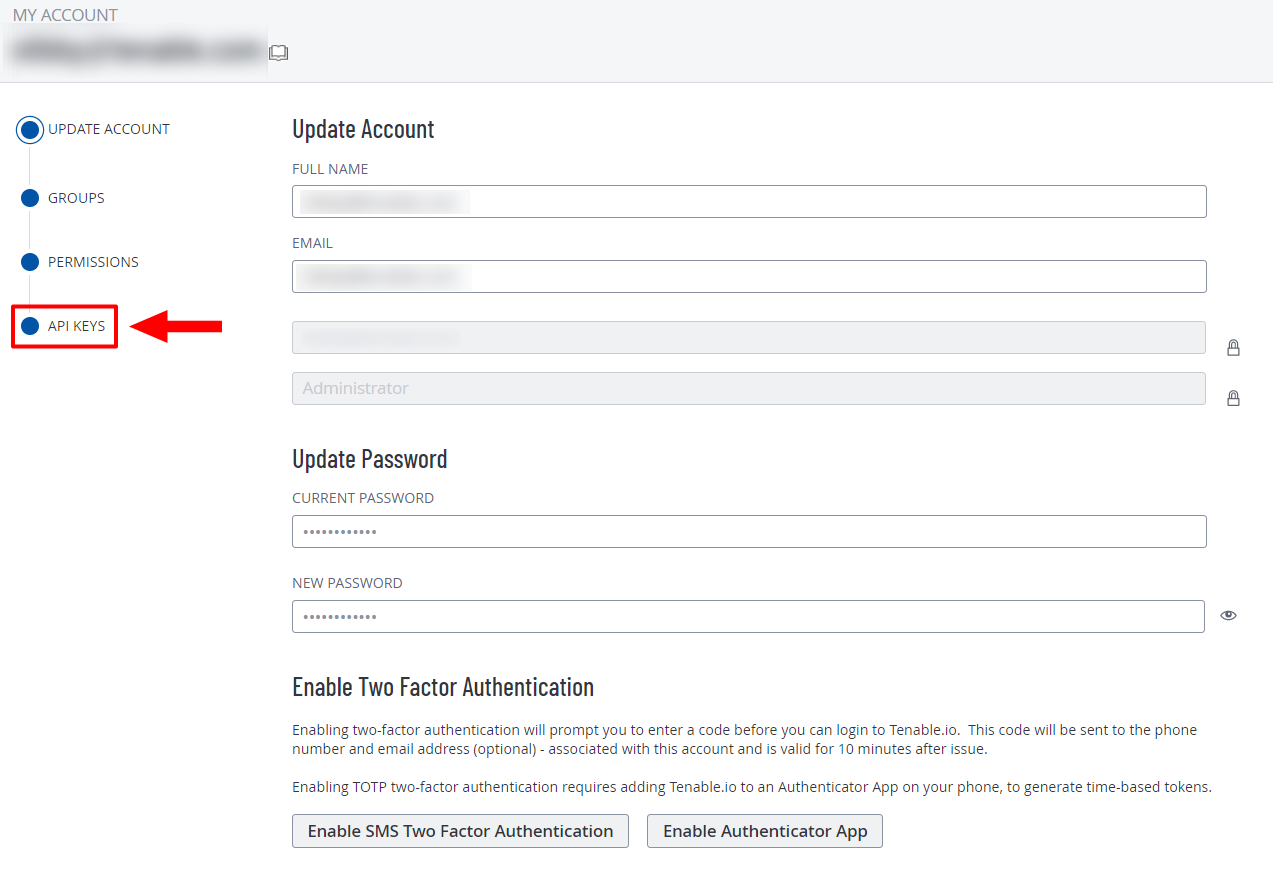
Click on My Profile and then click the API Keys tab
-
Click Generate within the API Keys section
-
The Generate API Keys window appears with a warning.
CautionAny existing API keys are replaced when you click the Generate button. You must update the applications where the previous API keys were used.
-
Review the warning and click Generate.
-
Vulnerability Management generates new access and secret keys and displays the new keys in the Custom API Keys section of the page.
-
Copy the new access and secret keys to a safe location.
CautionBe sure to copy the access and secret keys before you close the API Keystab. After you close this tab, you cannot retrieve the keys from Vulnerability Management.
Add Configuration
-
Navigate to the Integrations tab using the left-hand menu, and select Tenable.

-
Click the Add Configuration button and fill in the details below:

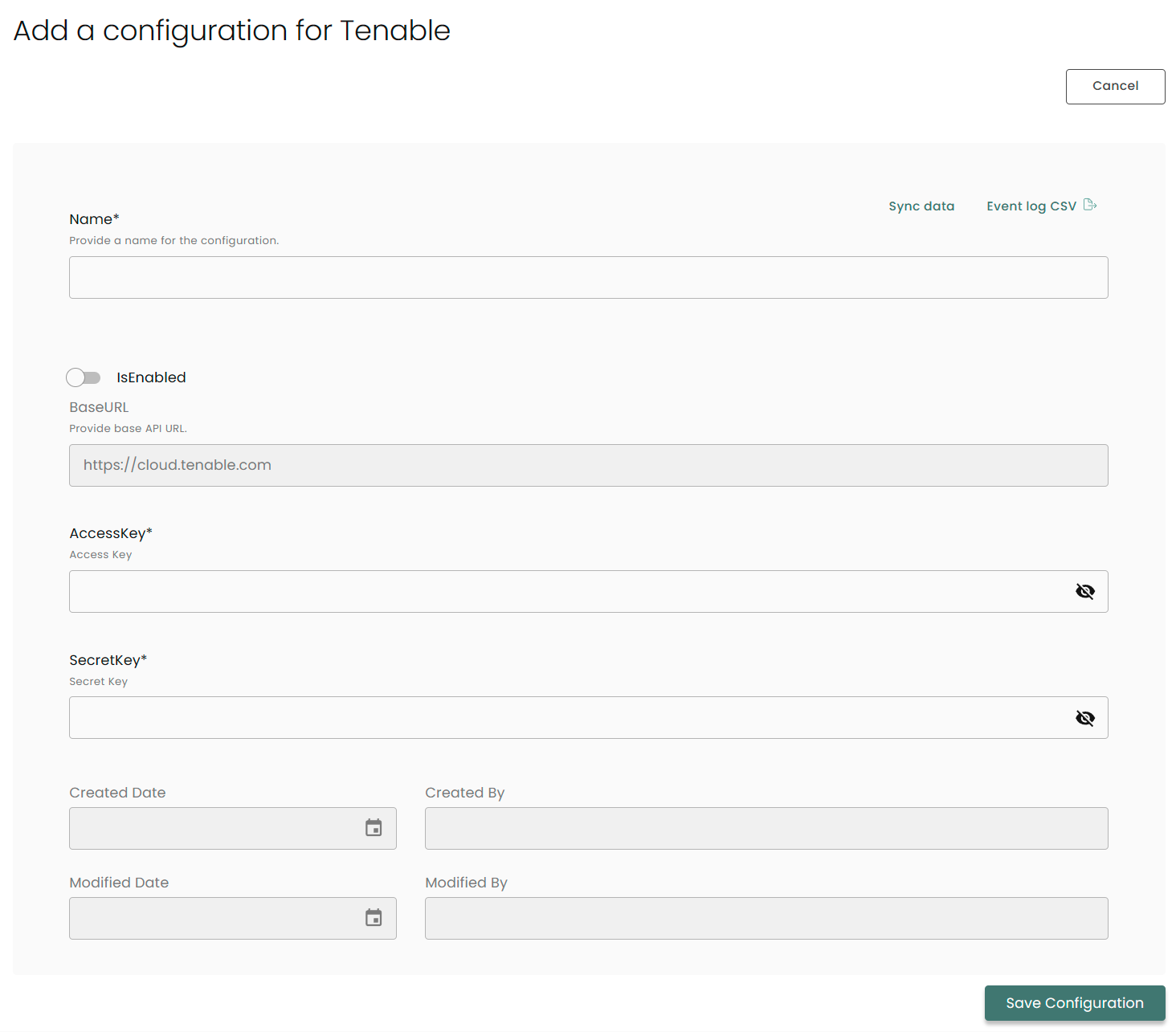
Name: Enter the name of the integration
is Enabled: Toggle button to ensure data is populated into Compyl
Base URL: This is automatically populated as https://cloud.tenable.com
Key: The API Token you generated above
Once you have completed filling out the form click Save Configuration.
NoteTo check if the integration is connected, navigate to the Integrations page in Compyl. If the Status icon shows an unbroken link in the right-hand corner, your integration is properly connected.

This integration syncs daily.
To query the data from the integration, refer to the Query Builder article.
Updated 2 months ago