The Compyl API allows developers to interact with the data stored within Compyl. Popular use cases include ingesting data into Compyl for further analysis, and retrieving data feeds from various Compyl benchmarks.
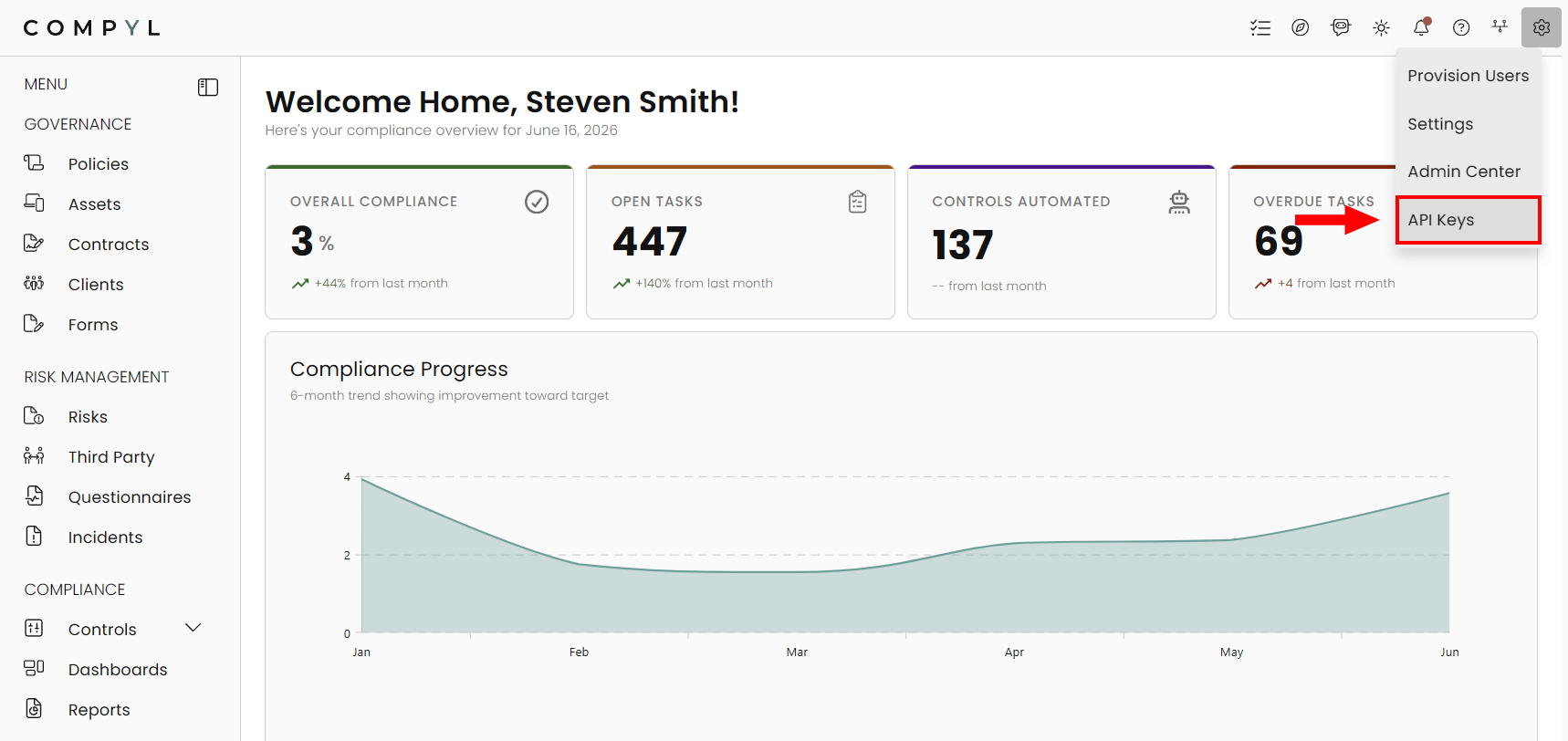
You can manage your API Keys by clicking on the Settings icon and selecting API Keys.
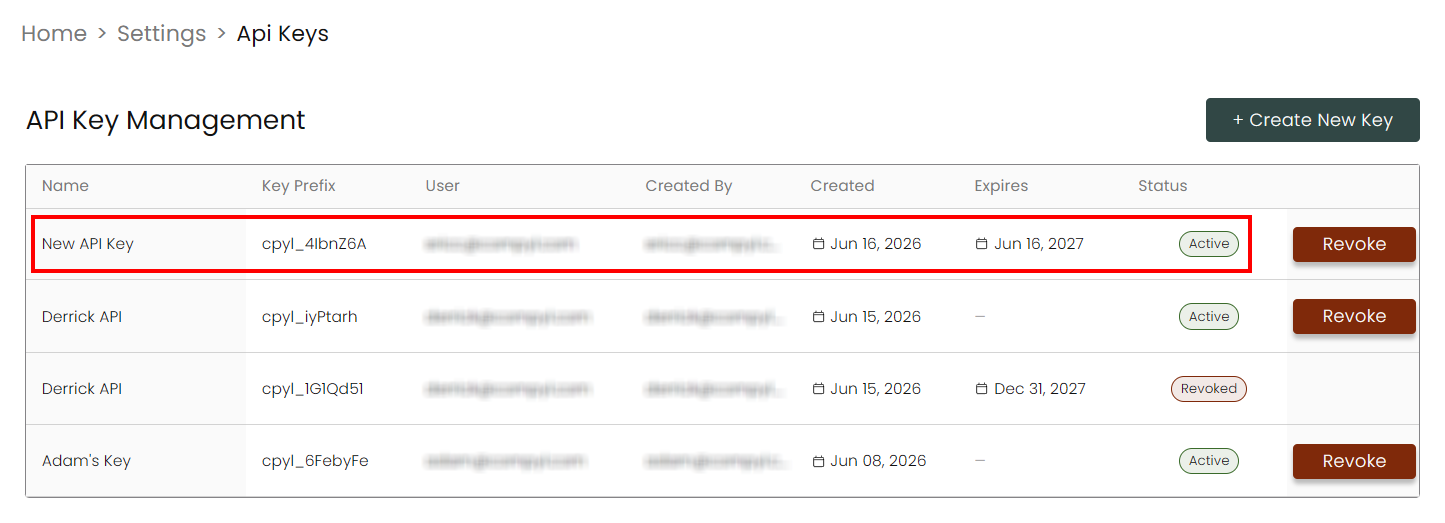
From here you will see a list of generated API keys, their name, who they belong to, and more. You'll also be able to see their status and the ability to revoke a key if you have admin-level access.
Create an API Key
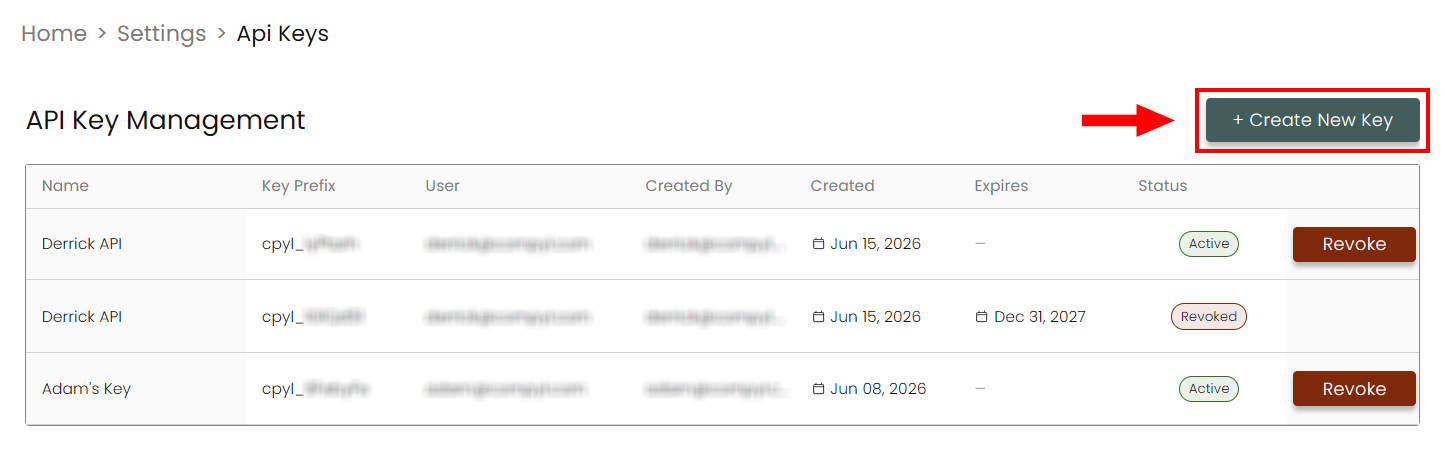
To create a new API key, click on +Create New Key at the top-right of the screen.
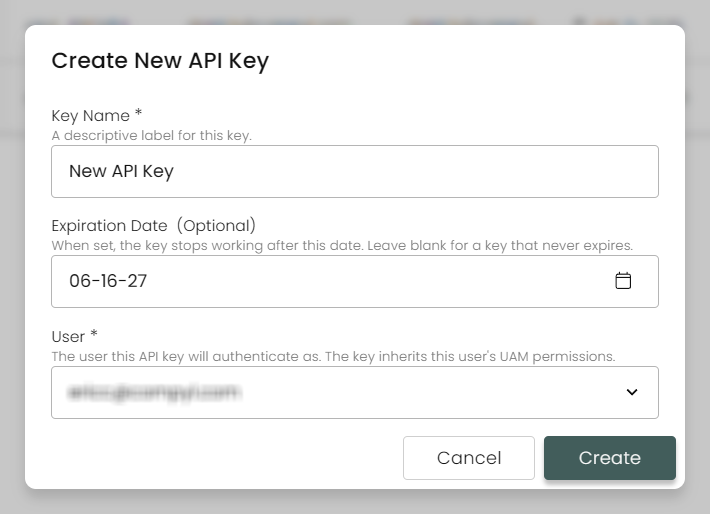
Fill in the details and assign the key to an existing user. This key will inherit all permissions that the assigned user will have. Any actions using the key will also be attributed to that user as well. Then click Create.
NoteThe API Key's permissions will always reflect the user assigned to the key. Any permissions added or removed will also be changed with the key. If the user is removed, then key will be revoked automatically.
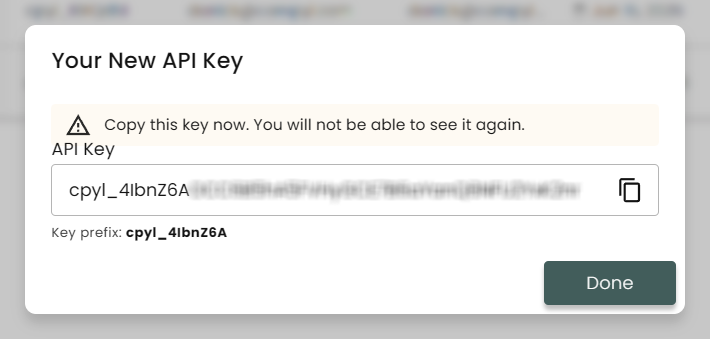
Make sure to copy your key to a secure location. We do not store the key in our system and it will not be shown again. The Key Prefix is there to help identify the key individually and will be the only indicator shown afterwards.
Once Done, your new key will show up in the list.